
grok-imagine-1.5 image-to-video: storyboard concept animation example
Following the transformation chain of "text to image to motion": first use a single storyboard concept frame as the sole reference image, then describe camera movement and atmosphere changes through an image-to-video prompt, extending the static composition into a short motion clip. This work corresponds to the grok-imagine-1.5 image-to-video workflow: a single reference image input, outputting a short video with synchronized ambient audio; this time using 720p, 6-second specifications, balancing preview clarity and generation cost. Since aspect_ratio does not take effect with single-image input, the aspect ratio follows the reference image itself, so the reference frame was drawn in a horizontal cinematic composition at generation time. Use cases: creative teams quickly validating the motion feasibility of storyboard plans, converting concept frames into dynamic previews for proposals, and testing cinematic language for social media short videos. Developers can use this to understand the typical input structure of image-driven video in this model family: one reference image field plus a motion prompt, without involving other control items not declared in the schema.
Style Storyboard · Cinematic · Concept Art
Model Grok Imagine 1.5
Reference inputs
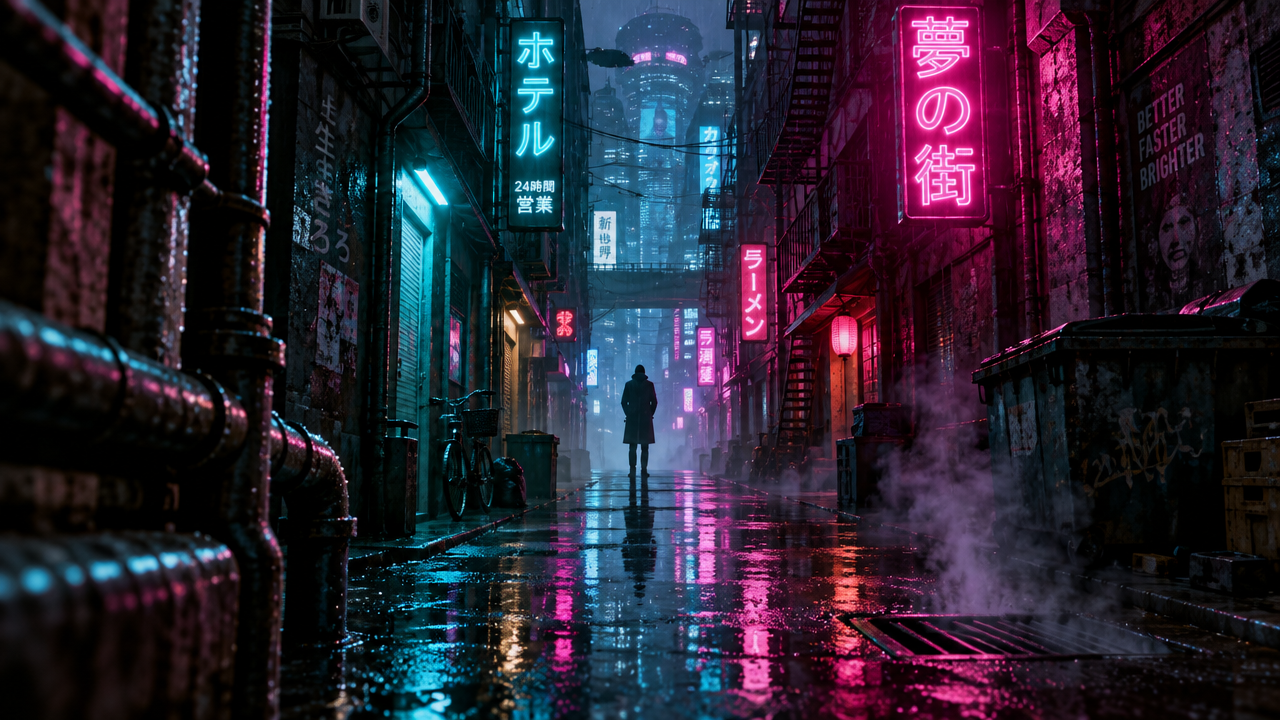
image_urls
Prompt
Cinematic storyboard frame animation: at night, the camera slowly and steadily pushes forward through a rain-soaked, muddy neon alley, the camera drifting slightly to the right, reflections flickering on the wet asphalt; steam curls upward and drifts with the breeze, distant signs flicker gently, with a subtle handheld floating feel and shallow depth of field; melancholic lighting interweaving teal and magenta, volumetric fog feel, 24fps cinematic motion, restrained pacing with no cuts.
Copy the full prompt and adapt it for your own generation.
Tags