
Veo 3.1 Lite Image-to-Video: Storyboard Concept Conversion Example
Using a storyboard concept as the starting point, this demonstrates how the Veo 3.1 Lite image-to-video pipeline turns a single still image into a short film with camera movement. The work first has the pipeline generate a 16:9 storyboard image of a rainy-night street corner, which serves as the sole reference image (image_url); then a prompt describes the camera push-in, the motion of the rain streaks and neon reflections, along with an 8-second duration and 720p output, showing the conversion path from text to image. negative_prompt is used to suppress text and noise that may appear in the storyboard image, and generate_audio stays enabled to obtain native audio. This is suitable for developers to understand how inputs are organized for image-to-video, and for scenarios that use single-frame reference material to build batch short-video prototypes.
Style Storyboard · Image-to-Video · Cinematic
Model Veo 3.1 Lite
Reference inputs
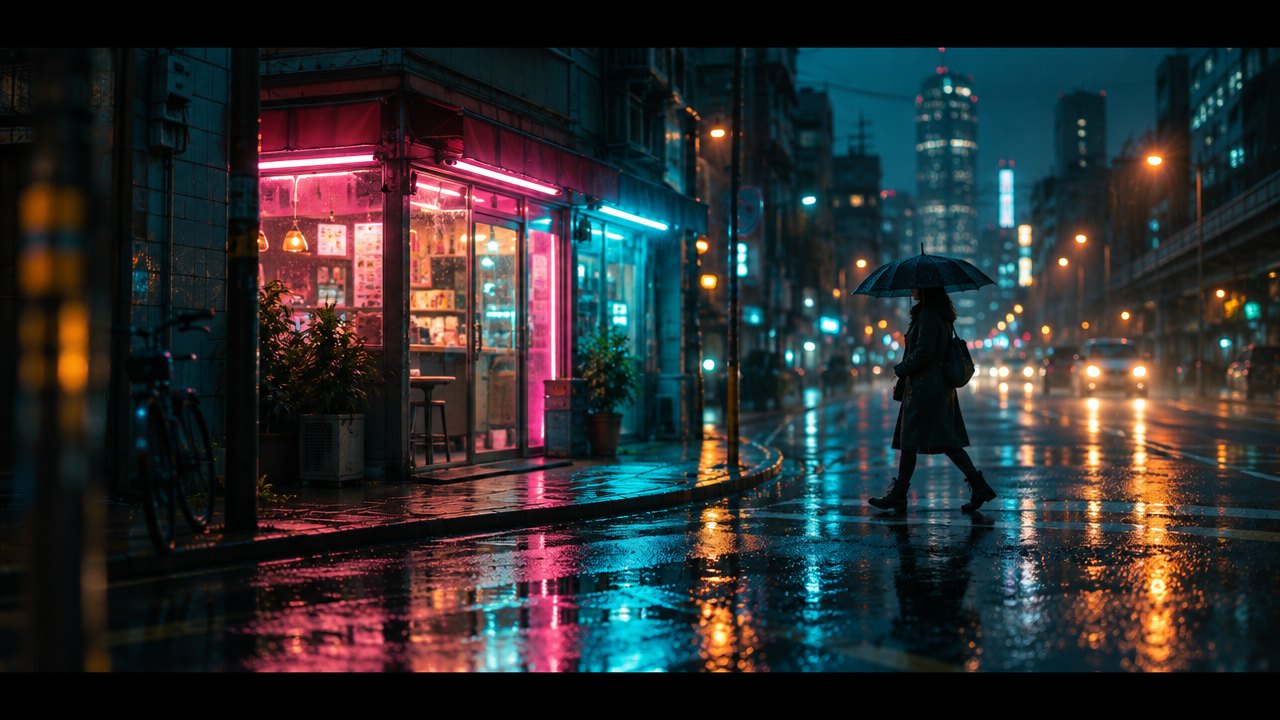
Input image
Prompt
A slow cinematic push-in on a rainy-night neon street corner, the camera advancing steadily forward at eye level with a slight handheld float; rain streaks fall diagonally, puddles ripple and reflect pink and cyan sign lights; a lone figure holding an umbrella walks past the storefront and exits frame to the right; shallow depth of field, anamorphic lens flare, moody teal-and-orange grade, 24fps motion blur, continuous single-take shot, no cuts, no overlaid text.
Copy the full prompt and adapt it for your own generation.
Tags