
Veo 3.1 Fast Image-to-Video Capabilities Explained: Core Parameters Clarified with a Single Reference Image
Using a real image-to-video finished clip, this visually presents the input composition of veo-3.1-fast/image-to-video: one 16:9 reference image plus one motion description prompt, combined with parameters such as resolution, duration, aspect_ratio, generate_audio, seed, and negative_prompt to control the output. The piece begins with a parameter diagram, then the camera pushes in with native audio, demonstrating the most typical workflow of "static image → video clip with sound." It is suitable for developers to quickly understand how the required media field (image_url) of this pipeline works with the adjustable parameters, and also serves as a starting sample for marketing, demonstration, and educational content production. Parameter values follow the schema's enums and defaults: resolution is limited to 720p/1080p/4k, duration is limited to 4/6/8 seconds, and when generate_audio is enabled, an audio track is produced within the same pipeline.
Style Parameter Description · tech-demo · Product Demo
Model Veo 3.1 Fast
Reference inputs
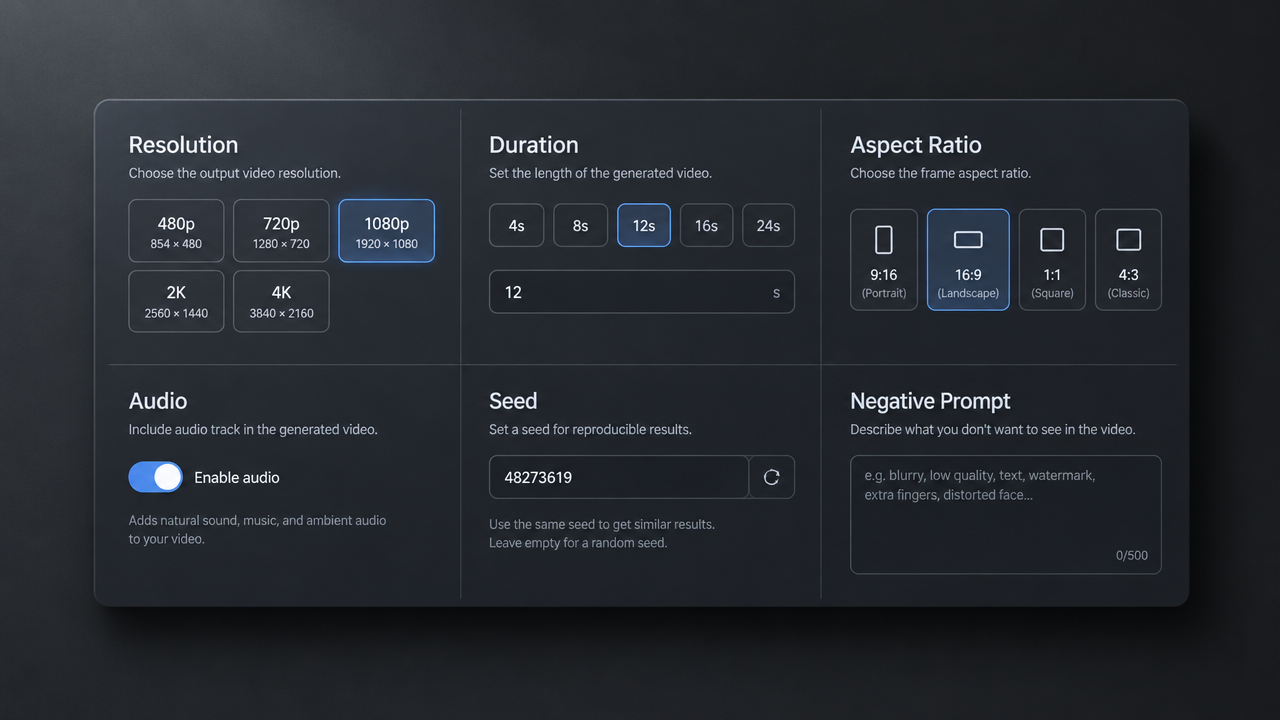
image_url
Prompt
Turn a clean 16:9 technical diagram card into a slow, controlled product-style motion shot. The camera performs a gentle push-in with a slight lateral drift, keeping the parameter labels in the image clearly readable throughout. A subtle parallax forms between the foreground diagram layer and the soft dark studio background; a delicate light sweep passes across the card surface to reveal its structure. Shallow depth of field, cool neutral color grading, soft key light from the upper left, with slight edge separation. Quiet ambient studio atmosphere, with a soft UI click sound at the reveal. Steady, methodical pacing, no cuts, cinematic yet restrained, with smooth motion that feels physically realistic.
Copy the full prompt and adapt it for your own generation.
Tags