
Guide
GPT Image 2 Prompt Templates for Product Ads
Three copy-paste ad prompt templates — hero, social promo, and lifestyle banner — generated with GPT Image 2, each with a real ad, the reusable pattern, and the parameters.
- Per 1K image
- $0.03
- Templates
- 3 ad formats
- 200 variants
- $6
Ad creative is a volume game: one product, a dozen headlines, three placements, endless A/B variants. The blocker has always been that most image models butcher the one thing an ad needs most — legible on-image text. GPT Image 2 is the exception; it renders headlines and short copy cleanly, which makes it the model to template your ad pipeline around. Below are three copy-paste prompt templates — hero, social promo, and lifestyle banner — each with a real generated ad and the reusable pattern behind it.
Every ad here is a single gpt-image-2 call at $0.03. The trick to clean ad copy is always the same: put the exact text in quotes and say where it goes.
Template 1: the product hero ad
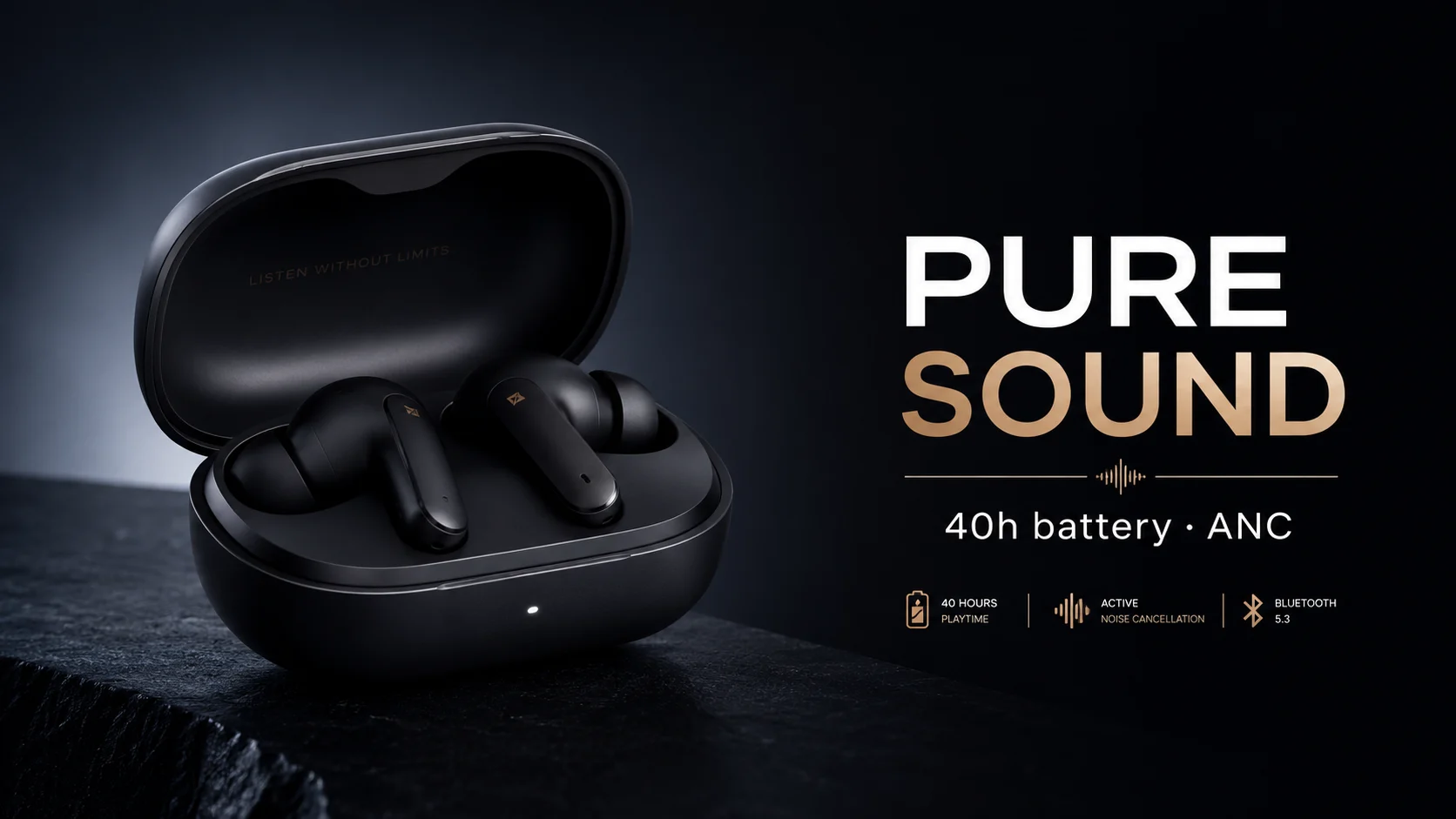
A clean hero for a paid placement or a landing-page banner — product on a dramatic backdrop, a bold headline, one line of supporting copy.
A premium advertising hero image for {PRODUCT}: a {PRODUCT} on a {BACKDROP}
with a soft rim light, on the right a bold clean headline reading "{HEADLINE}"
and a smaller line "{SUBTEXT}", high-end {CATEGORY} ad, crisp legible text,
negative space.
Filled in: {PRODUCT} = matte-black wireless earbuds, {HEADLINE} = PURE SOUND, {SUBTEXT} = 40h battery · ANC. Task tk-hiapi-01KVQJT00V2TES55KBSHQTZ6NA, aspect_ratio 16:9, $0.03.
- Why it works: "negative space" reserves a clean zone for the headline; "soft rim light" separates the product from the backdrop. Keep the headline short — 1–3 words renders most reliably.
Template 2: the social promo
A square promo for an offer — product, a discount badge, a sale headline. The format you fan out across a campaign by swapping the offer.
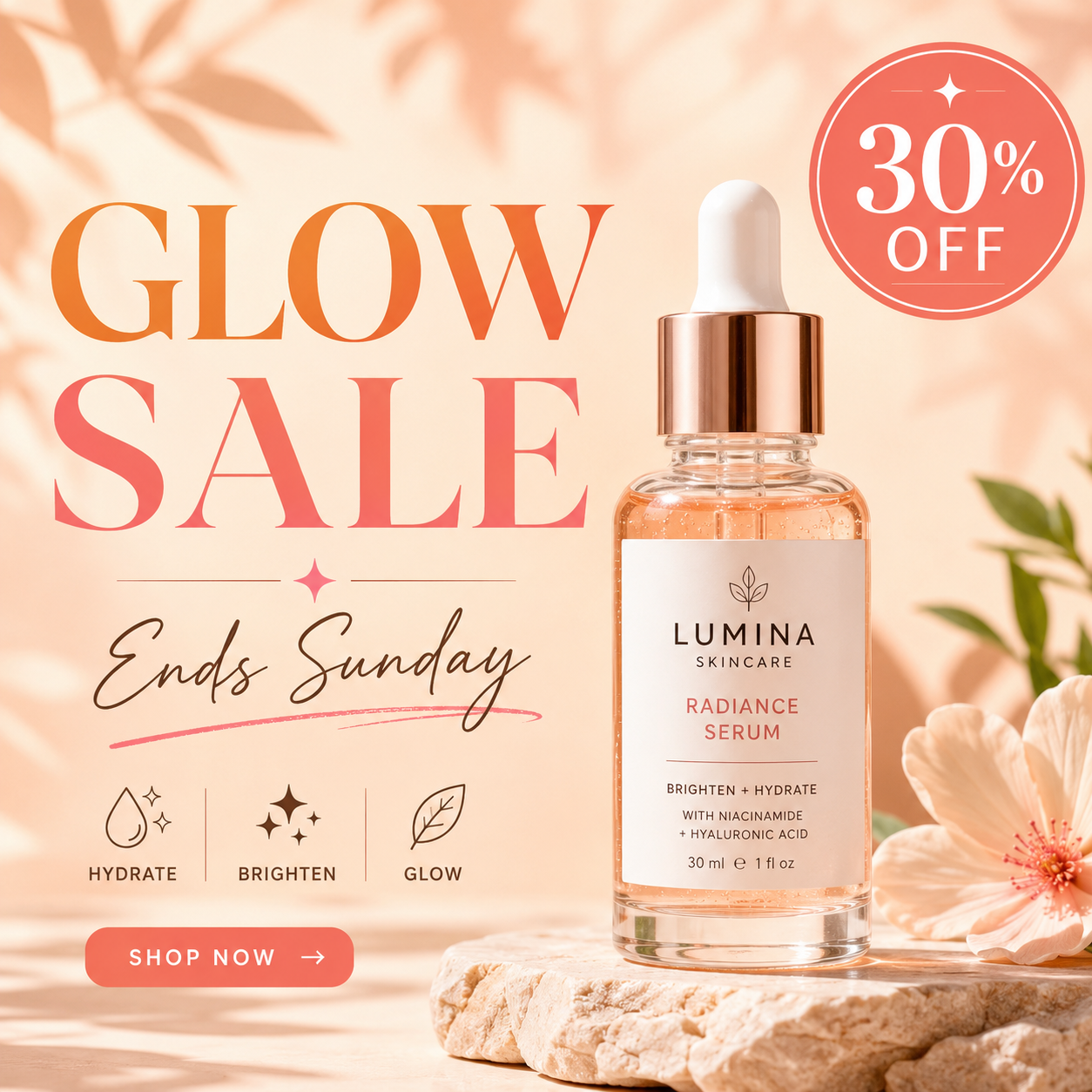
A square social media promo ad for {PRODUCT} on a {BACKGROUND}, a circular
badge reading "{BADGE}" in the top-right corner and a headline "{HEADLINE}"
with subtext "{SUBTEXT}", bright clean commercial style, legible text.
Filled in: {PRODUCT} = a skincare serum bottle, {BADGE} = 30% OFF, {HEADLINE} = GLOW SALE, {SUBTEXT} = Ends Sunday. Task tk-hiapi-01KVQJWAR933TN56HPCDYPX10E, aspect_ratio 1:1, $0.03.
- Why it works: the badge text and the headline are separate quoted strings with explicit placement ("top-right corner"). That separation keeps the model from merging them.
Template 3: the lifestyle banner
A wide banner that sells the use case, not just the product — product in a real scene with a benefit-led headline.
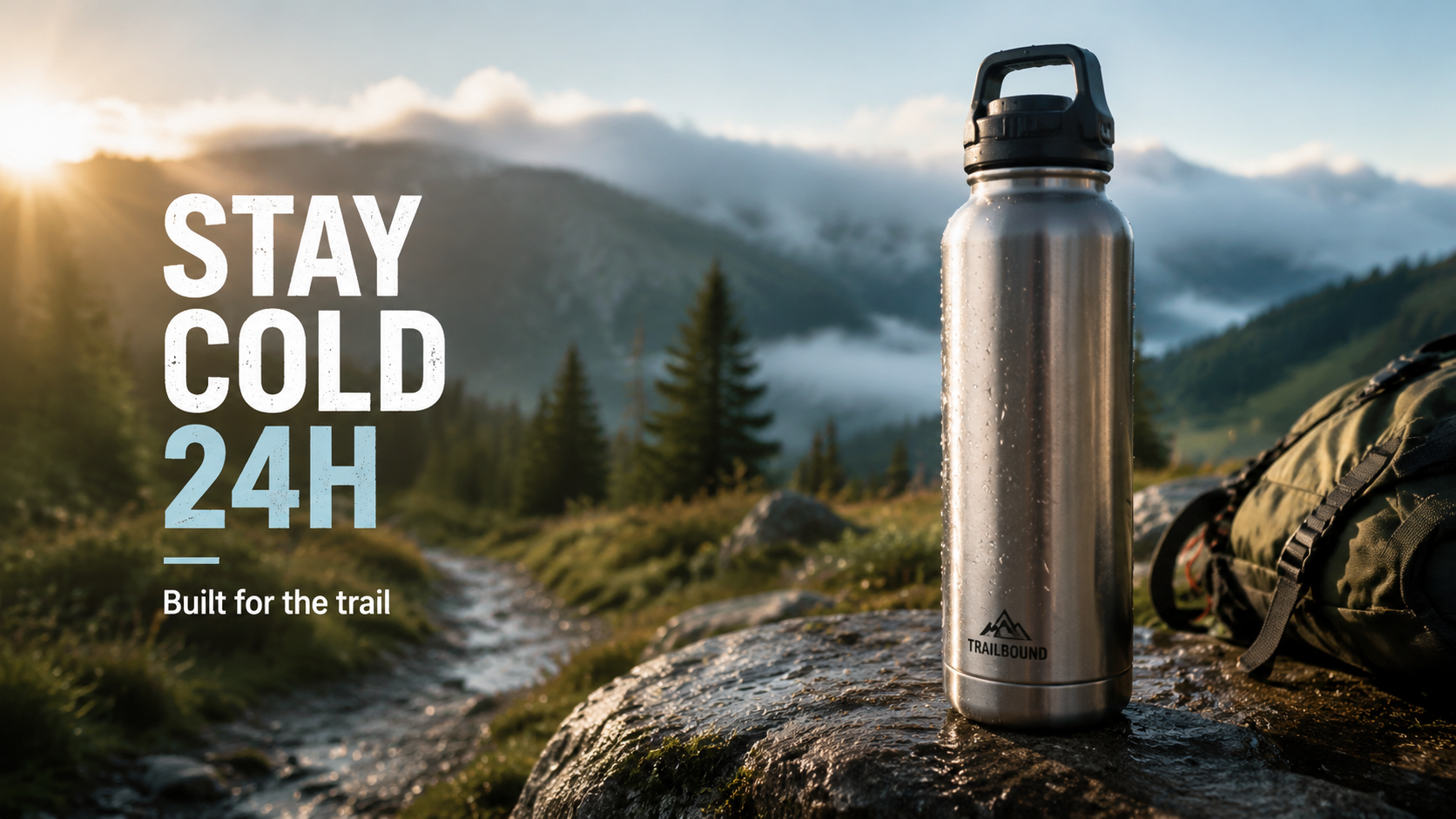
A lifestyle ad banner: {PRODUCT} in a {SCENE}, {LIGHT}, on the left a headline
reading "{HEADLINE}" and a small tagline "{TAGLINE}", {VERTICAL} advertising,
legible text, cinematic.
Filled in: {PRODUCT} = a stainless-steel insulated water bottle, {SCENE} = on a rock beside a misty morning trail, {HEADLINE} = STAY COLD 24H, {TAGLINE} = Built for the trail. Task tk-hiapi-01KVQK0EK2Q23YA6HAP5697NC9, aspect_ratio 16:9, $0.03.
- Why it works: naming the scene and the light makes it read like real photography; placing the headline "on the left" keeps it off the product.
Running it as a pipeline
Three ad formats, three single calls, $0.09. To scale:
- Template the placeholders. Keep the structure, swap
{PRODUCT}/{HEADLINE}/{SUBTEXT}per variant — that is your A/B matrix. - Always read the text. GPT Image 2 is the strong pick for copy, but no model is perfect. Proof every headline and re-run the ~1-in-10 that drops a character.
- Forecast the bill. At $0.03 a 1K image, a 200-variant campaign is $6.
For more general prompt recipes, see the GPT Image 2 prompt templates; for a product-photography focus, see the GPT Image 2 product image API examples. Then run your own on the GPT Image 2 model page.
Related articles
View all articles →-

Guide
Getting Started with seedream-5.0-pro/image-to-image: Capabilities, Pricing, and Integration Essentials
Capability boundaries, billing model, and engineering integration practices for ByteDance's image editing model
-

Guide
seedream-5.0-pro Text-to-Image Getting Started Guide: Capability Boundaries, API Integration, and Cost Control
A hands-on developer perspective: from key parameters to a cost estimate of $0.05 per image
-

Guide
Hailuo 2.3 Fast Image-to-Video Getting Started Guide: Capability Boundaries, Pricing, and Integration Practices
MiniMax image-to-video model selection and integration key points for developers