
Comparison
hailuo-2.3-fast/image-to-video Side-by-Side Comparison: How to Choose an Image-to-Video Model and Key Migration Points

First, Clarify Which Type of Image-to-Video Problem You Need to Solve
Image-to-video is not a single need. The same phrase "turn this image into a video" often means three different things depending on whether it comes from a product manager, a designer, or an engineer: animating a static product image for display, generating a few seconds of atmospheric short footage for marketing materials, or extending a keyframe into a clip with camera movement. Different needs mean completely different metrics to watch during model selection.
Before opening any model documentation, it is advisable to break the requirement into the following comparable dimensions:
- Motion amplitude: Does the image only need a slight breathing feel (light and shadow, water surface, hair), or does it need obvious camera push-pull or subject displacement? The larger the motion, the higher the risk of visual breakdown.
- Image stability: Whether structural distortion, subject deformation, or background flickering is allowed. Product display nearly has zero tolerance, while atmospheric content can be more lenient.
- Input fidelity: How closely the generated result needs to match the original image. Product images require the subject not to deform and colors not to drift; creative content allows the model to "freely interpret."
- Per-clip duration and batch scale: How many clips are generated at once and how many run per day directly determine cost sensitivity.
- Latency and concurrency: Whether users are waiting online or it is offline batch processing. The former is sensitive to response time, while the latter is sensitive to throughput and cost.
Write these items into a requirements checklist, then look at model parameters—the judgment will be much clearer. This article uses hailuo-2.3-fast/image-to-video as a reference object. It is provided by MiniMax, has video output type, focuses on image-to-video capability, is priced per clip, and is suitable as a cost-controllable baseline candidate.
A Common Misjudgment
Many teams start by comparing unit prices, then choose a model that is cheap but has a low success rate. The cost of rework and manual review far exceeds the money saved. A more reasonable approach is to first rank the above dimensions by business priority, then match models to them.
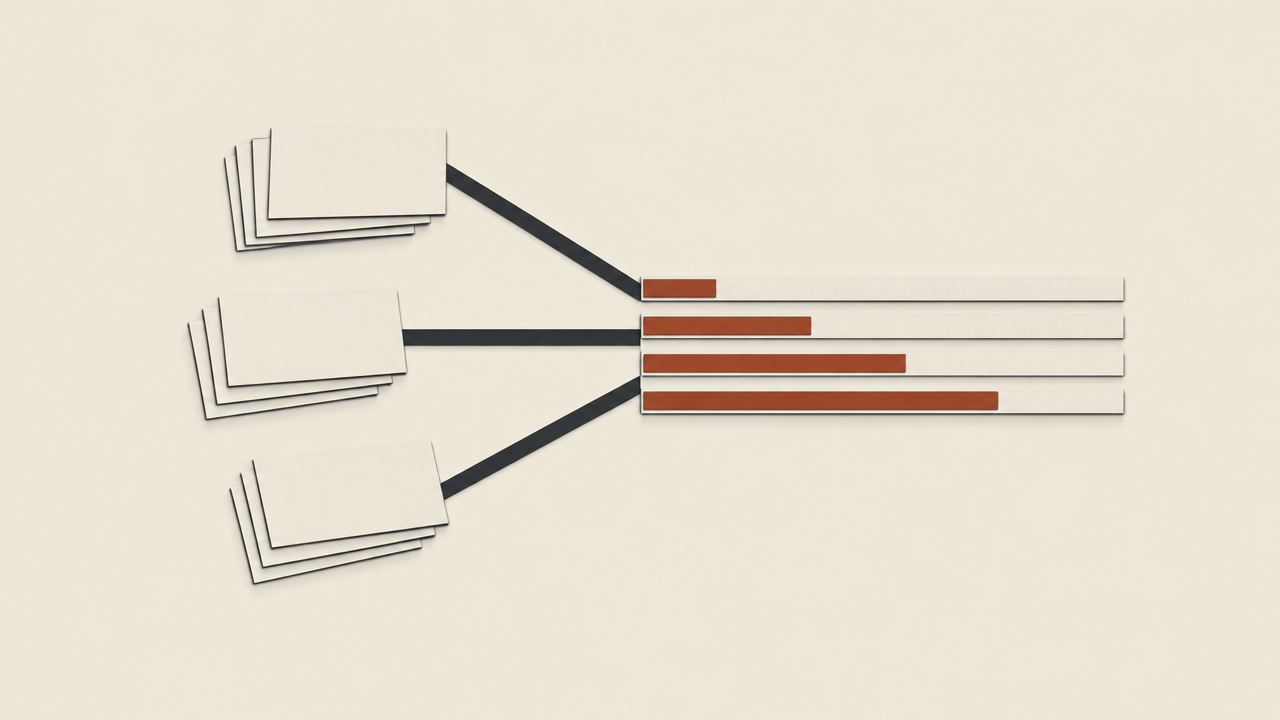
Positioning and Cost Baseline of hailuo-2.3-fast/image-to-video
First, place this model back into its coordinate system. hailuo-2.3-fast/image-to-video is provided by MiniMax, has video output type, and its capability is explicitly limited to image-to-video—that is, generating video starting from one input image, rather than text-to-video or multi-image reference. The "fast" in the name usually means it has made trade-offs in speed or cost, making it suitable as a candidate for high-frequency calls rather than a flagship option pursuing ultimate image quality.
Its pricing basis is per-clip billing, and the current price can be viewed in the site's pricing panel. This basis itself is very useful: per-clip billing means cost can be directly estimated by "number of generated clips," without first converting tokens or seconds, making it easier to align with business metrics when building budget models—for example, "we need 5,000 product short clips this month" can simply be multiplied by the clip count.
Treat It as a Cost Baseline
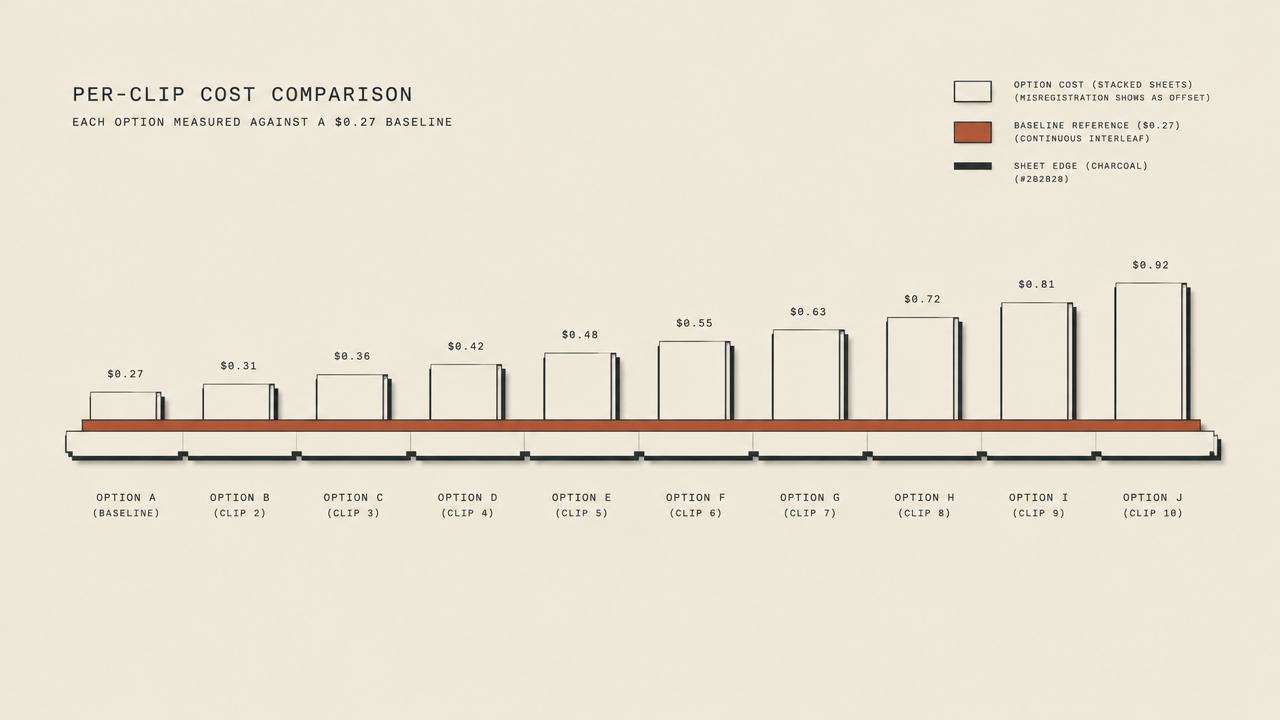
It is recommended to set this model's per-clip cost as a horizontal baseline, convert all other candidate models to "per-clip equivalent cost," and then compare. When converting, do not use only the list price; use:
Per-clip effective cost = per-clip price ÷ generation success rate × (1 + rework rate)
The generation success rate refers to the proportion of calls that yield usable results in one attempt, and the rework rate refers to the proportion requiring reruns or manual repair. A model with a lower list price but only a 70% success rate may have a higher effective cost than a competitor with a higher list price. Placing hailuo-2.3-fast/image-to-video on this baseline lets you quickly judge whether other models are "worth the expense" or "expensive for no reason."
Capability Boundaries Must Be Stated Up Front
It only performs image-to-video and does not handle text-to-video, video editing, or audio generation. If your business workflow includes both "generation from scratch" and "generation based on images," either route them to different models at the orchestration layer or uniformly encapsulate them with the same interface layer, avoiding scattered vendor branches in business code.
Which Dimensions to Examine in Side-by-Side Comparison
When comparing similar image-to-video models together, using a fixed dimension checklist prevents "choosing by gut feeling." The following checklist is ordered by importance and can be used directly as a review form.
1. Image Stability and Motion Quality
This is the dimension that most affects usability. Watch whether the subject deforms, whether the background flickers, and whether camera movement is natural. Fast-class models usually become more conservative in motion amplitude for speed; they perform well with slight motion effects, while large camera movements require actual testing to confirm.
2. Input Fidelity and Image Specifications
Models vary greatly in their requirements for input images: resolution upper and lower limits, aspect ratio, file format, and whether transparent channels are supported. Fidelity looks at the consistency between the generated result and the original image, especially sensitive areas such as text, logos, and faces.
3. Cost Basis and Predictability
Whether billing is per clip, per second, or per token determines whether the budget model can be accurate. Per-clip billing (such as hailuo-2.3-fast/image-to-video) is easiest to estimate; per-output-second billing requires conversion based on target duration. Do not compare only absolute values; compare "cost per completed business unit."
4. Latency and Concurrency Capability
Online scenarios look at the return time of the first result, while offline scenarios look at throughput per unit time. Concurrency limits often become a bottleneck earlier than single-call latency; be sure to confirm rate-limiting policies before integration.
5. Duration and Output Specifications
The range of durations that can be generated per call, output resolution, and encoding format directly determine whether the result can enter downstream editing or distribution processes directly, reducing transcoding steps.
6. Failure Semantics and Observability
Whether timeouts, content blocking, and parameter errors return distinguishable error codes, and whether idempotent retries are supported. This item is invisible during the demo stage but is most critical after launch.
How to Score
Weight each dimension by business priority, then fill in scores using measured data. It is recommended to run at least one comparison round with the same batch of input images (covering four categories: product images, portraits, landscapes, and images with text), recording success rate and subjective usability rate, rather than looking only at official examples.

Prioritize by Scenario: When to Choose the Fast Version
Comparison dimensions are tools; real decisions must return to scenarios. In the following situations, fast-class models are usually the more reasonable first choice, and hailuo-2.3-fast/image-to-video can serve as a representative candidate among them.
Budget-Sensitive Batch Generation
Tasks such as e-commerce detail page motion effects and batch social media material production have low per-clip value but large volume, making the cost curve very steep. In this case, prioritize models with per-clip billing and controllable per-clip cost, and leave the saved budget for manual spot checks.
Creative Stages Requiring Rapid Trial and Error
Before settling on a visual direction, teams often need to run dozens or hundreds of variants. This stage pursues "quickly seeing possibilities," and a slight drop in image quality is acceptable. Using the fast version for initial screening, then switching to a stronger model for refinement after locking the direction, is a common two-stage workflow.
Display Needs with Small Motion Amplitude
Slight light and shadow flow in product images, the breathing feel of static posters, and micro-expressions in character close-ups—these needs do not require large camera movements, and the balance between stability and cost in fast models matches them well.
When Not to Choose It
If the business requires large camera movement, long narrative clips, or near-zero tolerance for subject consistency, then image quality and stability should be ranked before cost, and a more capable model should be considered. Model selection is not about finding "the best model," but finding "the optimal solution under current constraints."
A Practical Judgment Order
- First ask whether the image quality floor can be met by fast-class models;
- Then check whether batch scale makes cost the main contradiction;
- Finally verify whether concurrency and latency can support business peaks.
For scenarios that pass all three steps, go directly with the fast version; if any step fails, look upward for a stronger-tier model.
Notes on Migration and Integration
Moving from demo to production, most problems occur in the details. When switching to or first integrating hailuo-2.3-fast/image-to-video, verify each item according to the checklist below.
Input Image Specifications
- Confirm the supported resolution range and aspect ratio; when out of range, whether it errors or automatically crops—automatic cropping may silently change the composition.
- Confirm the format and file size limits, and whether large images need pre-compression; compression loses detail and affects output fidelity.
- Run dedicated tests on images with text and logos to confirm key information is not smeared during generation.
Return Structure and Polling Semantics
Video generation is mostly asynchronous tasks; confirm: the task identifier field returned after submission, the interface form for querying status, status enum values (queued, processing, succeeded, failed), and the field location and validity period of the video URL on success. Write return-structure parsing as an adapter layer rather than scattering it in business code, so the change surface will be much smaller when switching models later.
Failure Retry and Idempotency
- Distinguish retryable errors (timeout, rate limiting) from non-retryable errors (invalid parameters, content blocking); retry the former with backoff, and fail the latter directly and report.
- Retries must carry an idempotency identifier to avoid duplicate billing for multiple clips generated from the same image.
- Set an overall timeout for each task to prevent polling from hanging indefinitely.
Avoid Silent Degradation
This is the most hidden pitfall in migration: when a parameter is not supported, the interface still returns success, but actually uses a default value, causing output to differ from expectations without anyone noticing. The approach is to perform explicit validation on key parameters and record the actually effective configuration in the returned result, incorporating it into logs and monitoring.
Observability and Canary Release
Before launch, instrument four metrics: success rate, average latency, per-clip cost, and manual rejection rate. During switching, use canary traffic to compare the old and new models on the same batch of inputs, and only go full traffic after confirming there is no regression.
Use an Aggregation Layer to Reduce Selection and Switching Costs
The same suggestion has appeared repeatedly in the previous sections: converge model calls into one layer of adapter code. The reason is straightforward—the image-to-video track iterates quickly, and today's optimal solution may be replaced in six months. If every replacement requires changing business code, the cost will be high enough to make people give up optimization.
An aggregated API layer actually needs to do three things:
Unify Request and Return Structures
Map different models' parameter naming, asynchronous task mechanisms, and return fields into one set of internal conventions. The business side only recognizes "submit image + parameters + get result" and does not care who is behind it. In this way, switching from hailuo-2.3-fast/image-to-video to another model only changes the mapping configuration.
Unify the Billing Perspective
Convert all models' pricing bases into "per-clip effective cost" before display, combined with success rate and rework rate, so that selection discussions return to business metrics rather than circling within parameter tables.
Support Canary Release and Rollback
Route traffic to different models by traffic ratio or business tag, and use the same batch of inputs for A/B comparison; when a model's success rate drops or latency spikes, roll back to a backup model with one configuration change rather than an emergency release.
Implementation Suggestions
First use cost-controllable models such as hailuo-2.3-fast/image-to-video to run through the full pipeline, build the adapter layer and metric instrumentation, then gradually introduce higher-tier candidates for comparison. The essence of model selection is making trade-offs under constraints, and the aggregation layer lets you repeatedly make these trade-offs at low cost.
Break down the requirements clearly, establish the baseline well, and keep the adapter layer thin—then all that remains is to let data decide which model to use for you.
Related articles
View all articles →-

Comparison
Recraft v4.1 Flash Text-to-Image Horizontal Comparison: Developer Model Selection and Migration Guide
Use the $0.01 per-image cost and pure text-to-image capability to judge whether it fits your image generation pipeline
-

Comparison
Seedream 5.0 Pro Image-to-Image Side-by-Side Comparison: Capabilities, Pricing, and Selection Guidance
-

Comparison
seedance-2.0-mini Side-by-Side Comparison: A Practical Guide to Video Generation Model Selection and Migration
Starting from a per-second pricing cost model, determine when to use seedance-2.0-mini and when not to