
Guide
Ideogram V4 API Pricing: TURBO vs BALANCED vs QUALITY
The three rendering tiers priced and tested on one prompt and seed: the text was right on all three, the artwork wasn’t; which tier to use for text-led posters.
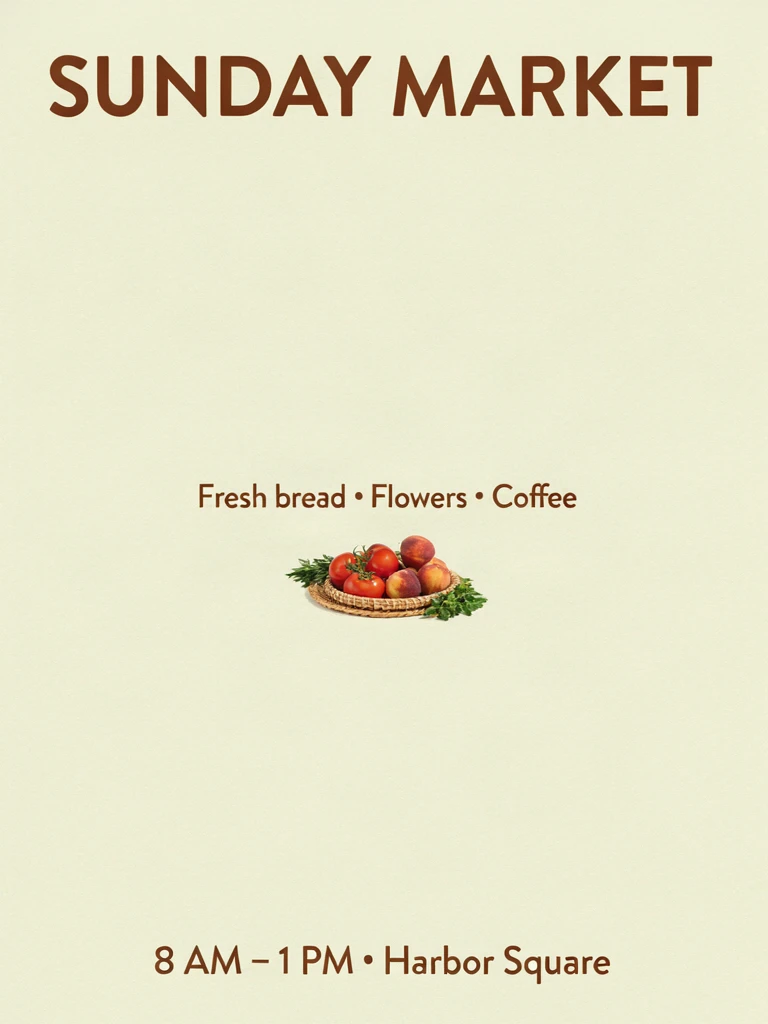
- TURBO
- $0.05
- BALANCED
- $0.10
- QUALITY
- $0.17
TL;DR
- Ideogram V4 (
ideogram-v4) is billed per image on HiAPI, andrendering_speedsets the price: TURBO $0.05, BALANCED $0.10 (the default), QUALITY $0.17. - With the same poster prompt and seed, all three tiers spelled every line of text correctly. The difference was the artwork: TURBO and QUALITY drew a full-color basket, while BALANCED drew a tiny line sketch. For text-led posters, start with TURBO.
- It's live on HiAPI: open the Ideogram V4 model page to try it. New accounts get 200 free credits.
Price table
rendering_speed |
Per image | 100 images | 1,000 images |
|---|---|---|---|
TURBO |
$0.05 | $5 | $50 |
BALANCED (default) |
$0.10 | $10 | $100 |
QUALITY |
$0.17 | $17 | $170 |
Live HiAPI prices, checked October 18, 2026.
Aspect ratio and output format don't change the price; only the tier does. QUALITY costs 3.4× TURBO. Failed tasks aren't charged.
Same prompt, one image per tier
3:4, PNG, seed 42 on all three:
A clean modern poster for a weekend farmers market. A woven basket of tomatoes, peaches and herbs on a sunlit wooden table, soft paper texture. Large headline at the top reads exactly "SUNDAY MARKET". Below it, smaller text reads exactly "Fresh bread · Flowers · Coffee". At the bottom: "8 AM – 1 PM · Harbor Square". Warm cream and terracotta palette, generous margins. No other text.
TURBO:
ideogram-v4, TURBO, 3:4, 768×1024, $0.05, 35 seconds.
BALANCED:
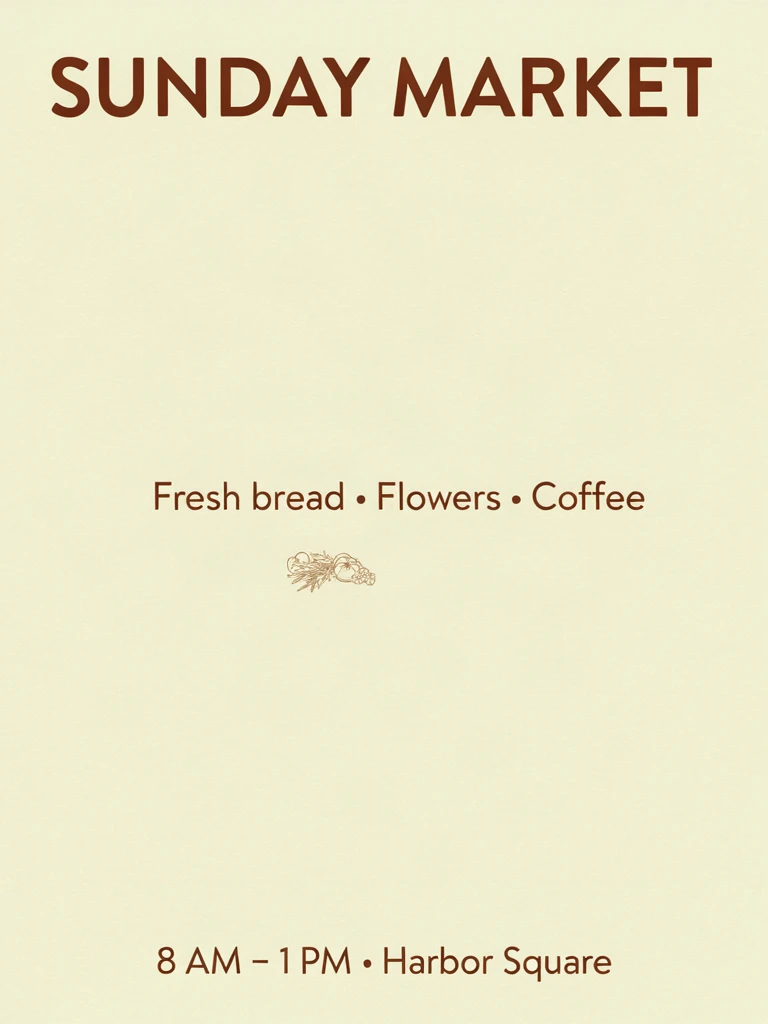
ideogram-v4, BALANCED, 3:4, 768×1024, $0.10, 35 seconds.
QUALITY:
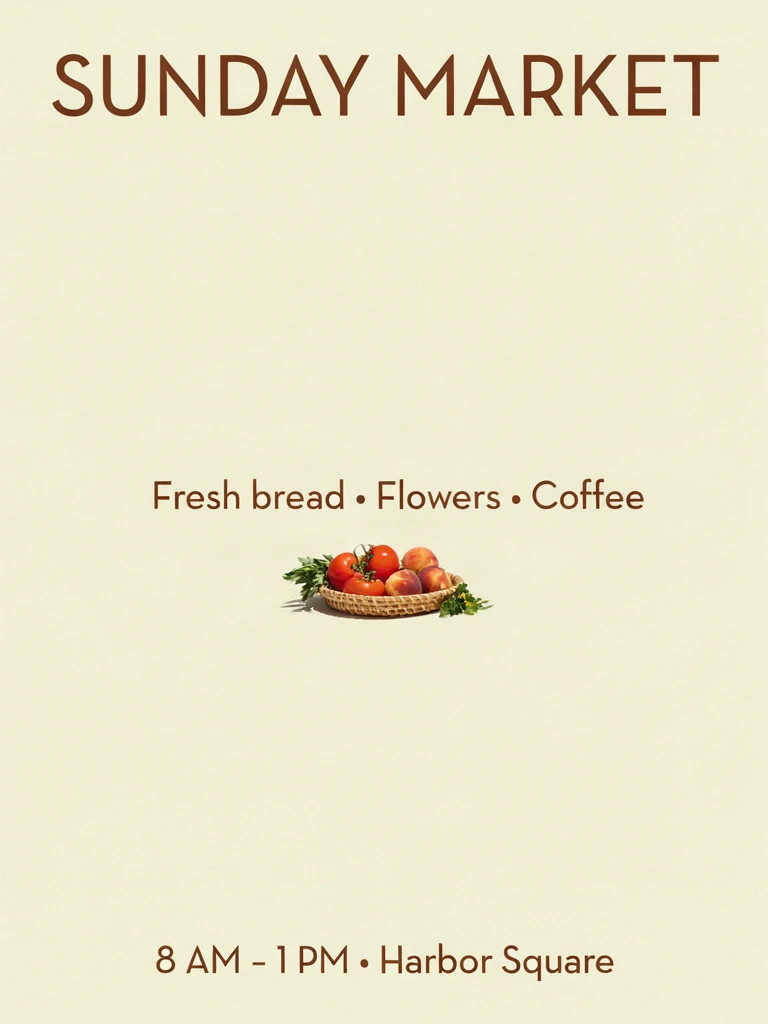
ideogram-v4, QUALITY, 3:4, 768×1024, $0.17, 51 seconds.
What's visibly different:
- Text: all three lines are correct on every tier, including the "·" and "–" characters.
- Artwork: TURBO and QUALITY both show a full-color basket of tomatoes, peaches and herbs; QUALITY adds a shadow and a few small flowers for slightly more detail. BALANCED reduced the basket to a tiny line drawing.
- What none of them did: no tier drew the "sunlit wooden table." The basket floats mid-page on all three, surrounded by empty space.
- Type: QUALITY set the headline in a lighter weight; TURBO and BALANCED used bold.
All three came back at 768×1024; the tier doesn't change output size.
Which tier to use
- Text posters, signage, batch work: TURBO. The text was just as accurate here, at $0.05 an image.
- Exploring variations: $1 buys 20 TURBO images, or fewer than 6 on QUALITY.
- Final delivery with richer artwork: QUALITY, after you've locked the layout on TURBO.
- BALANCED: it's the documented default, yet here it produced the weakest artwork, so set the tier explicitly.
How to call it
prompt and rendering_speed are required:
{"model": "ideogram-v4", "input": {"prompt": "...", "rendering_speed": "TURBO", "aspect_ratio": "3:4", "output_format": "png", "seed": 42}}
aspect_ratio accepts 1:1 (default), 16:9, 4:3, 9:16 and 3:4, all around 1 megapixel; output_format is jpeg (default) or png. Put any text you want rendered into the prompt word for word, in quotes.
FAQ
What if I leave out rendering_speed?
The field is required, so the request returns HTTP 400. The documented default value is BALANCED.
Does a fixed seed reproduce results?
Yes. Keep the seed fixed when switching tiers and the layout stays broadly similar, which makes comparison easy.
Are QUALITY images larger?
No. All three tiers output the same size; here, 768×1024.
Am I charged for failed tasks?
No.
For a full request walkthrough, see How to use Ideogram V4; for a head-to-head with another text-capable model, see Ideogram V4 vs Nano Banana 2. Or copy the poster prompt above and generate it on TURBO for $0.05.
Related articles
View all articles →-

Guide
Getting Started with seedream-5.0-pro/image-to-image: Capabilities, Pricing, and Integration Essentials
Capability boundaries, billing model, and engineering integration practices for ByteDance's image editing model
-

Guide
seedream-5.0-pro Text-to-Image Getting Started Guide: Capability Boundaries, API Integration, and Cost Control
A hands-on developer perspective: from key parameters to a cost estimate of $0.05 per image
-

Guide
Hailuo 2.3 Fast Image-to-Video Getting Started Guide: Capability Boundaries, Pricing, and Integration Practices
MiniMax image-to-video model selection and integration key points for developers