
Guide
Krea 3 Prompts: 6 Ready-to-Use Templates with Real Outputs
Product photography, vertical fashion, lettered posters, watercolor, cinema widescreen, and one-liners — across Krea 3 and Krea 2.
- Scene templates
- 6
- Krea 3 / image
- $0.036
- Signup bonus
- 200 credits
TL;DR
- 6 ready-to-use scenes: product photography, vertical fashion, lettered posters, watercolor illustration, cinema widescreen, and one-line prompts — real outputs from both Krea 3 (
krea-3/text-to-image, $0.036/image) and Krea 2 Medium Turbo (krea-2-medium-turbo, $0.0215/image; full tiers on the pricing page), with captions naming the model. - Every link pre-fills the prompt — pick a size and generate. Code lives in the API guide.
- New accounts get 200 credits; $10 buys about 277 Krea 3 images or 465 Krea 2 images.
Scene 1: Product photography (e-commerce hero)
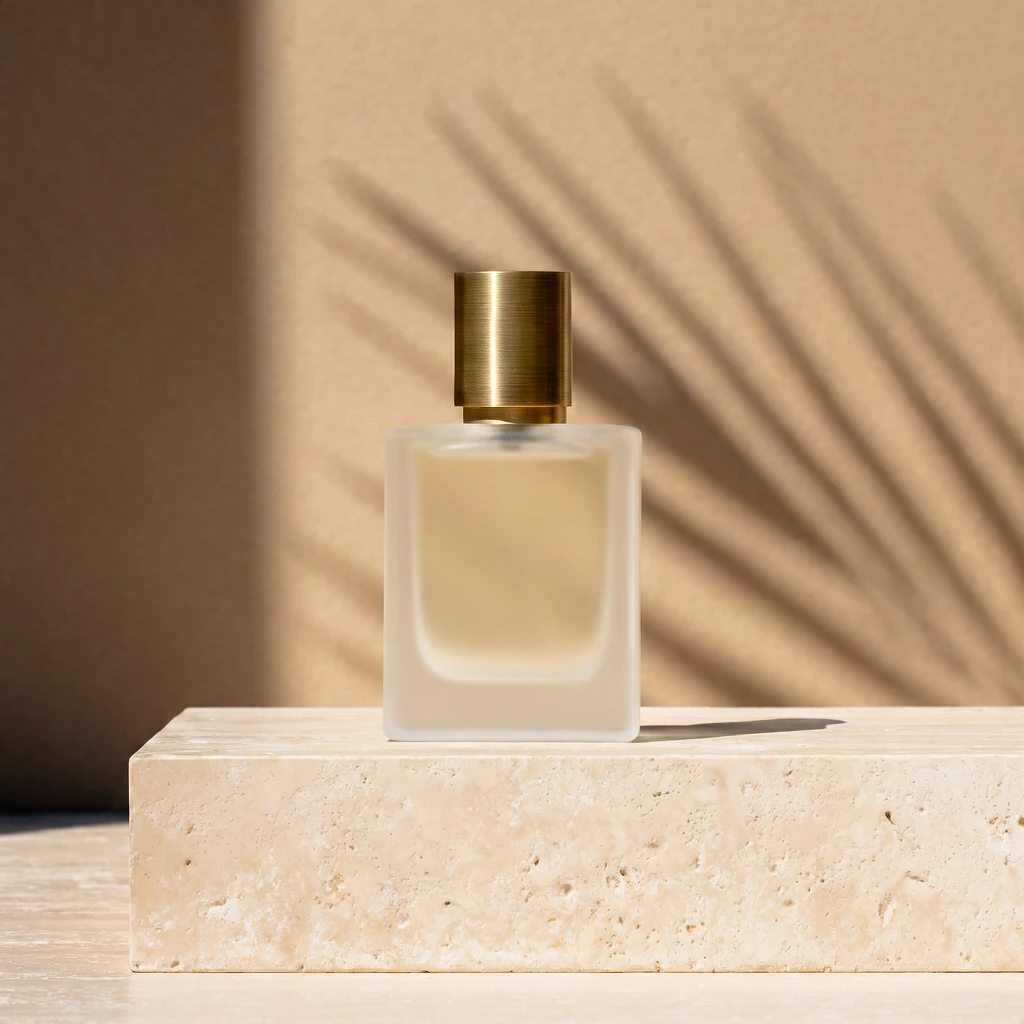
Studio product photograph of a frosted glass perfume bottle with a brushed brass cap standing on a block of travertine, hard afternoon sunlight casting a long palm-leaf shadow across a warm beige wall, crisp reflections, high-end editorial look
krea-3/text-to-image, berry, square_hd, 1024×1024, $0.036.
How to write it: materials (frosted glass, brass) + surface (travertine) + light (hard afternoon sun, a cast shadow) — three segments done. The premium feel comes from concrete words like "hard light" and "editorial."
Scene 2: Vertical fashion (9:16 for phones)
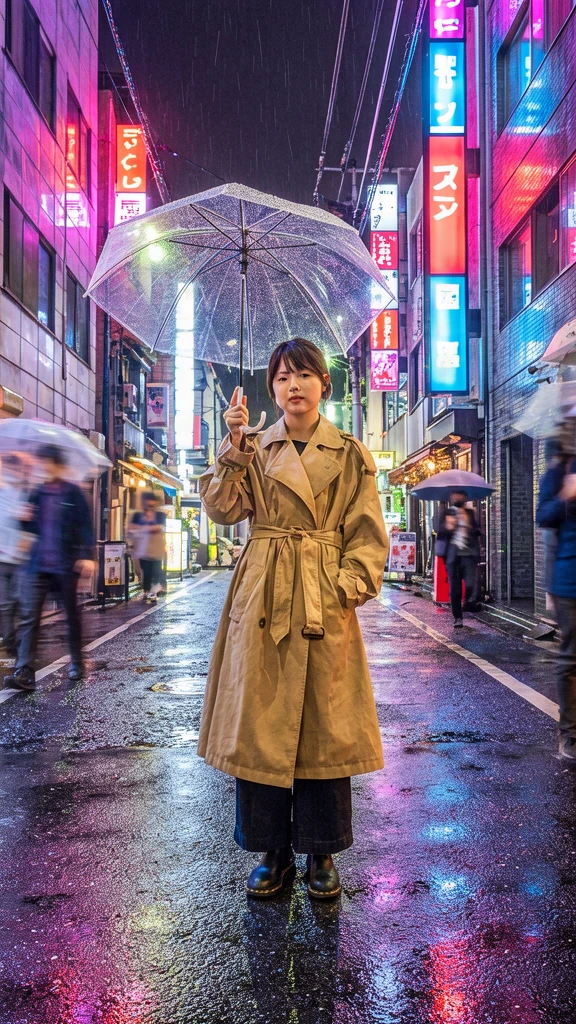
Full-length street fashion photo of a young woman in an oversized camel trench coat holding a clear umbrella on a rainy Tokyo side street at night, neon signs reflected in puddles, motion-blurred passers-by, vertical composition
krea-3/text-to-image, berry, portrait_16_9, 576×1024, $0.036.
How to write it: say Full-length for head-to-toe and close with vertical composition; rainy night plus neon reflections is the mood combo, and motion-blurred passers-by give the frame air.
Scene 3: Event posters with headline text
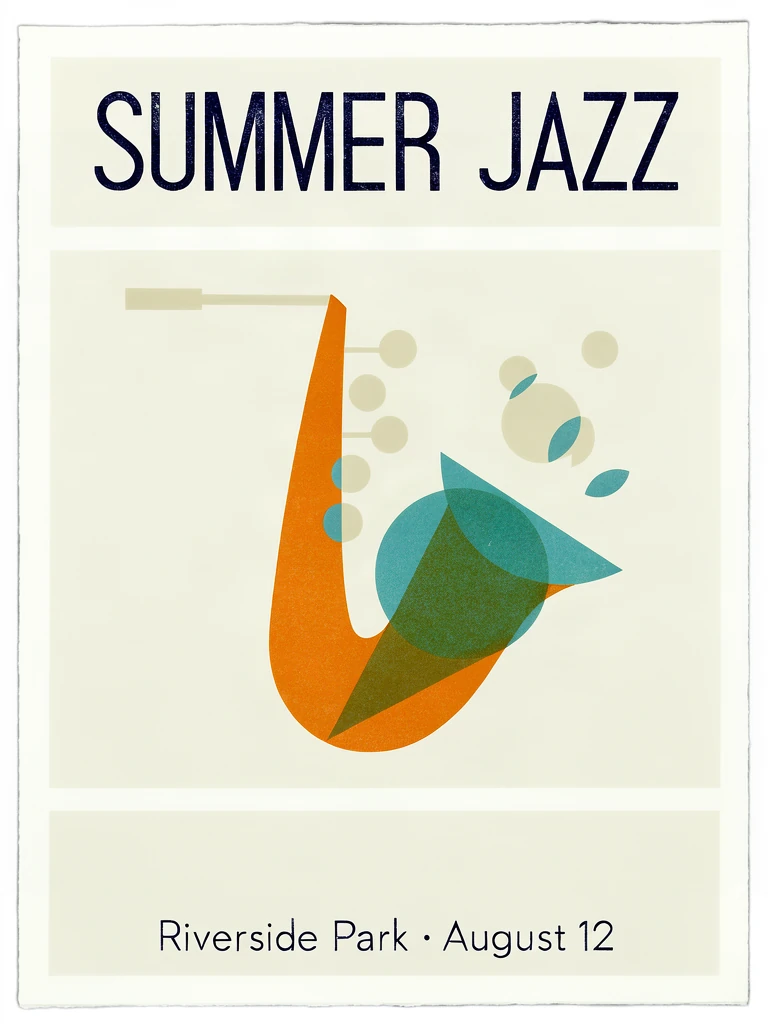
Mid-century modern poster for a jazz festival, bold headline text "SUMMER JAZZ" at the top, smaller line "Riverside Park · August 12" at the bottom, abstract saxophone made of overlapping orange, teal and cream shapes, screen-print texture
krea-3/text-to-image, berry, portrait_4_3, 768×1024, $0.036.
How to write it: quote the words verbatim and state placement and scale separately (top / smaller line at the bottom). Text-heavy posters want berry + reasoning medium.
Scene 4: Watercolor illustration (storybooks and stickers)
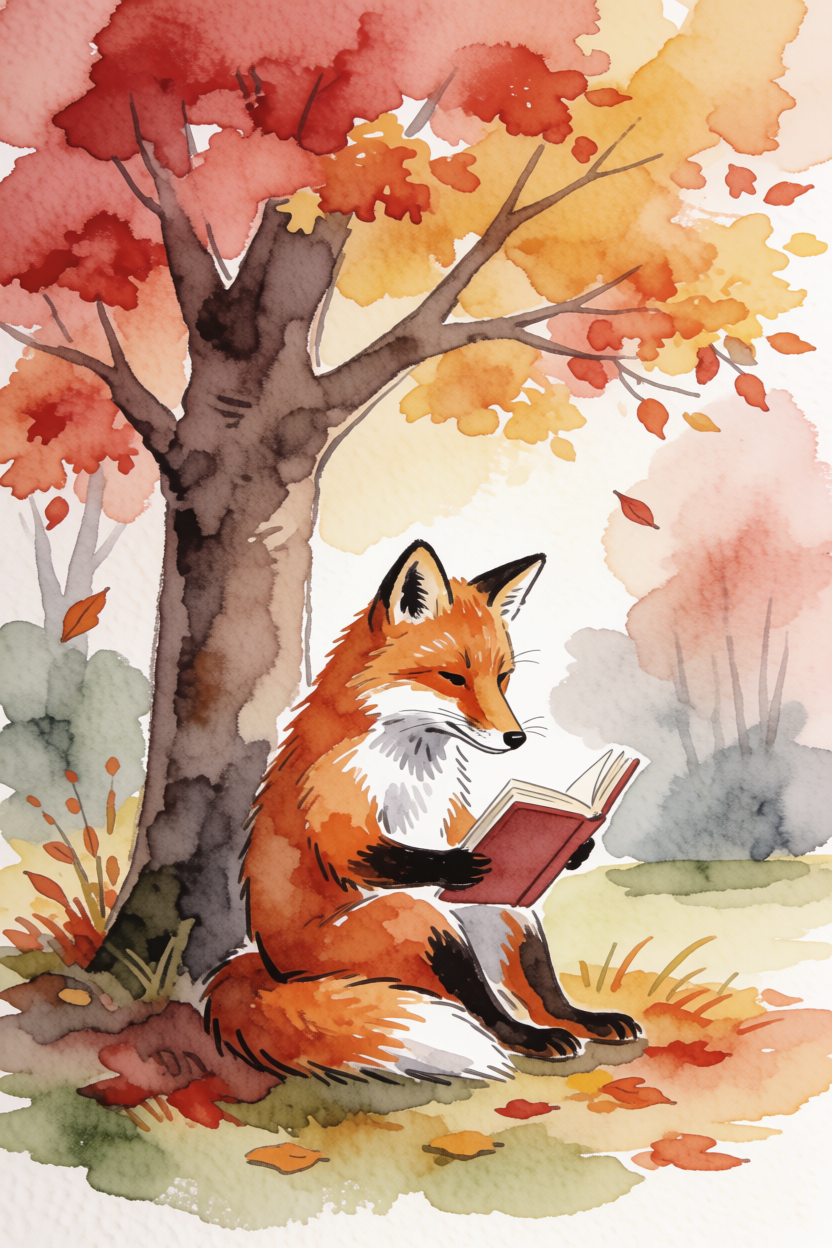
Watercolor illustration of a fox reading a book under an autumn tree
(This output is from Krea 2 Medium Turbo — aspect 2:3, creativity medium.)
krea-2-medium-turbo, creativity medium, 2:3, 832×1248, $0.0215.
How to write it: one line is enough for illustration — open with the style ("Watercolor illustration of…") and raise creativity to medium or high when you want the model to improvise.
Scene 5: Cinema widescreen (2.35:1)
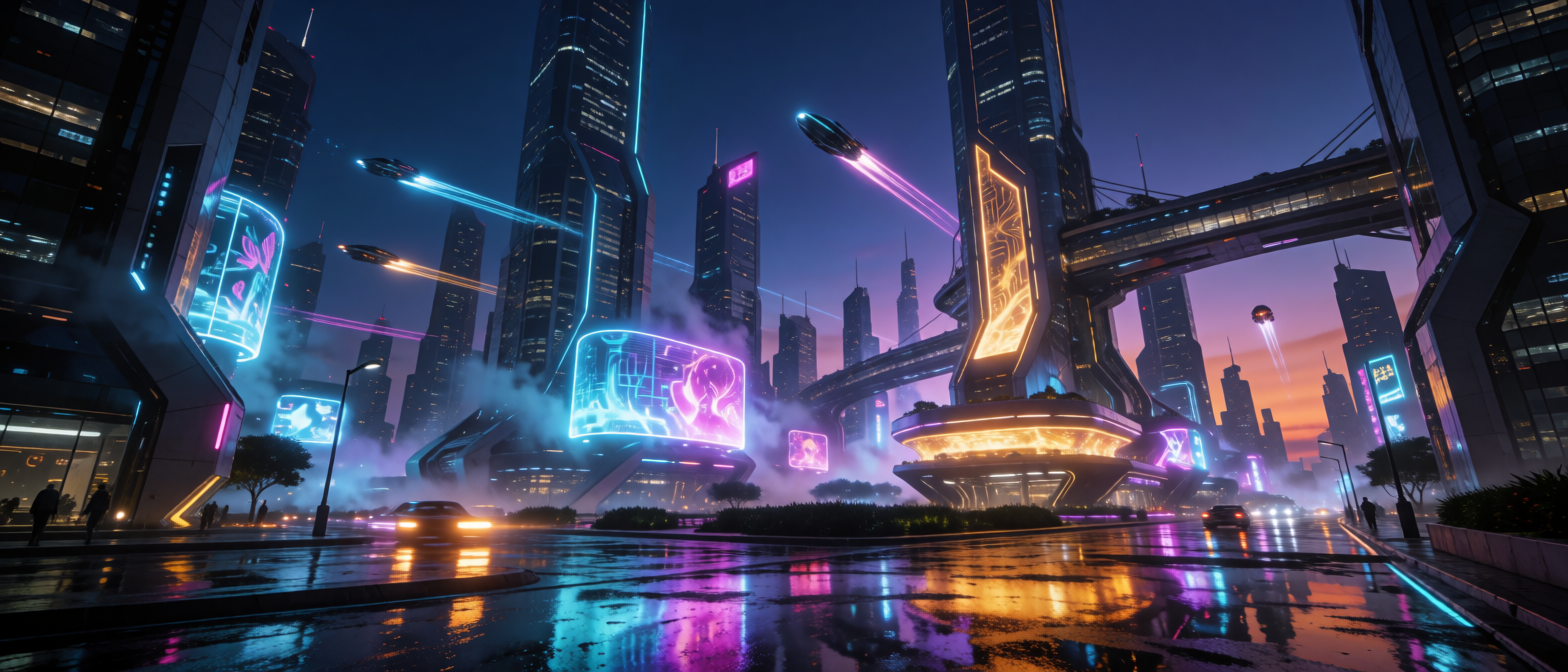
Futuristic city skyline at dusk, neon reflections on wet streets, cinematic widescreen
(This output is from Krea 2 Medium Turbo — the 2.35:1 cinema ratio exists only there.)
krea-2-medium-turbo, creativity low, 2.35:1, 1568×672, $0.0215.
How to write it: put the cinematic feel into the words ("cinematic widescreen"); 2.35:1 is Krea 2 Medium Turbo's exclusive ratio.
Scene 6: One-line prompts
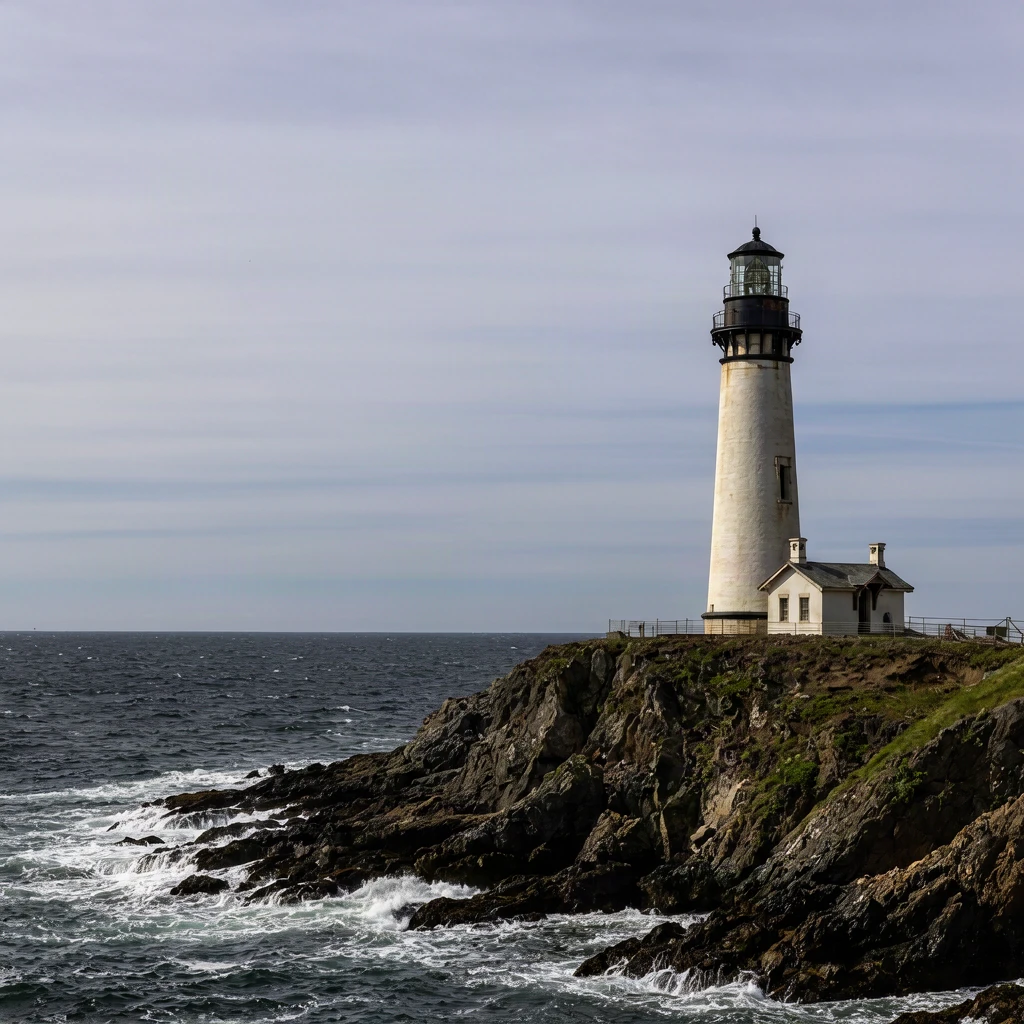
a lighthouse
(That's the whole prompt — Krea 3 reasons and expands before generating, filling in time of day, light, composition, and materials on its own.)
krea-3/text-to-image, berry, square_hd, 1024×1024, $0.036.
How to write it: a phrase is enough. Keep reasoning at the default medium and the model completes the frame; write in detail only when you need a specific composition.
How to write these prompts (3 lines)
- Order: subject → environment → light → lens/style, four segments max.
- Quote text verbatim with placement; put unwanted elements into negative_prompt (berry only).
- For series work, fix variant + seed and change only one scene sentence.
FAQ
Do prompts run in English?
Yes. The links pre-fill exactly what's in the code blocks.
Can I mix the two models?
Yes. Volume drafts and widescreen on Krea 2 ($0.0215), finals and lettered posters on Krea 3 ($0.036) — one /v1/tasks, just a different model.
Does Krea 3 support custom sizes?
No — six presets only. For 2.35:1 and more ratios use Krea 2's aspect_ratio.
Next: pick the scene closest to your work, follow the link to pre-fill a prompt, run one berry image, then swap to jam and compare compositions.
Related articles
View all articles →-

Guide
Getting Started with seedream-5.0-pro/image-to-image: Capabilities, Pricing, and Integration Essentials
Capability boundaries, billing model, and engineering integration practices for ByteDance's image editing model
-

Guide
seedream-5.0-pro Text-to-Image Getting Started Guide: Capability Boundaries, API Integration, and Cost Control
A hands-on developer perspective: from key parameters to a cost estimate of $0.05 per image
-

Guide
Hailuo 2.3 Fast Image-to-Video Getting Started Guide: Capability Boundaries, Pricing, and Integration Practices
MiniMax image-to-video model selection and integration key points for developers