
Guide
PixVerse V6 Prompt Cookbook: 8 Scenes You Can Copy and Generate Directly
Coastal push-in, anime rooftop, 3D robot, vertical cyberpunk, plus 4 image-to-video scenes, each with a real generated clip and the complete prompt.
All 8 PixVerse V6 prompts below come with real generated clips: the first 4 are generated from text, and the last 4 start from a single first frame. Each is a complete prompt, and clicking "Generate with this prompt" will prefill it on the model page.
PixVerse V6 is now live on HiAPI. You can generate directly from both the text-to-video model page and the image-to-video model page. New users get 200 credits on sign-up.
Text-to-Video: 4 Scenes
1. Coastal Cliff: Drive the Shot with a Single Camera Instruction
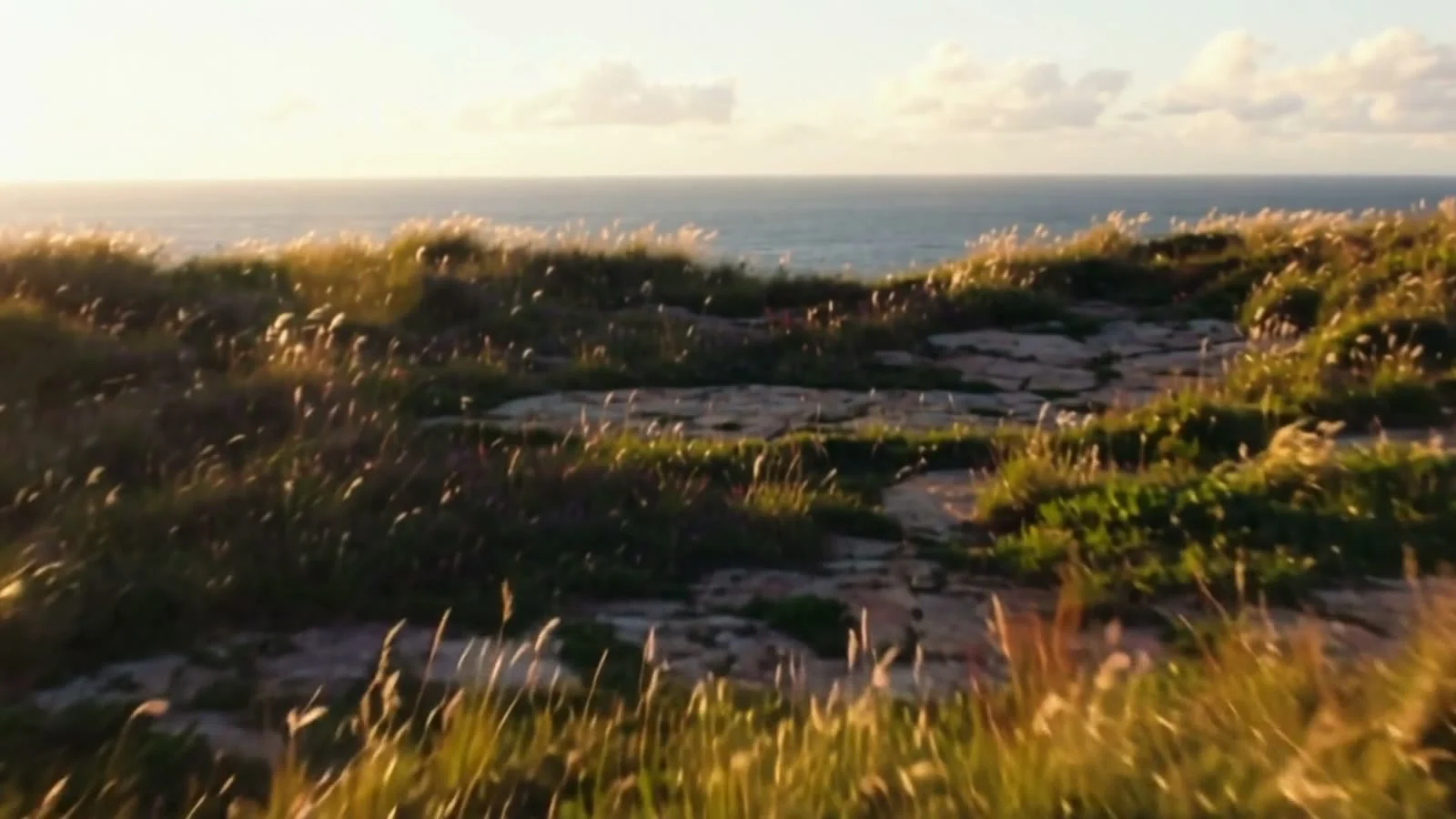
16:9, 5 seconds, 720p, audio on. Tall grass sways in the wind, the camera keeps pushing toward the cliff edge, and finally reveals the full ocean horizon. The file includes wind and wave sounds.
Cinematic slow dolly push-in across a windswept coastal cliff at golden hour. Tall grass ripples in the sea breeze, waves crash against dark rocks far below, warm low sunlight rakes across the scene. The camera glides forward steadily toward the cliff edge, revealing a wide ocean horizon. Shallow depth of field, gentle lens flare, realistic film grain, soft natural ambience of wind and distant surf.
slow dolly push-in and the camera glides forward steadily are where this motion comes from; the model has no separate camera-movement parameter.
2. Anime Rooftop: Style Sets the Look Directly
16:9, 5 seconds, 720p, style: anime. The image has hand-drawn lines and cel-shaded color blocks, a girl in a red jacket turns from a side-rear angle to face front, and the background is a city skyline lit with neon.
A teenage courier in a weathered red jacket stands on a rain-slicked rooftop at dusk, distant city lights blooming behind her. A gentle breeze lifts her hair and the hem of her jacket; neon signs flicker and reflect in shallow puddles. The camera slowly orbits from her side around to a three-quarter front view. Hand-drawn anime aesthetic, soft cel shading, warm-to-cool color grade.
Leave the art style to the style preset; the prompt keeps only one clear action: orbit the camera around to the front.
3. Desktop Robot: Fill 5 Seconds with Action Beats
16:9, 5 seconds, 720p, style: 3d_animation. A round-headed little robot opens its eyes, raises its arms, and waves. A coffee mug on the desk steams, and morning light comes in from the window.
A chubby palm-sized desk robot with big round eyes wakes up on a wooden desk beside a steaming coffee mug. It stretches its little arms, blinks twice, then waves cheerfully at the camera. Morning light streams through a nearby window. Smooth stylized 3D animation, soft global illumination, playful squash-and-stretch motion, shallow depth of field.
Write the actions in the order "open eyes → raise arms → wave," so every beat is visible within the 5 seconds.
4. Vertical Cyberpunk: Generate in 9:16 Directly
9:16, 5 seconds, 720p, style: cyberpunk. The output is 720×1280 vertical. A first-person dash forward along a neon alley, with wet ground reflecting magenta and cyan light.
Fast first-person sprint through a narrow neon alley in a rain-soaked future megacity at night. Holographic advertisements smear past, puddles throw back magenta and cyan light, steam vents hiss on both sides. Quick energetic forward motion with a slight handheld camera shake, dynamic reflections, high contrast. Dense, kinetic, cinematic.
For vertical video, select 9:16 directly in aspect_ratio; no need to generate horizontal first and then crop.
Image-to-Video: 4 Scenes
For image-to-video, write only the motion and do not re-describe what is already in the first frame. Save the first frame, upload it on the model page, then paste the prompt.
5. Snowy Lake Cabin: One Push-In Shot
The first frame is a 16:9 image of a cabin by a snowy lake. Output 1280×720, 5 seconds, 720p, audio on. The camera pushes toward the cabin, mist drifts low over the lake, pine branches sway gently, and the horizon stays level.
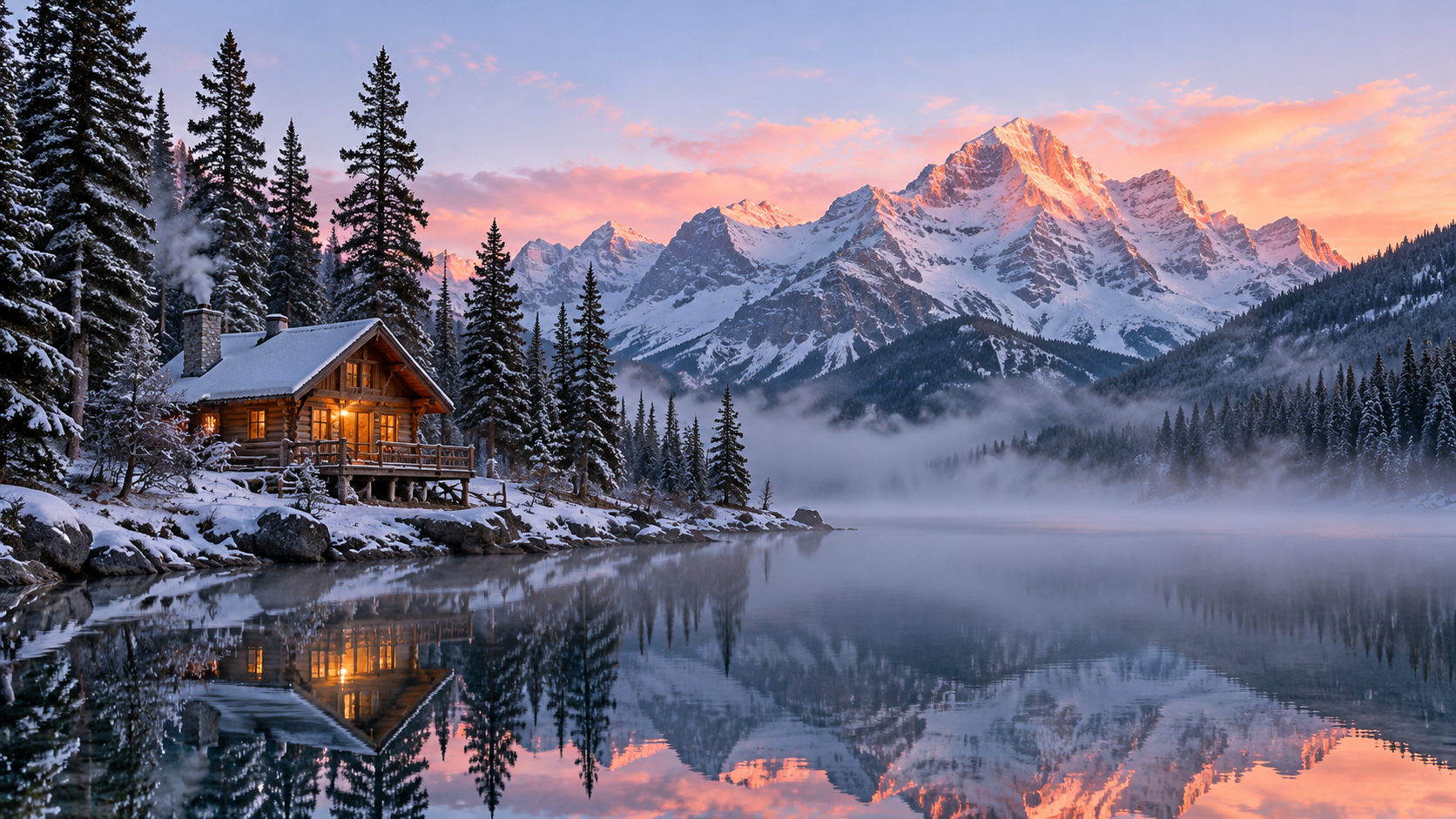
Slow, steady cinematic push-in toward the cabin. Mist drifts low across the lake and the water ripples gently. The pines sway in a soft breeze. Unhurried early-morning motion; the horizon stays level throughout.
the horizon stays level throughout is a stability instruction that keeps the frame from tilting during the push-in.
6. Café: Have the Subject Complete a Small Action
The first frame is a woman holding a cup by the window. Output 1280×720, 5 seconds, 720p, no audio. She lifts the cup, takes a sip, then raises her eyes to the camera and smiles. Her face and hands stay stable, and the background does not move.
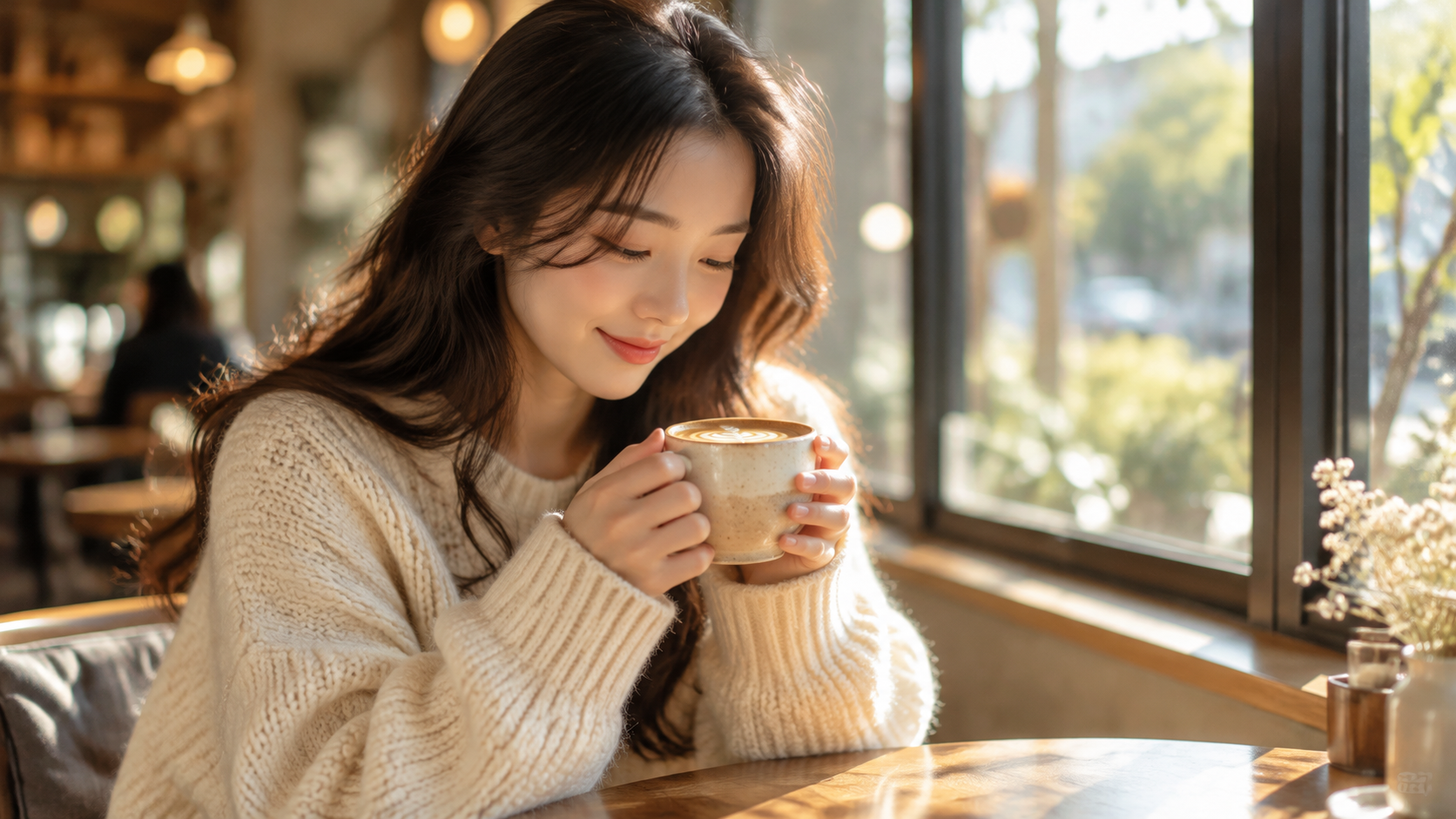
The woman slowly lifts the cup, takes a small sip, then raises her eyes toward the camera and gives a gentle, natural smile. A subtle blink and a slight tilt of the head; faint steam curls from the cup. The background stays still.
The action must connect with the pose in the first frame; lifting the cup, taking a sip, and raising the eyes form one continuous small sequence.
7. Rainy Night Ramen Stand: Lock the Camera, Animate Only the Environment
The first frame is a ramen stand in the rain. Output 1280×720, 5 seconds, 720p, audio on. The camera stays completely still the whole time; rain streaks, steam, and neon reflections shimmer on the wet ground, and pedestrians with umbrellas pass in the distance.
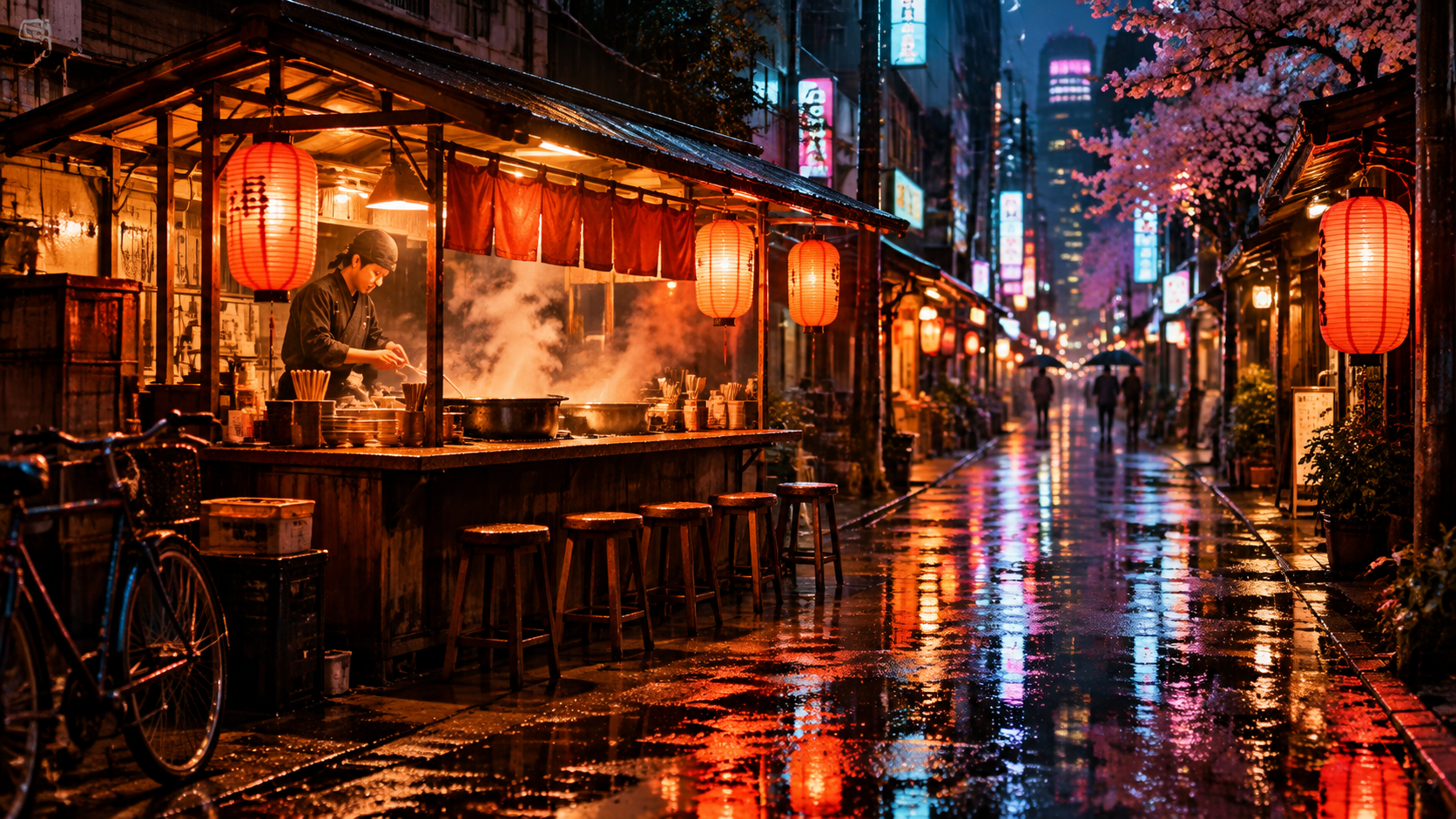
The camera stays locked off, no movement at all. Fine rain keeps falling in thin streaks; the neon signs flicker and shimmer in the wet pavement; steam curls up from the ramen pots; one or two pedestrians drift through the far background under umbrellas.
locked off, no movement at all pins the camera in place, leaving the entire motion budget for the rain, steam, and pedestrians.
8. Vertical Skateboard: Aspect Ratio Comes from the First Frame
The first frame is a 9:16 vertical image. Output 720×1280, 5 seconds, 720p, style: anime, no audio. The skater drops in from the top of the ramp and carves down, kicking up a little dust from the board, while the image keeps its realistic look.
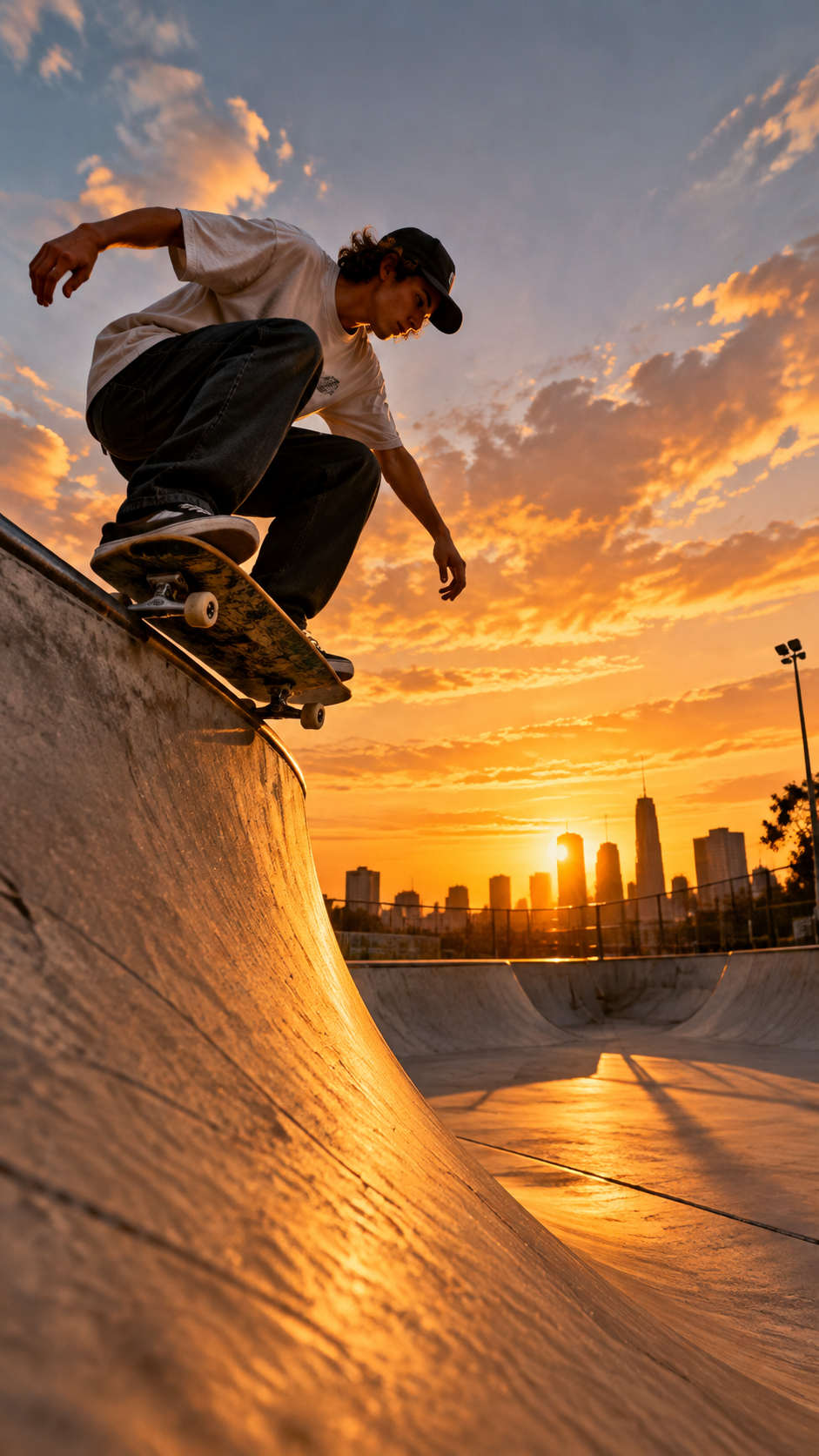
The skater drops in and carves down the ramp with fast, confident motion; the board kicks up a little dust and the jacket and hair whip in the wind. Energetic, dynamic action held in a stable vertical frame.
Image-to-video has no aspect_ratio; if you want vertical output, submit a vertical image. In this case, style: anime did not turn the realistic first frame into anime; the look still follows the first frame.
3 Key Points for Writing PixVerse V6 Prompts
- Write in the order "subject → action → camera → lighting." Camera movement can only be written in the prompt; sentences like
slow dolly push-inandorbit to a three-quarter vieware the camera parameters. - Leave format to the parameters. Aspect ratio, duration, resolution, audio, and style are all selected in the input fields; the prompt does not need to repeat "9:16" or "with sound."
- Use
negative_promptto clean up portraits and locked-off shots. If faces or fingers tend to distort, listdistorted face, extra fingers; if you want the camera to stay still, excludecamera shake, zoom, pan.
FAQ
Should prompts be written in Chinese or English?
Either works. Each Chinese character counts as 3 bytes, and both the prompt and negative_prompt have a 2,048-byte limit.
Do I need to change the prompt structure for image-to-video? Yes. The first frame already locks the scene, so the prompt should only describe the subject's actions, camera movement, and environmental changes; do not describe again what is already in the image.
Why does the generated video have no sound?
generate_audio is off by default. Set it to true if you need background music, sound effects, or dialogue, and write the desired sound next to the corresponding action.
Am I charged if generation fails? No. Failed tasks are fully refunded; you are billed only for successful generations.
PixVerse V6 Series Articles
Related articles
View all articles →-

Guide
Getting Started with seedream-5.0-pro/image-to-image: Capabilities, Pricing, and Integration Essentials
Capability boundaries, billing model, and engineering integration practices for ByteDance's image editing model
-

Guide
seedream-5.0-pro Text-to-Image Getting Started Guide: Capability Boundaries, API Integration, and Cost Control
A hands-on developer perspective: from key parameters to a cost estimate of $0.05 per image
-

Guide
Hailuo 2.3 Fast Image-to-Video Getting Started Guide: Capability Boundaries, Pricing, and Integration Practices
MiniMax image-to-video model selection and integration key points for developers