
Guide
Seedream 5.0 Lite Image-to-Image Getting Started Guide: Capability Boundaries, Pricing, and Integration Essentials
From capability assessment to call parameters and cost accounting—a practical roadmap for developers

What problems image-to-image can solve
Text-to-image requires you to compress your intent into a description, and the model then "imagines" an image from scratch. Image-to-image takes a different path: you give the model an existing image along with modification intent, and the model transforms it while preserving the original image's structure, composition, and subject relationships.
seedream-5.0-lite/image-to-image is exactly this type of capability: provided by ByteDance, with an output type of image, and the input is an image rather than a plain text prompt. To judge whether it suits your business, look at three signals first:
- Original visual information must be preserved. For example, changing backgrounds on product images, restyling portraits, colorizing line art, or changing poster color schemes—in these scenarios, pure text descriptions struggle to reliably reproduce the details of the original image.
- The cost of expressing intent through prompts is too high. When users cannot write prompts but can take a photo with their phone, image-to-image hands the "expression" step back to the image itself.
- Batch, controllable visual consistency is needed. Applying the same template repeatedly to different input images is more controllable than regenerating each time.
Conversely, if the need is to "generate a scene that never existed from scratch," text-to-image is more direct; if the need is "precise cutout or pixel-level local editing," that belongs to more specialized editing capabilities—don't expect a general-purpose image-to-image model to handle it well.
A common misconception is treating image-to-image as an "all-powerful Photoshop." Its strength is transforming style, atmosphere, and detail while preserving overall semantics, not following pixel-by-pixel instructions. Write this boundary into your product expectations first; subsequent debugging will go much more smoothly.
Input differences between image-to-image and text-to-image
Text-to-image takes a prompt as input and outputs an image; image-to-image takes at least one reference image as input and also outputs an image. This means your engineering pipeline gains several extra tasks: image upload and storage, format and dimension validation, and preprocessing of input images. These don't exist in text-to-image, so factor them into your workload planning.
Interface contracts to confirm before integration
Before writing the first line of calling code, verify the interface contract clearly. Don't guess parameter names and field structures from your imagination of the three words "image-to-image." Here is a checklist that must be confirmed item by item.
Input format
- How is the reference image passed in: URL, binary upload, or base64? Different methods have different requirements for file size, network timeout, and temporary storage.
- Which image formats and size ranges are supported? Do you need to handle proportional scaling or cropping yourself?
- Is the prompt required or optional? If optional, what does the model do with pure image input?
Output format
- Does it return an image URL or binary content? If a URL, how long is it valid, and how quickly must you transfer it to your own object storage?
- Who determines the output image dimensions: follow the input image, specify via parameters, or let the model decide?
- Does it return usable metadata (such as actual output dimensions) so you can do downstream layout and billing verification?
Request and response handling
- Synchronous return or asynchronous task? If asynchronous, how to poll, how long is the timeout, and how to retrieve error information on failure?
- Semantics of error codes: can parameter errors, content moderation rejections, and upstream timeouts be distinguished? This directly determines your retry strategy.
- Rate limiting basis: by request count or by concurrency? You need to design queuing for peak traffic in advance.
Integration path
Integrating through HiAPI.ai's unified interface means you face the same authentication, the same request structure, and the same billing basis, so business code changes minimally when switching models. For specific field names and call examples, refer to the console and API documentation; this article does not replace the documentation. Find answers to the three groups of questions above in the documentation one by one before you start writing code.

Per-image pricing: converting unit price into business cost
seedream-5.0-lite/image-to-image is billed per image. The pricing basis is a certain amount per image; for the specific unit price and real-time pricing, refer to the site's pricing panel—this article does not hard-code numbers. What you need to do is translate this "per image" basis into accounts your business can understand.
Three-step cost estimation method
- Define what counts as one image. One successful request that produces one output image is one billing unit. For multi-image outputs and batch tasks, confirm separately whether billing accumulates by number of output images.
- Add failures and retries. Real calls involve parameter errors, timeouts, and content moderation rejections. If these failed requests also count toward usage, your actual cost will be higher than "successful images × unit price," so reserve redundancy in planning.
- Multiply by business volume. Daily images generated per user × daily active users × billing unit price gives daily cost; multiply by 30 to get the monthly order of magnitude for budget alignment.
Which usage bases need extra confirmation
- Whether failed requests are billed and how.
- When the same input image goes through multiple iterations (user repeatedly fine-tunes), whether each round counts as one image.
- Whether resolution or size tiers are distinguished, and whether different tiers have the same unit price.
- Whether there are concurrency- or batch-related differences in billing basis.
Clarify these four items in the documentation and pricing panel, then fill them into your cost model. Develop a habit: for any "per image," "per second," or "per token" pricing, first ask "how exactly is the billing unit counted"—this is more useful than remembering a particular quote.
Typical usage and request organization
Common forms of image-to-image in products are fairly concentrated; understanding these forms helps you design request structures.
Common product features
- Stylization: Users upload photos, choose a preset style (illustration, film, watercolor, etc.), and receive stylized results with the same composition.
- Product image processing: In e-commerce scenarios, unify backgrounds and lighting so product images from different sources look consistent on listing pages.
- Asset extension: Using one key visual as reference, generate multiple variants in the same visual language for ad creative testing.
- Draft refinement: In design or game scenarios, use line art or gray-box models as input to produce more complete effect previews.
Suggestions for organizing the request pipeline
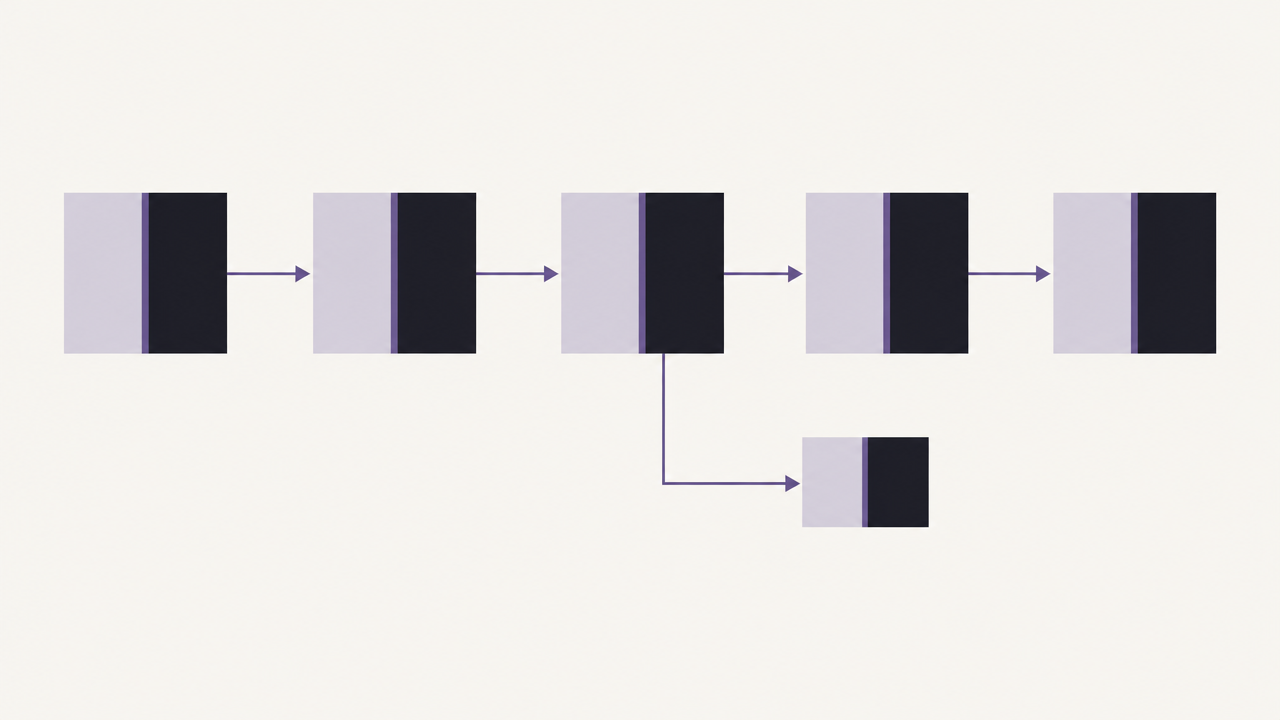
A reliable call chain is: receive upload → validate and preprocess → call model → post-process → persist to storage.
- Preprocessing: Unify dimensions, correct orientation (EXIF), and compress to the range allowed by the API. Blocking non-compliant inputs before the call saves more money than letting requests fail.
- Call layer: Centralize prompt templates and style parameters in server-side configuration; don't let the frontend assemble them directly, to facilitate canary releases and rollbacks.
- Post-processing: Unified cropping, watermarking, and thumbnail generation—all done after the call returns; don't stuff them into the model request.
- Storage: If the output is a temporary URL, transfer it immediately to your own object storage to avoid broken images caused by expired links.
upload -> validate -> preprocess -> call model -> postprocess -> store -> respond
                 \-> reject early (bad format/size)
Retry only for determinable transient errors (timeouts, rate limits); do not retry parameter errors or content rejections—feed them back to the user directly and prompt them to modify the input. This rule controls both cost and experience issues.
Effect verification and common troubleshooting
"Unstable results" is the most common complaint after integrating image-to-image, but it is usually not a model problem—it's the lack of a locatable verification process.
Build a fixed validation set
Prepare a set of input images covering typical scenarios: frontal portraits, complex backgrounds, low resolution, extreme aspect ratios, and posters containing text. Whenever you tune parameters or change versions, run the same set and score manually or semi-automatically. Without a fixed validation set, your "feels better" cannot be reproduced.
Troubleshooting order when results don't meet expectations
- First check whether output was actually generated. Was it a request failure, content rejection, or a successful return with wrong results—the three types of problems have completely different handling paths.
- Check the input image itself. Is it over-compressed, is the orientation correct, is the subject too small. Poor input quality cannot produce good output.
- Check prompts and parameters. Does the instruction conflict with the goal of "preserving the original image" (e.g., demanding major composition changes), and is the style strength set too high?
- Compare against the validation set. Switch back to the previously working configuration to confirm whether this change introduced a regression.
- Only then suspect capability boundaries. If the scenario itself requires pixel-precise editing, you're using the wrong tool for the job.
Logging and observability
Log for every call: input image characteristics (dimensions, source type), key parameters, latency, success or failure, and failure reason classification. These data are highly valuable for later cost optimization and result iteration—don't wait until problems arise to add logging.
Practices for balancing cost and experience
Output resolution, call frequency, and failure retries are three interconnected knobs.
- Don't always chase the highest resolution. Use lower tiers for quick preview results, and generate high-definition versions after user confirmation. This lowers per-call cost and makes interaction more responsive.
- Separate preview from final output. The vast majority of clicks happen on previews; only a few users proceed to export. Limit high-cost operations to after explicit intent.
- Control retry budgets. Set a maximum retry count per user request, use exponential backoff for timeout errors, and don't retry non-transient errors. Unlimited retries can turn one failure into a billing incident.
- Reclaim invalid calls. When users rapidly switch styles, cancel or merge requests that haven't returned yet, keeping only the last result.
- Visualize usage. Track image counts and failure rates by feature and by user segment to detect abnormal usage patterns in time.
The balance criterion is not "cheapest per image" but "lowest total cost per successful delivery." Saving money on one image at the cost of repeated user failures ultimately costs more.
Pre-launch checklist
Treat the following items as a pre-launch verification checklist that teams can execute directly.
Interface and engineering
- The input image transfer method, format, and size limits have been confirmed, and preprocessing logic has been implemented.
- The output form (URL or binary) has been confirmed, and transfer and expiration handling are ready.
- Synchronous/asynchronous mode, timeout duration, and polling interval are clearly defined.
- Error code classification is complete, and retry strategy and maximum retry count are configured.
- Rate limiting and queuing strategies cover several times the expected peak.
- Authentication credentials are in server-side configuration and do not appear in client code.
Cost
- The definition of billing unit has been verified from the pricing panel, not estimated by guesswork.
- Billing basis for failed requests, multiple iterations, and resolution tiers has been confirmed.
- Daily and monthly cost models are established, with redundancy reserved for failed retries.
- Usage for different tiers such as preview and final output is tracked separately.
Results and operations
- A fixed validation set is established, and the regression process is written into release standards.
- Content moderation and rejection prompts are user-friendly and do not expose internal error details.
- Call logs cover input characteristics, parameters, latency, and failure classification.
- Capability boundaries have been documented for the product side in writing to avoid unrealistic expectations.
The checklist doesn't need to be fully checked off at once, but every item should have a clear owner and confirmation conclusion. The difficulty of integrating seedream-5.0-lite/image-to-image often lies not in the call itself, but in aligning input, billing, and expectations; once you complete this checklist, your image-to-image feature will have a foundation for sustainable iteration.
Related articles
View all articles →-

Guide
Getting Started with seedream-5.0-pro/image-to-image: Capabilities, Pricing, and Integration Essentials
Capability boundaries, billing model, and engineering integration practices for ByteDance's image editing model
-

Guide
seedream-5.0-pro Text-to-Image Getting Started Guide: Capability Boundaries, API Integration, and Cost Control
A hands-on developer perspective: from key parameters to a cost estimate of $0.05 per image
-

Guide
Hailuo 2.3 Fast Image-to-Video Getting Started Guide: Capability Boundaries, Pricing, and Integration Practices
MiniMax image-to-video model selection and integration key points for developers