
Imagen 4
imagen-4.0
Google's text-to-image series, focused on in-image text rendering and complex lighting, offering Fast, Standard, and Ultra tiers that trade off quality against cost
Try imagen-4.0
Input
Showcases
View all showcasesOutput
image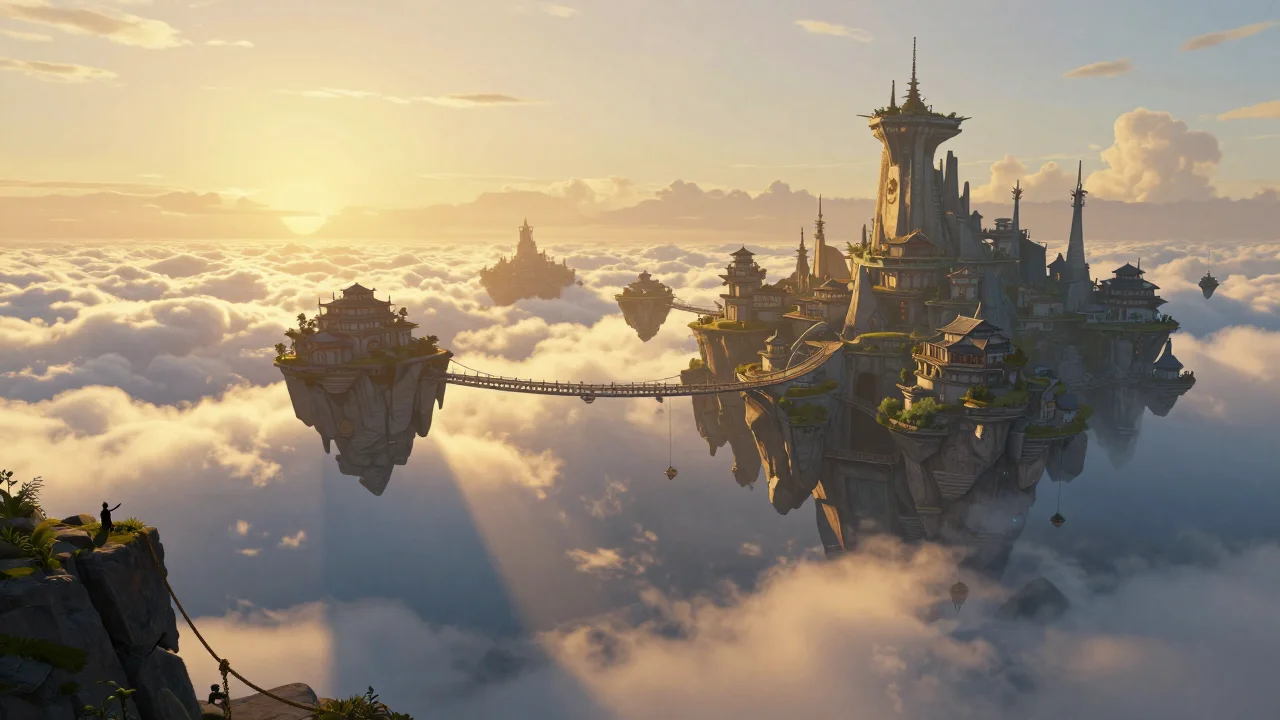
imagen-4.0 Scene Concept Art: Floating Archipelago Worldbuilding
Style Concept Art · Worldbuilding · Matte painting
Prompt
Epic widescreen concept art: a floating archipelago city suspended above a rolling sea of clouds at golden hour. Composition: in the distance, layered cloud banks catch warm rim light, with a hazy sun hanging low on the horizon; the midground is a cluster of wind-carved rocky islands connected by slender stone-and-wood suspension bridges, dotted with terraced buildings, hanging gardens, and towering wind-catching spires; the foreground is a dim cliff edge covered with moss and rope rigging, with two tiny human figures used for scale reference. Volumetric god rays pierce the clouds, cool blue shadows contrast with warm amber highlights, and atmospheric perspective creates a clear separation of spatial depth. Finished with a painterly matte-painting texture, crisp and sharp architectural details, cinematic 16:9 composition, high fidelity, fantasy worldbuilding key visual, no text.
Copy the full prompt and adapt it for your own generation.
Tags
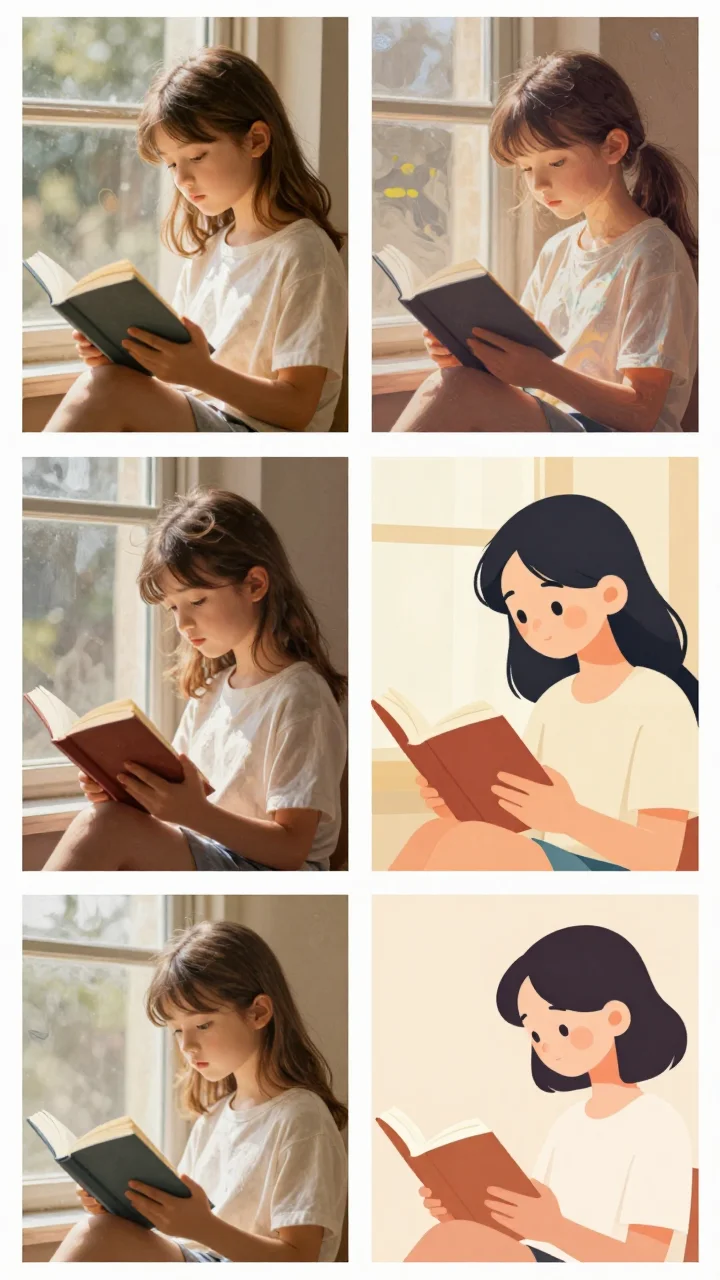
Imagen 4 Style Spectrum: An Illustration Evolution from Realistic to Flat
Style style-spectrum · Illustration · Character Design
Prompt
An illustration style spectrum of a girl reading by a window, with four panels arranged side by side, each panel applying a different rendering approach to the same scene: a hyper-realistic style with soft natural light and skin texture; a painterly impasto style with clearly visible brushstrokes and rich color blending; a semi-flat vector illustration style using layered color blocks and simplified forms; and a minimalist flat design style using geometric shapes and a restrained warm color palette. Unified 4:3 composition, warm afternoon light, a quiet and intimate atmosphere, clean panel separations, highly restored detail in the realistic panel, and crisp, sharp edges in the flat panels.
Copy the full prompt and adapt it for your own generation.
Tags
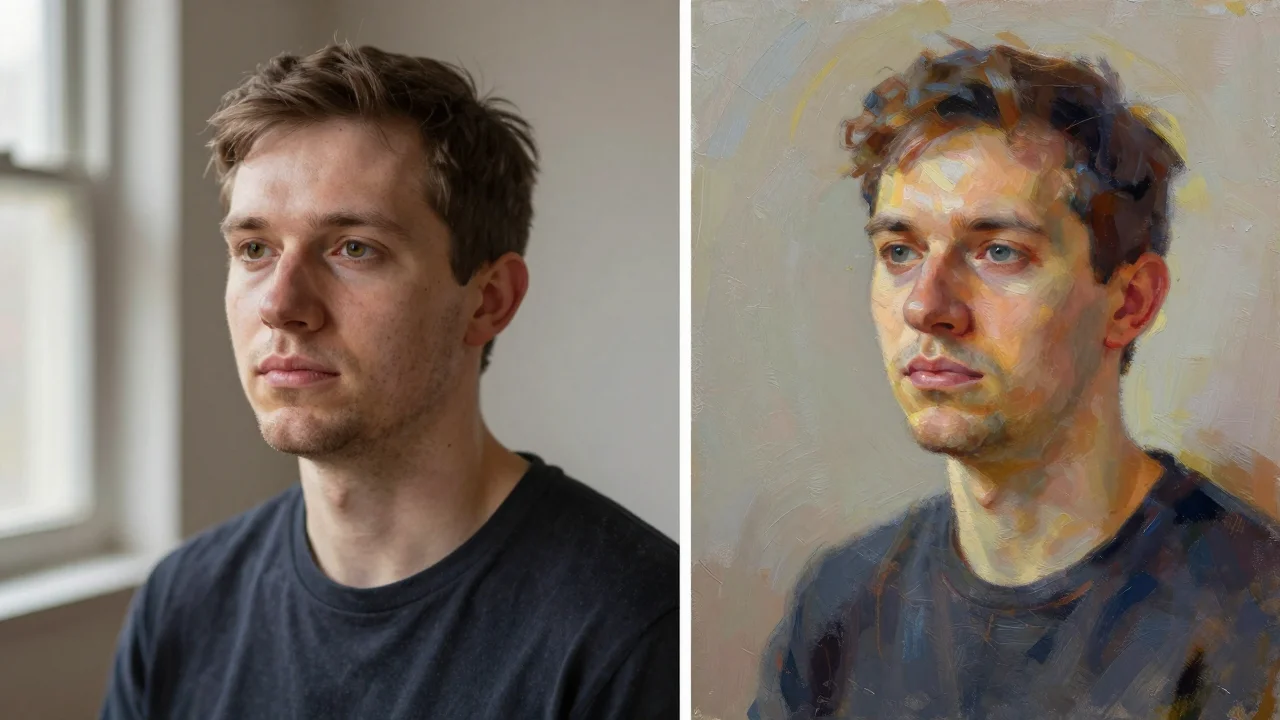
Imagen 4 Portrait Dual-Style Comparison: Realistic vs. Artistic
Style Portrait & Photography · Photorealistic · Art Direction
Prompt
A two-column portrait style reference for text-to-image models. Left column: a photo-realistic half-body portrait of an adult subject, three-quarter profile view, soft window daylight entering from the left, gentle light falloff on the cheek, visible skin texture and fine strands of hair, shallow depth of field, 85mm lens look, neutral warm-gray studio background, restrained documentary-style color grading, no heavy retouching. Right column: a painterly reinterpretation of the same subject and pose, visible brushstrokes and layered color blocks, decorative rim light, a saturated yet restrained palette, matte canvas texture, stylized but anatomically sound. Both columns share exactly the same composition and neutral background, so only the surface treatment and lighting language differ. Vertical 3:4 composition, face in sharp focus, no text overlay.
Copy the full prompt and adapt it for your own generation.
Tags
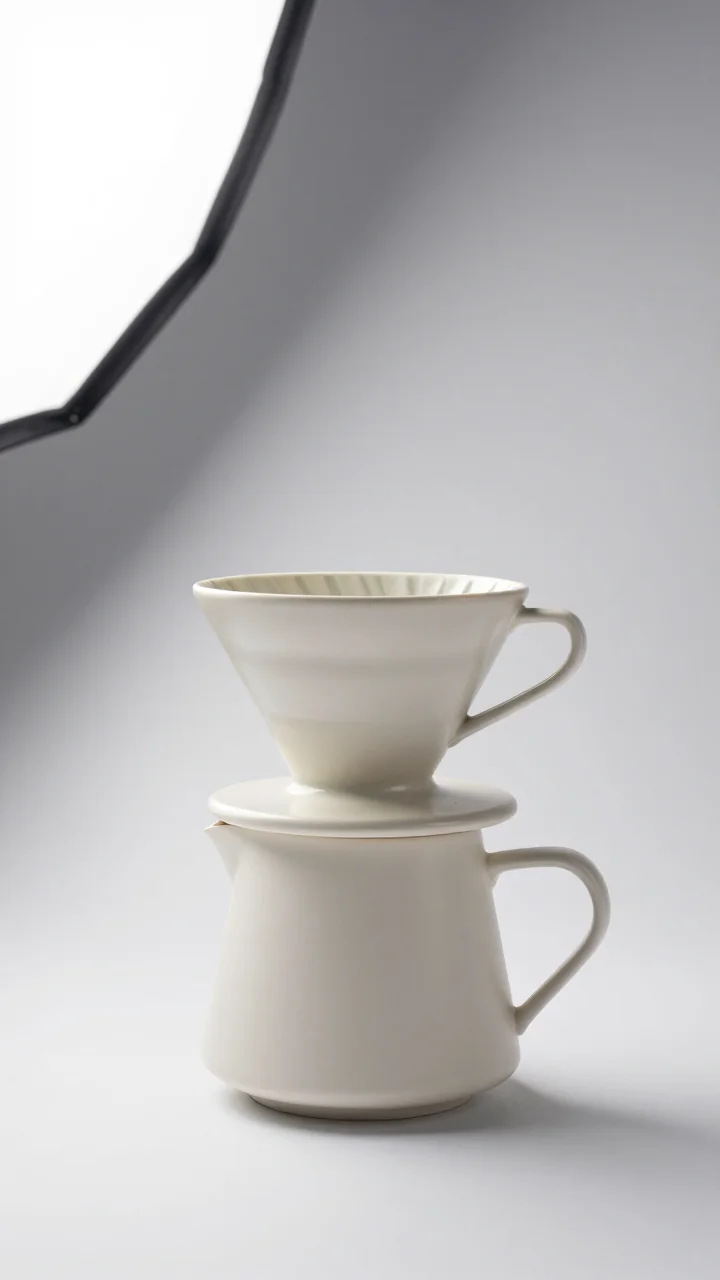
Imagen 4 E-commerce Product Photography Texture Rendering
Style Product Image · Studio lighting · packshot
Prompt
E-commerce product photo of a matte ceramic pour-over coffee dripper, warm off-white, three-quarter front view, centered composition with ample negative space, seamless light gray studio background, large softbox key light from the upper left, slight rim light on the right edge, soft background gradient transition, soft contact shadow at the base, the entire product in sharp focus, visible fine ceramic grain texture and a thin glaze pooling at the edges, color-accurate neutral white balance, 85mm macro lens effect with minimal distortion, high-key commercial product photography, clean premium catalog aesthetic
Copy the full prompt and adapt it for your own generation.
Tags
Pricing
imagen-4.0 per image
| Unit Price | $0.060 |
|---|
Positioning Overview
imagen-4.0 is the standard-tier text-to-image model in the Imagen 4 series. It accepts only text prompts and is suited to everyday generation needs that balance image quality against generation cost. It supports prompts up to 5,000 characters and negative prompts up to 500 characters, lets you specify an aspect ratio from 1:1, 16:9, 9:16, 3:4, 4:3, and auto, and lets you use a seed to make the same configuration reproducible. Compared with the Fast version, it is better suited to batch generation that requires consistent output quality but does not chase extreme detail. Developers can call it through the unified HiAPI.ai interface and plug it into their own generation workflows.
Key Highlights
- Targeted improvements to text rendering within images — research shows this series has noticeably improved in-image text generation over the previous generation, making it suitable for design drafts that need to carry readable text in the frame.
- Supports negative prompts and seed reproducibility — use negative_prompt to exclude unwanted elements, and use seed to fix and reproduce the same generation configuration, making iteration and regression verification easy.
- Six aspect ratios specified directly — aspect_ratio covers square, landscape, portrait, as well as 3:4 and 4:3, and also offers auto selection, saving you post-processing crops.
- Clear standard-tier positioning — the same series also has Fast and Ultra tiers; the standard version is a good default choice for everyday batch generation, with an upgrade path when final-output requirements grow.
Capabilities
Text-to-image generation: Enter a text description and receive an image. Prompts can be up to 5,000 characters, enough to carry fairly complete descriptions of subject, style, and composition.
Generation control parameters: negative_prompt declares elements to exclude, and seed reproduces the same result. Together they make the generation process adjustable and traceable.
Aspect ratio adaptation: Output ratios can be chosen among square, landscape, portrait, 4:3, and 3:4, or left to auto, which decides composition ratio based on prompt content.
Readable text presentation: When prompt content describes on-image text, the model handles text rendering better than the previous generation, but final glyphs still need manual verification.
Use Cases
- Social media visuals for marketing teams — describe the scene in text based on the campaign theme, choose landscape or portrait ratios, and batch-produce visuals for direct publishing to content channels.
- Poster and presentation sketches for designers — use prompts containing headline copy to generate poster or cover drafts with text, serving as visual direction references before layout.
- Product concept images that need a fixed style — fix the seed and aspect ratio, repeatedly fine-tune prompts around the same product, and produce style-consistent concept images for solution reviews.
- Automated integration into generation workflows — make text-to-image a step in the pipeline, with programs passing prompts and ratio parameters to batch-produce assets that then enter downstream review.
Limitations and Selection Advice
Input supports text only; it cannot edit or inpaint based on an existing image. Parameters include only prompt, negative prompt, aspect ratio, and seed, with no finer controls such as steps or style strength. Although text in images is improved over the previous generation, it is still recommended to verify each image before delivery. If you need stronger prompt adherence and detail, consider the Ultra tier in the same series; if generation speed matters more, choose the Fast tier. This model is not suitable for scenarios that require image input or fine-grained local control.
What's new
View changelog →- Feature change Imagen 4 model IDs are now imagen-4.0…
- New model Added Google Imagen 4 image-generation docs
Frequently asked questions
View all FAQs →-
What is Imagen 4 good for?
Everyday product, lifestyle and content images. Describe the subject, scene, material and light to get an image ready for review, for product heroes, campaign drafts and editorial illustrations.
-
Which aspect ratios does Imagen 4 support?
Six: 1:1, 16:9, 9:16, 3:4, 4:3 and auto. aspect_ratio is required; the Playground on this page defaults to 16:9.
-
How long can the prompt be?
Up to 5,000 characters. prompt is required; order it as subject, scene, material, light and text.
-
Can I exclude things I don't want?
Yes, with negative_prompt. It is optional, up to 5,000 characters, and works for extra text, watermarks or a cluttered background.
Create a generation task
https://api.hiapi.ai/v1/tasks Headers
AuthorizationstringRequiredAccount API key. Required on every request. Example: Bearer YOUR_HIAPI_API_KEY. Get your API key
Content-TypestringOptionalThe request body is always parsed as JSON; when sent, only application/json (optionally with charset) is accepted — any other value returns 415. Example: application/json.
Idempotency-KeystringOptionalIdempotency key, up to 255 bytes. Retries with the same key from the same account create the task only once; replays return the original taskId.
On network timeouts or client retries, the same key creates the task only once — no double charges (scope: the API key's account). Use a business-unique identifier as the key (e.g. "order-42"); replays return the original taskId, and keys expire 24 hours after the first request. See the Unified Async API overview for the full scenario matrix.
Body
modelstringRequiredCurrent fixed value: imagen-4.0
routestringOptionalCurrent fixed value: default
inputobjectRequired
Business parameters for imagen-4.0 and route default — see the parameter table below.
seedstringOptionalmaxLength 500Optional random seed for reproducibility of the generated result; passed in as a string.
promptstringRequiredminLength 1maxLength 5000Text description of the image to generate, which is the primary input for image generation.
aspect_ratiostringRequiredControls the aspect ratio of the output image, specified as a string.
1:116:99:163:44:3autonegative_promptstringOptionalmaxLength 5000Describes elements to exclude from the generated image, passed in as text.
callbackobjectOptional
Terminal-state notification config. When omitted, no callback is delivered — poll the task yourself. See the callback note below.
Provide callback.url when creating a task and HiAPI POSTs to your service once the task reaches a terminal state — no polling needed. The callback payload mirrors the task detail structure; signature verification, delivery retries and idempotency are documented on the Unified Async API overview page.
urlstringRequiredRequired when callback is present. A POST is sent to this URL once the task reaches a terminal state; must be a valid http(s) URL.
whenstringOptionalDefault: "final"Only final is supported today — notified on both success and fail.
finalstoragestringOptionalDefault: "temp"Artifact storage tier: temp (default, retained about 7 days) or persistent (long-term, billed by size). Insufficient balance or exceeding the storage cap silently downgrades to temp; the effective tier is shown in the task detail response.
temppersistentRequest examples
# Submit an async task; returns a taskId immediately (no waiting for generation)
curl -X POST "https://api.hiapi.ai/v1/tasks" \
  -H "Authorization: Bearer $HIAPI_API_KEY" \
  -H "Content-Type: application/json" \
  -d '{
  "model": "imagen-4.0",
  "input": {
    "prompt": "…",
    "aspect_ratio": "…"
  }
}'
const res = await fetch("https://api.hiapi.ai/v1/tasks", {
method: "POST",
headers: {
Authorization: `Bearer ${process.env.HIAPI_API_KEY}`,
"Content-Type": "application/json",
},
body: JSON.stringify({
model: "imagen-4.0",
input: {
"prompt": "…",
"aspect_ratio": "…"
}
}),
});
const task = await res.json();
// { code: 200, message: "success", data: { taskId } }import os, requests
res = requests.post(
"https://api.hiapi.ai/v1/tasks",
headers={"Authorization": f"Bearer {os.environ['HIAPI_API_KEY']}"},
json={
"model": "imagen-4.0",
"input": {
"prompt": "…",
"aspect_ratio": "…"
}
},
)
print(res.json()) # { code, message, data: { taskId } }200 OK
{
  "code": 200,
  "message": "success",
  "data": {
    "taskId": "tk-hiapi-01HZTQ8BX2N3GM3YFK4Z9D7VQR"
  }
}
400 Bad Request
{
  "code": 400,
  "message": "invalid request",
  "data": null,
  "error_code": "INVALID_REQUEST"
}
Get task detail
https://api.hiapi.ai/v1/tasks/:id Response fields
taskIdstringRequiredTask ID, always prefixed with tk-hiapi-.
modelstringRequiredResolved full model name. Tasks submitted with the route parameter return base@route (e.g. gpt-image-2/text-to-image@ext); otherwise identical to the name passed at creation.
routestringOptionalPresent only when the task was submitted with an explicit route parameter; echoes the submitted value.
statusstringRequiredTask status.
queued Queued, not started yet.
handling Being processed.
archiving Processing finished, artifacts being prepared.
success Terminal: completed, artifacts available (output returned).
fail Terminal: failed (error returned).
After submission, check status: success and fail are terminal, everything else is non-terminal. Poll every 1–3 seconds until terminal. On success, download artifacts from output[].url and transfer them before expireAt; pass storage: "persistent" at creation time when long-term retention is needed.
creatednumberRequiredTask creation time (Unix seconds).
completednumberRequiredUnix seconds when the task reached a terminal state; fixed to 0 while not terminal.
outputarrayOptional
Present only when status == success. Artifact list — always an array; a single task may return multiple types at once (e.g. video + first_frame).
Array [ object ]
Array items
urlstringRequiredArtifact URL, directly downloadable.
typestringRequiredCurrent possible values: video, image, audio, first_frame, last_frame, thumbnail; more may be added later.
expireAtnumberRequiredUnix seconds until which the artifact remains accessible; download or transfer before it expires.
errorobjectOptional
Present only when status == fail.
codestringRequiredBusiness error code.
messagestringRequiredError description.
Response examples
Success
{
  "code": 200,
  "message": "success",
  "data": {
    "taskId": "tk-hiapi-01HZTQ8BX2N3GM3YFK4Z9D7VQR",
    "model": "happyhorse-1-0",
    "status": "success",
    "created": 1777282033,
    "completed": 1777282099,
    "output": [
      {
        "url": "https://cdn.hiapi.ai/tasks/.../video.mp4",
        "type": "video",
        "expireAt": 1777886899
      }
    ]
  }
}
Processing (non-terminal)
{
  "code": 200,
  "message": "success",
  "data": {
    "taskId": "tk-hiapi-...",
    "model": "happyhorse-1-0",
    "status": "archiving",
    "created": 1777282033,
    "completed": 0
  }
}
Failed
{
  "code": 200,
  "message": "success",
  "data": {
    "taskId": "tk-hiapi-...",
    "model": "happyhorse-1-0",
    "status": "fail",
    "created": 1777282033,
    "completed": 1777282099,
    "error": {
      "code": "TASK_FAILED",
      "message": "task failed"
    }
  }
}Articles
View all articles →Related Models
View all models →Same Type
-
 Recraft Creative Upscale Recraft $0.357 /image
-
 Ideogram V3 Character Ideogram $0.090 /image
-
 Krea 3 Krea $0.036 /image
-
 BRIA Eraser Bria $0.058 /image
-
 Nano Banana Pro Google $0.057 /image
-
 Ideogram V4.5 Ideogram $0.011 /image
-
 Grok Imagine xAI $0.011 /second
-
 FIBO 1.5 Bria $0.058 /image
-
 Grok Imagine Image 2.0 xAI $0.052 /image
-
 FASHN Tryon v1.6 FASHN $0.107 /image
-
 FLUX.1 Schnell Black Forest Labs $0.005 /image
-
 FLUX 1.1 Pro Black Forest Labs $0.050 /image
Same Provider
-
 Gemini Omni 1.1 Flash Google $0.450 /video
-
 Lyria 3 Pro Google $0.140 /song
-
 Nano Banana 2 Lite Google $0.033 /image
-
 Veo 3.1 Lite Google $0.060 /second
-
 Nano Banana Google $0.021 /image
- Nano Banana Pro Google $0.057 /image
-
 Gemini Omni Google --
-
 Gemini 3.1 Flash TTS Google --
-
 Veo 3.1 Fast Google $0.170 /second
-
 Lyria 3.5 Google $0.090 /song
-
 Veo 3.1 Google $0.290 /second
-
 Google Virtual Try-On Google $0.107 /image