

Runway
Runway Gen 4.5
runway-gen-4.5/image-to-video
Upon release, it ranked first on the Artificial Analysis text-to-video leaderboard with 1247 Elo, showing outstanding prompt adherence, physics, and human motion, making it well suited for film storyboarding and brand short films
Try runway-gen-4.5/image-to-video
Input
Showcases
View all showcasesOutput
videoRunway Gen-4.5 Image-to-Video Capability Illustrated: From First Frame to Controllable Camera
Style Image-to-Video · Cinematic · capability-demo
Reference inputs
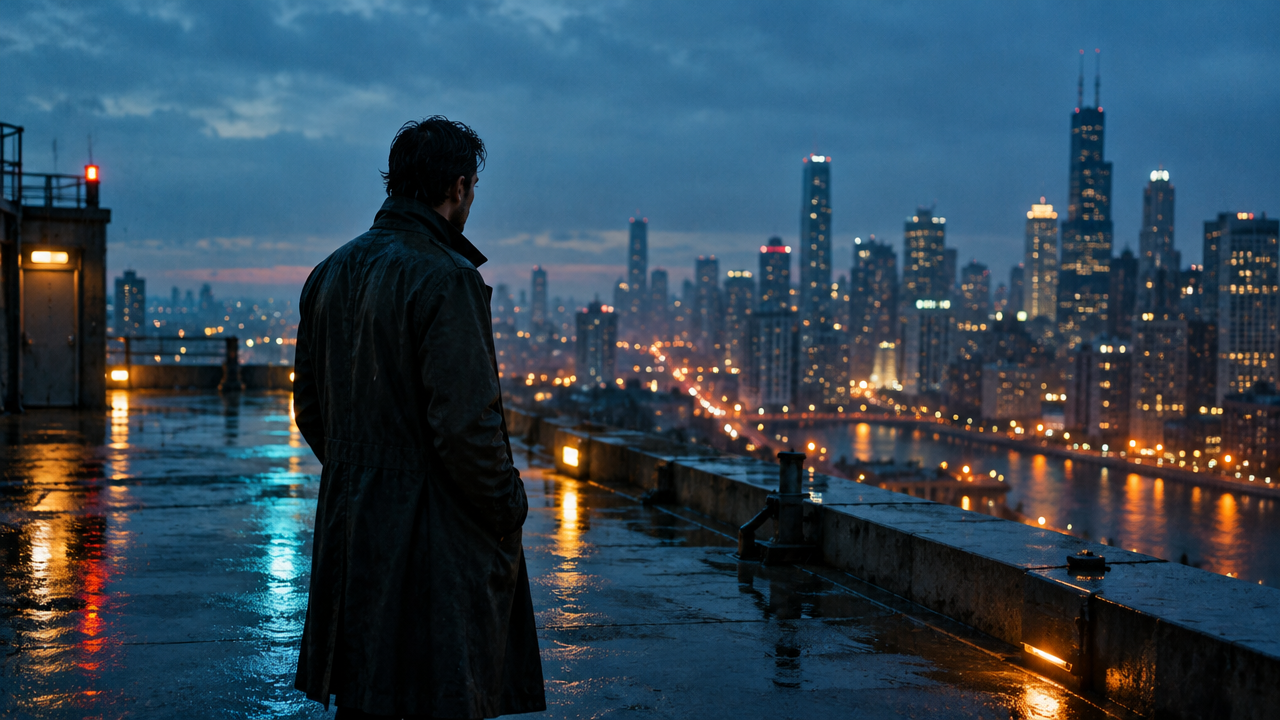
image_urls
Prompt
At blue hour, the camera slowly pushes in toward a figure standing alone at the edge of a rain-soaked rooftop; the camera is at chest height and moves forward with a slight upward tilt, shallow depth of field, distant city lights blurred into bokeh, fine rain streaks across the frame, the fabric of the coat lifts in a steady wind, smooth and continuous motion with a stable rhythm, photorealistic cinematic quality, cool teal shadows contrasting with warm sodium-vapor highlights.
Copy the full prompt and adapt it for your own generation.
Tags
From Text to Image: Gen-4.5 First-Frame Storyboard Concept Video
Style Storyboard · Cinematic · Image-to-Video
Reference inputs

image_urls
Prompt
A quiet apartment interior, cinematic medium shot, a young woman in a light-colored knit sweater standing by a tall window, morning light glancing across her face. The camera slowly pushes in from a waist-up framing to a close-up above the chest, shallow depth of field, background furniture softly blurred. She turns her head to look out the window and raises one hand to adjust the curtain; the fabric ripples gently with a natural sense of weight. Subtle handheld micro-shake, warm neutral color grading, soft window key light with gentle falloff, delicate film grain, 16:9 aspect ratio.
Copy the full prompt and adapt it for your own generation.
Tags
Runway Gen-4.5 Image-to-Video Prompt Formula Card
Style Motion Design · Explanation · Cinematic
Reference inputs
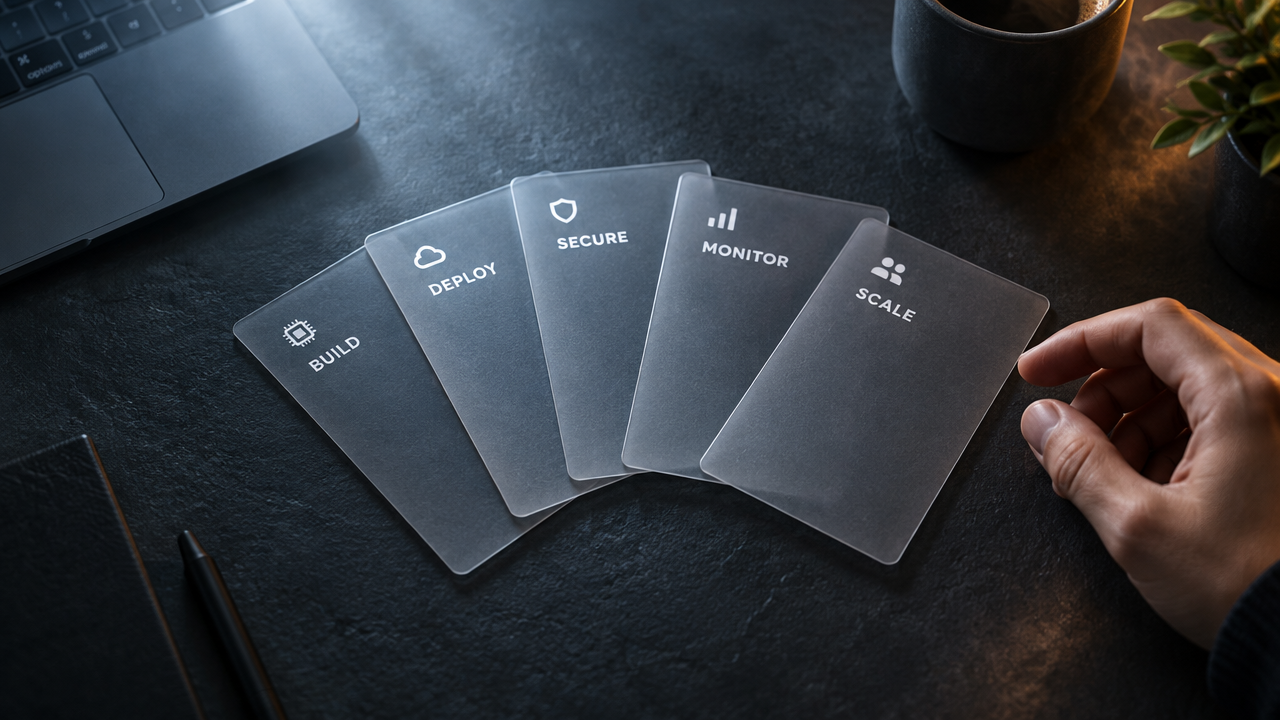
image_urls
Prompt
A slow, controlled camera move: a fixed top-down to slight push-in moving shot over a dark slate tabletop, on which a fanned-out stack of translucent index cards rests, each card bearing one prominent label. A hand enters from the right side of the frame and pushes the topmost card forward across the table; the card settles into place with a soft parallax shift, and a subtle highlight sweeps across its edge. Shallow depth of field, cards crisp and sharp, background receding into shadow. Cool-toned lighting, key light directed from the upper left with a warm rim-light accent, gentle volumetric haze. The motion is steady and mechanical, no camera shake, no cuts, a single continuous shot, 5 seconds, restrained technical atmosphere, paced like a magazine-style product film.
Copy the full prompt and adapt it for your own generation.
Tags
Pricing
runway-gen-4.5/image-to-video per second
| Unit Price | $0.1715 |
|---|
Positioning Overview
Runway Gen-4.5 image-to-video pipeline: starting from a single first-frame image, combined with motion and camera descriptions, it generates a 5-, 8-, or 10-second video. It continues the series' strengths in prompt adherence and motion quality, making it suitable for film previsualization, advertising, and design exploration scenarios that need to extend a key art image, concept image, or product image into dynamic shots; accessed via the unified HiAPI.ai interface and billed by output seconds.
Core Highlights
- Anchor the frame with a first-frame image — a single image serves as the first-frame input, and the output frame extends from that image, reducing the compositional drift that comes with text-only generation.
- Adjustable duration and aspect ratio to delivery requirements — supports three duration tiers of 5, 8, and 10 seconds and five aspect ratios; the first-frame image is center-cropped to the selected ratio.
- Prompts describe motion rather than redraw the frame — prompts focus on action and camera position descriptions, while the main subject is determined by the first-frame image, giving instructions and image a clear division of labor.
Capability Description
First-frame-driven video generation: upload a jpeg, png, or webp image as the first frame (up to 10MB), and the model generates a dynamic video from it, suitable for production stages where the composition is already fixed and motion needs to be added.
Motion and camera instruction control: prompts are used to describe actions and camera movement, with a maximum length of 1000 characters, making it easy to write camera positions and blocking intent from the storyboard directly into the generation parameters.
Parameterized duration and aspect ratio: choose durations of 5, 8, or 10 seconds, and aspect ratios of 16:9, 9:16, 4:3, 3:4, and 1:1 according to delivery needs, covering landscape, portrait, and square placement requirements.
Applicable Scenarios
- Film and advertising storyboard artists: generate previs shots from keyframe images — use storyboard keyframes as the first frame to generate multi-second previs clips with camera movement, for internal review and shot-rhythm confirmation.
- Brand and e-commerce design: turn product images into dynamic displays — use product key art as the first frame to generate short videos for vertical or square placements such as detail pages and feed advertising.
- Concept design teams: explore the dynamic performance of static drafts — extend concept images into short dynamic clips to quickly compare different motion options before deciding the direction to take into formal production.
Limitations and Selection Advice
As an image-to-video pipeline, the main subject is determined by the first-frame image; prompts only control motion and camera and cannot change the composition or content of the first frame. The first frame supports only a single image and does not include SVG. Causal order and cross-frame object consistency in video generation may still deviate under complex shots; for shots that involve major compositional changes or long-sequence narrative, it is recommended to split the processing and budget for regeneration costs, or switch to a more suitable generation method.
Frequently asked questions
View all FAQs →-
What first-frame image can I use?
One image per request in jpeg, png or webp, up to 10MB; SVG isn't supported. Ideally match the image to the output ratio. When they differ, the first frame is center-cropped, so keep the subject in the middle.
-
Can I add a last frame?
No. This model uses a single first frame, and the ending comes from the prompt and the model. To pin down the final picture, Kling 2.5 Turbo Image-to-Video accepts an optional last frame.
-
Which ratios, lengths and resolution are supported?
16:9, 9:16, 4:3, 3:4, 1:1, defaulting to 16:9; 5, 8 or 10 seconds in every ratio, defaulting to 5; resolution is fixed at 720p.
-
Is there audio in the output?
No. Clips are picture only, so add music and voice-over in your edit.
Create a generation task
https://api.hiapi.ai/v1/tasks Headers
AuthorizationstringRequiredAccount API key. Required on every request. Example: Bearer YOUR_HIAPI_API_KEY. Get your API key
Content-TypestringOptionalThe request body is always parsed as JSON; when sent, only application/json (optionally with charset) is accepted — any other value returns 415. Example: application/json.
Idempotency-KeystringOptionalIdempotency key, up to 255 bytes. Retries with the same key from the same account create the task only once; replays return the original taskId.
On network timeouts or client retries, the same key creates the task only once — no double charges (scope: the API key's account). Use a business-unique identifier as the key (e.g. "order-42"); replays return the original taskId, and keys expire 24 hours after the first request. See the Unified Async API overview for the full scenario matrix.
Body
modelstringRequiredCurrent fixed value: runway-gen-4.5/image-to-video
routestringOptionalCurrent fixed value: default
inputobjectRequired
Business parameters for runway-gen-4.5/image-to-video and route default — see the parameter table below.
promptstringRequiredminLength 1maxLength 1000Text prompt describing the motion in the scene and camera movement, provided as a string, maximum 1000 characters.
durationintegerOptionalDefault: 5min 5max 10Duration of the generated video as an integer in seconds, default 5.
5810image_urlsarrayRequiredminItems 1maxItems 1Array of first-frame images; the array contains a single element, which is an image URL. Supports jpeg/png/webp formats, maximum 10MB per image, SVG is not supported.
Array [ string ]
aspect_ratiostringOptionalDefault: "16:9"Aspect ratio of the output video as a string, default 16:9; the first-frame image will be center-cropped to this ratio.
16:99:164:33:41:1callbackobjectOptional
Terminal-state notification config. When omitted, no callback is delivered — poll the task yourself. See the callback note below.
Provide callback.url when creating a task and HiAPI POSTs to your service once the task reaches a terminal state — no polling needed. The callback payload mirrors the task detail structure; signature verification, delivery retries and idempotency are documented on the Unified Async API overview page.
urlstringRequiredRequired when callback is present. A POST is sent to this URL once the task reaches a terminal state; must be a valid http(s) URL.
whenstringOptionalDefault: "final"Only final is supported today — notified on both success and fail.
finalstoragestringOptionalDefault: "temp"Artifact storage tier: temp (default, retained about 7 days) or persistent (long-term, billed by size). Insufficient balance or exceeding the storage cap silently downgrades to temp; the effective tier is shown in the task detail response.
temppersistentRequest examples
# Submit an async task; returns a taskId immediately (no waiting for generation)
curl -X POST "https://api.hiapi.ai/v1/tasks" \
  -H "Authorization: Bearer $HIAPI_API_KEY" \
  -H "Content-Type: application/json" \
  -d '{
  "model": "runway-gen-4.5/image-to-video",
  "input": {
    "prompt": "…",
    "duration": 5,
    "image_urls": "…",
    "aspect_ratio": "16:9"
  }
}'
const res = await fetch("https://api.hiapi.ai/v1/tasks", {
method: "POST",
headers: {
Authorization: `Bearer ${process.env.HIAPI_API_KEY}`,
"Content-Type": "application/json",
},
body: JSON.stringify({
model: "runway-gen-4.5/image-to-video",
input: {
"prompt": "…",
"duration": 5,
"image_urls": "…",
"aspect_ratio": "16:9"
}
}),
});
const task = await res.json();
// { code: 200, message: "success", data: { taskId } }import os, requests
res = requests.post(
"https://api.hiapi.ai/v1/tasks",
headers={"Authorization": f"Bearer {os.environ['HIAPI_API_KEY']}"},
json={
"model": "runway-gen-4.5/image-to-video",
"input": {
"prompt": "…",
"duration": 5,
"image_urls": "…",
"aspect_ratio": "16:9"
}
},
)
print(res.json()) # { code, message, data: { taskId } }200 OK
{
  "code": 200,
  "message": "success",
  "data": {
    "taskId": "tk-hiapi-01HZTQ8BX2N3GM3YFK4Z9D7VQR"
  }
}
400 Bad Request
{
  "code": 400,
  "message": "invalid request",
  "data": null,
  "error_code": "INVALID_REQUEST"
}
Get task detail
https://api.hiapi.ai/v1/tasks/:id Response fields
taskIdstringRequiredTask ID, always prefixed with tk-hiapi-.
modelstringRequiredResolved full model name. Tasks submitted with the route parameter return base@route (e.g. gpt-image-2/text-to-image@ext); otherwise identical to the name passed at creation.
routestringOptionalPresent only when the task was submitted with an explicit route parameter; echoes the submitted value.
statusstringRequiredTask status.
queued Queued, not started yet.
handling Being processed.
archiving Processing finished, artifacts being prepared.
success Terminal: completed, artifacts available (output returned).
fail Terminal: failed (error returned).
After submission, check status: success and fail are terminal, everything else is non-terminal. Poll every 1–3 seconds until terminal. On success, download artifacts from output[].url and transfer them before expireAt; pass storage: "persistent" at creation time when long-term retention is needed.
creatednumberRequiredTask creation time (Unix seconds).
completednumberRequiredUnix seconds when the task reached a terminal state; fixed to 0 while not terminal.
outputarrayOptional
Present only when status == success. Artifact list — always an array; a single task may return multiple types at once (e.g. video + first_frame).
Array [ object ]
Array items
urlstringRequiredArtifact URL, directly downloadable.
typestringRequiredCurrent possible values: video, image, audio, first_frame, last_frame, thumbnail; more may be added later.
expireAtnumberRequiredUnix seconds until which the artifact remains accessible; download or transfer before it expires.
errorobjectOptional
Present only when status == fail.
codestringRequiredBusiness error code.
messagestringRequiredError description.
Response examples
Success
{
  "code": 200,
  "message": "success",
  "data": {
    "taskId": "tk-hiapi-01HZTQ8BX2N3GM3YFK4Z9D7VQR",
    "model": "happyhorse-1-0",
    "status": "success",
    "created": 1777282033,
    "completed": 1777282099,
    "output": [
      {
        "url": "https://cdn.hiapi.ai/tasks/.../video.mp4",
        "type": "video",
        "expireAt": 1777886899
      }
    ]
  }
}
Processing (non-terminal)
{
  "code": 200,
  "message": "success",
  "data": {
    "taskId": "tk-hiapi-...",
    "model": "happyhorse-1-0",
    "status": "archiving",
    "created": 1777282033,
    "completed": 0
  }
}
Failed
{
  "code": 200,
  "message": "success",
  "data": {
    "taskId": "tk-hiapi-...",
    "model": "happyhorse-1-0",
    "status": "fail",
    "created": 1777282033,
    "completed": 1777282099,
    "error": {
      "code": "TASK_FAILED",
      "message": "task failed"
    }
  }
}Articles
View all articles →Related Models
View all models →Same Type
-
 Vidu Q3 Vidu $0.149 /second
-
 Creatify Boreal Creatify $0.015 /second
-
 Kling 3.0 Kuaishou $0.100 /second
-
 Vidu Q4 Preview Vidu $0.051 /second
-
 Gemini Omni 1.1 Flash Google $0.450 /video
-
 Wan 2.6 Flash Alibaba $0.043 /second
-
 HeyGen Avatar IV HeyGen $0.150 /second
-
 Wan 2.7 Video Alibaba $0.100 /second
-
 Kandinsky 6.0 Pro $1.93 /video
-
 Hailuo 2.3 MiniMax $0.270 /video
-
 Veo 3.1 Fast Google $0.170 /second
-
 Ray 3.2 Luma $0.214 /video