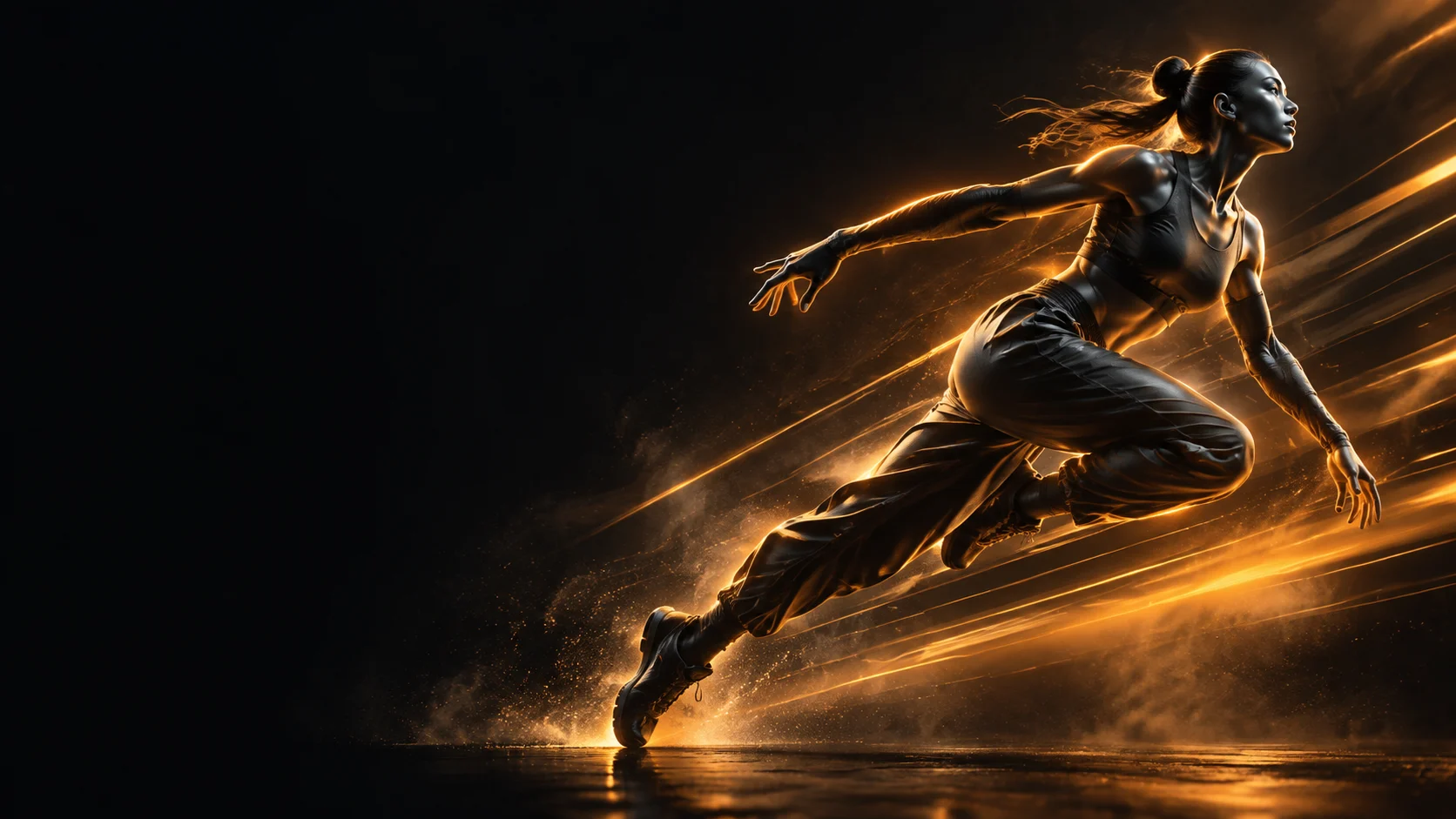
ByteDance
Seedream 5.0
seedream-5.0-pro/image-to-image
ByteDance's production-grade image generation model, supporting web retrieval and multi-step logical reasoning, 4K output, and example-based editing, suitable for product images and infographic creation
Try seedream-5.0-pro/image-to-image
Input
Showcases
View all showcasesOutput
image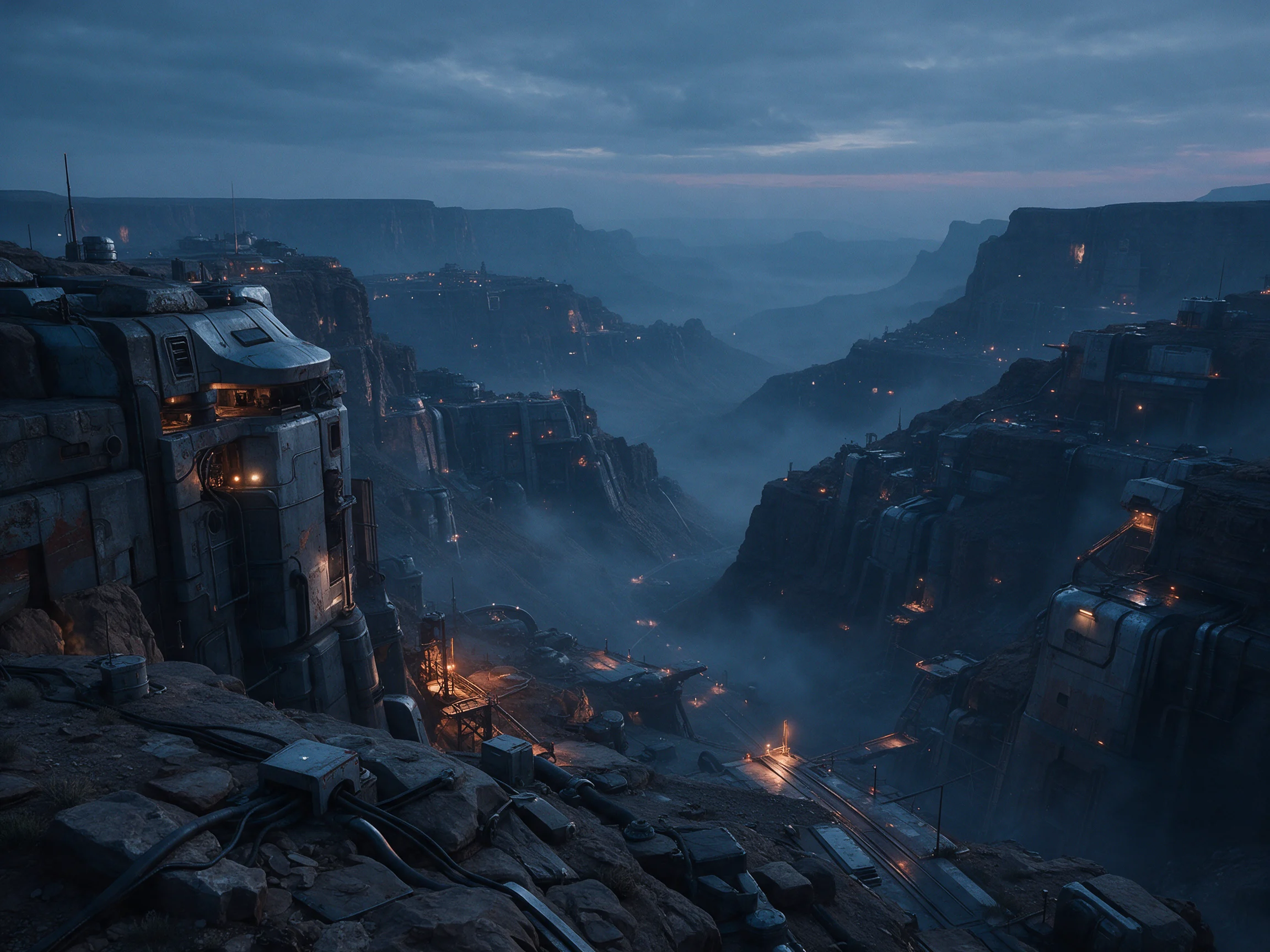
Sci-Fi Worldbuilding Scene Concept Art: Atmospheric Exploration Anchored to a Reference Image
Style Worldbuilding · Sci-Fi · Concept Art
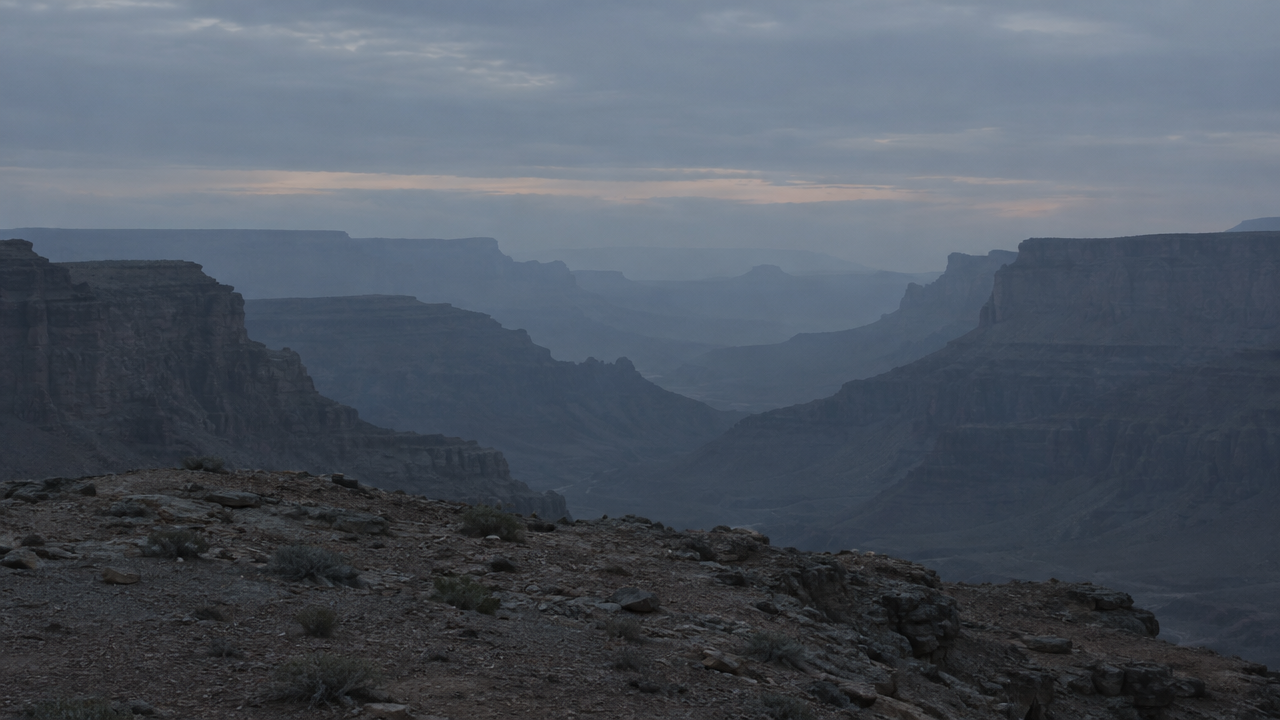
Reference inputs
image_urls
Prompt
Cinematic sci-fi worldbuilding concept art, reinterpreting the composition of the reference image as a vast terraformed canyon outpost at dusk. Retain the original spatial layout and horizonline, replacing surface materials with weathered alloy panels, exposed cable conduits, and modular habitation units embedded in the rock face. Volumetric fog layers, warm sodium work lights contrasting with cool blue ambient skylight, distant atmospheric perspective fading into dust. Wide 21:9 anamorphic composition, strong foreground-midground-background depth, painterly art direction rendering with realistic material response, delicate film grain, restrained low-saturation palette accented with a single warm tone. No text, no logos.
Copy the full prompt and adapt it for your own generation.
Tags
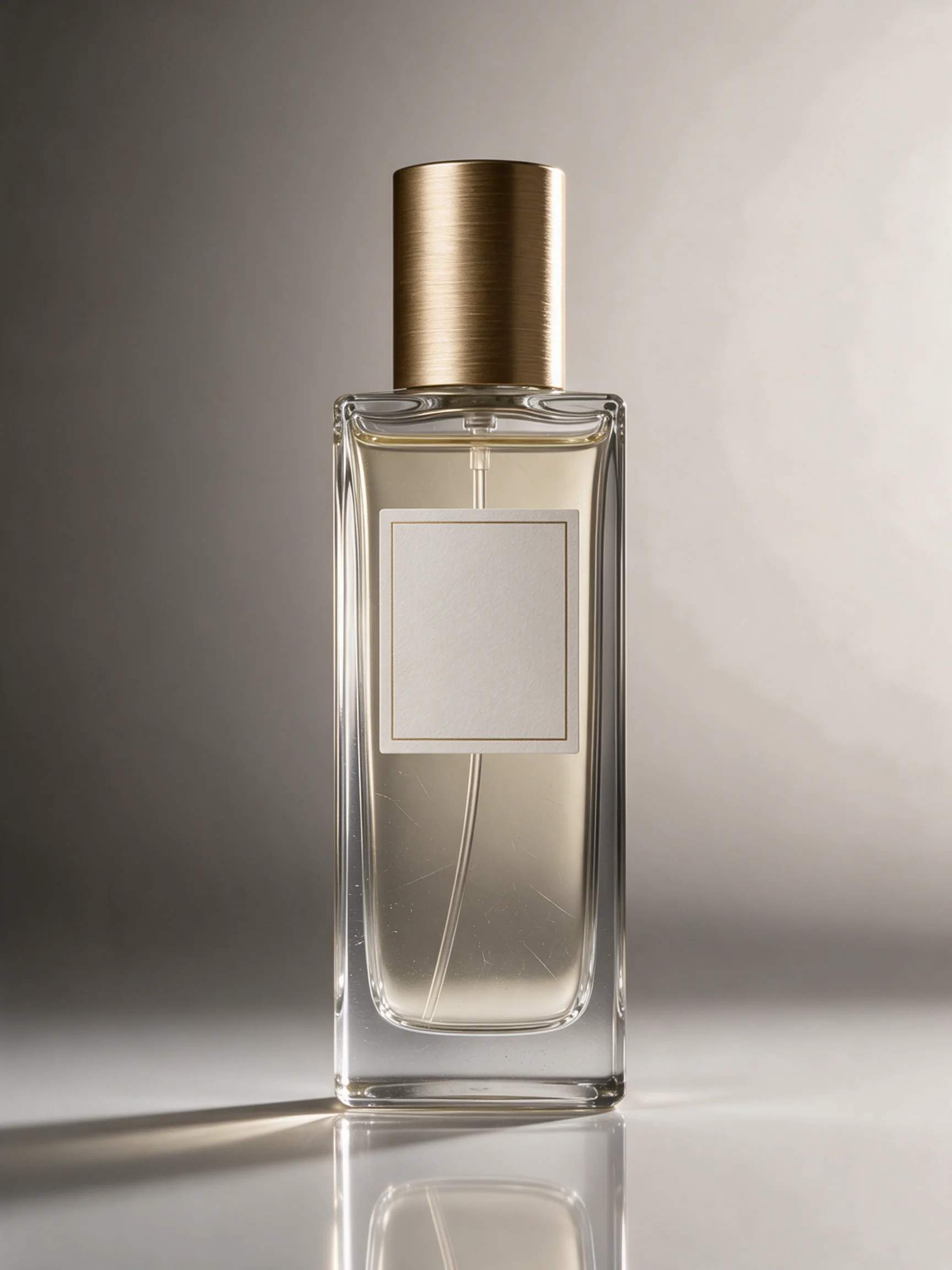
E-commerce-grade product still life: material and lighting reconstruction of a perfume bottle
Style Product Image · ecommerce · material-render
Reference inputs
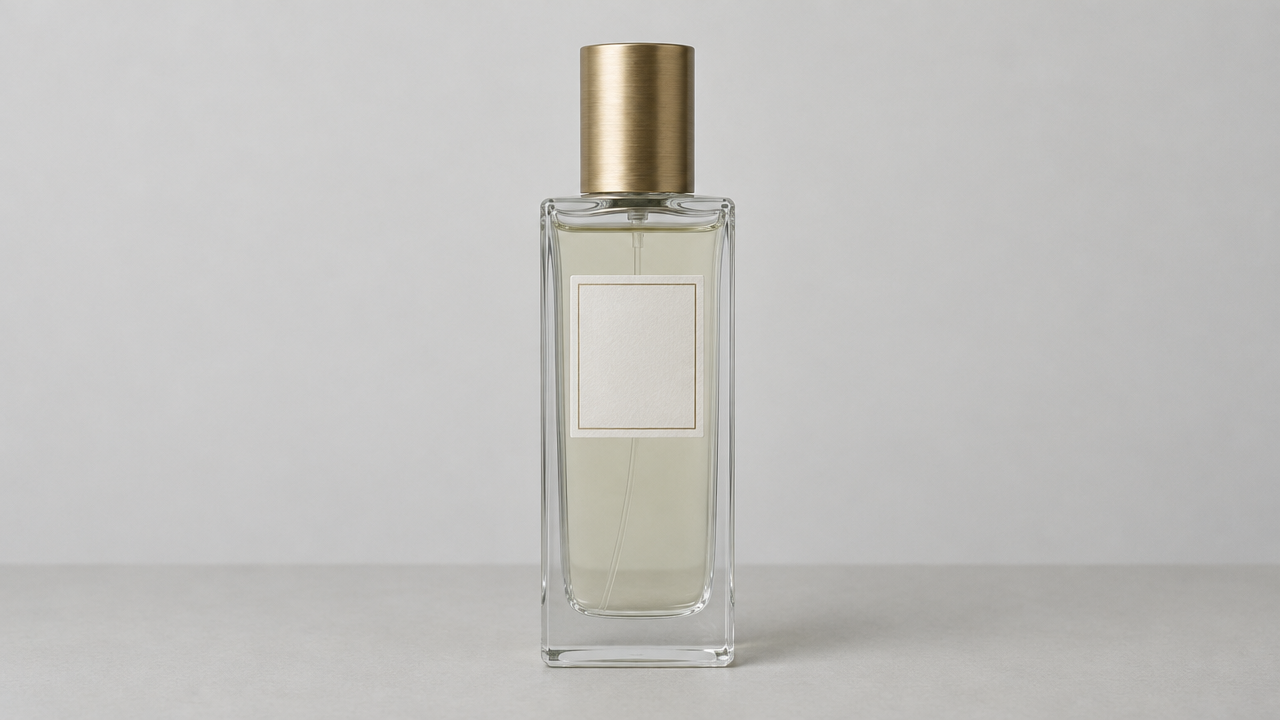
image_urls
Prompt
Studio-style product photography, luxury perfume bottle, image-to-image edit based on a reference image, preserving the original bottle silhouette, label layout, and liquid level. Reconstruct the materials to show physically accurate glass refraction, subtle surface micro-scratches, a brushed champagne gold cap with a visible anisotropic highlight, and a crisp liquid meniscus. Lighting: a large softbox key light from the front left at 45 degrees, a narrow rim light from the back right tracing the bottle's edges, a black flag on the left to deepen contrast, and a background light forming a smooth warm gray gradient from #d8d2cb to #6e6862. Composition: centered vertical composition, product occupying 60% of the frame height, 15% empty space above the cap, glossy acrylic base with a soft symmetrical reflection, subtle contact shadow. Shallow depth of field, the label plane in extremely sharp focus, clean highlight rolloff on the glass with no highlight clipping, surface deliberately kept dust-free. Commercial e-commerce hero visual quality, high micro-contrast, neutral color balance, no text or watermark added.
Copy the full prompt and adapt it for your own generation.
Tags

Seedream 5.0 Pro Portrait Image-to-Image: Realistic and Artistic Dual-Style Reference
Style Portrait & Photography · style-transfer · Photorealistic
Reference inputs

image_urls
Prompt
Portrait photo editing reference. Start from a single studio portrait: a young adult, natural skin texture, soft window light from the left, neutral gray background, shallow depth of field, 85mm lens look, no heavy retouching; keep facial structure and personal features unchanged while leaving room for style variation. The composition is a centered half-body shot, clean and evenly lit, suitable as a base for both realistic and painterly style re-creation.
Copy the full prompt and adapt it for your own generation.
Tags
Pricing
seedream-5.0-pro/image-to-image per image
| Specifications | Unit Price |
|---|---|
| 1K | $0.060 |
| 2K | $0.100 |
Positioning Overview
The image editing track of Seedream 5.0 Pro takes reference images as input and performs image modification and multi-image composition according to prompts. A single call can accept 1 to 10 reference images and output finished images at 1K or 2K resolution, with 8 aspect ratios and in png or jpeg format. It is designed for developers who need to apply textual editing intent to existing assets, such as changing style, swapping backgrounds, or merging multiple images while keeping the subject consistent. It is suitable for integration into batch production workflows such as e-commerce assets and marketing graphics.
Key Highlights
- Multi-image reference composition — A single request can carry up to 10 reference images, enabling multi-image fusion and combined editing within one generation.
- Selectable resolution and aspect ratio — Output supports two tiers: 1K for quick drafts and 2K for detailed final renders, and offers 8 aspect ratios covering landscape, portrait, and square placements.
- Prompt-driven editing — Describe the modification target with a prompt of 3 to 4000 characters, with no need to build a separate image processing pipeline on the server side.
Capability Description
Multi-image reference editing: Pass in 1 to 10 JPEG, PNG, or WebP images as the editing basis (each image no larger than 10MB; SVG is not supported), and the model performs image modification or multi-image composition accordingly. This is suitable for replacing material sources rather than rerunning text generation.
Resolution and aspect ratio control: Output can be 1K or 2K, with the 2K upper limit at approximately 2048x2048. Aspect ratios cover 1:1, 4:3, 3:4, 16:9, 9:16, 2:3, 3:2, and 21:9, making it easy to align directly with the dimensions of each ad placement.
Output format specification: Generation results can be specified as png or jpeg, making it easy to match downstream storage, compression, and distribution processes on the integration side.
Applicable Scenarios
- E-commerce operations: editing with product photos as references — Upload multiple product images and describe scene and style adjustments to produce finished images that can be used directly for detail pages or main images.
- Marketing teams: composing promotional graphics from multiple assets — Pass in product images and scene images together, and produce banners or social media graphics through multi-image fusion, output directly in platform-specific aspect ratios.
- Content creators: restyling existing images — Use the original image as a reference and describe the target style to generate a series of images with a consistent style, for column visuals and cover updates.
Limitations and Selection Advice
Only image-to-image editing is supported. Requests must include at least 1 reference image and cannot be used as a text-only image generation track. Reference images are limited to JPEG, PNG, and WebP; SVG is not supported, and each image must not exceed 10MB. The output resolution upper limit is 2K; for print-grade final renders requiring higher pixel counts, another solution should be used. If the task starts from text only, a text-to-image model in the same series should be selected. For scenarios requiring pixel-level control over style rewriting results, manual review should be retained.
What's new
View changelog →- New model seedream-5.0-pro/image-to-image Now Available
- New model New model launched: seedream-5.0-pro/text-to-image
- New model seedream-5.0-lite/image-to-image model now available
Create a generation task
https://api.hiapi.ai/v1/tasks Headers
AuthorizationstringRequiredAccount API key. Required on every request. Example: Bearer YOUR_HIAPI_API_KEY. Get your API key
Content-TypestringOptionalThe request body is always parsed as JSON; when sent, only application/json (optionally with charset) is accepted — any other value returns 415. Example: application/json.
Idempotency-KeystringOptionalIdempotency key, up to 255 bytes. Retries with the same key from the same account create the task only once; replays return the original taskId.
On network timeouts or client retries, the same key creates the task only once — no double charges (scope: the API key's account). Use a business-unique identifier as the key (e.g. "order-42"); replays return the original taskId, and keys expire 24 hours after the first request. See the Unified Async API overview for the full scenario matrix.
Body
modelstringRequiredCurrent fixed value: seedream-5.0-pro/image-to-image
routestringOptionalCurrent fixed value: default
inputobjectRequired
Business parameters for seedream-5.0-pro/image-to-image and route default — see the parameter table below.
promptstringRequiredminLength 3maxLength 4000A text prompt describing the desired editing effect or the content of the image to be generated; the length must be between 3 and 4000 characters.
image_urlsarrayRequiredminItems 1maxItems 10An array of URLs of reference images, used for image editing or multi-image composition; the number of elements is 1 to 10. JPEG, PNG, and WebP formats are supported (SVG is not supported), and the maximum size per image is 10 MB.
Array [ string ]
resolutionstringRequiredDefault: "2K"The resolution of the output image: 1K is about 2 megapixels, suitable for rapid iteration; 2K is about 4 megapixels and can reach up to 2048x2048, suitable for finer detail requirements. The default is 2K.
1K2Kaspect_ratiostringRequiredDefault: "1:1"The aspect ratio of the generated image. The default is 1:1.
1:14:33:416:99:162:33:221:9output_formatstringOptionalDefault: "png"The format of the output image. The default is png.
pngjpegcallbackobjectOptional
Terminal-state notification config. When omitted, no callback is delivered — poll the task yourself. See the callback note below.
Provide callback.url when creating a task and HiAPI POSTs to your service once the task reaches a terminal state — no polling needed. The callback payload mirrors the task detail structure; signature verification, delivery retries and idempotency are documented on the Unified Async API overview page.
urlstringRequiredRequired when callback is present. A POST is sent to this URL once the task reaches a terminal state; must be a valid http(s) URL.
whenstringOptionalDefault: "final"Only final is supported today — notified on both success and fail.
finalstoragestringOptionalDefault: "temp"Artifact storage tier: temp (default, retained about 7 days) or persistent (long-term, billed by size). Insufficient balance or exceeding the storage cap silently downgrades to temp; the effective tier is shown in the task detail response.
temppersistentRequest examples
# Submit an async task; returns a taskId immediately (no waiting for generation)
curl -X POST "https://api.hiapi.ai/v1/tasks" \
  -H "Authorization: Bearer $HIAPI_API_KEY" \
  -H "Content-Type: application/json" \
  -d '{
  "model": "seedream-5.0-pro/image-to-image",
  "input": {
    "prompt": "…",
    "image_urls": "…",
    "resolution": "2K",
    "aspect_ratio": "1:1",
    "output_format": "png"
  }
}'
const res = await fetch("https://api.hiapi.ai/v1/tasks", {
method: "POST",
headers: {
Authorization: `Bearer ${process.env.HIAPI_API_KEY}`,
"Content-Type": "application/json",
},
body: JSON.stringify({
model: "seedream-5.0-pro/image-to-image",
input: {
"prompt": "…",
"image_urls": "…",
"resolution": "2K",
"aspect_ratio": "1:1",
"output_format": "png"
}
}),
});
const task = await res.json();
// { code: 200, message: "success", data: { taskId } }import os, requests
res = requests.post(
"https://api.hiapi.ai/v1/tasks",
headers={"Authorization": f"Bearer {os.environ['HIAPI_API_KEY']}"},
json={
"model": "seedream-5.0-pro/image-to-image",
"input": {
"prompt": "…",
"image_urls": "…",
"resolution": "2K",
"aspect_ratio": "1:1",
"output_format": "png"
}
},
)
print(res.json()) # { code, message, data: { taskId } }200 OK
{
  "code": 200,
  "message": "success",
  "data": {
    "taskId": "tk-hiapi-01HZTQ8BX2N3GM3YFK4Z9D7VQR"
  }
}
400 Bad Request
{
  "code": 400,
  "message": "invalid request",
  "data": null,
  "error_code": "INVALID_REQUEST"
}
Get task detail
https://api.hiapi.ai/v1/tasks/:id Response fields
taskIdstringRequiredTask ID, always prefixed with tk-hiapi-.
modelstringRequiredResolved full model name. Tasks submitted with the route parameter return base@route (e.g. gpt-image-2/text-to-image@ext); otherwise identical to the name passed at creation.
routestringOptionalPresent only when the task was submitted with an explicit route parameter; echoes the submitted value.
statusstringRequiredTask status.
queued Queued, not started yet.
handling Being processed.
archiving Processing finished, artifacts being prepared.
success Terminal: completed, artifacts available (output returned).
fail Terminal: failed (error returned).
After submission, check status: success and fail are terminal, everything else is non-terminal. Poll every 1–3 seconds until terminal. On success, download artifacts from output[].url and transfer them before expireAt; pass storage: "persistent" at creation time when long-term retention is needed.
creatednumberRequiredTask creation time (Unix seconds).
completednumberRequiredUnix seconds when the task reached a terminal state; fixed to 0 while not terminal.
outputarrayOptional
Present only when status == success. Artifact list — always an array; a single task may return multiple types at once (e.g. video + first_frame).
Array [ object ]
Array items
urlstringRequiredArtifact URL, directly downloadable.
typestringRequiredCurrent possible values: video, image, audio, first_frame, last_frame, thumbnail; more may be added later.
expireAtnumberRequiredUnix seconds until which the artifact remains accessible; download or transfer before it expires.
errorobjectOptional
Present only when status == fail.
codestringRequiredBusiness error code.
messagestringRequiredError description.
Response examples
Success
{
  "code": 200,
  "message": "success",
  "data": {
    "taskId": "tk-hiapi-01HZTQ8BX2N3GM3YFK4Z9D7VQR",
    "model": "happyhorse-1-0",
    "status": "success",
    "created": 1777282033,
    "completed": 1777282099,
    "output": [
      {
        "url": "https://cdn.hiapi.ai/tasks/.../video.mp4",
        "type": "video",
        "expireAt": 1777886899
      }
    ]
  }
}
Processing (non-terminal)
{
  "code": 200,
  "message": "success",
  "data": {
    "taskId": "tk-hiapi-...",
    "model": "happyhorse-1-0",
    "status": "archiving",
    "created": 1777282033,
    "completed": 0
  }
}
Failed
{
  "code": 200,
  "message": "success",
  "data": {
    "taskId": "tk-hiapi-...",
    "model": "happyhorse-1-0",
    "status": "fail",
    "created": 1777282033,
    "completed": 1777282099,
    "error": {
      "code": "TASK_FAILED",
      "message": "task failed"
    }
  }
}Articles
View all articles →Related Models
View all models →Same Type
-
 FIBO 1.5 Bria $0.058 /image
-
 851 Labs Background Remover 851 Labs $0.002 /image
-
 Qwen Image 3.0 Alibaba $0.036 /image
-
 FLUX.1 Fill Pro Black Forest Labs $0.071 /image
-
 GPT Image 2 OpenAI $0.007 /image
-
 Seedream 4.5 ByteDance $0.045 /image
-
 Nano Banana 2 Lite Google $0.033 /image
-
 Ideogram V4 Ideogram $0.050 /image
-
 Ideogram V4.5 Ideogram $0.011 /image
-
 Nano Banana Google $0.021 /image
-
 Seedream 5.0 ByteDance $0.025 /image
-
 FLUX.2 Klein 4B Black Forest Labs $0.0004 /image