
FLUX 3 Max Image-to-Video Tutorial Cover: Visual Reference for the Getting Started Guide
Create a dynamic visual for the FLUX 3 Max (image-to-video) getting started guide that can be used directly as a tutorial cover. The approach is to first make the "tutorial cover" as a static composition: a dark typographic background, blank space reserved in the title area, and a floating sample first-frame thumbnail with a playback control outline on the right; then use this static cover as the first-frame input for image-to-video, so the image develops slight but clear design-oriented motion — grid lines slowly pulse in a breathing-like light-dark change, a light spot sweeps horizontally across the title area, and a thin highlight glints along the thumbnail edges. The generated result keeps both the text layout area and visual focal point needed for a cover, while also having the motion of a video medium, making it suitable for an article header image, course cover, document first screen, or social media entry image. 16:9, 720p, and a 5-second duration were chosen because tutorial covers are usually embedded in web pages and player thumbnail slots; a short loop is enough to convey the message "this is a video," while setting reasoning_level to high ensures that the layout elements and light effects are presented stably under the prompt description.
Style tutorial-cover · Motion Graphics · Design Notes
Model FLUX 3 Max
Reference inputs
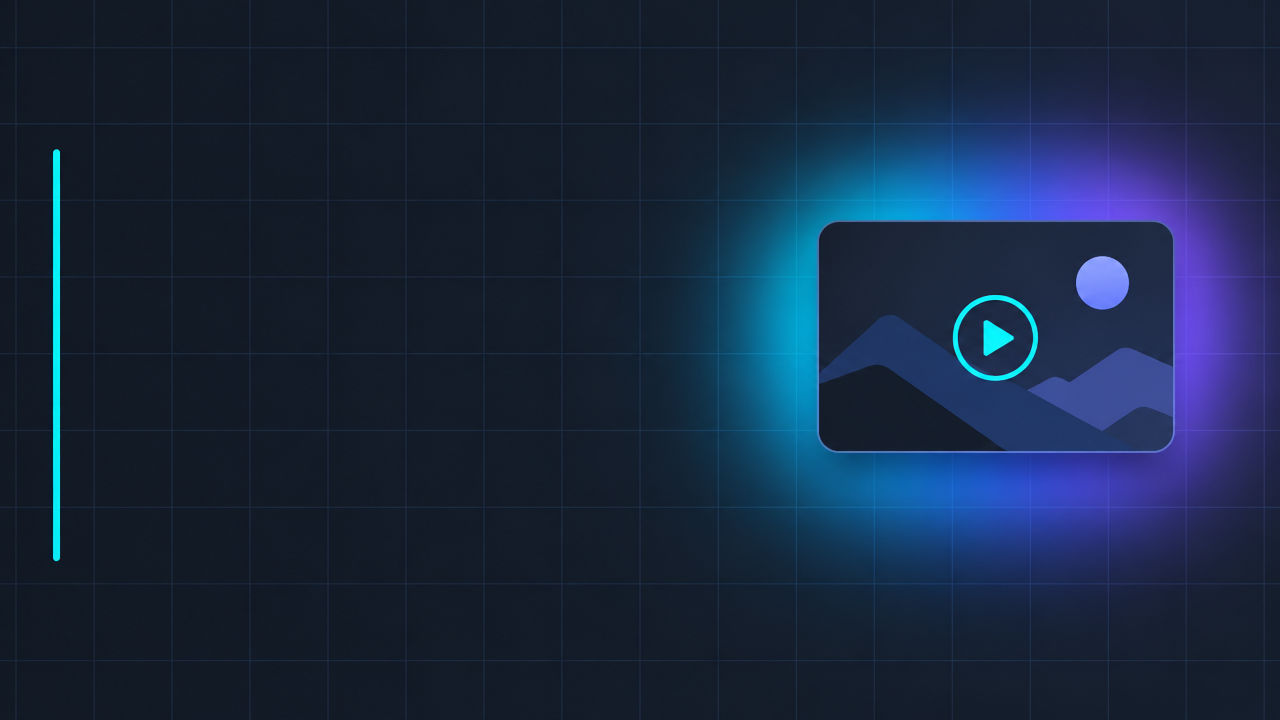
image_url
Prompt
Turn a static tutorial cover design into subtle motion graphics. The image starts from a dark charcoal-gray 16:9 layout: at the left third is a clean sans-serif title block with ample blank space reserved for title text; a thin vertical accent line; on the right is a small floating thumbnail card with a rounded playback button outline. The motion is restrained and graphic-design-oriented: faint blueprint grid lines slowly pulse in brightness, a soft cyan-to-purple gradient light band sweeps horizontally across the title area once, and a slender moving highlight glides along the edge of the thumbnail card. The camera is completely locked off, with no zoom and no rotation, so the typographic layout always remains clear and readable. All surfaces stay flat and minimal, no objects are added, the text is not distorted, and there is no flicker. Cinematic studio lighting, high contrast, sharp edges, friendly pacing, suitable for looping within five seconds.
Copy the full prompt and adapt it for your own generation.
Tags