
Grok Imagine Cinematic Language Visual Notes: Image-to-Video Camera Movement Demonstration
Starting from a single static storyboard frame, this uses grok-imagine/image-to-video to demonstrate the visual differences among the four basic camera movements: push in, pull out, pan, and truck. The reference image is deliberately made as a top-down floor-plan annotation of the same scene: it includes a mid-ground figure, foreground occluders, and a deep corridor, making it easy to observe the perspective changes caused by camera displacement. When submitting, pass a single reference image via image_urls, use prompt with @image1 to point to that image and specify the movement direction clearly, set resolution to 720p, duration to 6 seconds, and mode to normal, and the output aspect ratio follows the input image. It is suitable for storyboard artists and short-video directors to quickly check camera-movement intent before formal generation, and also for developers to understand how to write motion control for this model under single-image input. This model family is positioned as integrated image-to-video generation, and the duration of a single segment is limited, so this work only uses a single shot and a single action, and does not stack multiple camera movements in one clip.
Style Camera Movement · Storyboard · Image-to-Video
Model Grok Imagine
Reference inputs
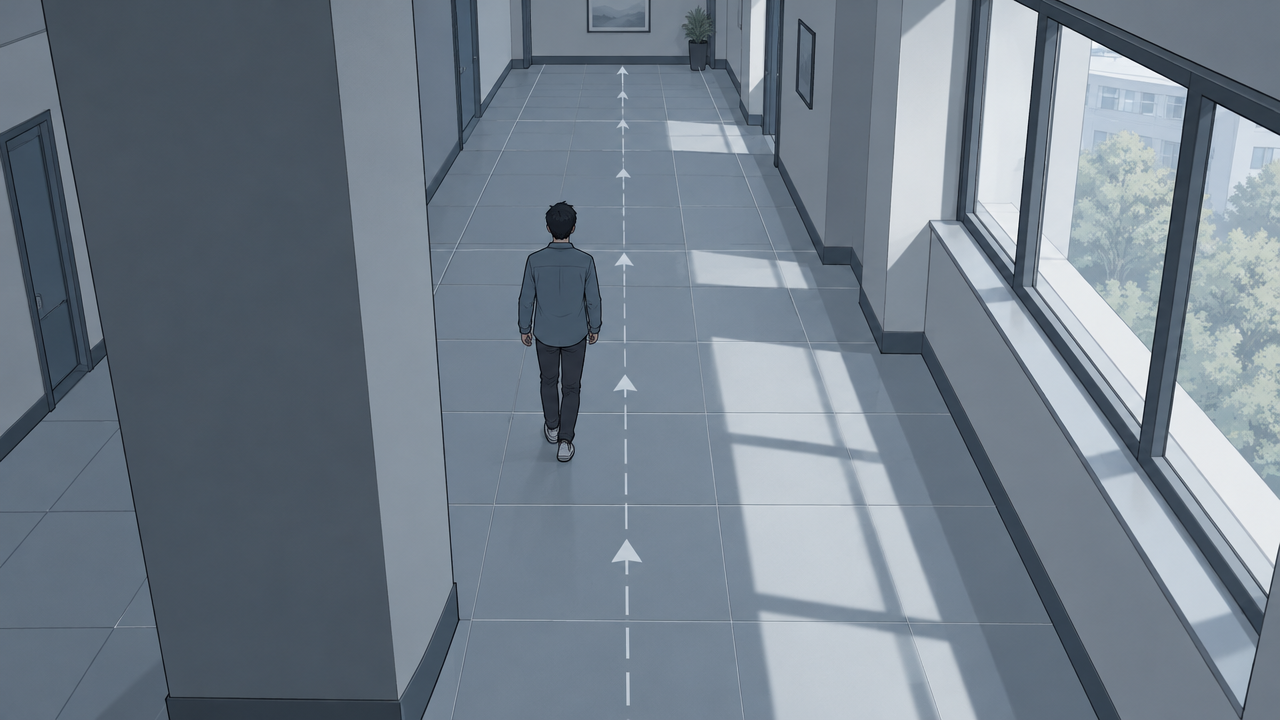
image_urls
Prompt
Perform a single continuous camera movement on the static reference frame: start from the annotated top-down storyboard, then slowly and steadily push in along the corridor toward the mid-ground figure, keeping the horizon level and the perspective consistent. Subtle parallax appears between the foreground occluders and the background wall, natural daylight comes through the side windows, soft shadows, no cuts, no text overlays, stable subject identity, a cinematic 24fps look, six seconds long.
Copy the full prompt and adapt it for your own generation.
Tags