
Wan 2.6 Flash Image-to-Video Capabilities Illustrated: Parameters and Scenarios
This piece uses a static infographic as the first frame and hands it to wan2.6-flash (image-to-video) to drive it into a short video, demonstrating the model's core usage of "generating a short video from a single source image plus a text prompt": the image serves as the starting point, and the prompt is responsible for describing motion, camera, and atmosphere. At the parameter level, this submission covers the key controllable items in the schema: image_urls accepts only one image (at least 256×256, jpeg/png/webp, ≤10MB); duration is limited to 5/10/15 seconds, here set to 10 seconds to accommodate the two-stage camera movement; resolution is limited to 720p/1080p, here set to 1080p to ensure the small text in the image is legible; audio is an optional synchronized-audio toggle, off by default, and kept off in this entry to highlight the visual information. Capability highlights and applicable scenarios: The Flash version prioritizes speed and cost, making it suitable for batch testing of prompts and camera instructions, high-frequency short-video output for social media, proof of concept, and early drafts; once the shot is finalized, it can be handed to the standard Wan 2.6 I2V for final rendering. Note that its upper limit for visual fidelity is lower than that of the standard version—it is positioned as a draft, not a finished piece. Visual composition: The first-frame infographic presents "Core Parameters / Capability List / Applicable Scenarios" in three columns; during the video stage, a slight push-in and a highlight sweep guide the viewer's eye without altering the content of the image, making it easy for developers to understand the role of each field against the real submit input.
Style capability-diagram · Technical Explanation · Product Image
Model Wan 2.6 Flash
Reference inputs
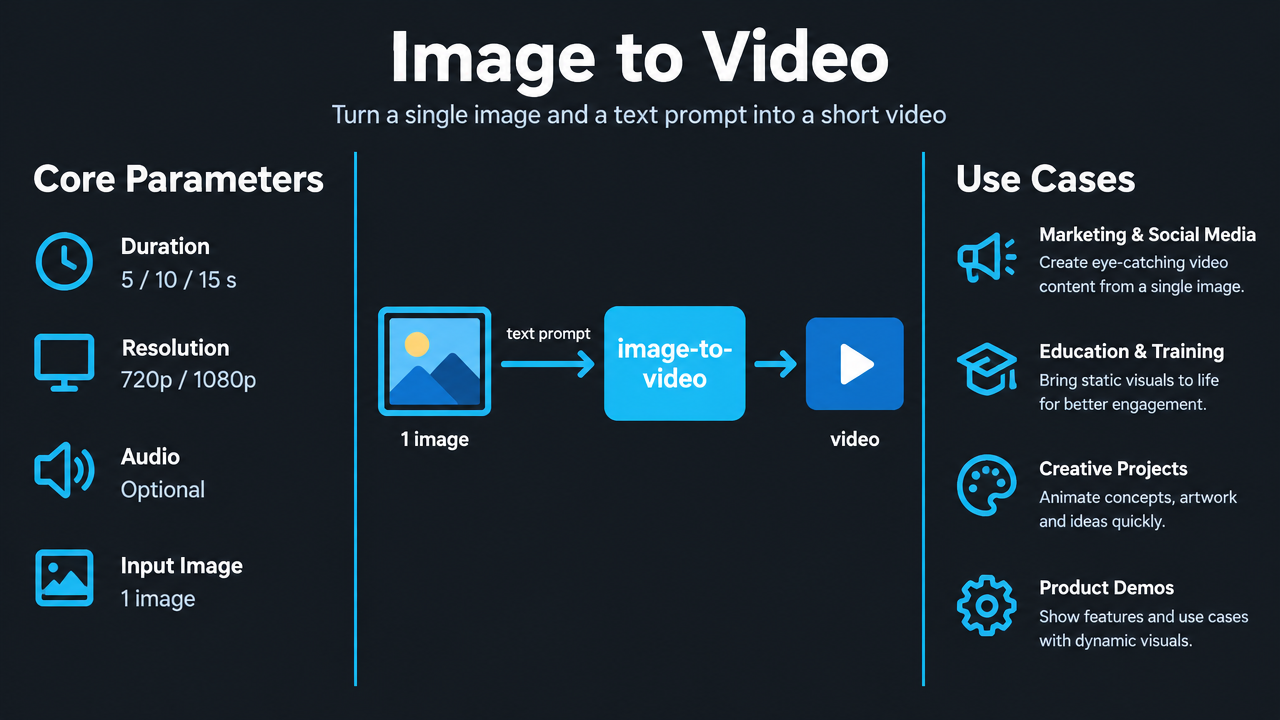
image_urls
Prompt
Turn a clean technical infographic poster into a short explainer video. Start from the static poster image; the camera slowly and steadily pushes in toward the middle column, then gently pans sideways to reveal the left and right columns, and finally pushes in slightly toward the feature list at the bottom. Add a soft moving highlight sweep over key labels to guide the viewer's eye, with subtle parallax between the three columns while keeping all text crisp and legible. Lighting is flat, even, studio-neutral lighting, with a faint cyan glow along the panel edges; motion is smooth and restrained, with no jitter, no text distortion, and no new elements introduced. 16:9 aspect ratio, clean UI-style graphics, high legibility, professional tech-explainer atmosphere.
Copy the full prompt and adapt it for your own generation.
Tags