
使用ガイド
Grok Image 2.0 テキストtoイメージのプロンプト集:5つのシーンをコピペするだけで画像生成
アイコン、商品画像、ワイドバナー、スマホ壁紙、風景。5つの完全なプロンプトと実際の生成画像を掲載、ワンクリックでモデルページに反映できます。
Grok Image 2.0 のテキストtoイメージのプロンプトはどう書けばいい?以下の5つのシーンは、どれも完全な英語プロンプトで、コピペするだけで画像が生成できます:アプリアイコン、商品画像、ワイドバナー、スマホ壁紙、風景。それぞれに対応する API の元画像も掲載しています。
Grok Image 2.0 は HiAPI で公開中。テキストtoイメージは1枚 $0.052、1K / 2K、low / medium、任意のアスペクト比が同価格で、新規ユーザー登録で200ポイント進呈。各プロンプトの下にある「このプロンプトで生成」をクリックすると、モデルページに自動入力されます。
1. アプリアイコン:個性のあるマスコット
アイコンは小さいサイズで見るため、構図はミニマルに:モチーフは1つ、周囲に十分な余白、背景はシンプルに。このアイコンの例は 1K / low を使用。

1K / low / 1:1、約15秒
プロンプト(原文):
A friendly white robot mascot for a creative app icon, rounded chunky body with a single antenna topped by a small mint-green sphere, big dark rounded-square face with two glowing cyan oval eyes and a simple curved smile, holding an artist's paintbrush loaded with a warm orange-to-pink gradient of paint in its right hand, a small circular badge on its chest showing a painter's palette icon in a pastel gradient, standing centered against a soft pastel gradient background inside a rounded square (lavender to peach to mint), flat vector-illustration style with clean outlines and soft ambient shading, no text, app-icon composition with even padding on all sides
このプロンプトで生成 →(アスペクト比は 1:1、解像度は 1K、品質は low を選択)
書き方のポイント:モチーフは1つだけ書き、さらに「app-icon composition with even padding on all sides」と「no text」を加えることで、アイコンが画面いっぱいに描かれたり、文字化けが発生したりするのを防げます。
2. 商品撮影:窓辺のマグカップ
商業用画像はフォトグラファーのように描写します:光がどちらから来るか、被写界深度はどれくらい浅いか、後から文字を載せるなら余白を明確に指定します。
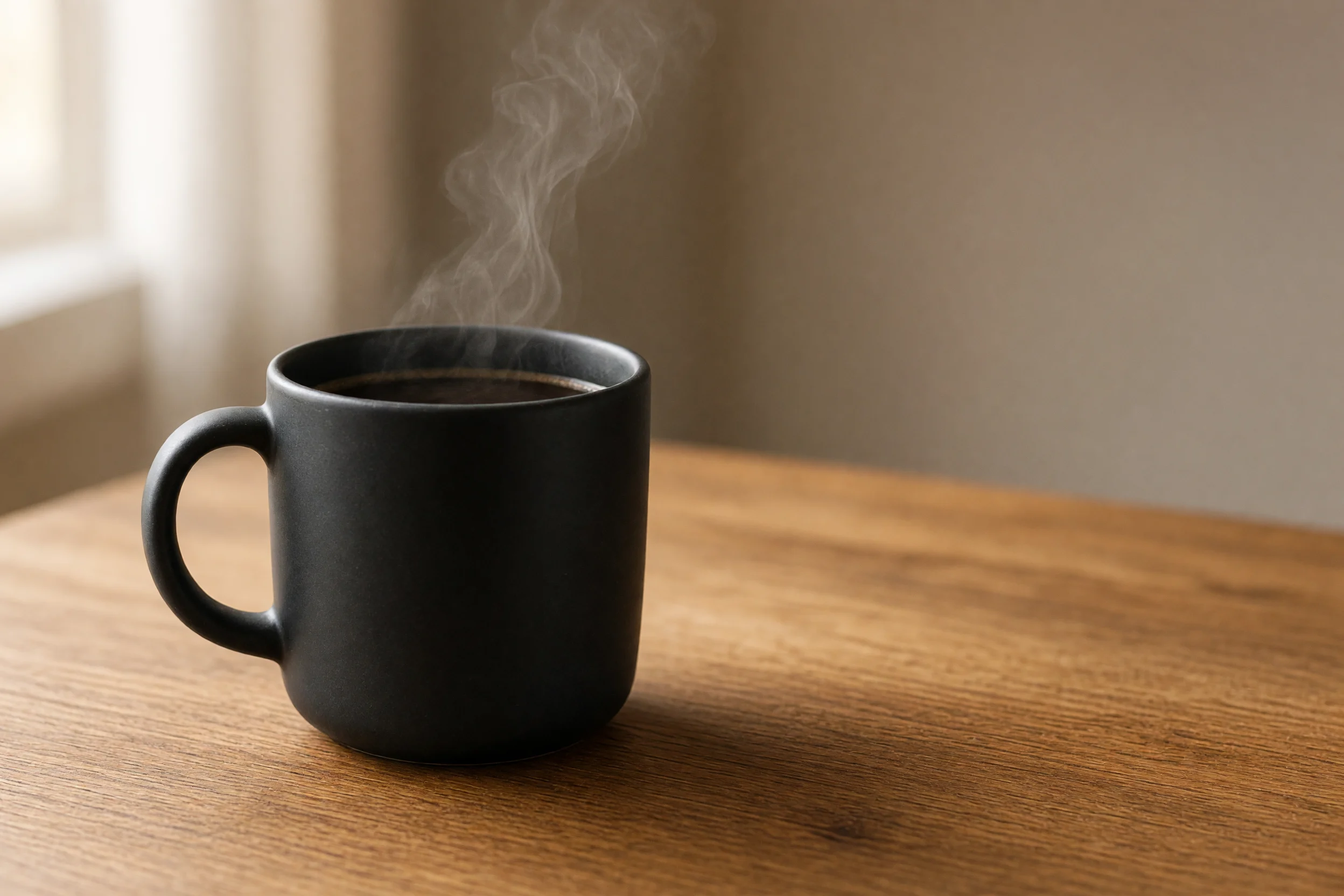
2K / medium / 3:2、約73秒
プロンプト(原文):
Product photography of a matte black ceramic coffee mug filled with steaming black coffee, thin wisps of steam curling upward, mug placed on a warm honey-toned wooden table near a bright window with sheer curtains, soft natural window light from the left creating gentle highlights on the mug's curved surface, shallow depth of field with the background softly blurred, plenty of empty negative space to the right of the mug for text overlay, warm cozy morning color grade, realistic commercial photography style, 3:2 aspect ratio
このプロンプトで生成 →(アスペクト比は 3:2、解像度は 2K、品質は medium を選択)
書き方のポイント:光の方向(「from the left」)と余白の位置(「to the right of the mug」)を具体的に書くことで、生成画像のコピー領域が思い通りの場所に来ます。
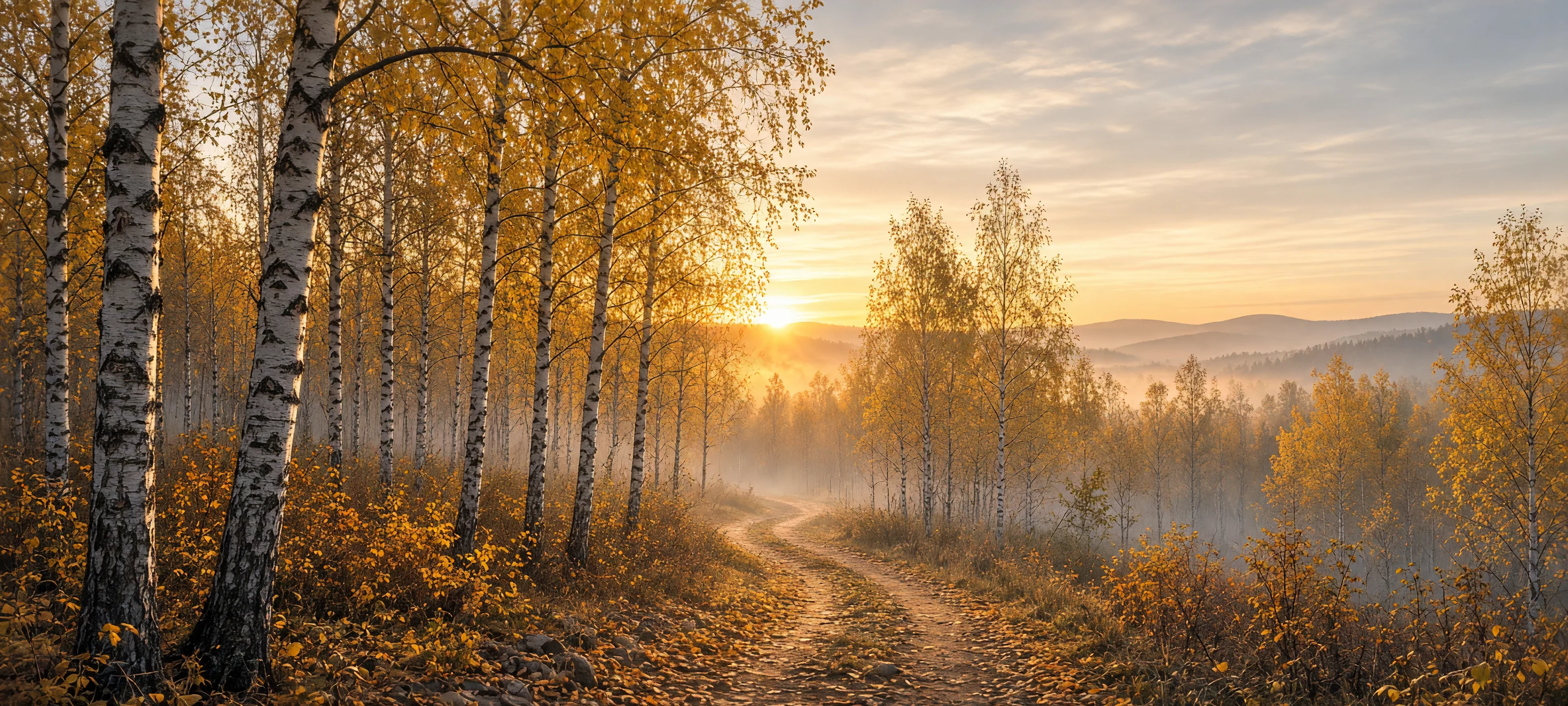
3. ワイドバナー:白樺林の日の出
20:9 はモデルがサポートする最もワイドなアスペクト比の一つで、サイトのヘッダー画像に適しています。超ワイドな画面にはガイドライン(ここでは遠くへ曲がる小道)を入れることで、構図が切り取った正方形のように見えなくなります。
2K / medium / 20:9、約76秒
プロンプト(原文):
Ultra-wide panoramic landscape of a birch forest at sunrise in autumn, tall white-barked birch trees with golden-yellow leaves lining a winding dirt path that curves toward the horizon, low morning mist drifting between the trunks, the sun just cresting distant hazy hills and casting a warm golden glow through the canopy, soft pastel sky with thin clouds catching the light, rich autumn color palette of gold, amber and soft blue, cinematic wide-format nature photography, extremely wide 20:9 aspect ratio suitable for a website banner
このプロンプトで生成 →(アスペクト比は 20:9、解像度は 2K、品質は medium を選択)
書き方のポイント:超ワイドな画面には明確な「leading line」を与え、さらに光源とカラーパレットを明確に書くことで、画面に奥行きが生まれます。
4. スマホ壁紙:雨の夜のネオン路地
縦長 9:16 では画面の大部分が背景になるため、前景のアンカーを上または下の3分の1に置く必要があります。ここでは灯りのともった提灯を近景に置き、ネオンの反射が残りの奥行きを担います。
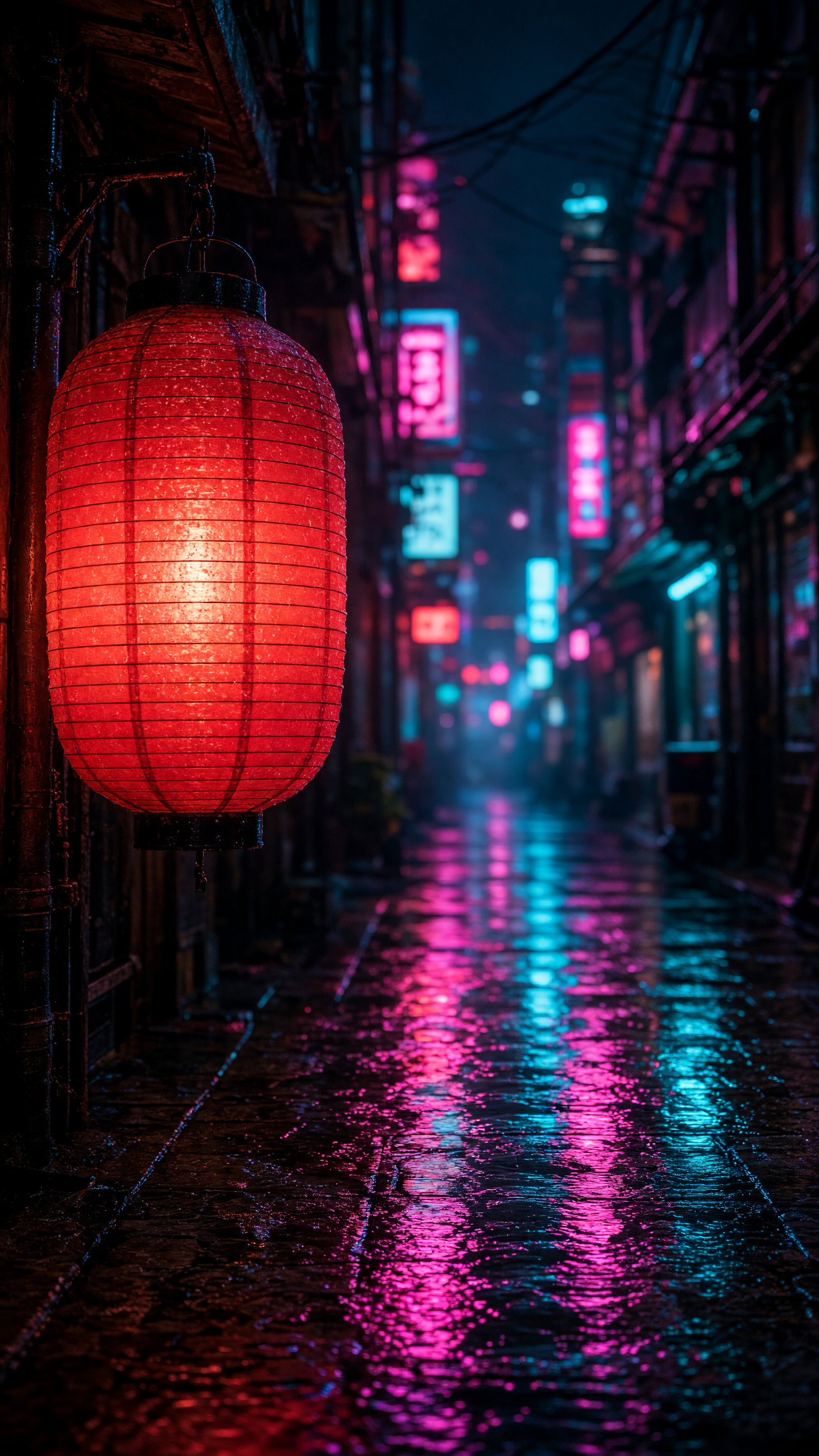
2K / medium / 9:16
プロンプト(原文):
Vertical phone wallpaper photo of a glowing red paper lantern hanging from a wooden eave in a narrow rain-soaked alley at night, the lantern lit warmly from within in the left foreground, the alley stretching away into the distance lined with blurred neon signs in pink and cyan, wet cobblestones reflecting the neon colors in long vertical streaks, moody cinematic night photography, shallow depth of field with the lantern sharp and the background softly bokeh'd, cyberpunk-tinged atmosphere, tall 9:16 aspect ratio framed for a phone lock screen
このプロンプトで生成 →(アスペクト比は 9:16、解像度は 2K、品質は medium を選択)
書き方のポイント:前景のモチーフの位置(「left foreground」)を明確に書き、背景を bokeh でぼかすことで、モチーフと雰囲気が分離します。
5. 風景:高山湖の夕日
湖面の反射にはモチーフと反射の関係を明確に書く必要があります。このプロンプトでは mirrored perfectly と strong bilateral symmetry で対称構図を指定しています。
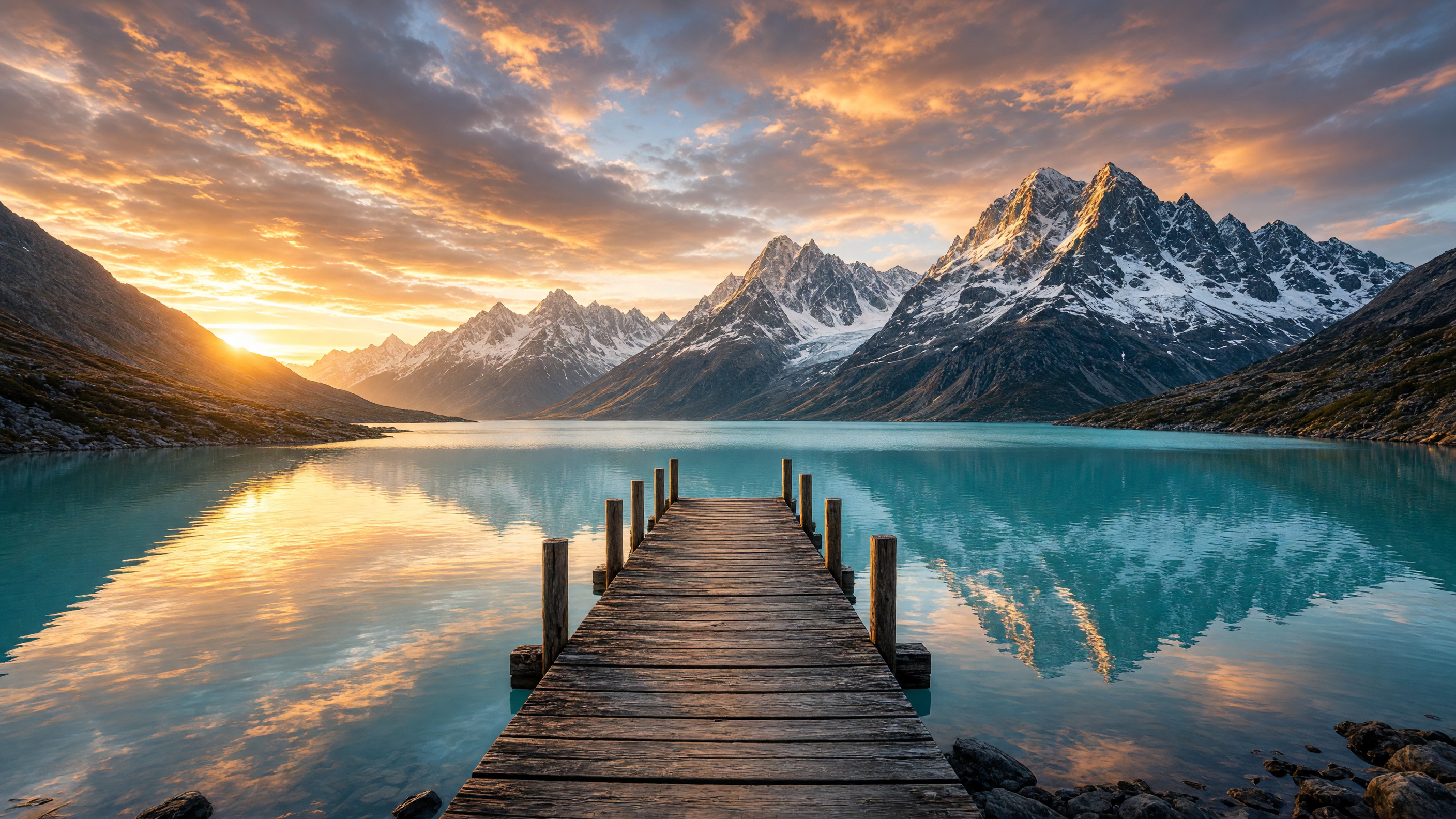
2K / medium / 16:9
プロンプト(原文):
Wide landscape photo of an old wooden pier extending into a calm turquoise alpine lake at sunset, snow-capped jagged mountain peaks rising directly behind the lake and mirrored perfectly in the still water, dramatic sky full of orange and pink clouds lit by the setting sun low on the horizon, scattered rocks along the near shoreline, crisp golden-hour light, epic nature photography with strong bilateral symmetry between sky/mountains and their reflection, 16:9 aspect ratio
このプロンプトで生成 →(アスペクト比は 16:9、解像度は 2K、品質は medium を選択)
書き方のポイント:「strong bilateral symmetry between sky/mountains and their reflection」を書き加えることで、反射がクリーンで対称になります。
構図の要件を明確に書くには?
- まずモチーフ、次に光とレンズ、最後にアスペクト比の用途を書く。 各段階を具体的に書き、名詞だけを書くのは避けましょう。
- レイアウトの要件は直接書き込む: 余白が必要、セーフマージンが必要、文字なし、などはすべて一文で説明します。
- アスペクト比、解像度、品質はモデルページまたは
inputで選択。 サンプルプロンプト内の比率記述と、下に記載したパラメータを一致させてください。
パラメータと価格
grok-imagine-image-2.0/text-to-image の input は4つのフィールドのみです:
prompt:必須resolution:1kまたは2kquality:lowまたはmediumaspect_ratio:1:1、16:9、9:16、4:3、3:4、3:2、2:3、2:1、1:2、19.5:9、9:19.5、20:9、9:20、およびauto
価格は固定で 1枚 $0.052、解像度、品質、アスペクト比はいずれも影響しません;$10 で約192枚生成できます。完全な導入方法は テキストtoイメージ API 導入ガイド をご覧ください。
構図の試行と最終版でパラメータをどう選ぶ?
構図の試行には 1K / low、最終版には 2K / medium を選べます。両方とも価格は同じです。キャプションの所要時間は、それぞれの生成記録に対応しています。
よくある質問
Grok Image 2.0 は画像編集できますか?
はい、画像編集は grok-imagine-image-2.0/image-to-image を使い、参照画像1枚と編集指示を送信します。詳しくは イメージtoイメージのプロンプトテンプレート をご覧ください。
どの解像度を選べますか?
1k と 2k です。4K はありません。
どのアスペクト比に対応していますか?
合計14の値です:13の固定比率(1:1 から超ワイド 20:9、超縦長 9:20 まで)に auto を加えたものです。
プロンプトは英語で書く必要がありますか? 上記に完全な英語テンプレートを用意しているので、そのままコピペできます。その後、自分のテーマに合わせてモチーフ、シーン、構図を変更してください。
構図の試行にはどのパラメータを選べばいい?
まず resolution: 1k、quality: low で試し、構図を確認してから 2K / medium で最終版を生成します。各生成は $0.052 です。
今すぐ最初の1枚を生成
上記の商品画像プロンプトをコピーして、モデルページで最初の1枚を生成しましょう。アスペクト比は 3:2、解像度は 2K を選択してください。API を導入したい場合は テキストtoイメージ API 導入ガイド を、価格の詳細は Grok Image 2.0 API の料金 をご覧ください。


