
使用ガイド
Veo 3.1 プロンプト大全:6 つのシーンをそのままコピーして動画生成
雰囲気ショート動画、無音プロダクトループ、ポートレート、製品の蓋開け、風景のプッシュイン、製品広告。各項目にプロンプト、パラメータ、価格を掲載。
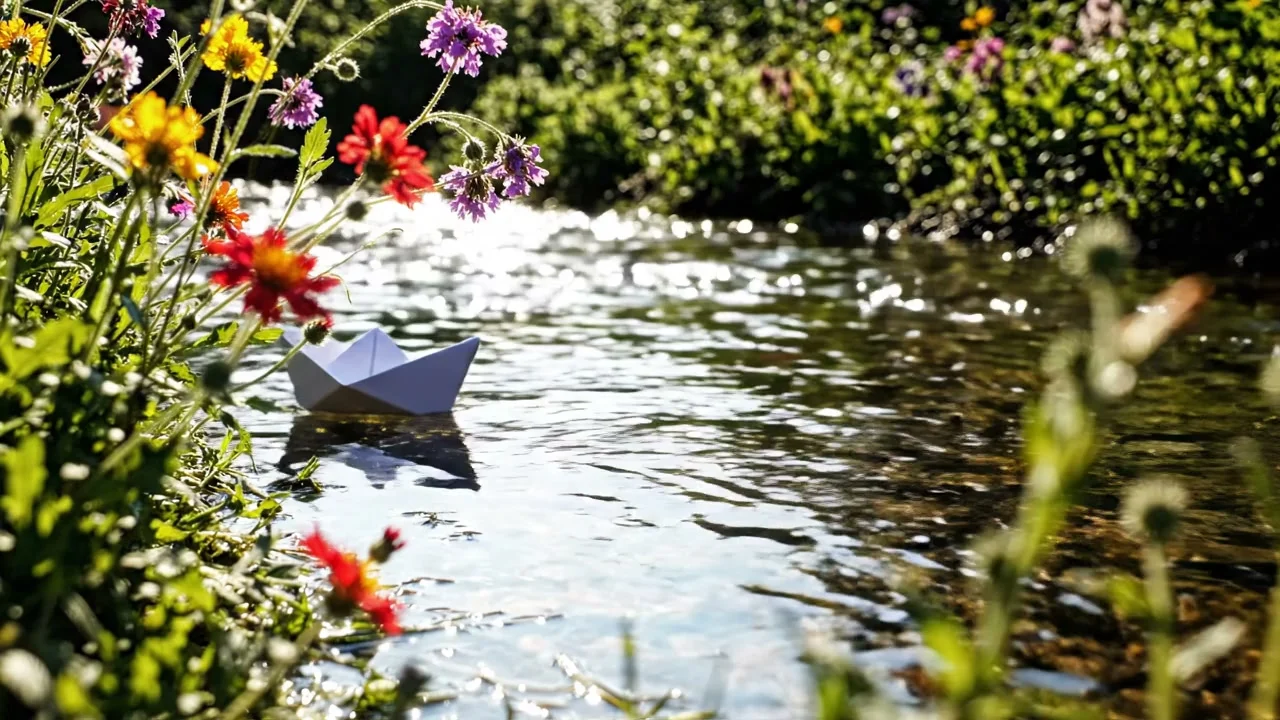
以下の 6 本の動画はすべて Veo 3.1 で一度に生成したものです:5 本は Lite(テキストから動画 2 本、画像から動画 3 本)、1 本は標準版の画像から動画。各項目に完全なプロンプト、パラメータ、価格を掲載しており、「このプロンプトで生成」をクリックするとモデルページが開き、プロンプトが自動入力されます。Veo 3.1 は HiAPI で公開中です。Lite モデルページを開く だけで生成でき、4 秒 720p のドラフトは最低 $0.24 です。
1. 雰囲気ショート動画:コーヒー市集、音を 3 層に
A small pour-over coffee stand at a sunlit morning farmers market. A barista
in a denim apron pours hot water in a slow spiral over ground coffee in a
paper filter; steam curls upward and catches the light as the coffee blooms
with a soft hiss. In the blurred background, market-goers browse stalls
under a canvas awning that stirs in the breeze. Camera slowly pushes in on
the pour. Warm golden-hour light, shallow depth of field, handheld
documentary feel. Soft hiss and crackle of the pour layered under distant
market chatter and a light wind.
このプロンプトで生成 →(4 秒、720p、16:9、音声オン)
veo-3.1-lite/text-to-video、4 秒、720p、音声あり、$0.4。
音声をオンにすると 3 層が聞こえます:近くの水の音、遠くの人声、風の音。これはプロンプトの最後の文にちょうど対応しています。音を書くときは「近くの音、環境の人声、環境音」を分けて書くと、「市場の音」とだけ書くよりはるかに具体的になります。
2. 無音プロダクトループ:製品だけを回す
Vertical product shot: a matte-black wireless earbud case slowly rotates on
a reflective black surface under a single overhead spotlight, throwing a
clean circular highlight across its lid. A thin ring light glows behind it,
rim-lighting the edges in cool blue. The camera stays locked off, centered,
with no movement except the case's slow rotation. Minimal studio background
fading to pure black at the edges. Sleek, premium tech-commercial look,
crisp reflections, no dust or fingerprints.
このプロンプトで生成 →(4 秒、720p、9:16、音声オフ)
veo-3.1-lite/text-to-video、4 秒、720p、音声なし、$0.24。
カメラは最後まで動かず、イヤホンケースだけが回転し、天井光の円形ハイライトが蓋に沿って移動します。鍵は「何が動いてはいけないか」を明記することです:camera stays locked off, no movement except…。EC の情報フィードはほとんど無音再生なので、音声をオフにすると毎秒 $0.1 から $0.06 に下がります。
3. ポートレート画像から動画:振り向いて微笑む
開始画像:
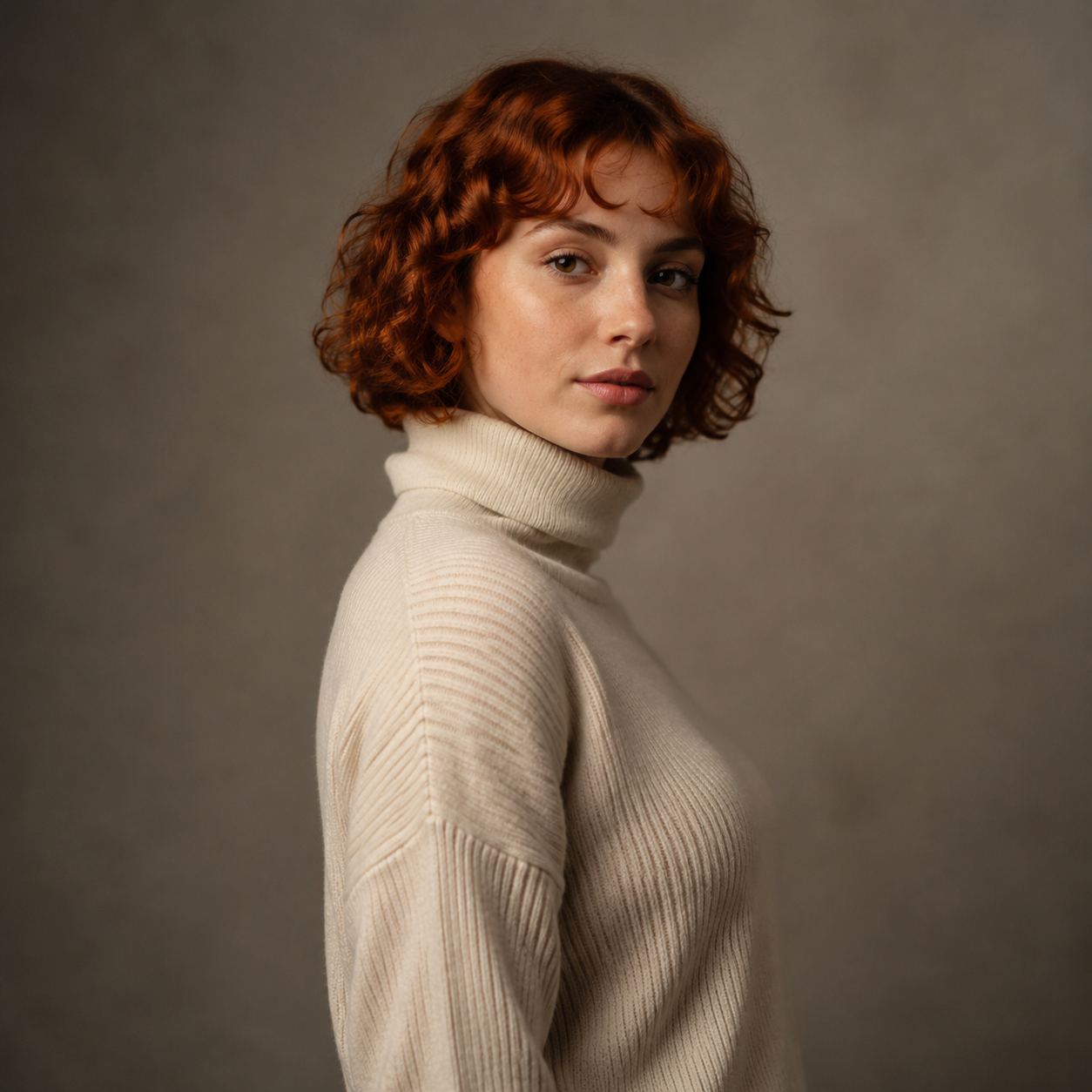
The woman slowly turns her head and shoulders to face the camera directly, her expression shifting from neutral calm into a warm, genuine smile as she makes eye contact with the lens. Her curly auburn hair sways gently with the motion. Soft ambient studio room tone, a faint exhale of breath audible as she smiles.
このプロンプトで生成 →(自分のポートレート画像をアップロード、6 秒、720p、音声オン)
veo-3.1-lite/image-to-video、6 秒、720p、音声あり、$0.6。
アクション 1 つ(振り向き)と表情の変化 1 つ(平静から微笑みへ)だけで、それ以上は求めません。音も明記しています:スタジオの暗騒音、微笑むときの軽い吐息。
4. 製品画像から動画:蓋を開けて見せる
開始画像:
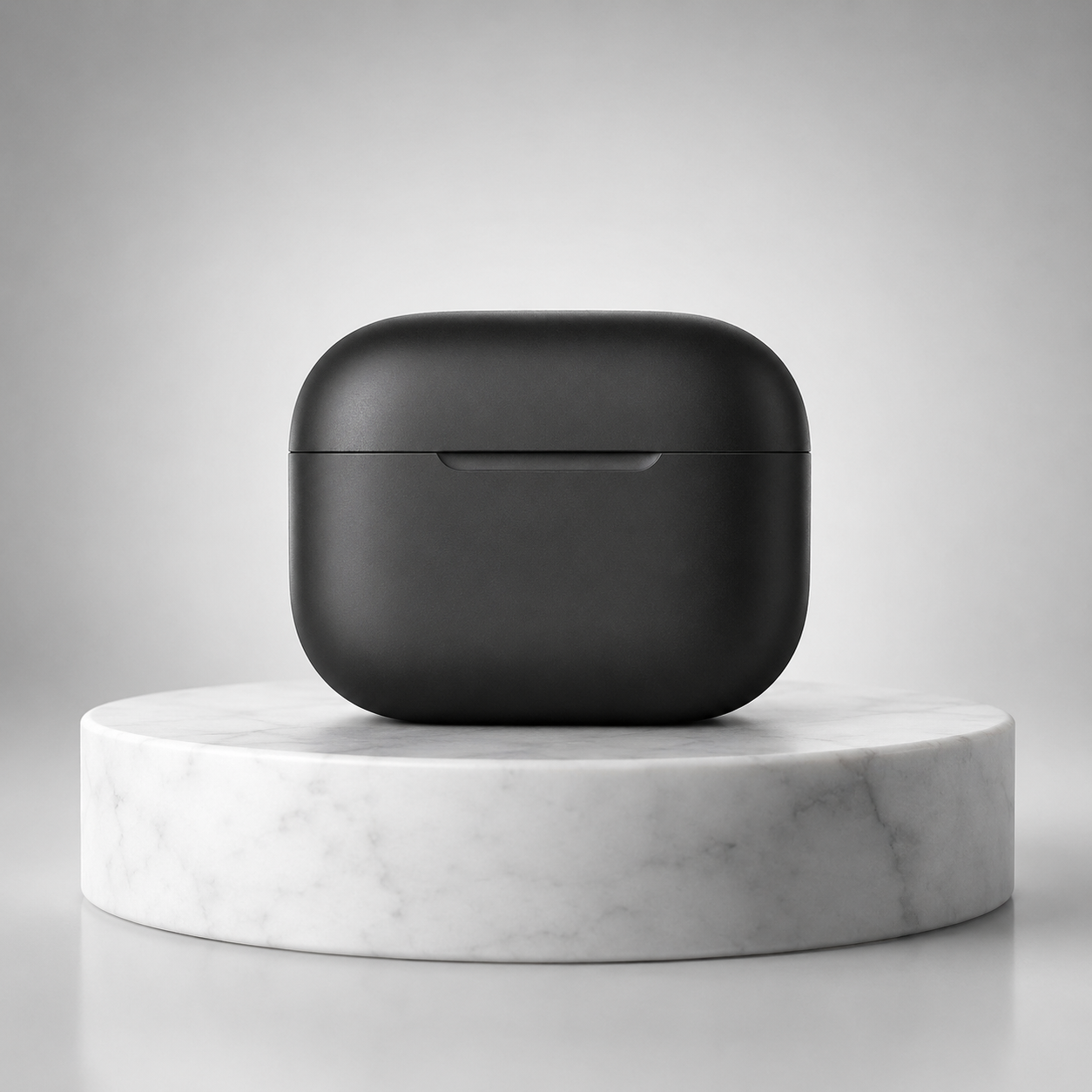
The charging case lid slowly lifts open on its hinge as the case rotates gently clockwise on the marble pedestal, revealing the earbuds nestled inside. The studio rim light glints across the matte black surface as it turns. Camera stays locked off, subject motion only.
このプロンプトで生成 →(自分の製品画像をアップロード、4 秒、1080p、音声オフ)
veo-3.1-lite/image-to-video、4 秒、1080p、音声なし、$0.4。
蓋が開くと回転が同時に起こり、カメラは動きません。製品ショットで最もよくある問題はカメラが勝手に推したり移動したりすることですが、「Camera stays locked off, subject motion only」の一文で抑えられます。
5. 風景画像から動画:プッシュインと霧の晴れ
開始画像:
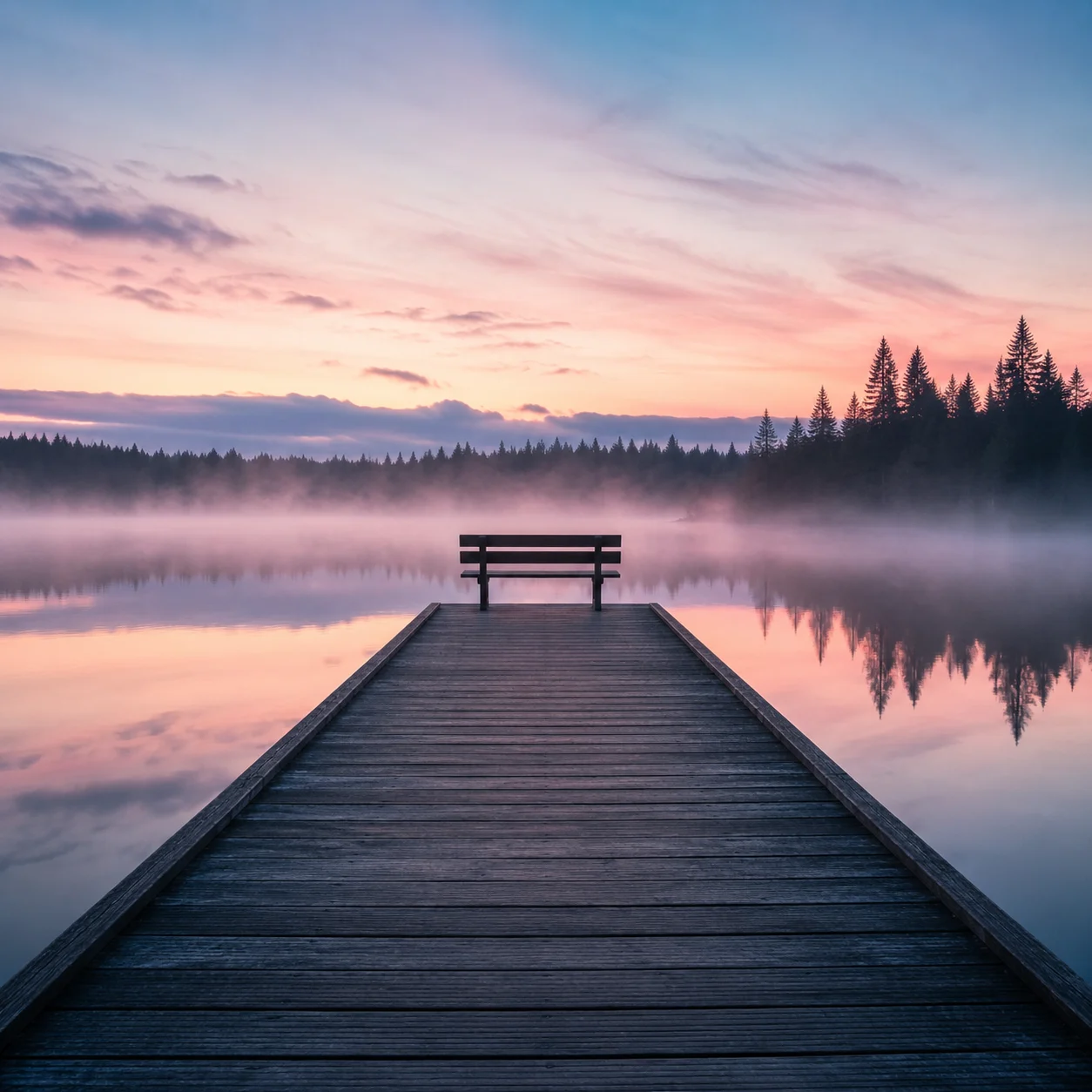
The camera slowly pushes forward along the wooden pier toward the empty bench as the morning mist drifts and thins across the lake surface, sunlight beginning to break through the pink sky and catch the ripples on the water. A faint ambient soundscape of birdsong and gentle water lapping against the pier posts.
このプロンプトで生成 →(自分の風景画像をアップロード、6 秒、720p、音声オン)
veo-3.1-lite/image-to-video、6 秒、720p、音声あり、$0.6。
風景ショットは「カメラがどう動くか」(プッシュイン)と「環境がどう変わるか」(霧が晴れる、光が差し込む)を同時に書く必要があります。片方だけだと静止しているように見えます。
6. 製品広告:標準版 1080p
The sneaker slowly rotates about 90 degrees as the camera pushes in from a low angle. Dust particles drift through the rim light. The shoe settles onto the wet stone pedestal with a deep, satisfying thud, sending a soft ring of mist rolling off the edges. A warm light sweep travels across the suede texture. Subtle bass-heavy electronic pulse builds in the background with a low whoosh on the landing. Cinematic product commercial, smooth stabilized motion, no text overlays.
このプロンプトで生成 →(9:16 の製品画像をアップロード、6 秒、1080p)
veo-3.1/image-to-video、6 秒、1080p、音声あり、$3.42。
プロンプトは画面で起こる順番に書きます:回転、プッシュイン、着地、光のスイープ。音は対応するアクションに紐付けます(着地時の重い音、背景の低音)。完成動画もこの順番で進みます。
Veo プロンプトを書く 4 つのルール
- アクションは時系列で書く。 先に起こることを前に書き、音はアクションに合わせて書く。
- 何が動いてはいけないかを明記する。 製品ショットには「camera stays locked off」の一文を加える。
- 音は層に分けて書く。 近くの音、環境の人声、環境音をそれぞれ一文で書く。音が不要なら
generate_audioをオフにする。 - まず Lite で調整し、それから上位モデルで仕上げる。 4 秒 720p 音声なしはわずか $0.24。プロンプトが固まったら Fast や標準版に切り替えても、パラメータは変更不要。
よくある質問
プロンプトは英語で書く必要がありますか?
中国語でも英語でも構いません。本記事のプロンプトは英語で、そのままコピーして使えます。
画像から動画のアスペクト比はどう決まりますか?
aspect_ratio はデフォルトで auto となり、アップロードした画像に従います。縦向き動画にしたい場合は 9:16 の画像をアップロードしてください。
この 6 本の動画の合計費用は?
Lite の 5 本で合計 $2.24、標準版のスニーカーで $3.42。各動画の価格は動画の下に記載しています。
実装コードと 3 段階の価格については Veo 3.1 API 中国語チュートリアル をご覧ください。ニーズに最も近いプロンプトを 1 つ選び、Lite モデルページで最初の 1 本を生成 しましょう。新規ユーザー登録で 200 クレジットが付与されます。


