
Guide
Veo 3.1 Prompt Collection: 6 Scenes You Can Copy and Generate Directly
Atmospheric short film, silent product loop, portrait, product lid opening, landscape push-in, and product commercial—each with its prompt, parameters, and price.
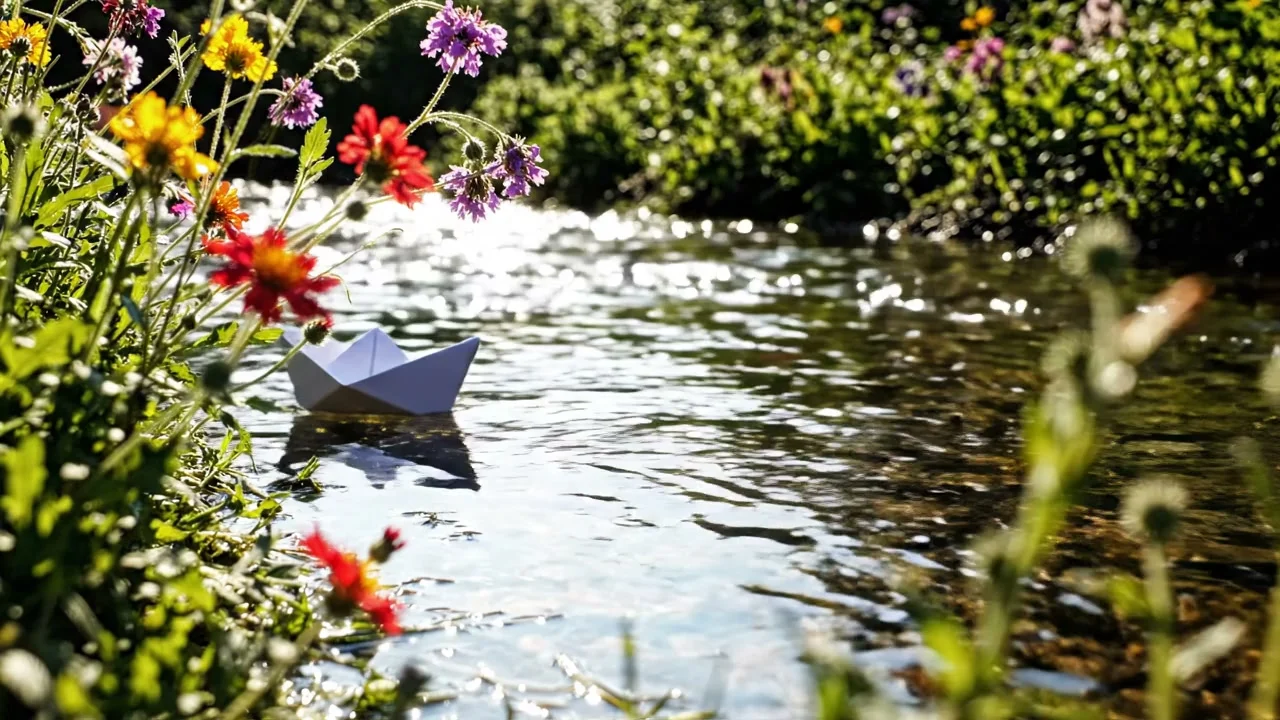
All 6 videos below were generated by Veo 3.1 in a single pass: 5 with Lite (2 text-to-video, 3 image-to-video) and 1 with the standard version's image-to-video. Each comes with the full prompt, parameters, and price; clicking "Generate with this prompt" opens the model page with the prompt pre-filled. Veo 3.1 is now live on HiAPI—open the Lite model page to start generating; a 4-second 720p draft starts at just $0.24.
1. Atmospheric short film: coffee market, three layers of sound
A small pour-over coffee stand at a sunlit morning farmers market. A barista
in a denim apron pours hot water in a slow spiral over ground coffee in a
paper filter; steam curls upward and catches the light as the coffee blooms
with a soft hiss. In the blurred background, market-goers browse stalls
under a canvas awning that stirs in the breeze. Camera slowly pushes in on
the pour. Warm golden-hour light, shallow depth of field, handheld
documentary feel. Soft hiss and crackle of the pour layered under distant
market chatter and a light wind.
Generate with this prompt → (4 seconds, 720p, 16:9, sound on)
veo-3.1-lite/text-to-video, 4 seconds, 720p, with sound, $0.4.
Turning sound on gives you three layers: the nearby water pour, distant voices, and wind, exactly matching the prompt's last sentence. When writing sound, describe "nearby sound, ambient voices, ambient sound" separately—this is far more specific than just writing "market sounds."
2. Silent product loop: make only the product rotate
Vertical product shot: a matte-black wireless earbud case slowly rotates on
a reflective black surface under a single overhead spotlight, throwing a
clean circular highlight across its lid. A thin ring light glows behind it,
rim-lighting the edges in cool blue. The camera stays locked off, centered,
with no movement except the case's slow rotation. Minimal studio background
fading to pure black at the edges. Sleek, premium tech-commercial look,
crisp reflections, no dust or fingerprints.
Generate with this prompt → (4 seconds, 720p, 9:16, sound off)
veo-3.1-lite/text-to-video, 4 seconds, 720p, no sound, $0.24.
The camera stays completely still while only the earbud case rotates, and the circular highlight from the overhead light moves with the lid. The key is to state "what must not move": camera stays locked off, no movement except…. Most e-commerce feeds play muted, and turning sound off drops the price from $0.1 to $0.06 per second.
3. Portrait image-to-video: turn and smile
Starting image:
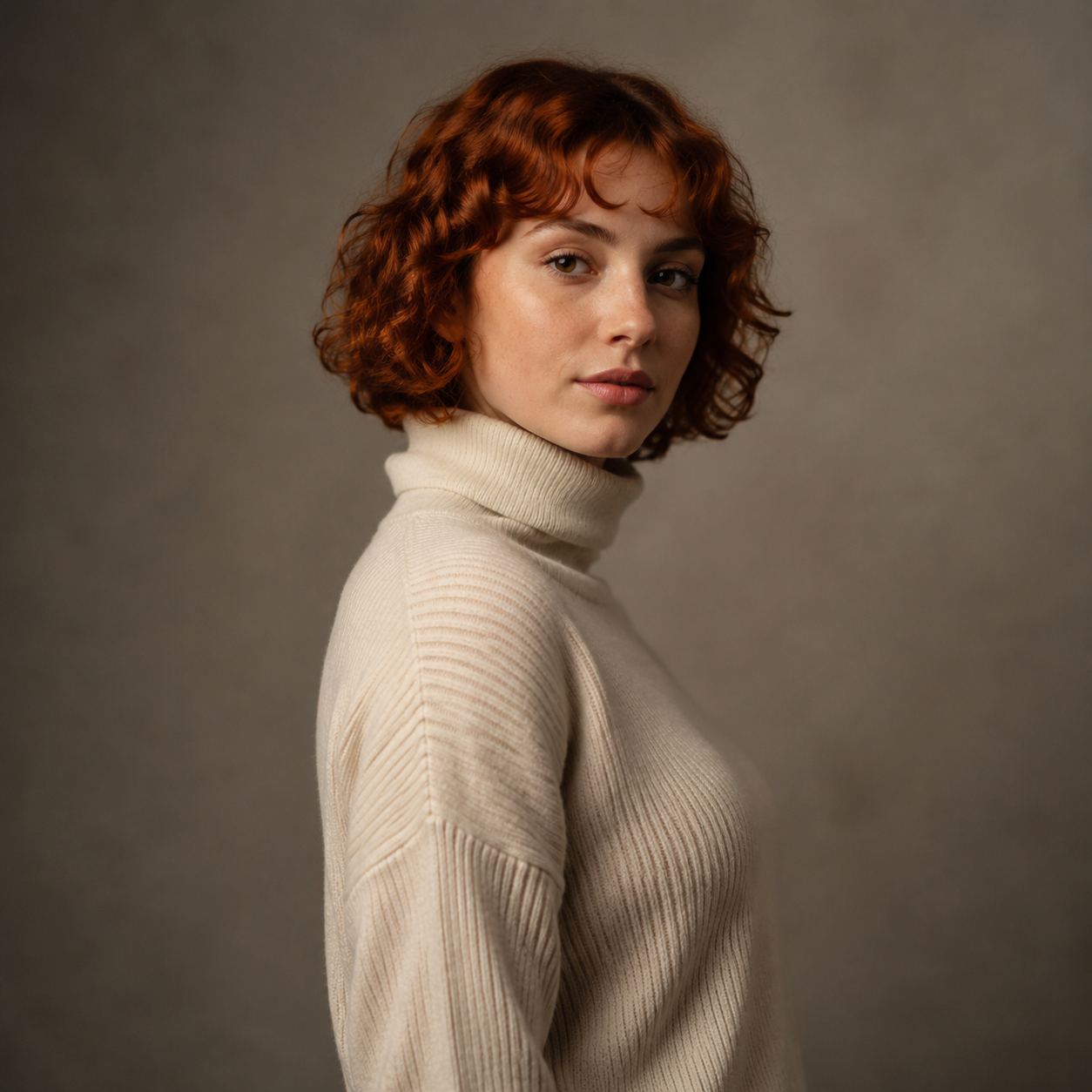
The woman slowly turns her head and shoulders to face the camera directly, her expression shifting from neutral calm into a warm, genuine smile as she makes eye contact with the lens. Her curly auburn hair sways gently with the motion. Soft ambient studio room tone, a faint exhale of breath audible as she smiles.
Generate with this prompt → (upload your own portrait, 6 seconds, 720p, sound on)
veo-3.1-lite/image-to-video, 6 seconds, 720p, with sound, $0.6.
One action (turning the head) plus one expression change (from calm to smiling)—don't ask for more. The sound is specified too: studio room tone and a faint exhale as she smiles.
4. Product image-to-video: lid opening reveal
Starting image:
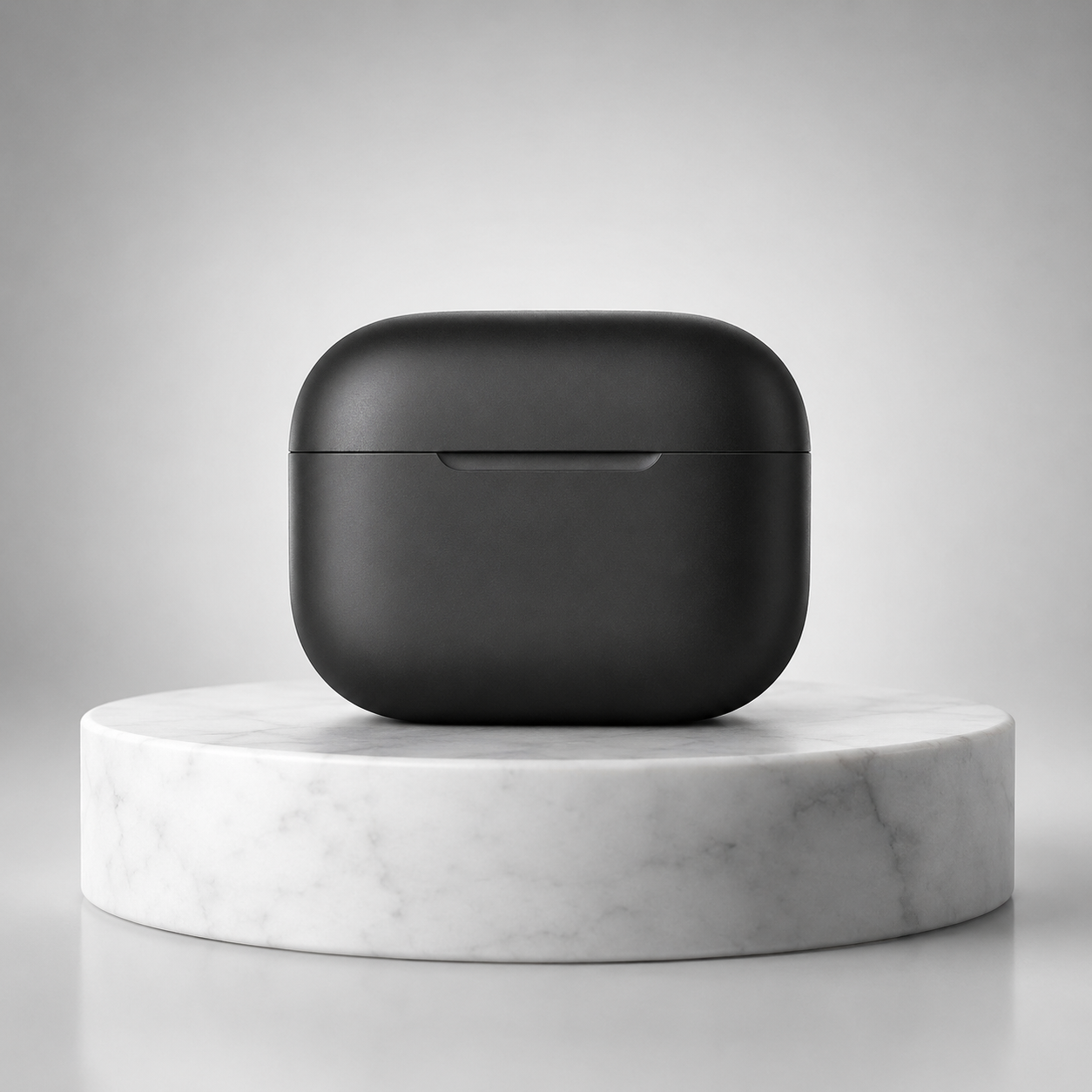
The charging case lid slowly lifts open on its hinge as the case rotates gently clockwise on the marble pedestal, revealing the earbuds nestled inside. The studio rim light glints across the matte black surface as it turns. Camera stays locked off, subject motion only.
Generate with this prompt → (upload your own product image, 4 seconds, 1080p, sound off)
veo-3.1-lite/image-to-video, 4 seconds, 1080p, no sound, $0.4.
The lid opens and the rotation happen at the same time while the camera stays still. The most common problem with product shots is the camera drifting and moving on its own; a single line, "Camera stays locked off, subject motion only," keeps it in check.
5. Landscape image-to-video: push-in with lifting mist
Starting image:
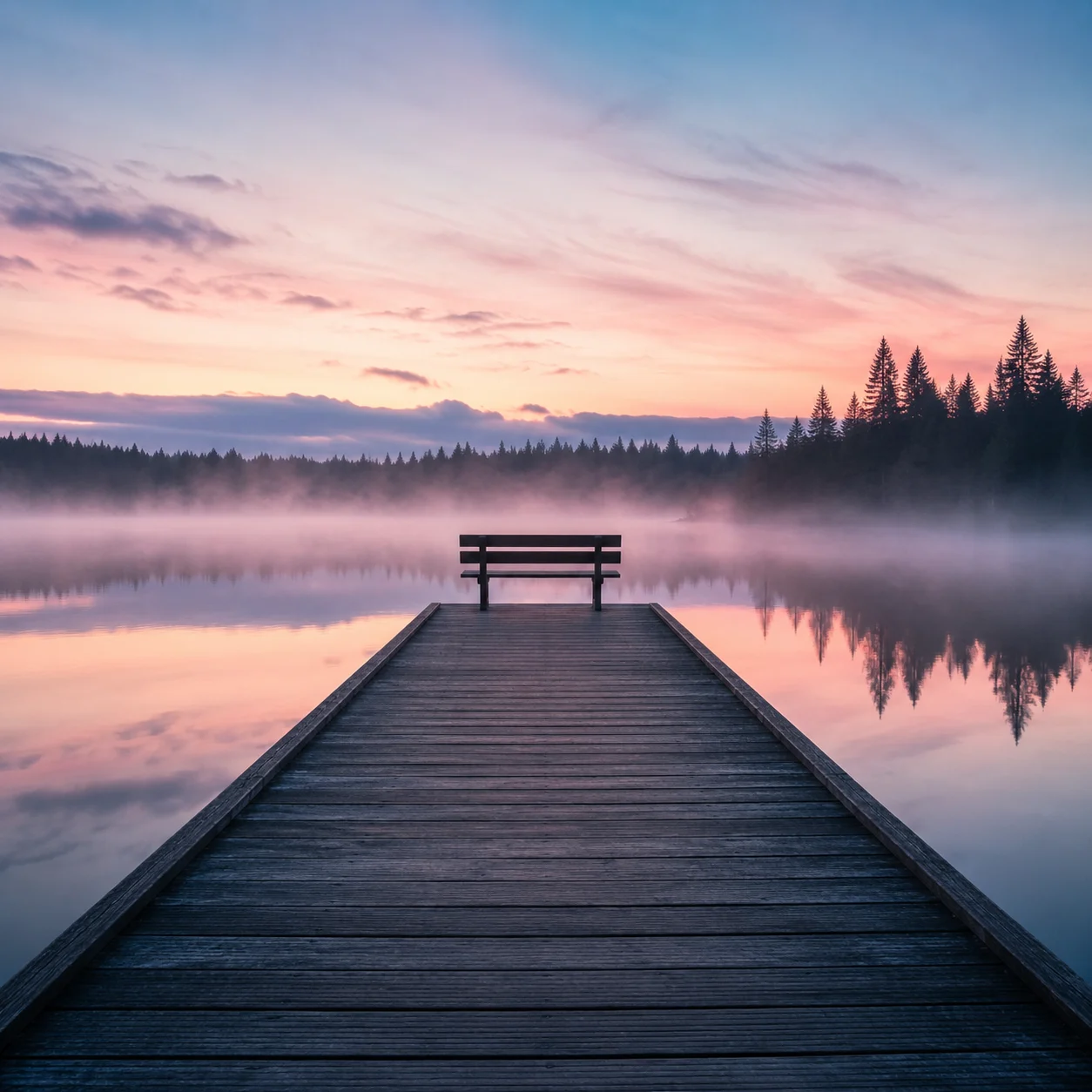
The camera slowly pushes forward along the wooden pier toward the empty bench as the morning mist drifts and thins across the lake surface, sunlight beginning to break through the pink sky and catch the ripples on the water. A faint ambient soundscape of birdsong and gentle water lapping against the pier posts.
Generate with this prompt → (upload your own landscape image, 6 seconds, 720p, sound on)
veo-3.1-lite/image-to-video, 6 seconds, 720p, with sound, $0.6.
For landscape shots, write both "how the camera moves" (push in) and "how the environment changes" (mist lifts, light breaks through)—writing only one makes the shot look static.
6. Product commercial: standard version at 1080p
The sneaker slowly rotates about 90 degrees as the camera pushes in from a low angle. Dust particles drift through the rim light. The shoe settles onto the wet stone pedestal with a deep, satisfying thud, sending a soft ring of mist rolling off the edges. A warm light sweep travels across the suede texture. Subtle bass-heavy electronic pulse builds in the background with a low whoosh on the landing. Cinematic product commercial, smooth stabilized motion, no text overlays.
Generate with this prompt → (upload a 9:16 product image, 6 seconds, 1080p)
veo-3.1/image-to-video, 6 seconds, 1080p, with sound, $3.42.
The prompt is written in the order events happen on screen: rotate, push in, land, light sweep; the sound is tied to each corresponding action (a dull thud on landing, low bass in the background). The final video follows the same order.
4 Rules for Writing Veo Prompts
- Write actions in chronological order. Put what happens first at the front, and write sound alongside the action.
- State what must not move. For product shots, add "camera stays locked off."
- Write sound in layers. Write one sentence each for nearby sound, ambient voices, and ambient sound; if you don't want sound, turn off
generate_audio. - Tune with Lite first, then switch tiers for the final render. A 4-second 720p clip with no sound costs only $0.24; once the prompt is set, switch to Fast or the standard version without changing parameters.
FAQ
Do prompts need to be in English?
Both Chinese and English work. The prompts in this article are in English, so you can copy them directly.
How is the aspect ratio for image-to-video determined?
aspect_ratio defaults to auto, following the image you upload; for vertical video, upload a 9:16 image.
How much did these 6 videos cost in total?
The 5 Lite clips total $2.24, and the standard-version sneaker clip is $3.42. Each price is listed below its video.
For integration code and all three pricing tiers, see the Veo 3.1 API tutorial. Pick the prompt closest to your needs and go to the Lite model page to generate the first one; new users get 200 credits on sign-up.
Related articles
View all articles →-

Guide
Getting Started with seedream-5.0-pro/image-to-image: Capabilities, Pricing, and Integration Essentials
Capability boundaries, billing model, and engineering integration practices for ByteDance's image editing model
-

Guide
seedream-5.0-pro Text-to-Image Getting Started Guide: Capability Boundaries, API Integration, and Cost Control
A hands-on developer perspective: from key parameters to a cost estimate of $0.05 per image
-

Guide
Hailuo 2.3 Fast Image-to-Video Getting Started Guide: Capability Boundaries, Pricing, and Integration Practices
MiniMax image-to-video model selection and integration key points for developers