
使用指南
Seedream 4.5 图生图提示词配方:6 个可直接复制的编辑示例与真实输出
六个面向 seedream-4.5/image-to-image 的编辑配方,每次调用 $0.045——一个配色变体、一个三参考图的材质与场景融合、一个手机照片重新打光、一个角色一致的场景迁移、一个扁平矢量风格重绘,以及一次专业版做不到的 4K 细节处理。
文生图是新模型炫技的地方;图生图才是它们真正进入生产流程的地方。每次编辑 $0.045 的价格,让 seedream-4.5/image-to-image 只有 5.0-pro 档位的三分之一,单次调用支持最多 14 张参考图,并且——不同于最高只支持 2K 的专业档——它能输出 2K 或 4K。这样的组合让它成为主力选择:便宜到可以批量跑配色矩阵和清理任务,能力又足以胜任多参考图合成。
下面是我们实际跑过的六个编辑配方。每一张输入图、每一条提示词、每一个输出都未经修饰地展示——除非另有说明,你看到的都是第一次生成的结果。复制提示词,换成你自己的参考图 URL,应该可以直接复用。
精确的输入参数结构(实测,而非猜测)
任务 API 会严格校验。seedream-4.5/image-to-image 只接受恰好四个字段——任何多余字段都会被 400 拒绝:
| 字段 | 类型 | 取值 |
|---|---|---|
prompt |
string | 编辑指令 |
image_urls |
array | 公开 URL,最多 14 张参考图 |
aspect_ratio |
string | 1:1、4:3、3:4、16:9、9:16、2:3、3:2、21:9 |
resolution |
string | 仅 2K 或 4K |
一个完整请求,含轮询:
curl -X POST https://api.hiapi.ai/v1/tasks \
  -H "Authorization: Bearer $HIAPI_KEY" \
  -H "Content-Type: application/json" \
  -d '{
    "model": "seedream-4.5/image-to-image",
    "input": {
      "prompt": "recolor the sneaker to a deep forest green canvas with an off-white sole",
      "image_urls": ["https://your-cdn.example.com/sneaker.jpg"],
      "aspect_ratio": "3:2",
      "resolution": "2K"
    }
  }'
# → {"data":{"taskId":"tk-hiapi-..."}}

curl https://api.hiapi.ai/v1/tasks/tk-hiapi-... \
  -H "Authorization: Bearer $HIAPI_KEY"
# poll until status is "success", then download output[0].url — it expires, so save the file
参考图必须是可公开访问的 URL。在我们的运行中,每次 2K 编辑大约一两分钟返回;配方 6 的 4K 处理稍久一些。关于该端点的完整说明(Python 客户端、错误处理),请参阅 seedream-4.5 图生图 API 指南。
配方 1 —— 商品列表的配色变体
最典型的电商任务:一张主图,N 个配色,其他一律不动。每个变体 $0.045,十种配色的矩阵只需 45 美分。
源图(为本测试生成,随后用作 i2i 输入):
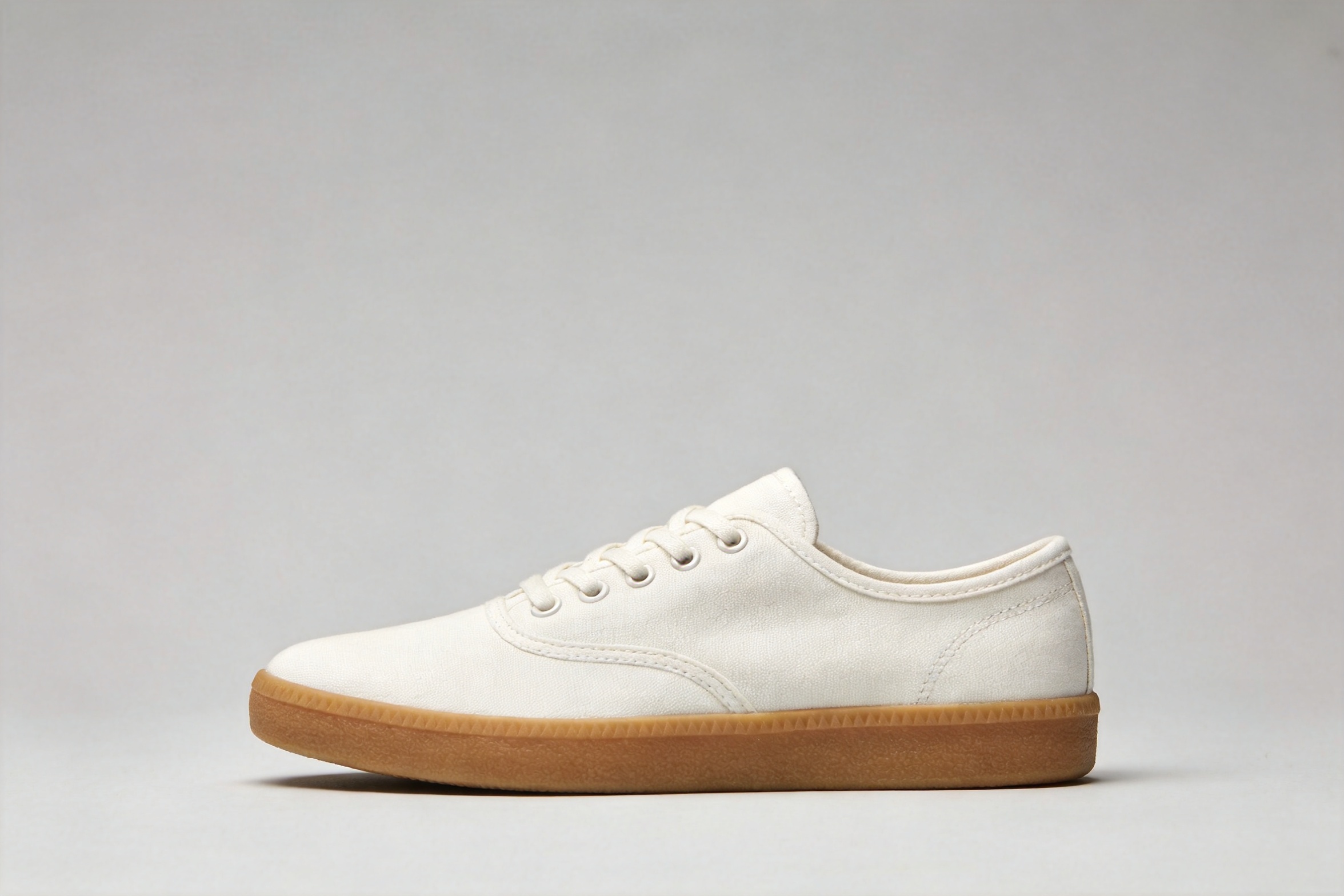
recolor the sneaker to a deep forest green canvas with an off-white sole and
matching green laces; keep the exact same shoe shape, stitching, camera angle,
lighting, shadow and gray background unchanged
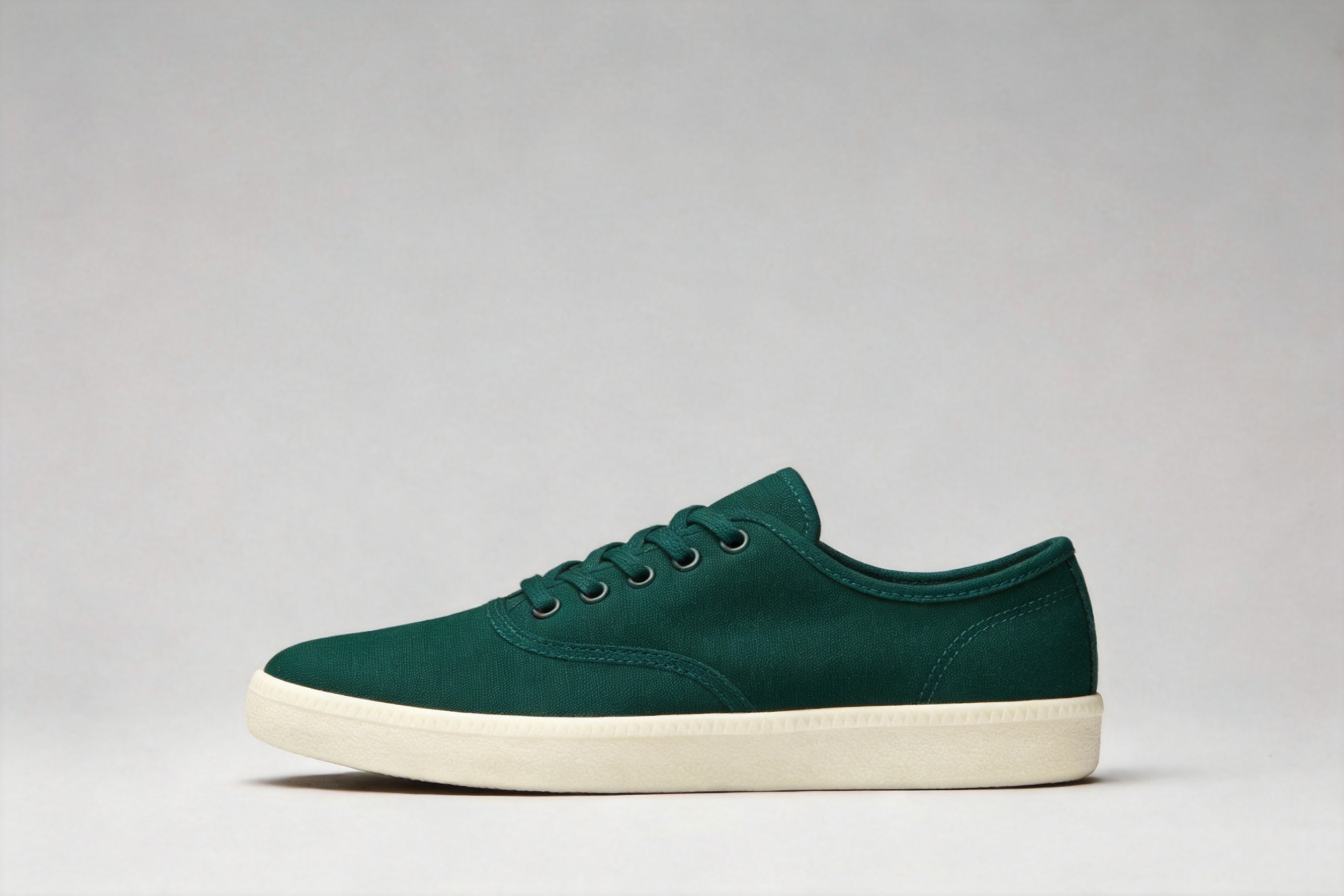
角度、接触阴影和背景在重新着色后都保留了下来。让这件事稳定可靠的关键模式是:只提一次改动,然后把提示词的剩余部分用来列举哪些内容不能变。
配方 2 —— 三参考图融合:产品 × 材质 × 场景
这个配方用上了 4.5 真正擅长的地方:多张参考图按位置逐一对应。三张输入——运动鞋、针织羊毛样布、雾气弥漫的森林小径:
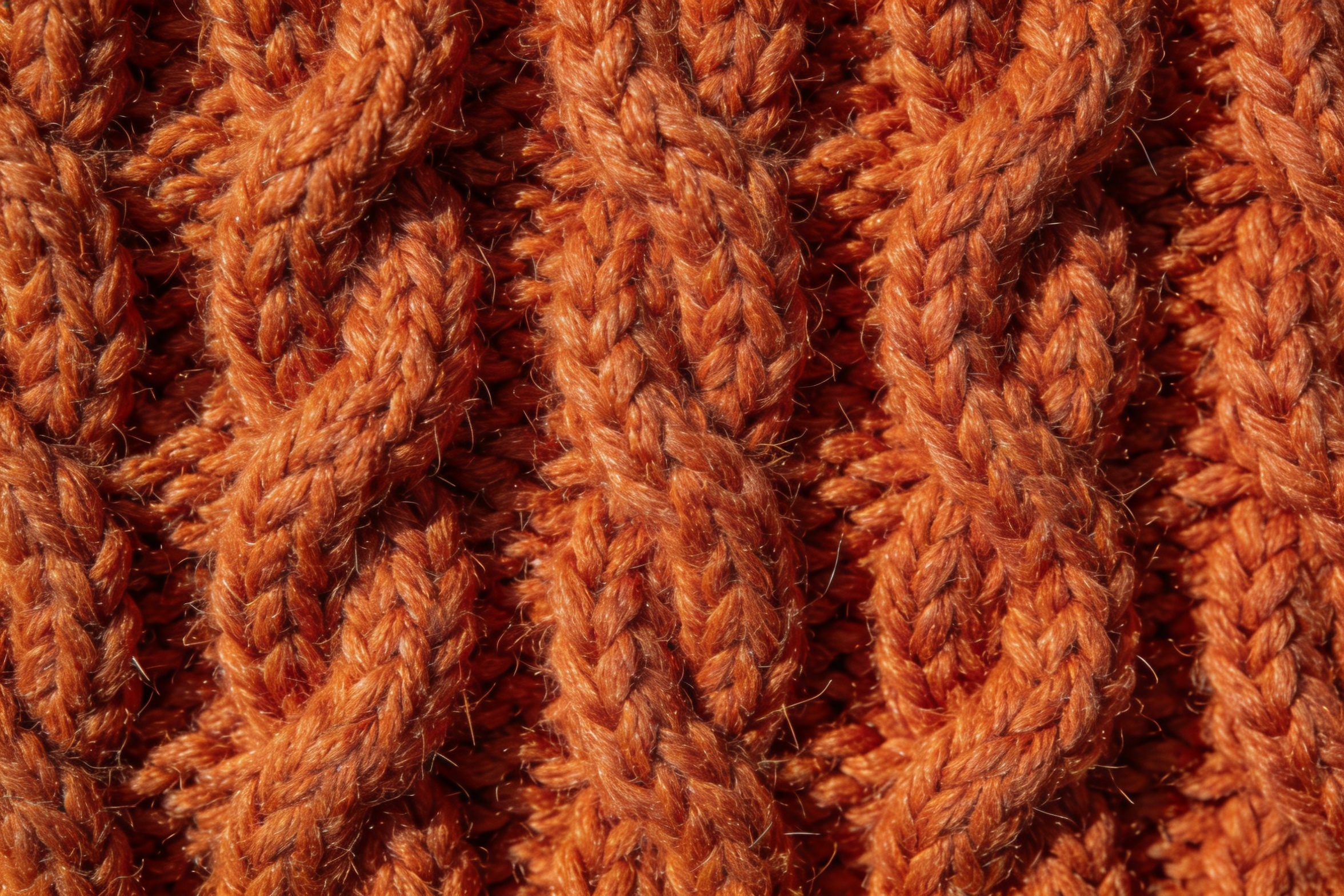
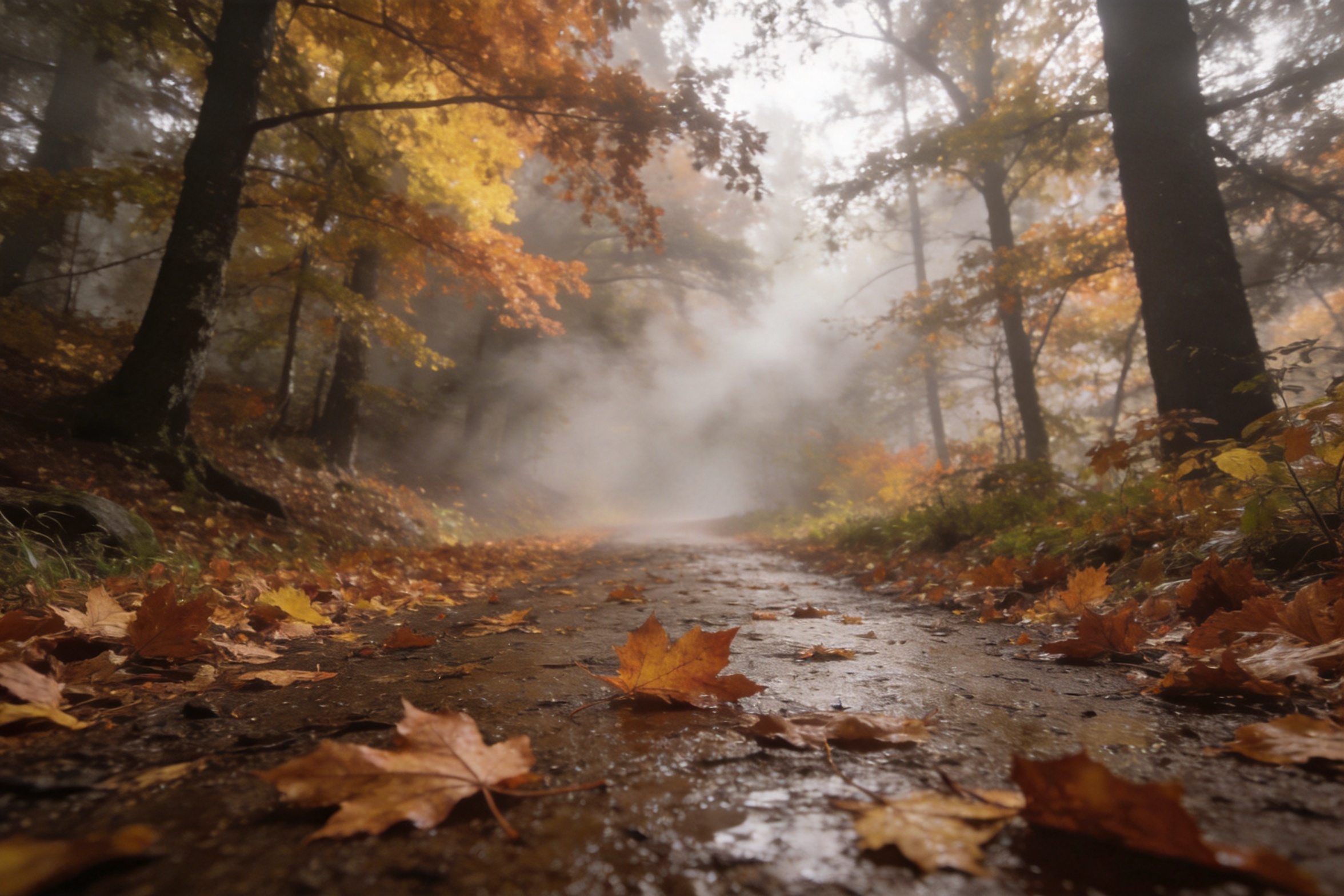
rebuild the sneaker from the first image with its canvas upper made of the
burnt-orange cable-knit wool from the second image, then place it as a product
hero shot on the wet leaf-covered forest trail from the third image, low camera
angle, soft morning fog, keep the shoe's shape and proportions from the first
image, photorealistic
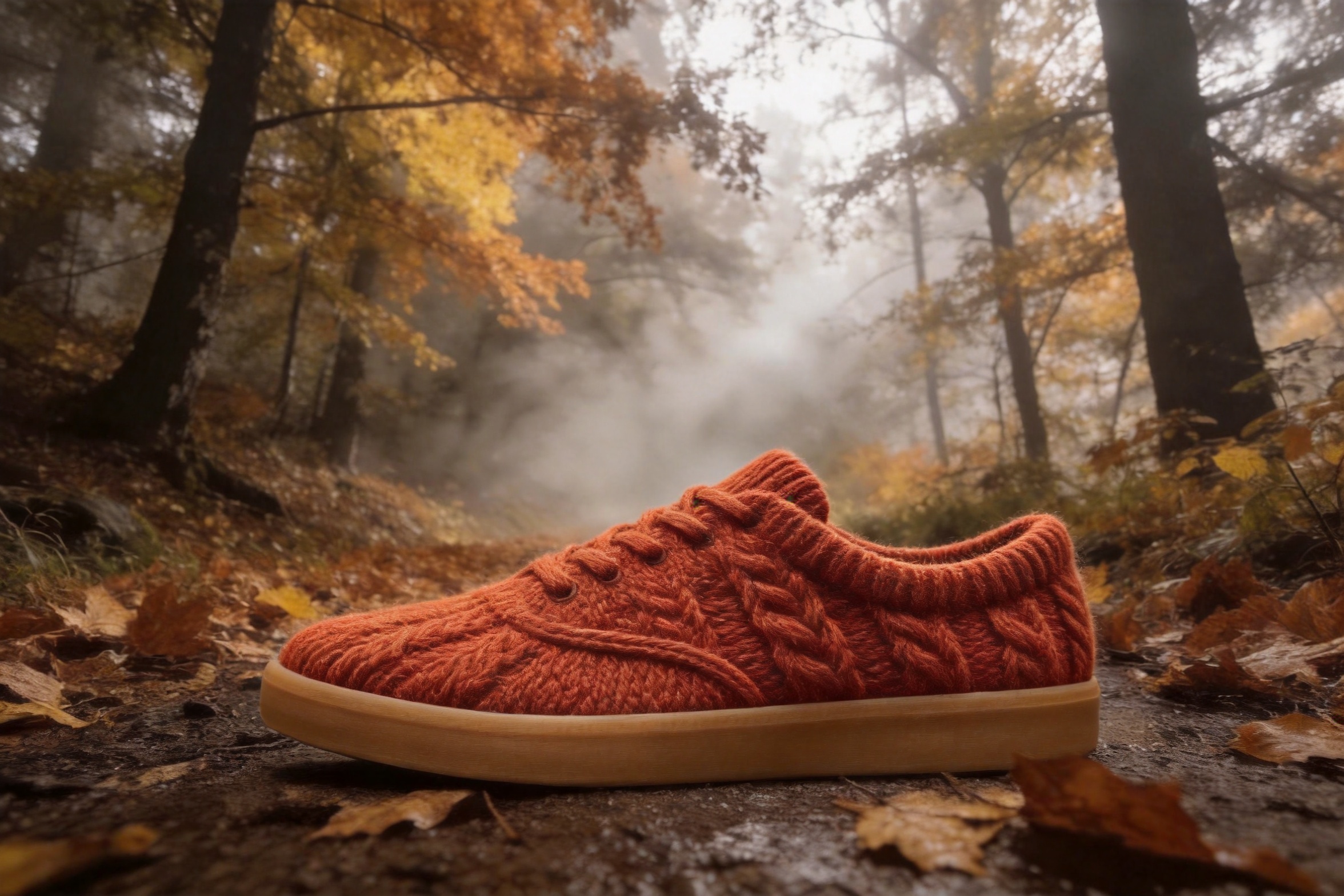
一次成功。轮廓和生胶鞋底沿用了参考图一,参考图二中的麻花针织纹理令人信服地包裹住了鞋面,而场景、雾气和低角度则来自参考图三。一个诚实的细节:它把鞋带也织成了羊毛,而我们并未要求——做材质迁移时,除非明确限定,否则要预期材质会蔓延到相邻部件(“keep the laces standard cotton laces”)。
这种定位方式——“the X from the first image, the Y from the second”——正是让多参考图提示词保持无歧义的方法。有了 14 个参考图槽位,这种语法才能规模化。
配方 3 —— 手机随手拍 → 杂志级美食照
精修任务:一张昏暗、偏黄的拉面手机照,用重新打光代替重拍。
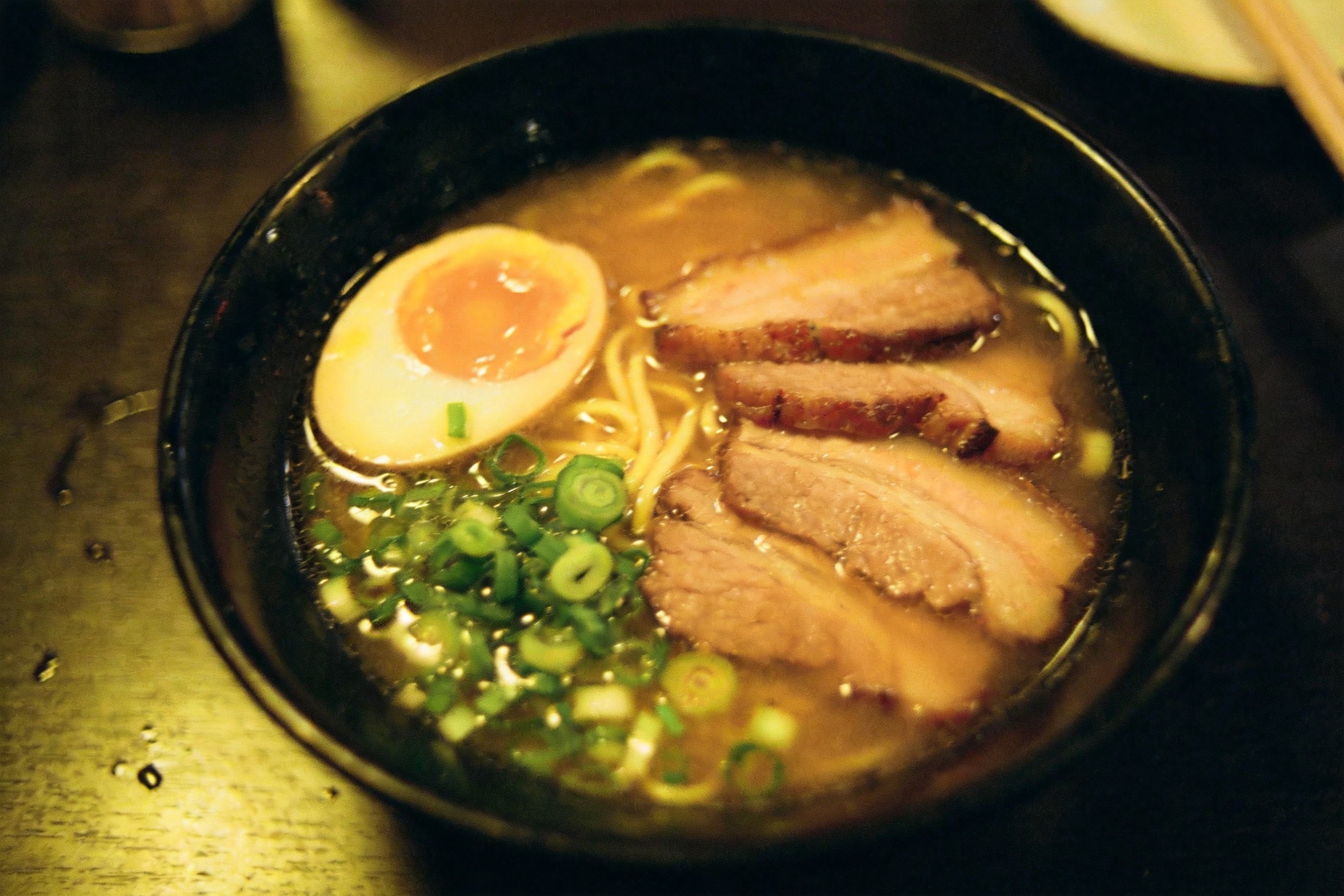
relight this exact bowl of ramen as a bright editorial food photograph: soft
window key light from the upper left, clean neutral white balance, gentle steam
rising, richer broth and egg color, keep the same bowl, ingredients, table and
overhead framing
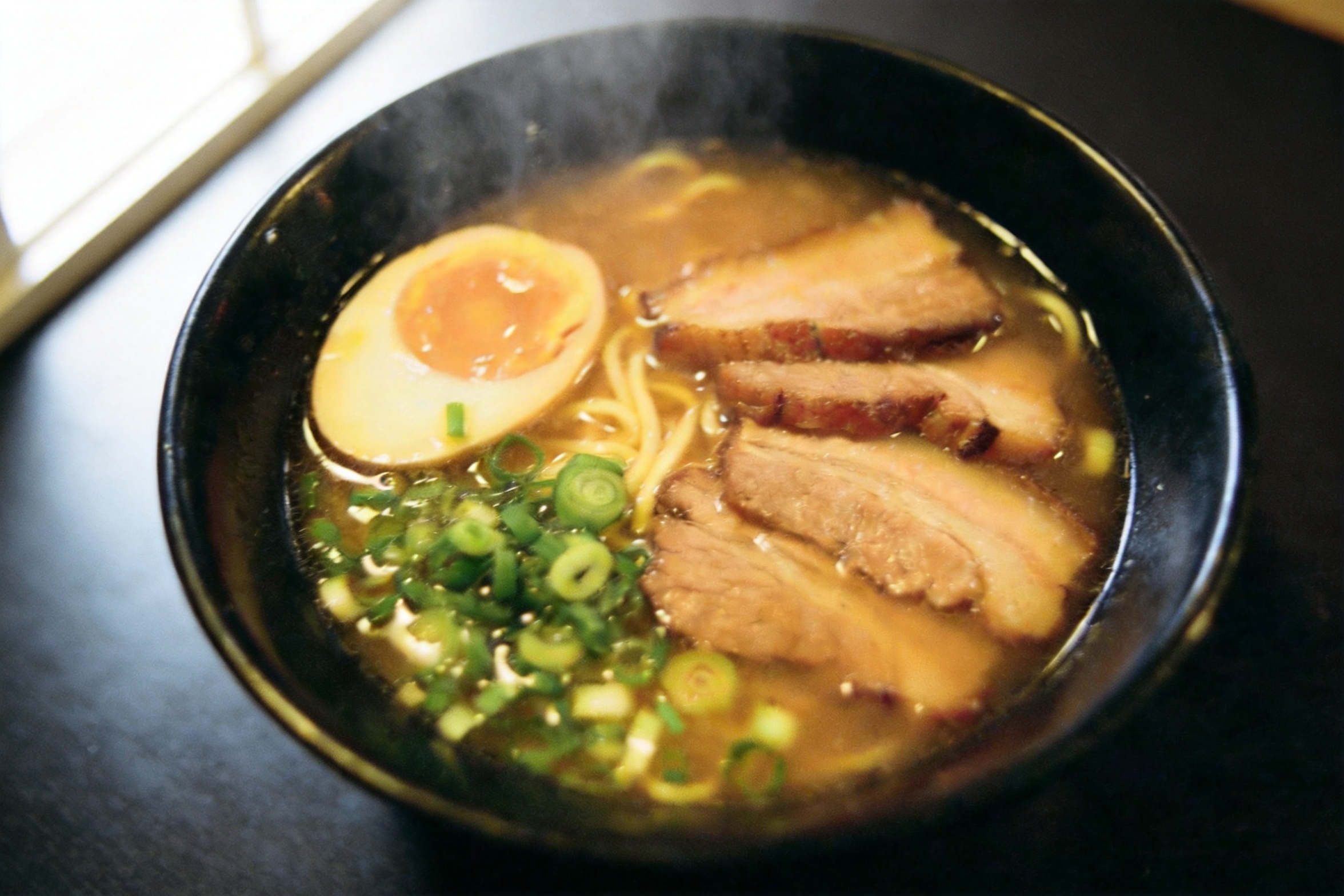
白平衡被校正,热气被添加,鸡蛋在左、叉烧在右、葱花在前的布局得以保留。有两处发生了漂移,值得了解:相机角度相比原构图略有偏移,叉烧扇形从五片变成了三片。重新打光是一次重新渲染,而不是滤镜——如果食材数量必须精确(菜单、包装),请在提示词中写明(“exactly five slices of chashu”),并检查输出。
配方 4 —— 同一角色,新场景
一致性测试:迁移一个人,但不改变他本身。源肖像:
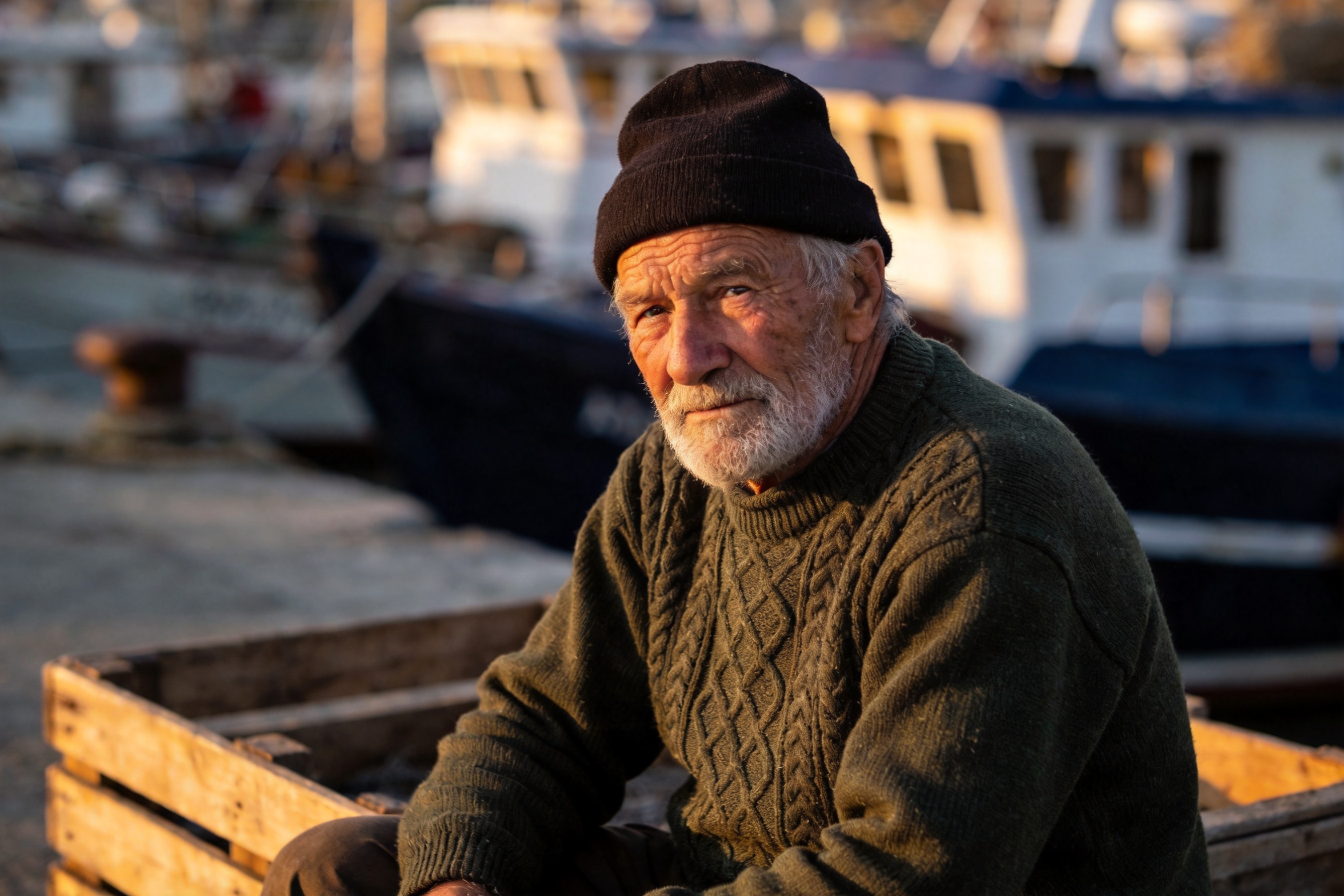
move this same fisherman, with identical face, beard, beanie and green sweater,
into the wheelhouse of a small fishing boat at dawn, standing at the wooden
helm, cold blue morning light through the windows mixing with warm cabin light,
photorealistic
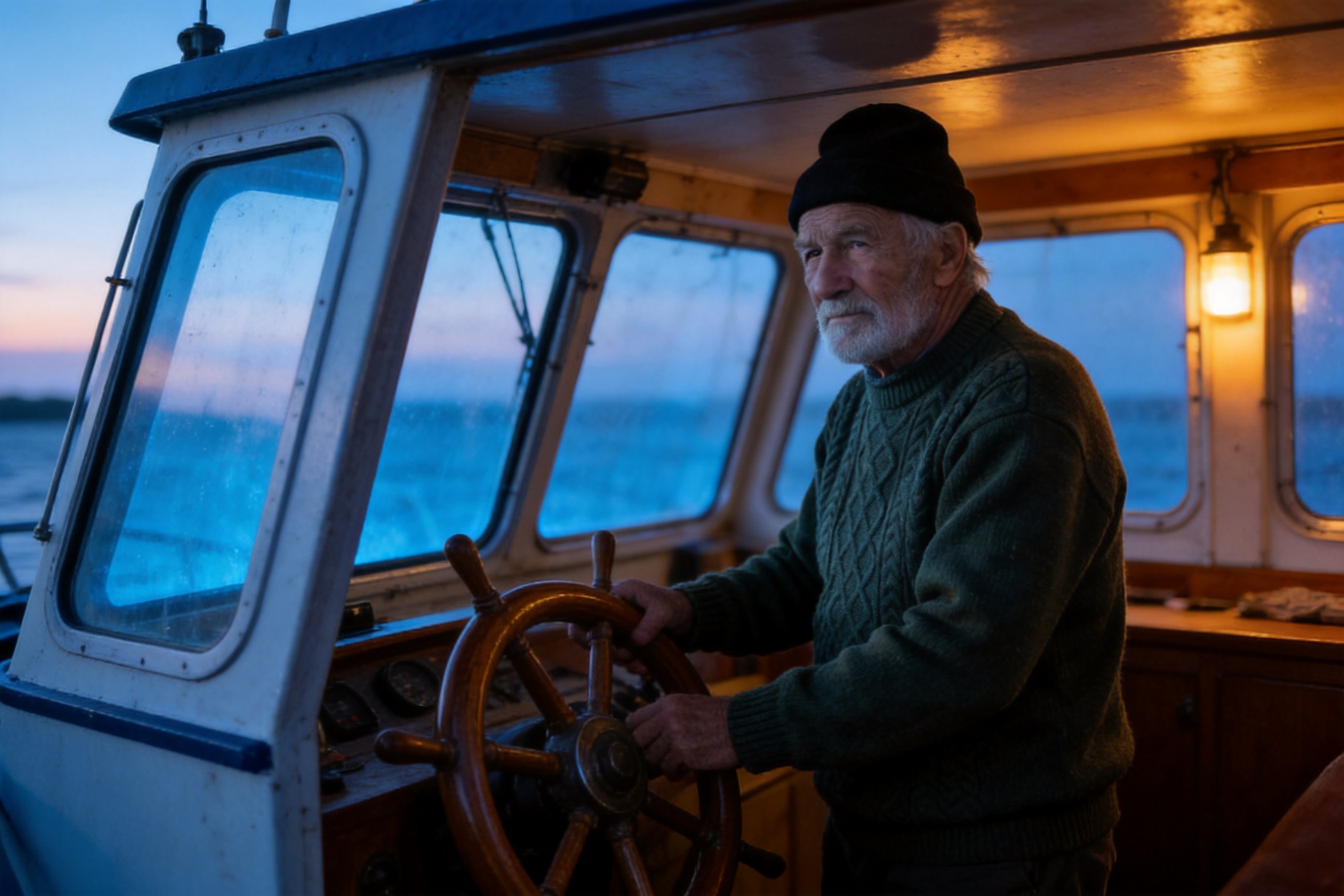
面部、胡须、毛线帽和毛衣在整个场景、姿态和灯光变化中得以保持。把 “identical” 挂在你真正在意的具体特征上,比泛泛地说“keep the subject consistent”有效得多。这就是分镜和系列内容中,一个角色需要跨越众多场景时的配方。
配方 5 —— 同一源图,不同任务:照片 → 扁平矢量插画
风格化,跑在配方 4 同一张渔夫肖像上——一张源图可以供给多个生产任务。
redraw this photo as a clean flat vector illustration with bold simplified
shapes and a limited palette of deep green, cream, charcoal and one warm orange
accent, subtle paper grain, keep the pose and composition recognizable, no text
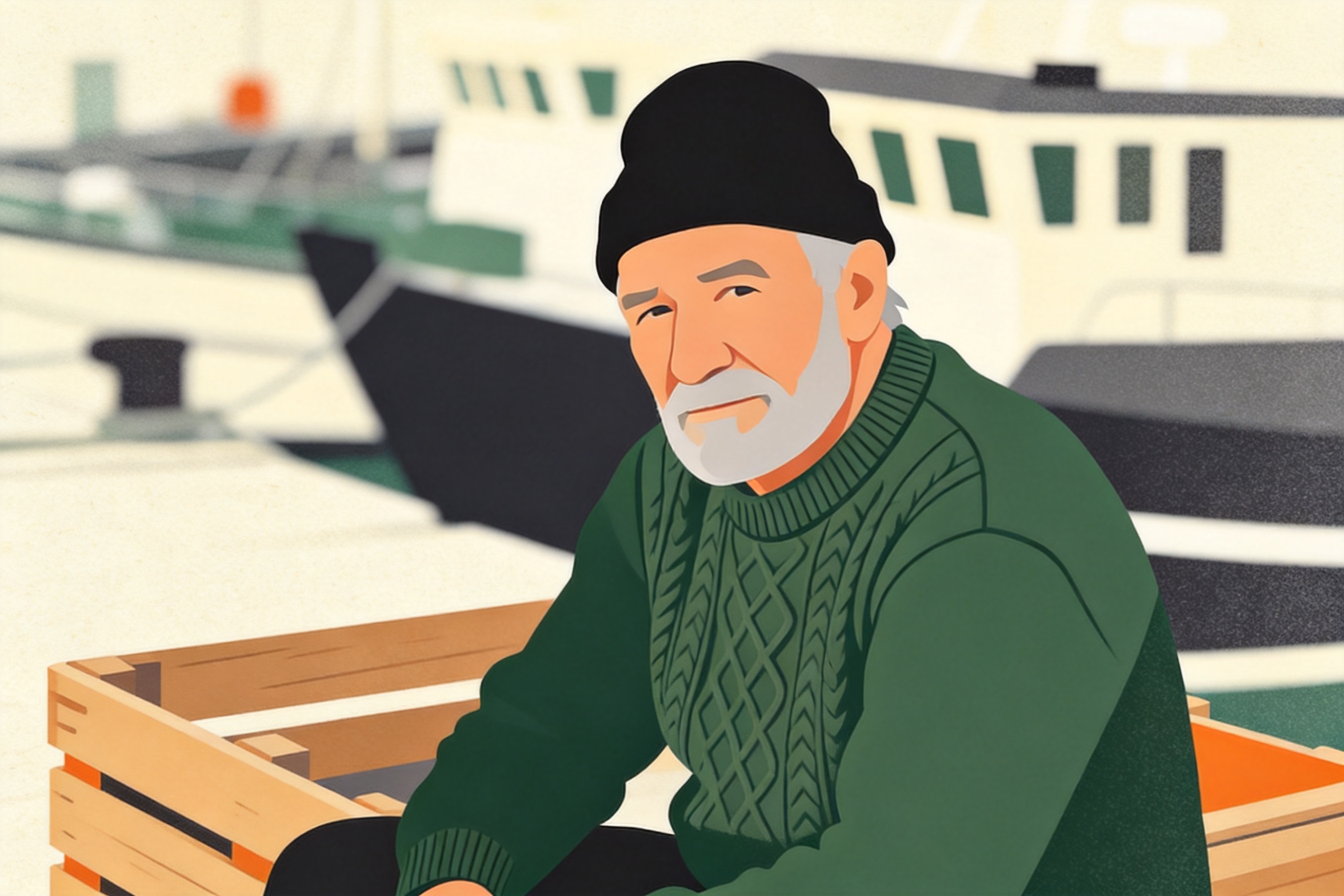
它遵守了四色限制,并保留了木箱、港口船只和姿态。指明确切的调色板(“deep green, cream, charcoal and one warm orange accent”)正是可用品牌插画与泛泛卡通滤镜之间的区别。
配方 6 —— 4K 细节处理(4.5 超越专业档的地方)
seedream-4.5 可输出 4K;5.0-pro 档最高只到 2K。这让链式细节处理成为可能:拿一个你已经满意的编辑结果,重新喂回去,以 4K 重新渲染,用于印刷或可缩放的产品页。这里的输入是配方 1 的绿色运动鞋输出。
re-render this product photo at maximum fidelity: keep the composition, colors,
lighting and background exactly as they are, sharpen the canvas weave, lace
texture and sole details, remove any compression artifacts
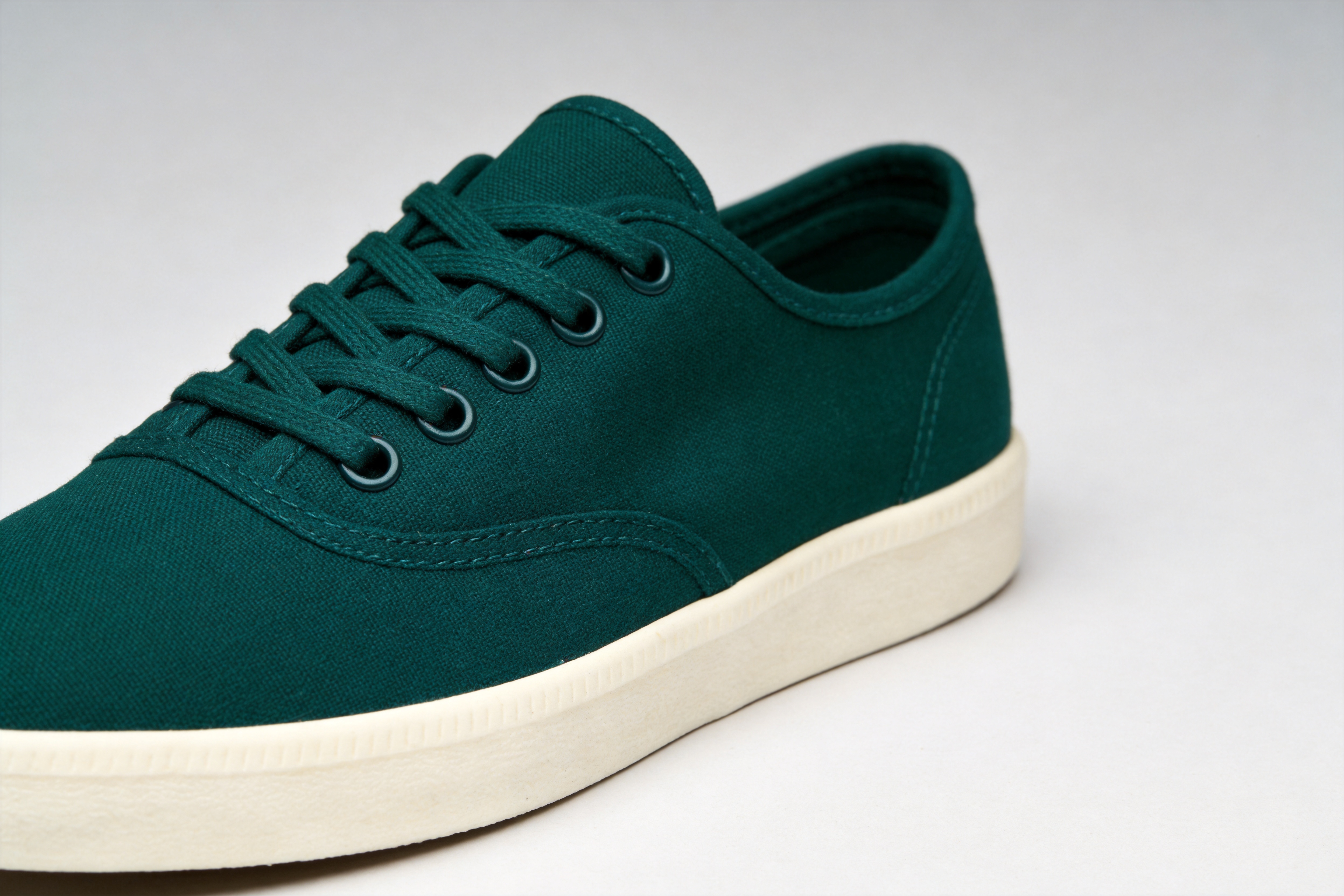
两次链式调用——重新着色加 4K 处理——总计 $0.09。链式调用恰好也是更安全的工作方式:每次调用只做一次编辑,让每一步都可检查,而失败一步只花你 4.5 美分。
六个配方背后的共同模式
- 每次调用只做一次编辑。 先重新着色,再放大。先融合,再风格化。链式的单一用途编辑胜过一条巨型提示词。
- 把提示词的大部分花在必须保持不变的内容上。 “keep the exact same angle, lighting, shadow and background” 是让那唯一改动干净落地的锚点。
- 按位置引用参考图。 “the sneaker from the first image, the wool from the second”——
image_urls中的顺序是模型识别它们的唯一身份。 - 限定材质和数量。 材质迁移会蔓延(针织鞋带),重新渲染会近似数量(三片叉烧,而非五片),除非你明确钉死。
- 网页用 2K,4K 作为收尾处理。 每次调用价格相同——$0.045,已在价格页核实。
常见问题
一次调用能带多少张参考图? image_urls 中最多 14 个公开图片 URL。在提示词中按位置引用它们。
能输出 1K 吗? 不能——参数结构只接受 2K 或 4K,其他值一律以 400 拒绝。
什么时候该改用 5.0-pro? 当困难案例(人群中的面孔、精细排版、复杂合成)的单次编辑保真度值 3 倍价格时。对于批量任务,先用 4.5;失败的再升级。这些配方的专业档版本见 Seedream 5.0 Pro 图生图合集。
文生图是同样的价格吗? 是的——seedream-4.5/text-to-image 同样是每张 $0.045。本文所有五张源图都是用它在 2K 下生成的。
试一试
获取一个 API 密钥,把 image_urls 指向任意公开图片,从配方 1 开始——重新着色是感受模型如何平衡“改这个”与“保那个”的最快方式。完整参数参考和 playground 在 seedream-4.5/image-to-image 模型页,文档能在五分钟内讲清任务轮询和认证。


