
Guide
GPT Image 2.5 Prompt Collection: 7 Scenes You Can Copy and Generate Directly
E-commerce hero images, Xiaohongshu covers, opening posters, price lists, interior renders, and image edits — Chinese prompts, final images, and prices all included.
All 7 images below were generated with GPT Image 2.5 in one pass: the first 6 with Flare text-to-image, and the last one with Sunburst image editing, all at 2K. The prompts were written directly in Chinese, and the Chinese text in the images was also written by the model itself. During the Programmer's Day promotion (before 0:00 Beijing time on November 9), each 2K image costs only $0.04, so these 7 images total $0.28.
1. E-commerce hero image: product on a white background
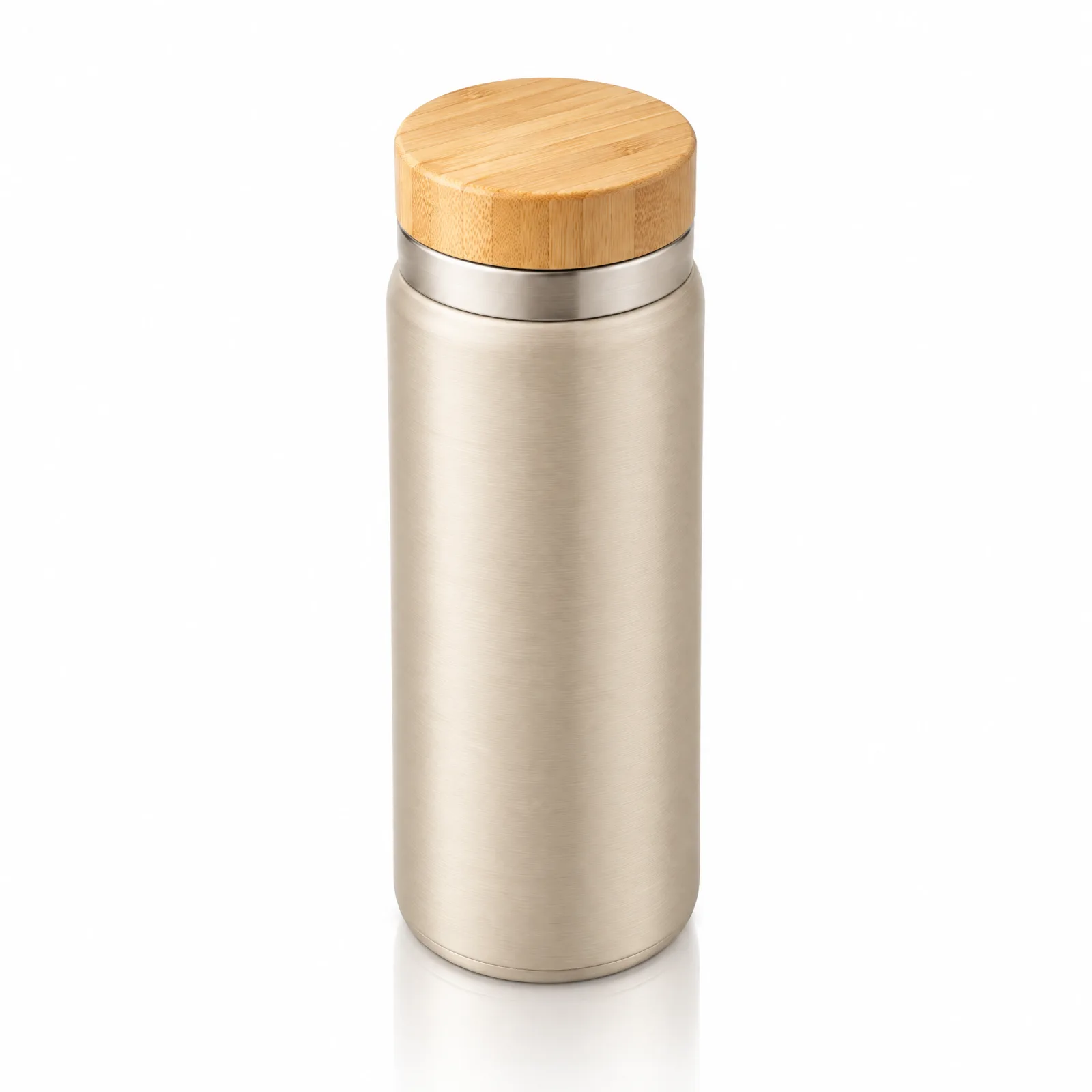
电商主图:一只哑光燕麦色的不锈钢保温杯,竹木杯盖,正面略俯视 15 度,放在纯白无缝背景上。左上方柔和棚拍光,杯身底部有一圈很淡的倒影,背景保持纯白、没有阴影。整只杯子清晰对焦,金属拉丝纹理清楚可见。不要文字,不要 logo,不要其他道具。
Generate with this prompt → (set aspect ratio to 1:1)
Prompt tip: describing the background as "a pure white seamless background with no shadows" is more reliable than just saying "white background"; write one sentence each for the angle, light direction, and material, and the model doesn't have to guess.
2. Xiaohongshu cover: large headline text
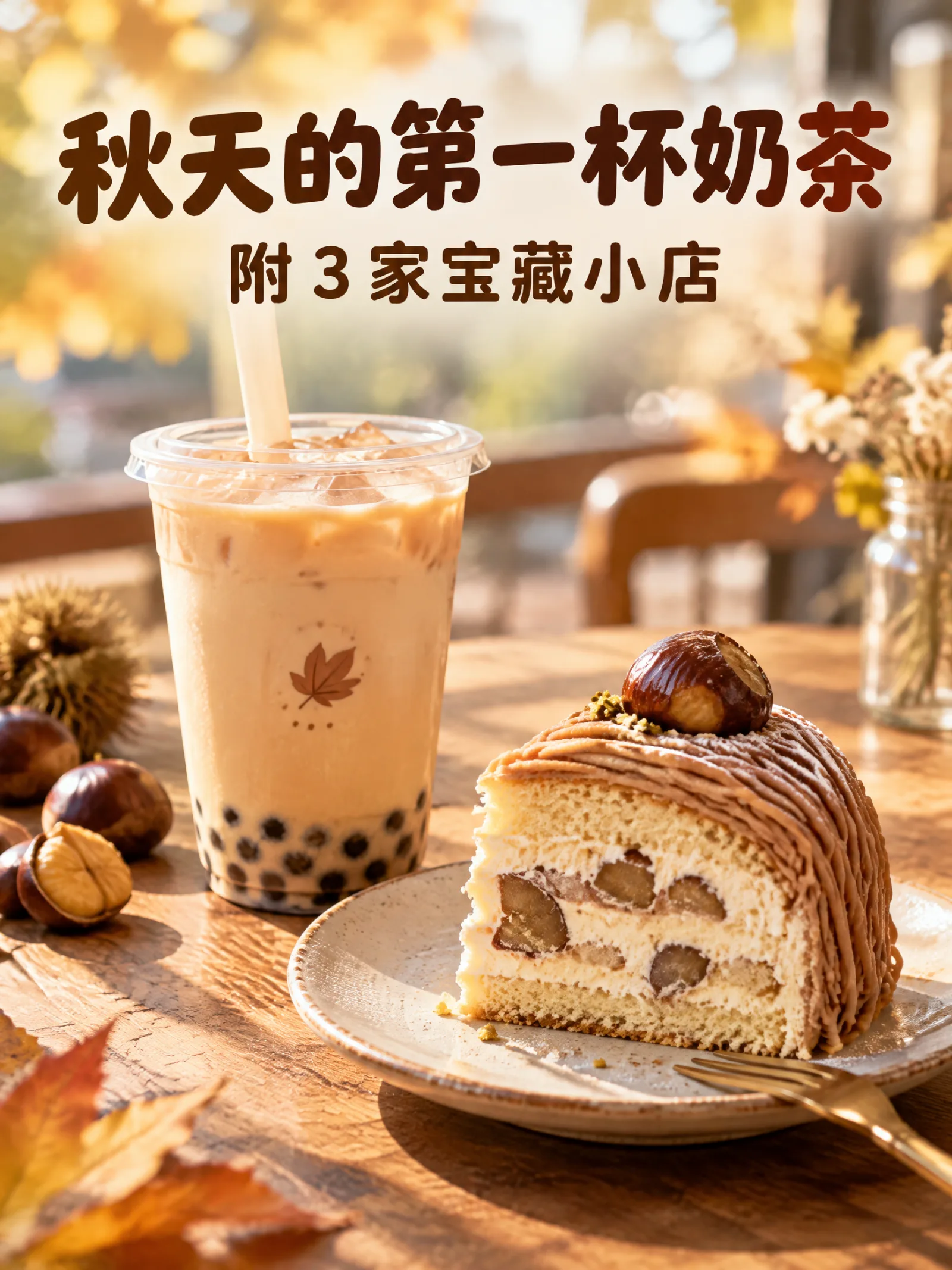
小红书封面,竖版。画面是秋天午后的木桌,一杯奶茶和一块切开的栗子蛋糕,暖色自然光,浅景深。画面上方用粗圆体大字写:「秋天的第一杯奶茶」,下面一行小字写:「附 3 家宝藏小店」。文字为深棕色,干净醒目,字要逐字正确。
Generate with this prompt → (set aspect ratio to 3:4)
Both lines of text are reproduced word for word. Enclose the text you want in the image in 「」, write the main title and subtitle as two separate sentences, and specify the font and color as well.
3. Opening poster: calligraphic shop name
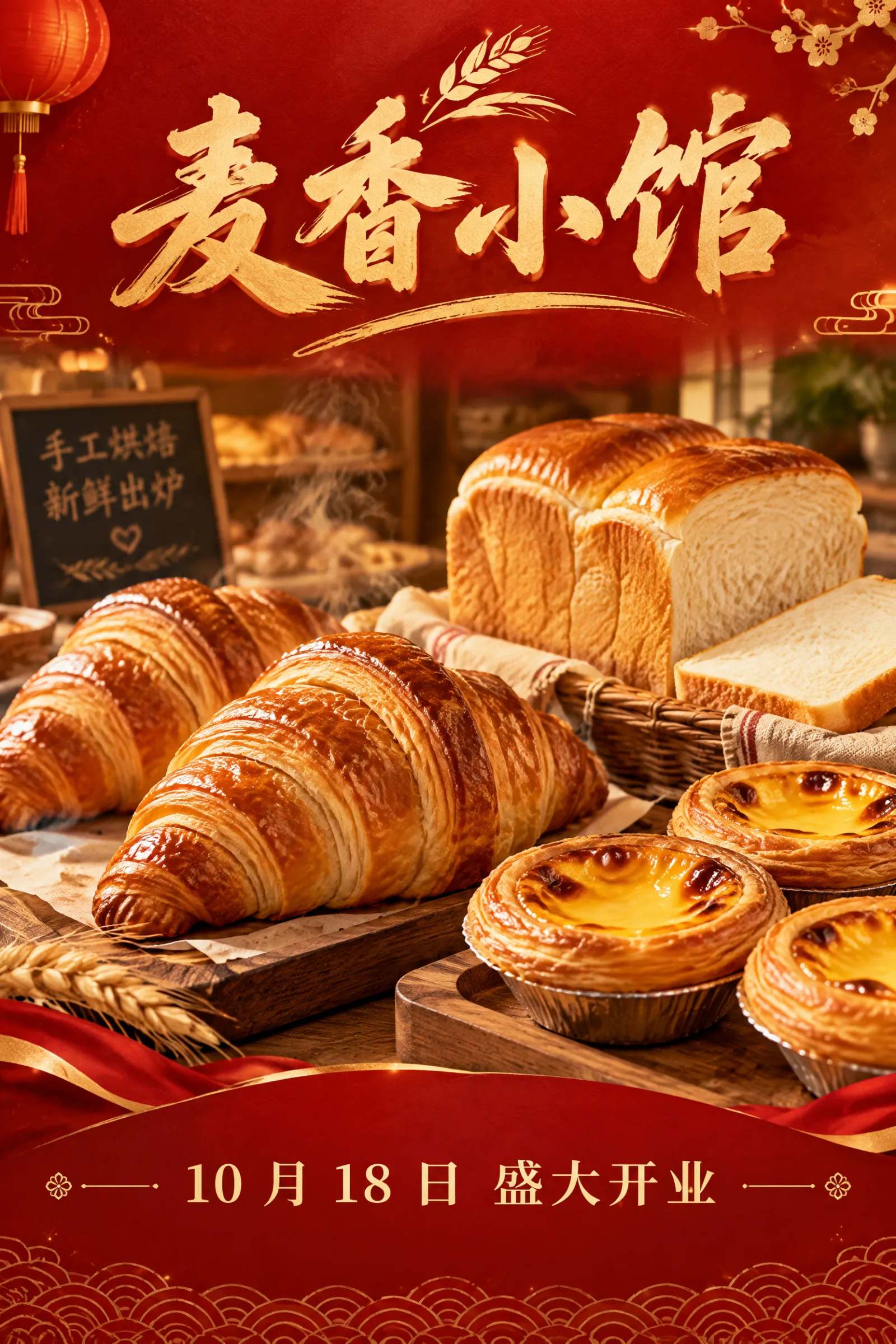
一家社区面包店的开业海报。红色和金色配色,顶部是书法风格的店名「麦香小馆」,中间是刚出炉的可颂、吐司和蛋挞的写实照片,底部一行小字:「10 月 18 日 盛大开业」。喜庆、温暖、高级的商业海报设计,所有中文逐字正确。
Generate with this prompt → (set aspect ratio to 2:3)
The shop name and date are both correct. "Handmade Baking, Fresh from the Oven" on the small blackboard on the left was added by the model itself and was not in the prompt. Before publishing the poster, double-check every piece of text.
4. Lifestyle image: place the product in a scene
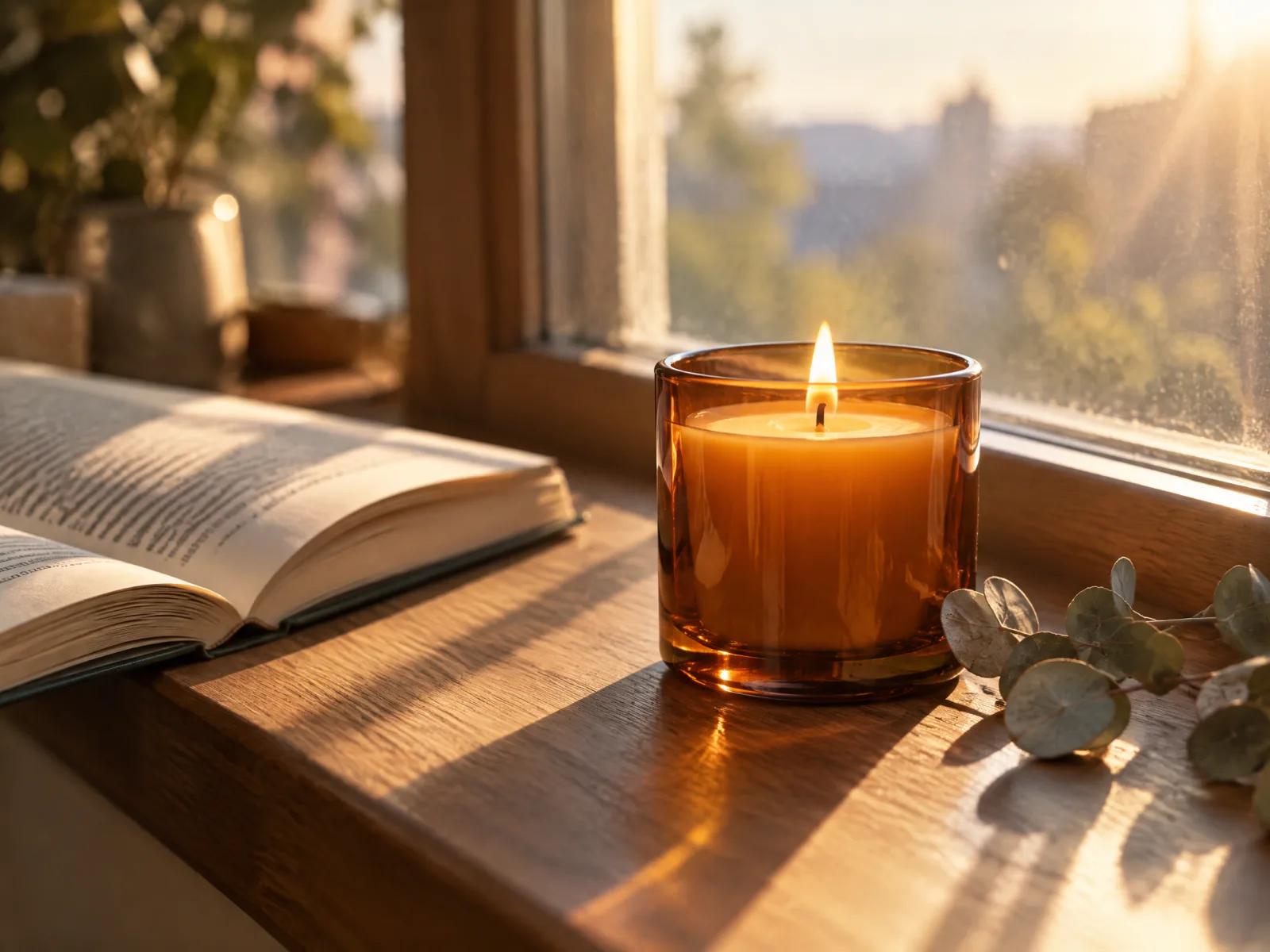
生活方式产品图:一只琥珀色玻璃杯装的香薰蜡烛正在燃烧,放在清晨的窗台上,旁边是一本翻开的书和一小枝干燥的尤加利叶。低角度晨光从窗外斜射进来,在木质窗台上投下长长的柔和影子,浅景深,温暖安静的氛围,写实摄影,不要文字。
Generate with this prompt → (set aspect ratio to 4:3)
List at most two or three props, and specify clearly where the light comes from and at what angle — that gives the image depth.
5. Price list: multiple lines of Chinese text and prices
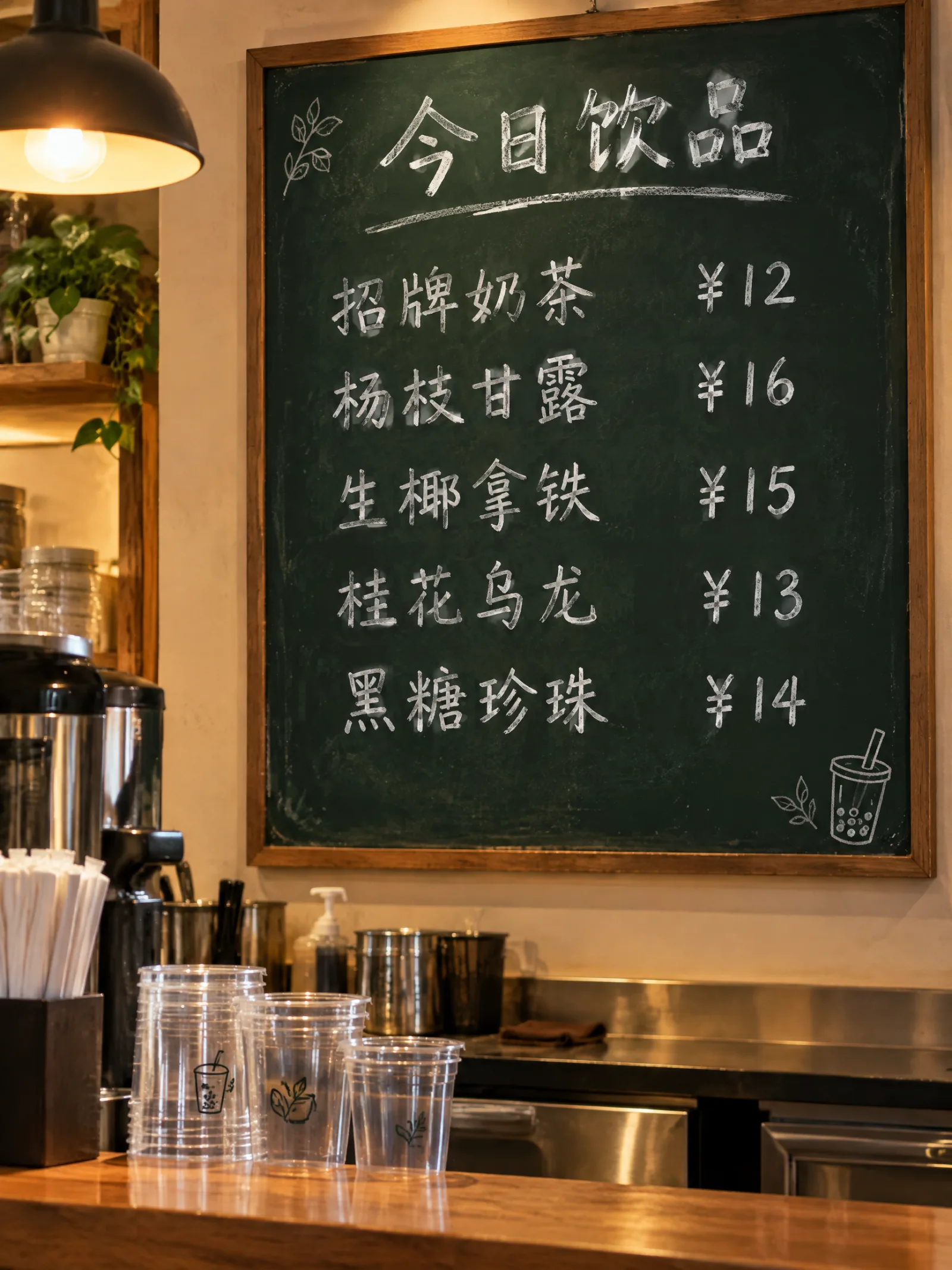
奶茶店墙上的价目表,深绿色黑板质感,白色手写粉笔字。标题:「今日饮品」。下面五行,每行左边是品名,右边是价格,逐字写成:「招牌奶茶 ¥12」「杨枝甘露 ¥16」「生椰拿铁 ¥15」「桂花乌龙 ¥13」「黑糖珍珠 ¥14」。黑板下方是吧台和几只透明杯子,暖色室内灯光,写实照片。
Generate with this prompt → (set aspect ratio to 3:4)
The title, five item names, and five prices — all 11 pieces of text are correct, and the layout puts the name on the left and the price on the right. When writing multiple lines of text, list each line separately in 「」; this is more reliable than writing one long descriptive paragraph.
6. Interior render: landscape large scene
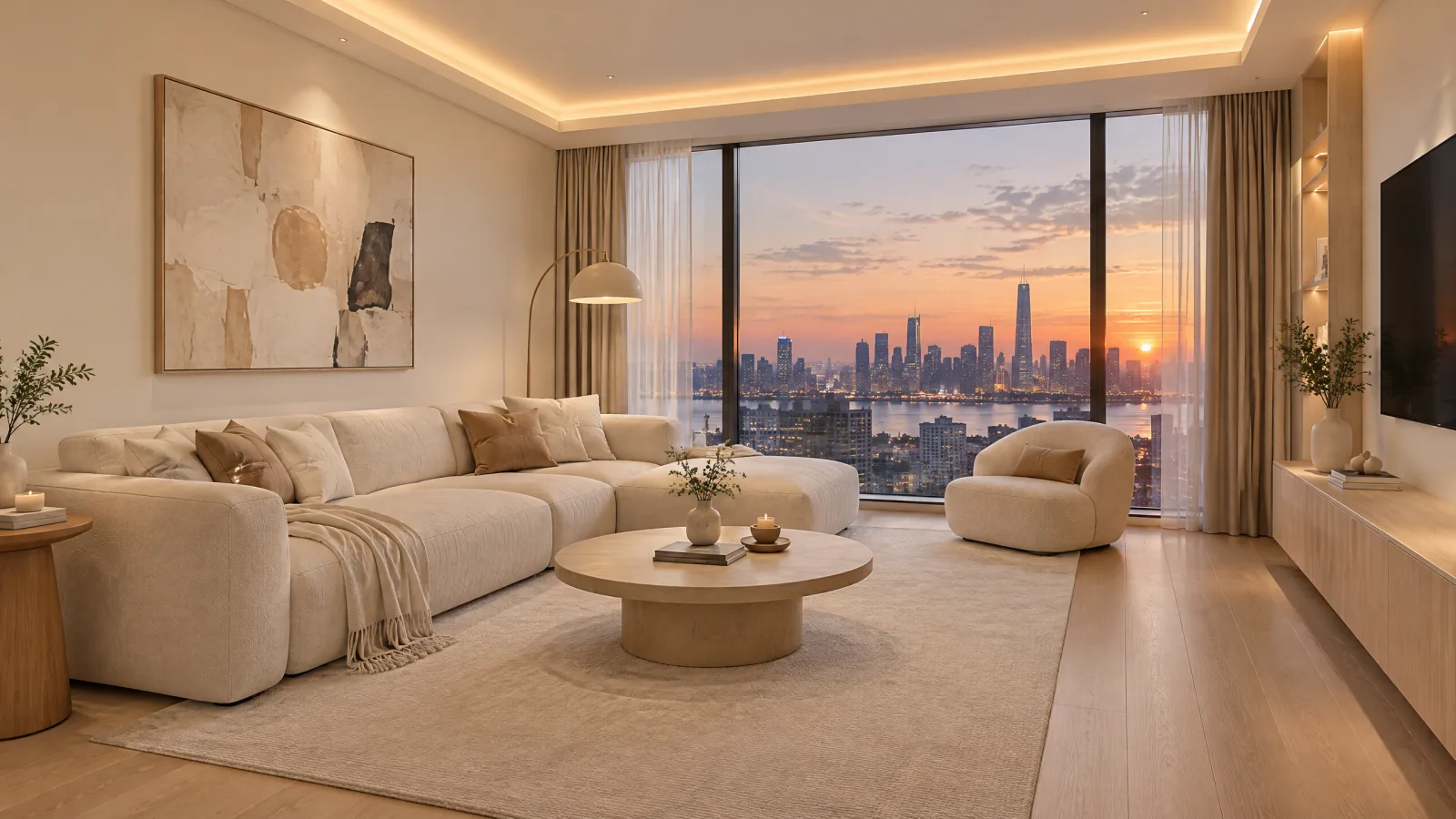
室内设计效果图:一间 20 平米的奶油风客厅,米白色布艺沙发、浅橡木地板、圆形茶几、落地窗外是傍晚的城市天际线。顶部有一圈隐藏式暖光灯带,墙上挂一幅抽象画。广角镜头,人眼高度,写实渲染,光线柔和自然,不要文字。
Generate with this prompt → (set aspect ratio to 16:9)
The furniture, materials, and lighting all came out as prompted, but the room looks larger than 20 square meters. When making design renders, control the sense of scale with reference objects (for example, state "a three-seat sofa fills one entire wall"); the model can't judge scale accurately from numbers alone.
7. Image editing: change the background only, keep the product unchanged
Upload the first white-background image to GPT Image 2.5 Sunburst image-to-image and change only the background:
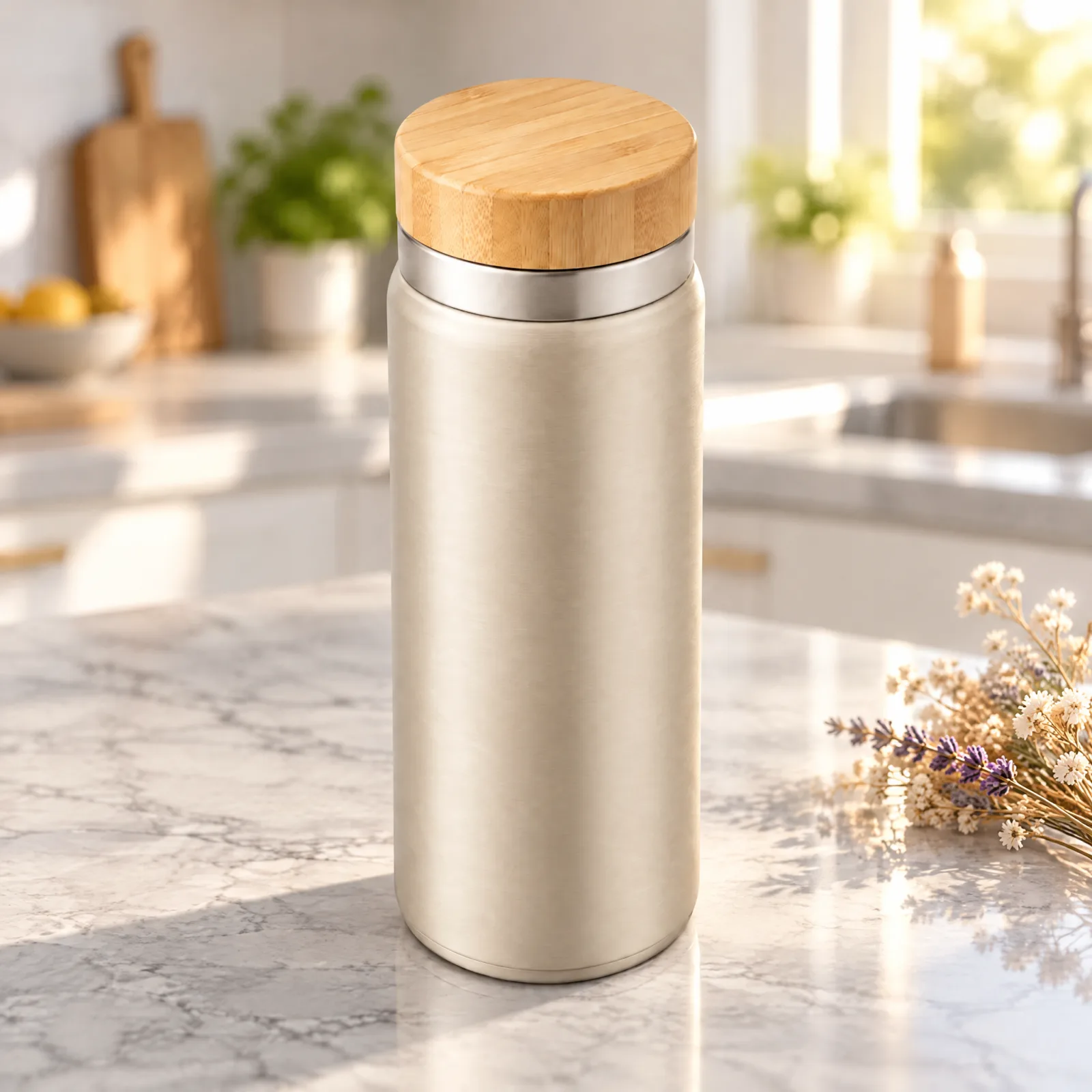
只换背景:把这只保温杯放到浅灰色大理石台面上,背后是虚化的明亮厨房,清晨阳光从右侧窗户照进来,台面上有一小束干花。保温杯的形状、颜色、竹木杯盖、金属拉丝纹理、角度和大小全部保持不变,不要添加文字和 logo。
Generate with this prompt → (upload your product image first)
The cup's proportions, bamboo-wood lid, and brushed texture all match the original image. In an editing prompt, state "what to change only" first, then list the things to preserve one by one; the more complete the list, the less likely the product is to get distorted. With one white-background image, you can produce a whole set of scene images this way.
3 rules for writing prompts
- Enclose text in 「」 and list it line by line. Write the title, subtitle, and price each as a separate sentence, and add a final sentence saying "spell every character correctly."
- Describe the image as "subject → scene → lighting → style". One sentence per item; no need to pile on adjectives.
- When editing, first state "what to change only", then list what to preserve. If you don't list what to preserve, the model will change the product too.
API calls
Beyond trying it online, the same prompts can be used directly through the API. Text-to-image:
{
  "model": "gpt-image-2.5-flare/text-to-image",
  "input": {
    "prompt": "电商主图:一只哑光燕麦色的不锈钢保温杯……",
    "aspect_ratio": "1:1",
    "resolution": "2K"
  }
}
For image editing, switch to gpt-image-2.5-sunburst/image-to-image and add "image_urls": ["https://your-image-url.webp"] inside input (1–16 images; JPEG, PNG, or WebP are all fine). Submit to POST https://api.hiapi.ai/v1/tasks and use the returned taskId to check the result. For the full integration steps, see the GPT Image 2.5 API Chinese tutorial.
FAQ
Can prompts be written directly in Chinese?
Yes. All 7 prompts in this article are in Chinese, and the Chinese titles, shop names, and price lists in the images also came out correctly.
How do I choose between Flare and Sunburst?
Both are the same price. Flare generates images quickly and is suitable for batch-producing hero images and posters; Sunburst is suitable for fine-grained generation and image editing. For a detailed comparison, see Flare vs Sunburst.
How much does it cost to generate one image now?
During the Programmer's Day promotion (before 0:00 Beijing time on November 9), it's 50% off: 1K $0.025, 2K $0.04, 4K $0.06. $10 gets you 250 2K images. For full pricing, see GPT Image 2.5 API pricing.
Can it generate a transparent background?
Yes. Set background to transparent and use 1K resolution; the output is a PNG with an alpha channel.
Pick the scene closest to the task at hand, copy its prompt, and go to the Flare model page to generate your first image. New users get 200 credits upon registration.
Related articles
View all articles →-

Guide
Getting Started with seedream-5.0-pro/image-to-image: Capabilities, Pricing, and Integration Essentials
Capability boundaries, billing model, and engineering integration practices for ByteDance's image editing model
-

Guide
seedream-5.0-pro Text-to-Image Getting Started Guide: Capability Boundaries, API Integration, and Cost Control
A hands-on developer perspective: from key parameters to a cost estimate of $0.05 per image
-

Guide
Hailuo 2.3 Fast Image-to-Video Getting Started Guide: Capability Boundaries, Pricing, and Integration Practices
MiniMax image-to-video model selection and integration key points for developers