Ideogram
Ideogram V4.5
ideogram-v4.5/image-to-image
An image generation and editing model excelling at clear typography and precise multi-turn local edits, with native 2K output, ideal for posters, logos, and packaging design
Try ideogram-v4.5/image-to-image
Input
Showcases
View all showcasesOutput
image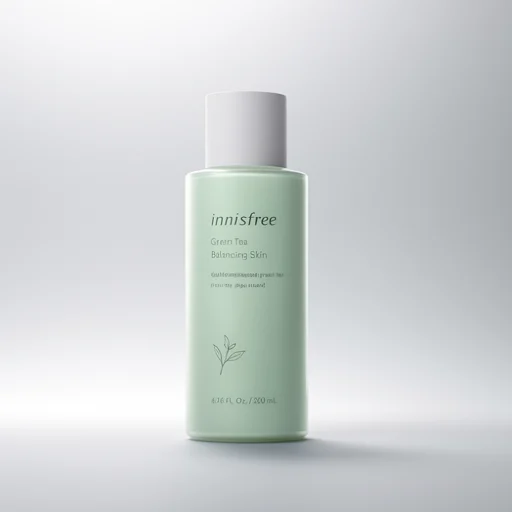
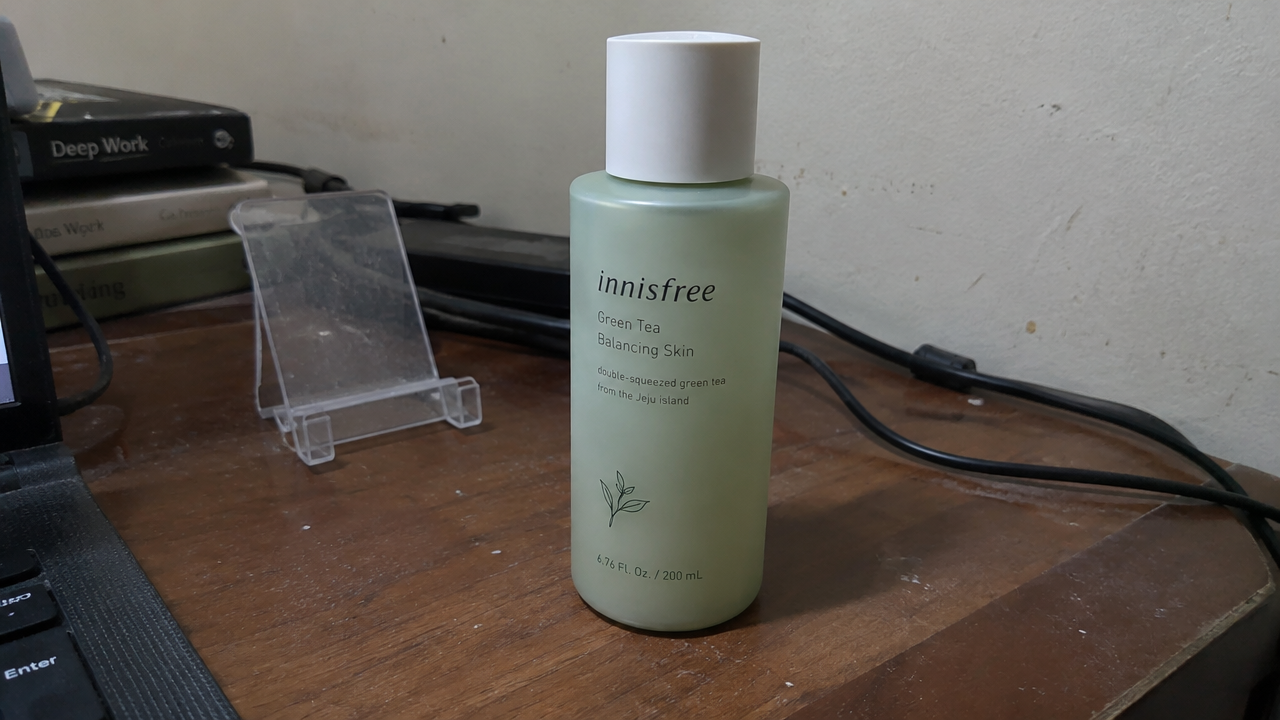
E-commerce Product Images: Reference-Based Texture Reconstruction
Style Product Image · Studio lighting · e-commerce
Reference inputs
image_url
Prompt
Studio product photography with the product from the source image placed on a seamless light gray gradient background, with a soft shadow on the floor. Keep the product's exact shape, proportions, colors, and any printed text unchanged; only relight and clean up the scene. Remove all support stands, cables, dust, fingerprints, and background clutter. Three-point lighting: a large softbox key light from the upper left, subtle fill light from the right, and a thin rim light along the product's edges. Crisp specular highlights on glossy surfaces, visible fine material texture, controlled reflections. Commercial e-commerce composition, product centered and fully visible, 16:9 landscape frame, ample negative space around the subject, edge-to-edge sharp focus, clean colors, no props, no logos added.
Copy the full prompt and adapt it for your own generation.
Tags
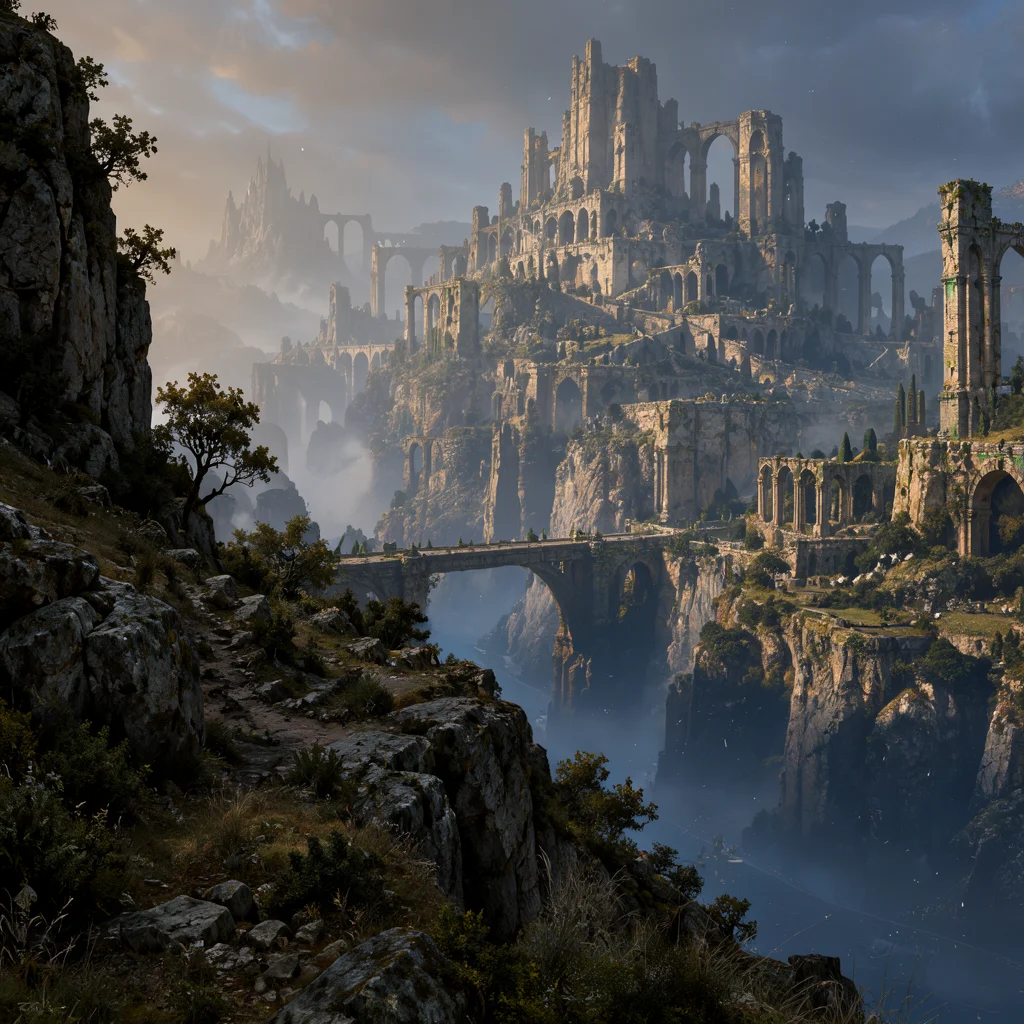
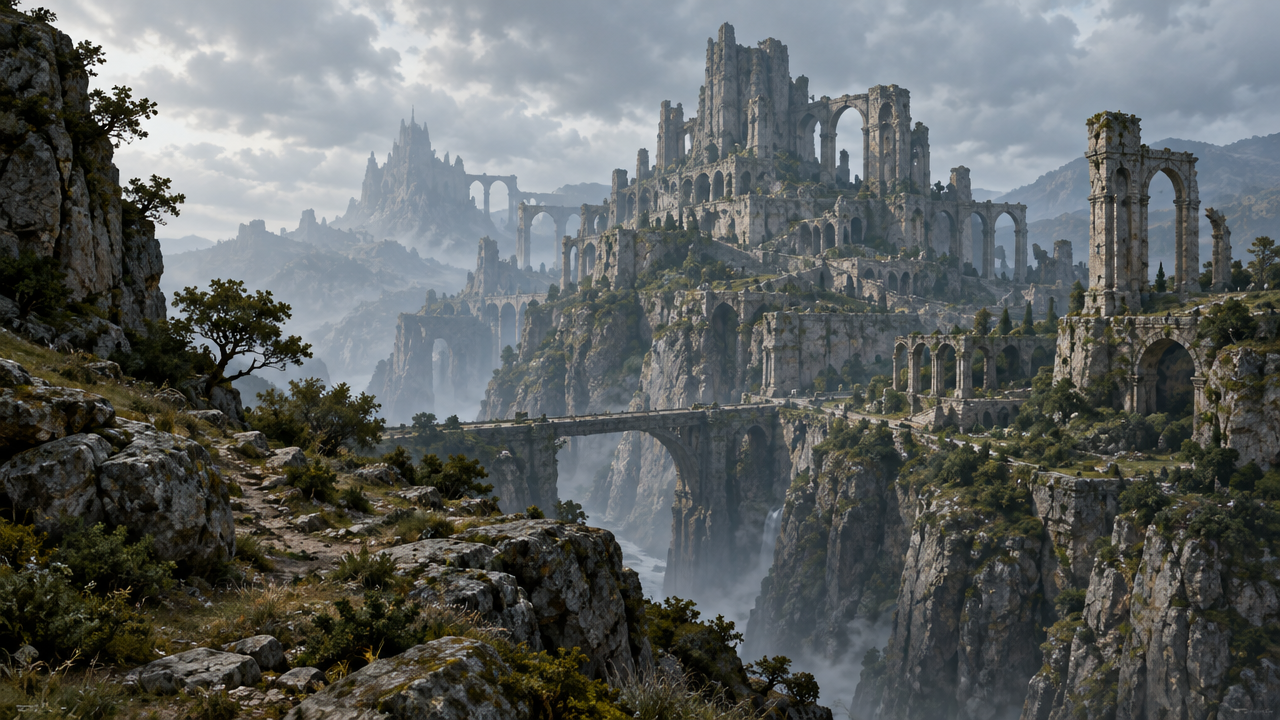
Worldbuilding Scene Concept Art: An Atmospheric Exploration Derived from a Reference Image
Style Concept Art · Worldbuilding · Environmental Design
Reference inputs
image_url
Prompt
Perform a fine editing and polishing pass on the existing environment concept art: keep the original camera position, perspective, horizon line, and silhouette layout unchanged; preserve the buildings' volumetric relationships and the overall composition. Push the atmosphere toward the moment just after an evening storm has subsided—low-angle warm key light rakes across wet stone surfaces, casting long, soft shadows; volumetric fog fills the midground, while the distant background falls into cool blue-gray shadow. Strengthen material readability: weathered stone texture, oxidized metal fittings, damp fabric, subtle surface dust. Clean, restrained brushwork with crisp edge control—no painterly smudging; native 2K detail, a restrained color palette, cinematic environment concept art, no text, no watermark.
Copy the full prompt and adapt it for your own generation.
Tags
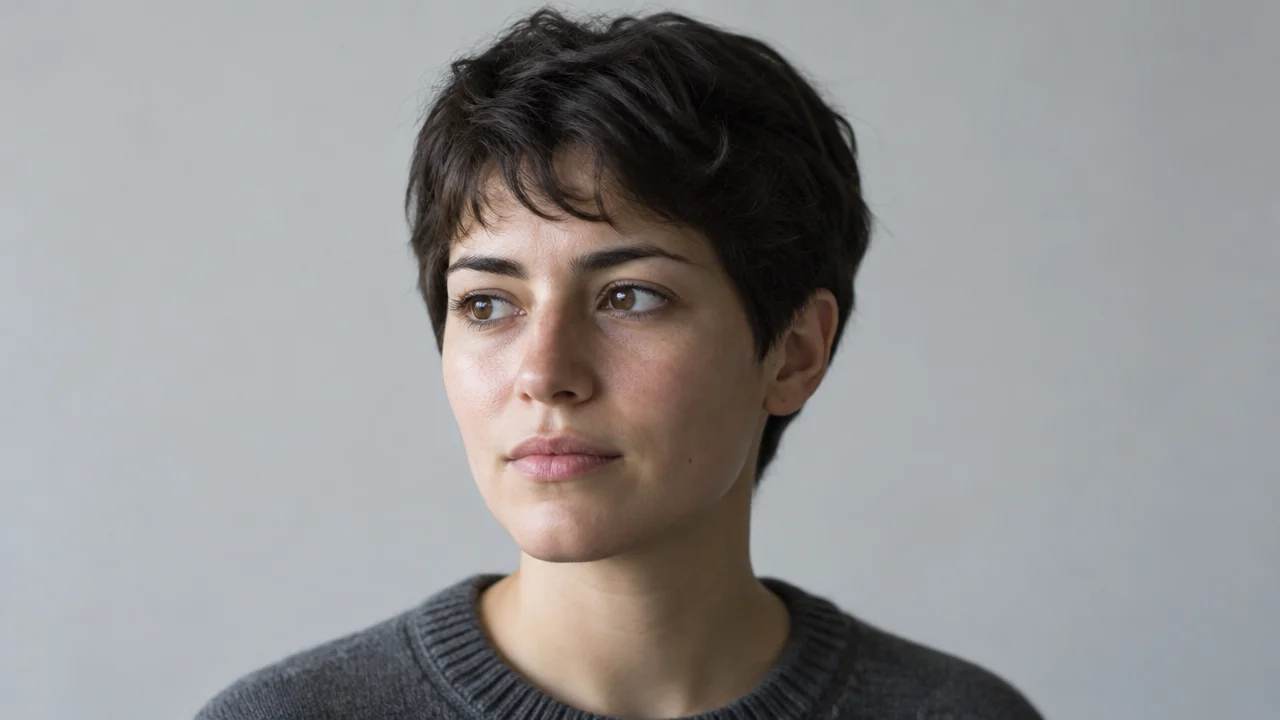
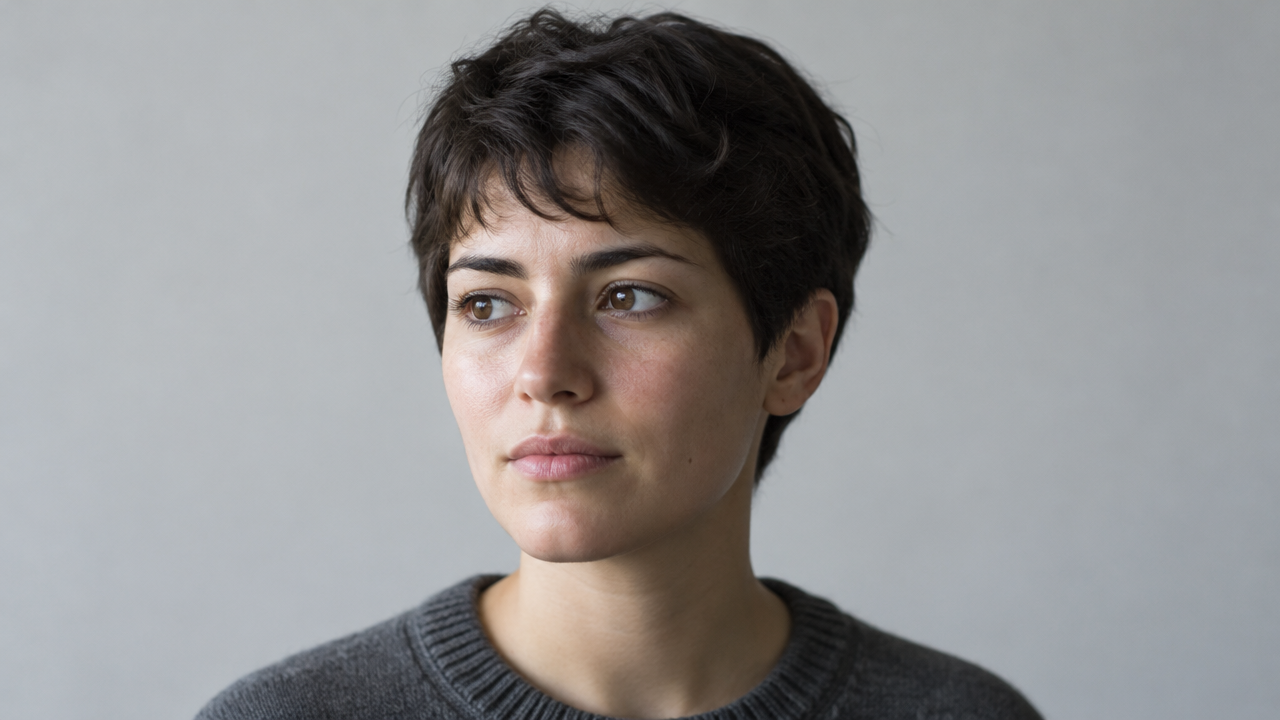
Ideogram V4.5 Image-to-Image: Realistic and Artistic Portrait Dual-Style Demonstration
Style Portrait & Photography · Photo Style Restyle · Prompt Reference
Reference inputs
image_url
Prompt
This is an image-to-image style repaint of a portrait photo. Please fully preserve the identity features, head angle, and pose of the person's face, and only re-render the surface texture. Preserve natural skin texture with visible pores and fine hairs, soft directional window light from the left side of the camera, a smooth transition to a neutral gray background, a slight 85mm portrait compression feel, restrained color grading, no beauty retouching, and no plastic-looking skin smoothing. Vertical 3:4 composition, head-and-shoulders portrait, shallow depth of field, highly faithful to the source image structure.
Copy the full prompt and adapt it for your own generation.
Tags
Pricing
ideogram-v4.5/image-to-image per image
| Specifications | Unit Price |
|---|---|
| very_low | $0.0115 |
| low | $0.043 |
| medium | $0.086 |
| high | $0.3145 |
Positioning Overview
ideogram-v4.5/image-to-image is a model designed for image editing scenarios. It takes a primary source image and can rewrite, replace, or locally inpaint it using prompts. In addition to the main image, you can attach up to four reference images to constrain style and content, or pair it with a mask to precisely target the areas to change. There are also two editing precision tiers, regular and high, with high following the Precise Edit path. It suits design, e-commerce, and content teams that need to iterate on assets repeatedly, making controlled modifications to existing images rather than generating from scratch.
Core Highlights
- High-precision editing reduces cumulative distortion across multiple rounds — when edit_precision is set to high, it follows the Precise Edit path, concentrating changes in the areas indicated by the instructions, making it suitable for polishing the same image round after round.
- Combine reference images and masks to control the edit scope — in addition to the main image, you can upload reference images, up to three when a mask is present; when the mask matches the source image dimensions, changes can be confined to the specified region.
- Multiple quality tiers and aspect ratios available — quality offers four tiers from very_low to high, while image_size covers common square, landscape, and portrait ratios, with auto following the composition by default.
Capability Description
Natural language image editing: describe the desired changes in a prompt, and the model redraws on top of the source image. It is suitable for replacing backgrounds, adjusting product details, or changing the mood of a scene, enabling whole-image modifications without manual masking.
Mask-based local inpainting: pass both mask_url and a mask with matching dimensions to redraw only the area covered by the mask while keeping all other pixels unchanged, used for locally replacing elements, removing, or adding content.
Reference-image-guided style: reference_image_urls accepts up to four images, or up to three when a mask is present, using reference images to constrain color scheme, style, or subject features so that outputs across multiple edits remain consistent.
Editing precision and quality tiers: selecting high for edit_precision enables precise editing; quality can be set from very_low to high, using lower tiers for quick drafts when proofing composition or layout and higher tiers for final generation.
Aspect ratio and seed control: image_size supports common ratios such as square, 4:3, and 16:9, or auto adaptation; fixing the seed allows reproducing edit results on the same image for side-by-side comparison. Each request outputs one image.
Use Cases
- E-commerce operations performing local replacements on existing product images — use a mask to outline the background or accessory area and redraw with a prompt to produce listing-ready product images, saving the need for reshoots.
- Design teams making multiple rounds of revisions to posters from a draft — use an existing poster as the source image to adjust composition and copy placement round by round, using high precision to reduce cumulative artifacts and deliver a production-ready version.
- Brands exploring visual variants in the same style — pass multiple reference images to unify style and generate derivative drafts in different color schemes based on the source image, for asset extension and option comparison.
- Content teams unifying the color tone of existing assets — use prompts and reference images to batch-adjust the seasonal or thematic mood of existing images, producing promotional visuals suited to different campaign periods.
Limitations and Selection Advice
Each request always outputs one image, so it is not suitable for batch exploration that requires groups of candidate drafts; the output limit is 2K, so large-format print materials require separate upscaling. Masks must match the source image dimensions, and complex selections require preparing a mask in advance. Editing results depend on the precision of the prompt description, and major structural changes (such as completely changing the composition) are better suited to regeneration. For multiple rounds of revision, it is recommended to use the high precision tier throughout to control quality degradation.
What's new
View changelog →- Feature change Ideogram 4.5 text-to-image model ID is now ideogram-v4.5/tex…
- New model Added ideogram-v4.5 text-to-image and ideogram-v4.5/image-to…
Frequently asked questions
View all FAQs →-
What edits can Ideogram 4.5 Edit do?
Four kinds: prompt edits, reference restyles, mask inpainting and Precise Edit. They can be combined.
-
Which fields are required?
prompt and image_url. Add reference_image_urls, mask_url, edit_precision, quality, image_size, num_images and seed as needed.
-
How do regular and Precise Edit differ?
Use Precise Edit for text changes and small fixes, and regular for recolors and restyles. edit_precision=high is Precise Edit and restores unedited pixels; regular is freer.
-
Do both precisions share quality tiers?
No. regular offers very_low, low, medium and high; Precise Edit offers low, medium and high.
Create a generation task
https://api.hiapi.ai/v1/tasks Headers
AuthorizationstringRequiredAccount API key. Required on every request. Example: Bearer YOUR_HIAPI_API_KEY. Get your API key
Content-TypestringOptionalThe request body is always parsed as JSON; when sent, only application/json (optionally with charset) is accepted — any other value returns 415. Example: application/json.
Idempotency-KeystringOptionalIdempotency key, up to 255 bytes. Retries with the same key from the same account create the task only once; replays return the original taskId.
On network timeouts or client retries, the same key creates the task only once — no double charges (scope: the API key's account). Use a business-unique identifier as the key (e.g. "order-42"); replays return the original taskId, and keys expire 24 hours after the first request. See the Unified Async API overview for the full scenario matrix.
Body
modelstringRequiredCurrent fixed value: ideogram-v4.5/image-to-image
routestringOptionalCurrent fixed value: default
inputobjectRequired
Business parameters for ideogram-v4.5/image-to-image and route default — see the parameter table below.
seedintegerOptionalRandom seed used to control the reproducibility of generation results; takes an integer. When the same seed is used with other parameters held constant, results tend to be stable.
promptstringRequiredminLength 1maxLength 10000The prompt for generation or editing, describing the desired image content or modification intent as a string.
qualitystringOptionalDefault: "medium"Editing quality level, takes a string, defaults to medium; when edit_precision is high, only low, medium, and high are supported.
very_lowlowmediumhighmask_urlstringOptionalURL of the mask image. The mask dimensions must match the source image dimensions and are used to limit the editing region.
image_urlstringRequiredURL of the main source image to be edited, used as the input image for image-to-image generation.
image_sizestringOptionalDefault: "auto"Output image size, takes a string, defaults to auto, in which case the service determines it automatically based on the input.
autosquaresquare_hdportrait_4_3landscape_4_3portrait_16_9landscape_16_9num_imagesintegerOptionalDefault: 1min 1max 1Number of output images, takes an integer, defaults to 1; currently only one image is generated per request, so num_images must be 1.
edit_precisionstringOptionalDefault: "regular"Editing precision mode, takes a string, defaults to regular; when set to high, Precise Edit is enabled.
regularhighreference_image_urlsarrayOptionalmaxItems 4Array of reference image URLs, up to four reference images; when a mask is provided, at most three are used.
Array [ string ]
callbackobjectOptional
Terminal-state notification config. When omitted, no callback is delivered — poll the task yourself. See the callback note below.
Provide callback.url when creating a task and HiAPI POSTs to your service once the task reaches a terminal state — no polling needed. The callback payload mirrors the task detail structure; signature verification, delivery retries and idempotency are documented on the Unified Async API overview page.
urlstringRequiredRequired when callback is present. A POST is sent to this URL once the task reaches a terminal state; must be a valid http(s) URL.
whenstringOptionalDefault: "final"Only final is supported today — notified on both success and fail.
finalstoragestringOptionalDefault: "temp"Artifact storage tier: temp (default, retained about 7 days) or persistent (long-term, billed by size). Insufficient balance or exceeding the storage cap silently downgrades to temp; the effective tier is shown in the task detail response.
temppersistentRequest examples
# Submit an async task; returns a taskId immediately (no waiting for generation)
curl -X POST "https://api.hiapi.ai/v1/tasks" \
  -H "Authorization: Bearer $HIAPI_API_KEY" \
  -H "Content-Type: application/json" \
  -d '{
  "model": "ideogram-v4.5/image-to-image",
  "input": {
    "prompt": "…",
    "quality": "medium",
    "image_url": "…",
    "image_size": "auto",
    "num_images": 1,
    "edit_precision": "regular"
  }
}'
const res = await fetch("https://api.hiapi.ai/v1/tasks", {
method: "POST",
headers: {
Authorization: `Bearer ${process.env.HIAPI_API_KEY}`,
"Content-Type": "application/json",
},
body: JSON.stringify({
model: "ideogram-v4.5/image-to-image",
input: {
"prompt": "…",
"quality": "medium",
"image_url": "…",
"image_size": "auto",
"num_images": 1,
"edit_precision": "regular"
}
}),
});
const task = await res.json();
// { code: 200, message: "success", data: { taskId } }import os, requests
res = requests.post(
"https://api.hiapi.ai/v1/tasks",
headers={"Authorization": f"Bearer {os.environ['HIAPI_API_KEY']}"},
json={
"model": "ideogram-v4.5/image-to-image",
"input": {
"prompt": "…",
"quality": "medium",
"image_url": "…",
"image_size": "auto",
"num_images": 1,
"edit_precision": "regular"
}
},
)
print(res.json()) # { code, message, data: { taskId } }200 OK
{
  "code": 200,
  "message": "success",
  "data": {
    "taskId": "tk-hiapi-01HZTQ8BX2N3GM3YFK4Z9D7VQR"
  }
}
400 Bad Request
{
  "code": 400,
  "message": "invalid request",
  "data": null,
  "error_code": "INVALID_REQUEST"
}
Get task detail
https://api.hiapi.ai/v1/tasks/:id Response fields
taskIdstringRequiredTask ID, always prefixed with tk-hiapi-.
modelstringRequiredResolved full model name. Tasks submitted with the route parameter return base@route (e.g. gpt-image-2/text-to-image@ext); otherwise identical to the name passed at creation.
routestringOptionalPresent only when the task was submitted with an explicit route parameter; echoes the submitted value.
statusstringRequiredTask status.
queued Queued, not started yet.
handling Being processed.
archiving Processing finished, artifacts being prepared.
success Terminal: completed, artifacts available (output returned).
fail Terminal: failed (error returned).
After submission, check status: success and fail are terminal, everything else is non-terminal. Poll every 1–3 seconds until terminal. On success, download artifacts from output[].url and transfer them before expireAt; pass storage: "persistent" at creation time when long-term retention is needed.
creatednumberRequiredTask creation time (Unix seconds).
completednumberRequiredUnix seconds when the task reached a terminal state; fixed to 0 while not terminal.
outputarrayOptional
Present only when status == success. Artifact list — always an array; a single task may return multiple types at once (e.g. video + first_frame).
Array [ object ]
Array items
urlstringRequiredArtifact URL, directly downloadable.
typestringRequiredCurrent possible values: video, image, audio, first_frame, last_frame, thumbnail; more may be added later.
expireAtnumberRequiredUnix seconds until which the artifact remains accessible; download or transfer before it expires.
errorobjectOptional
Present only when status == fail.
codestringRequiredBusiness error code.
messagestringRequiredError description.
Response examples
Success
{
  "code": 200,
  "message": "success",
  "data": {
    "taskId": "tk-hiapi-01HZTQ8BX2N3GM3YFK4Z9D7VQR",
    "model": "happyhorse-1-0",
    "status": "success",
    "created": 1777282033,
    "completed": 1777282099,
    "output": [
      {
        "url": "https://cdn.hiapi.ai/tasks/.../video.mp4",
        "type": "video",
        "expireAt": 1777886899
      }
    ]
  }
}
Processing (non-terminal)
{
  "code": 200,
  "message": "success",
  "data": {
    "taskId": "tk-hiapi-...",
    "model": "happyhorse-1-0",
    "status": "archiving",
    "created": 1777282033,
    "completed": 0
  }
}
Failed
{
  "code": 200,
  "message": "success",
  "data": {
    "taskId": "tk-hiapi-...",
    "model": "happyhorse-1-0",
    "status": "fail",
    "created": 1777282033,
    "completed": 1777282099,
    "error": {
      "code": "TASK_FAILED",
      "message": "task failed"
    }
  }
}Articles
View all articles →Related Models
View all models →Same Type
-
 FASHN Tryon v1.6 FASHN $0.107 /image
-
 FLUX.2 Black Forest Labs $0.035 /image
-
 Nano Banana 2 Lite Google $0.033 /image
-
 Google Virtual Try-On Google $0.107 /image
-
 FLUX 1.1 Pro Black Forest Labs $0.050 /image
-
 Ideogram V3 Character Ideogram $0.090 /image
-
 Muse Image 1.0 Meta $0.015 per task
-
 Krea 3 Krea $0.036 /image
-
 Grok Imagine Image 2.0 xAI $0.052 /image
-
 851 Labs Background Remover 851 Labs $0.002 /image
-
 Krea 2 Medium Turbo Krea $0.021 /image
-
 Nano Banana Google $0.021 /image