

Meta
Muse Image 1.0
muse-image-1.0/image-to-image
Meta's reasoning-based image generation and editing model that first breaks down complex prompts before rendering, can fuse multiple reference images, and leverages web retrieval to ensure factual accuracy
Try muse-image-1.0/image-to-image
Input
Showcases
View all showcasesOutput
image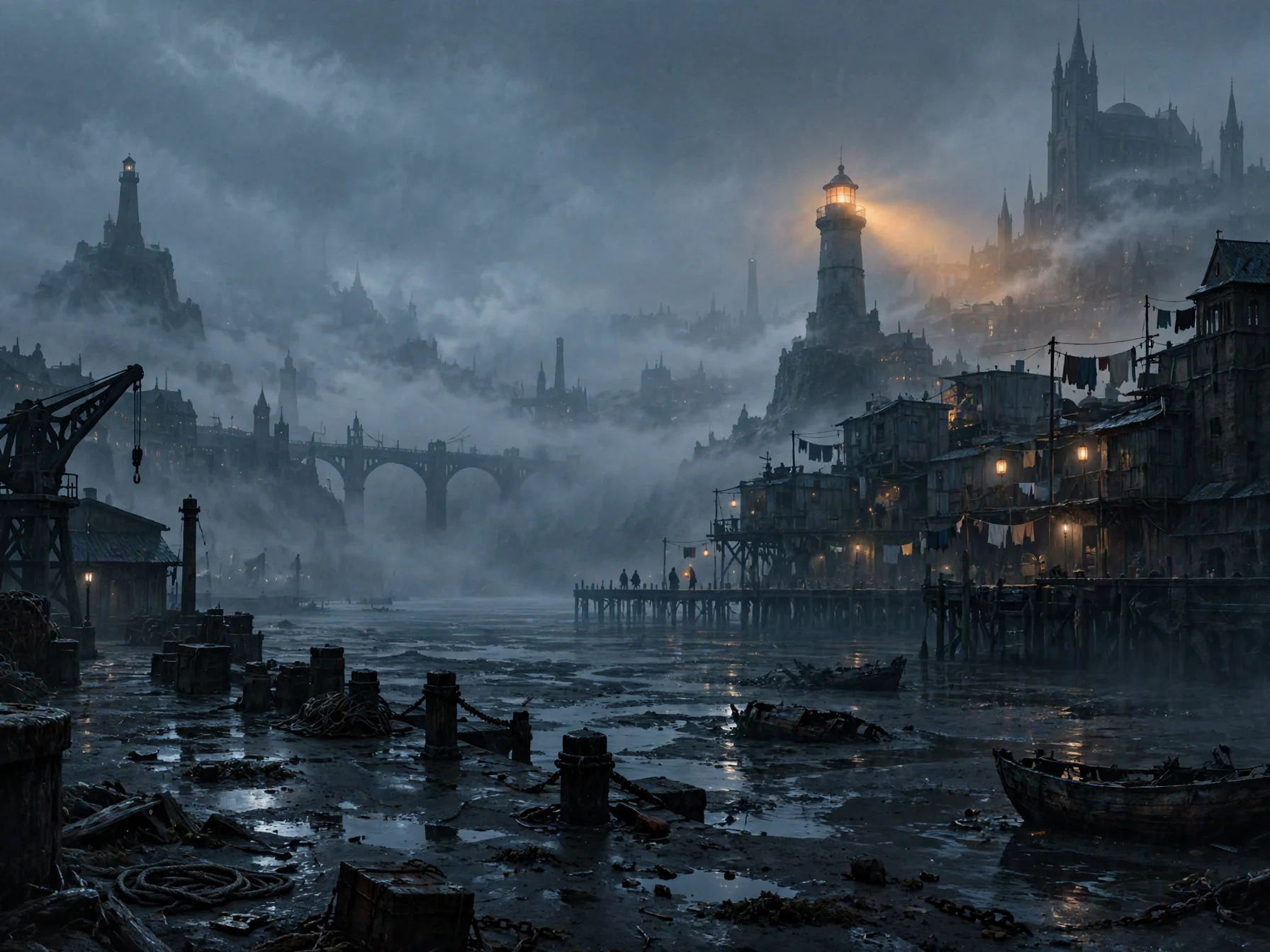
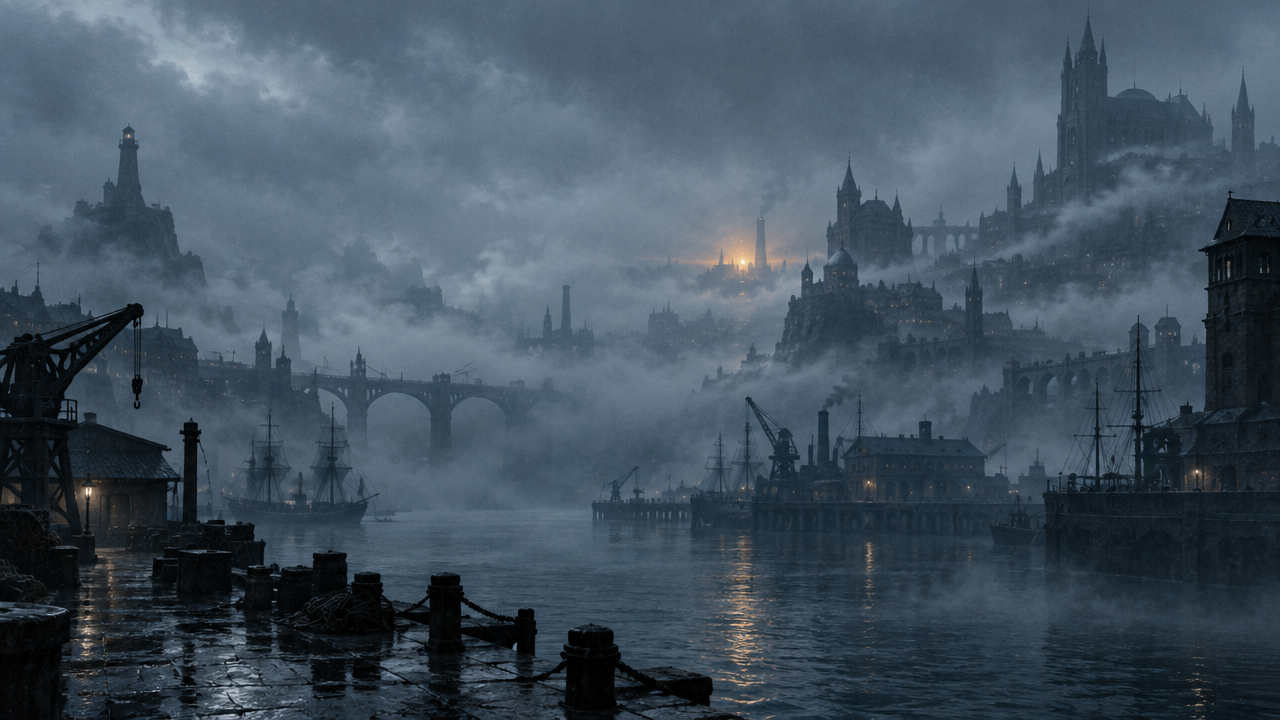
Worldbuilding Concept Art: An Atmospheric Exploration of Ash Tide City
Style Concept Art · Worldbuilding · Mood board
Reference inputs
image_urls
Prompt
Cinematic concept art of a coastal city at low tide, 16:9 widescreen composition. Foreground: wet black sand streets exposed after the tide recedes, scattered with salt-crusted hulls and ropes, thin delicate reflections of cold moonlight. Midground: salt-etched steel arches and stacked modular dwellings built on pilings, clotheslines and hanging lanterns, a few figures walking along a boardwalk. Background: a tall tidal lighthouse, its dim amber beam cutting through heavy sea mist, a ruined seawall in the distance dissolving into the fog. Preserve the reference image's cold blue-gray palette, low saturation, and atmospheric fog density; let its warm amber accent light carry over onto the lanterns and the lighthouse beam. Volumetric light, soft film grain, painterly digital matte painting texture, restrained detail, soft contrast, no text, no logos.
Copy the full prompt and adapt it for your own generation.
Tags

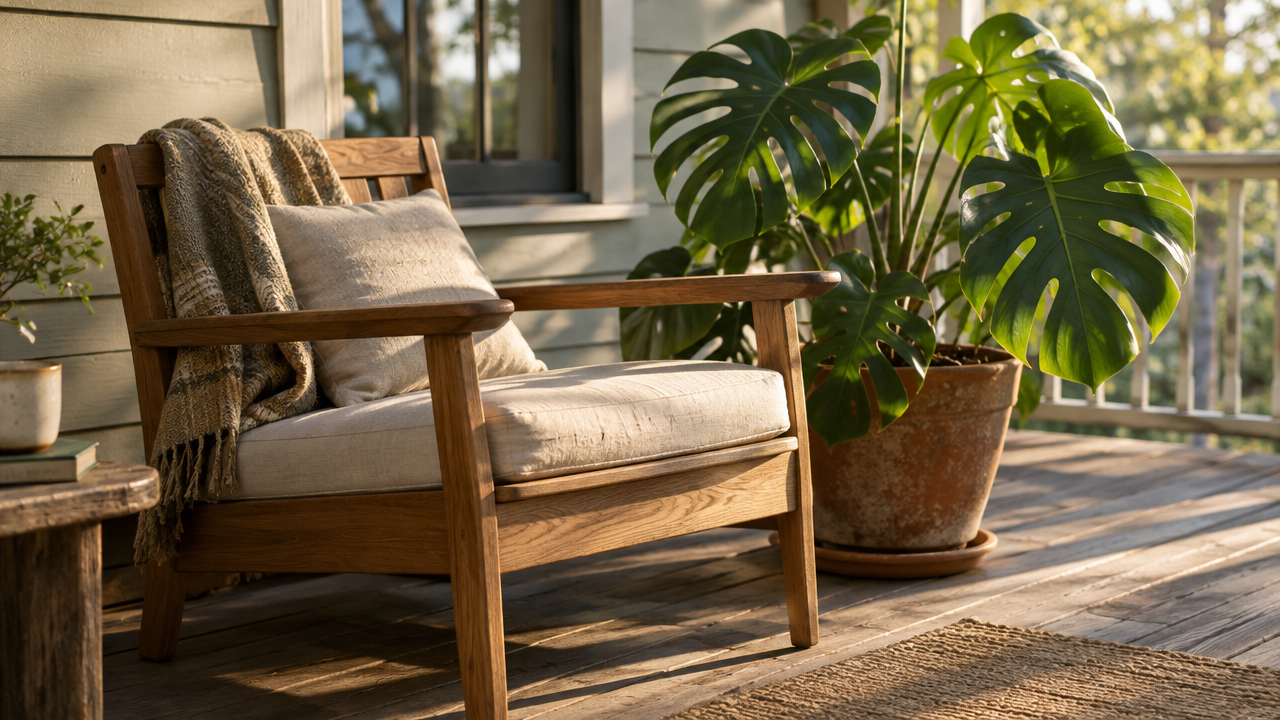
Style Spectrum: Step-by-Step Translation from Realistic Photo to Flat Illustration
Style style-transfer · Flat illustration · Reference guidance
Reference inputs
image_urls
Prompt
A flat vector illustration transformed from a reference photo: keep the subject's identity, the chair's outline, and the plant positions exactly consistent with the reference image, but flatten everything else. Replace photographic lighting with two to three solid tones, compress depth of field into overlapping flat planes, remove texture and grain, use clean crisp outlines, and a restrained palette of warm terracotta, off-white, and deep green. No gradients, no cast shadows, no photographic detail retained. Centered composition with ample negative space, editorial illustration style.
Copy the full prompt and adapt it for your own generation.
Tags
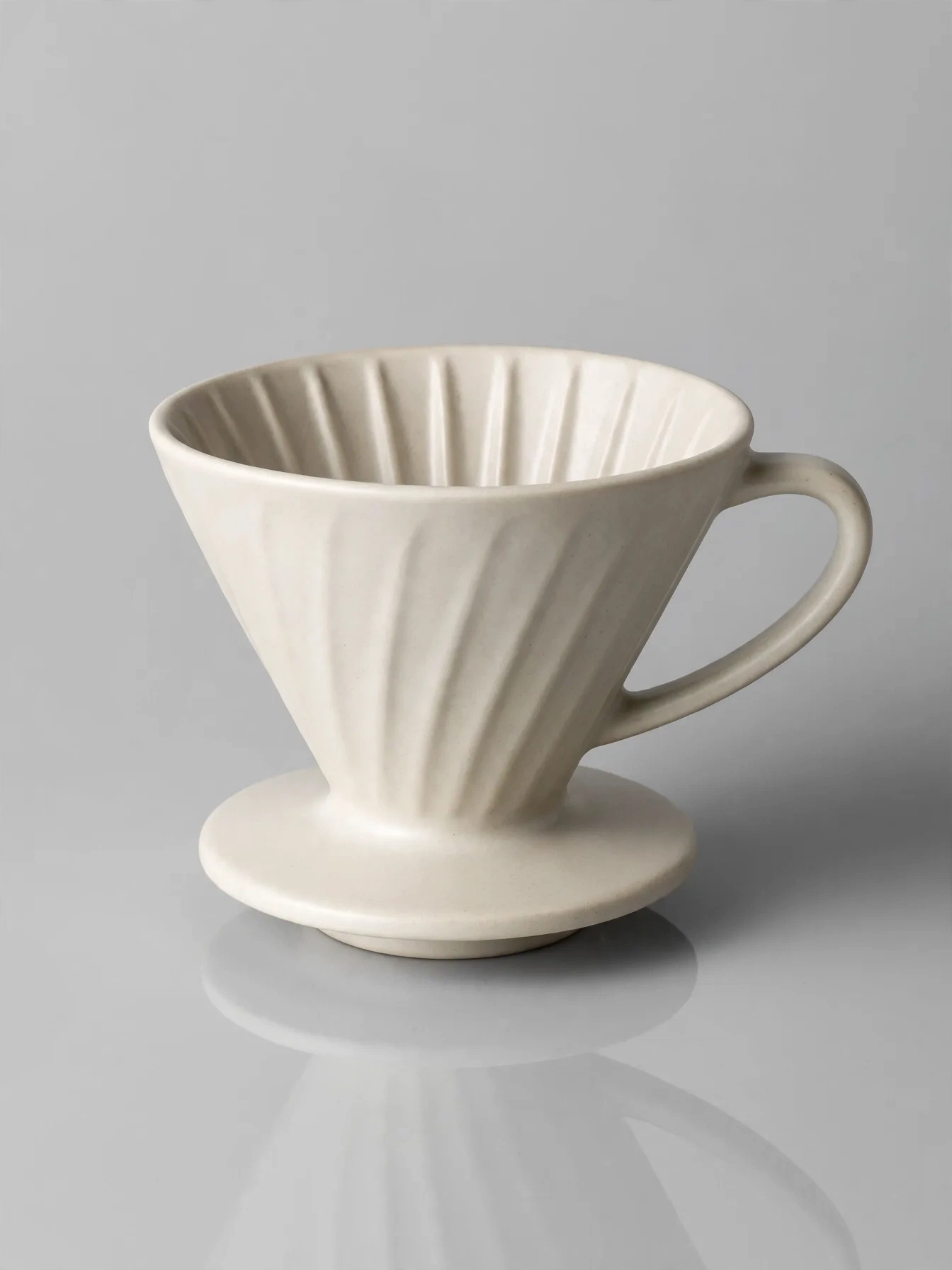
E-commerce-Grade Product Photography Quality: Single Reference Image to Commercial-Grade Output
Style Product Image · ecommerce · Studio lighting
Reference inputs
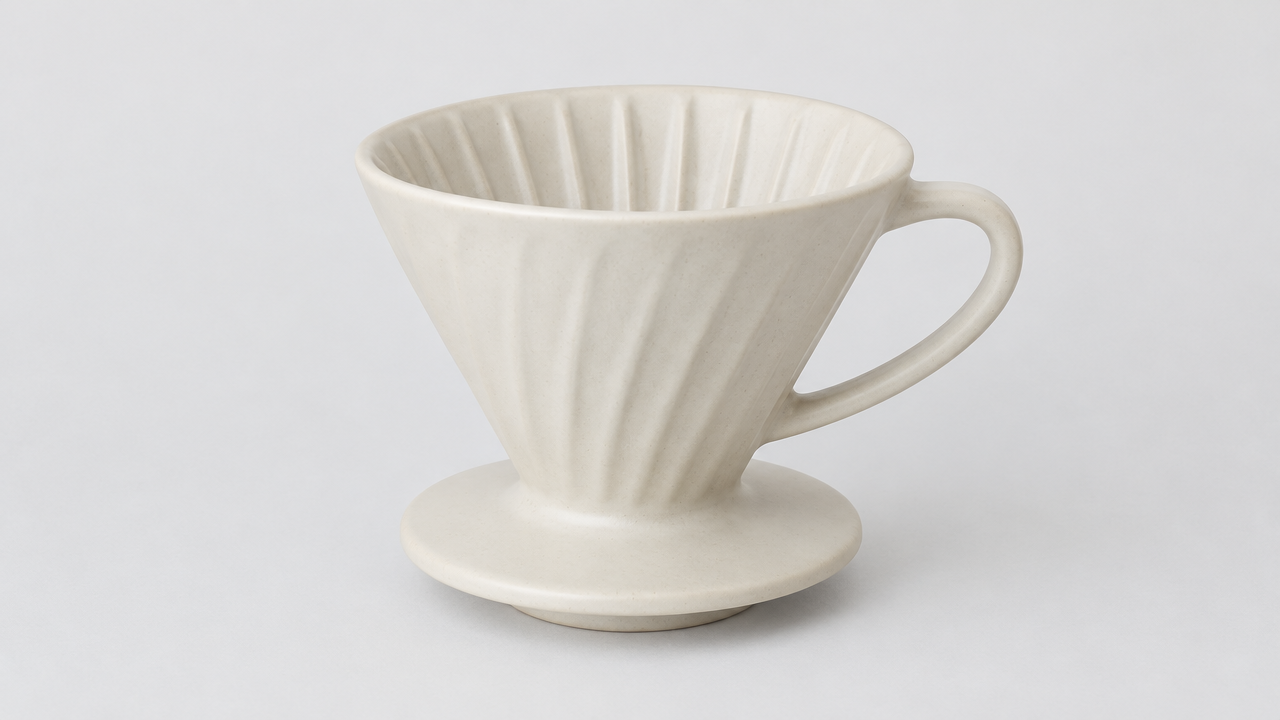
image_urls
Prompt
Restyle the product in the reference image as a commercial e-commerce product photo. Keep the product's exact shape, proportions, colors, logo placement, and material details exactly consistent with the reference image; do not add, remove, or redesign any features. Place it on a matte light gray seamless studio background with a subtle soft reflection at the bottom. Lighting: a large softbox key light from the upper left, fading softly toward the right, with a narrow rim light along the product edges to separate it from the background; no harsh specular hotspots on the label. Camera: an 85mm equivalent product lens, at eye level with the product, at a slight three-quarter angle, with enough depth of field to keep the entire product sharp. Composition: product centered, with ample clean negative space, 16:9 landscape format, suitable for a storefront banner. Post-processing: sharp edges, neutral white balance, accurate colors, no dust, no fingerprints, no props, no text overlays.
Copy the full prompt and adapt it for your own generation.
Tags
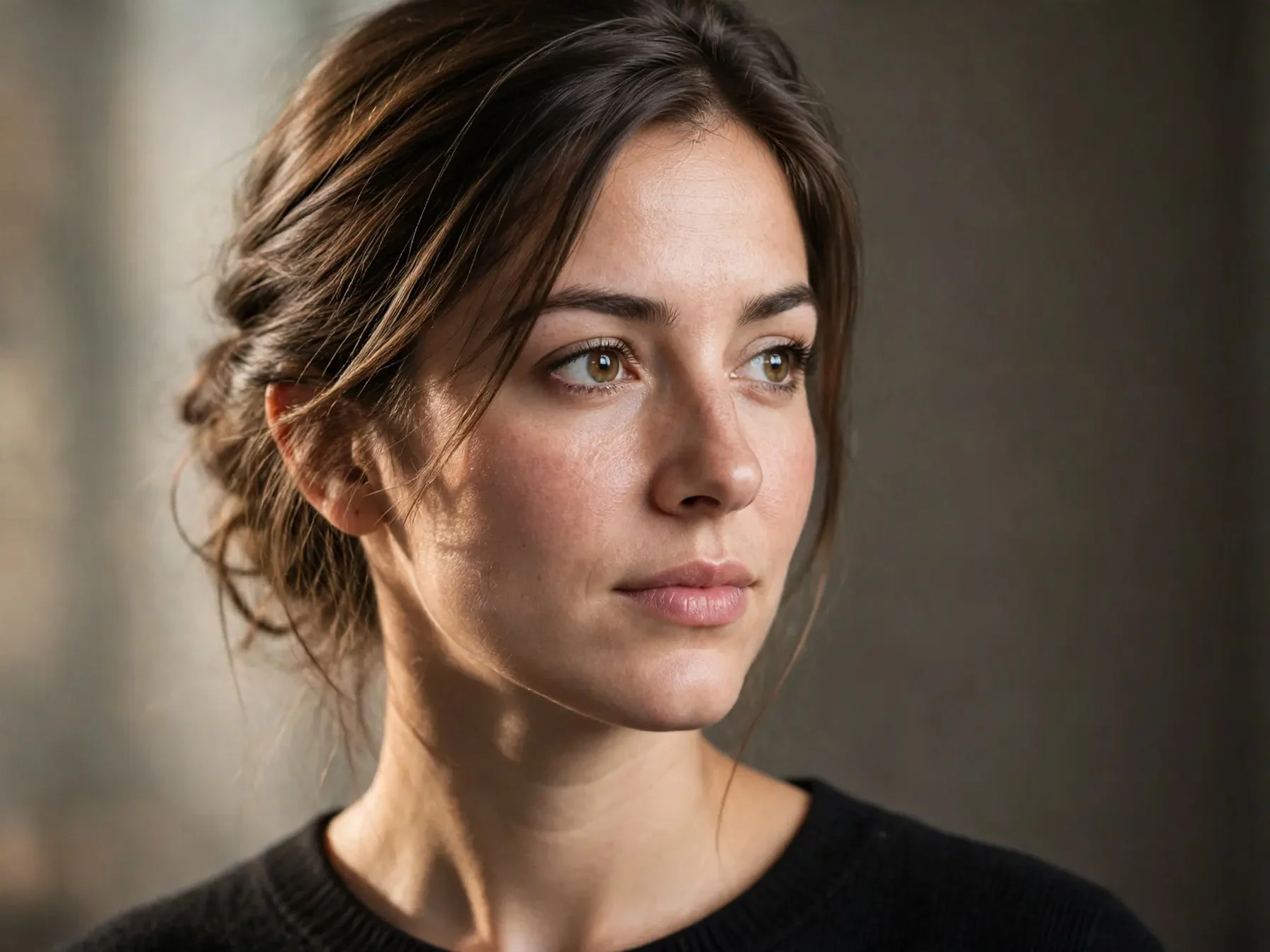
Reference-Image-Driven Realistic and Artistic Portrait Repainting
Style Portrait & Photography · style-transfer · Photorealistic
Reference inputs
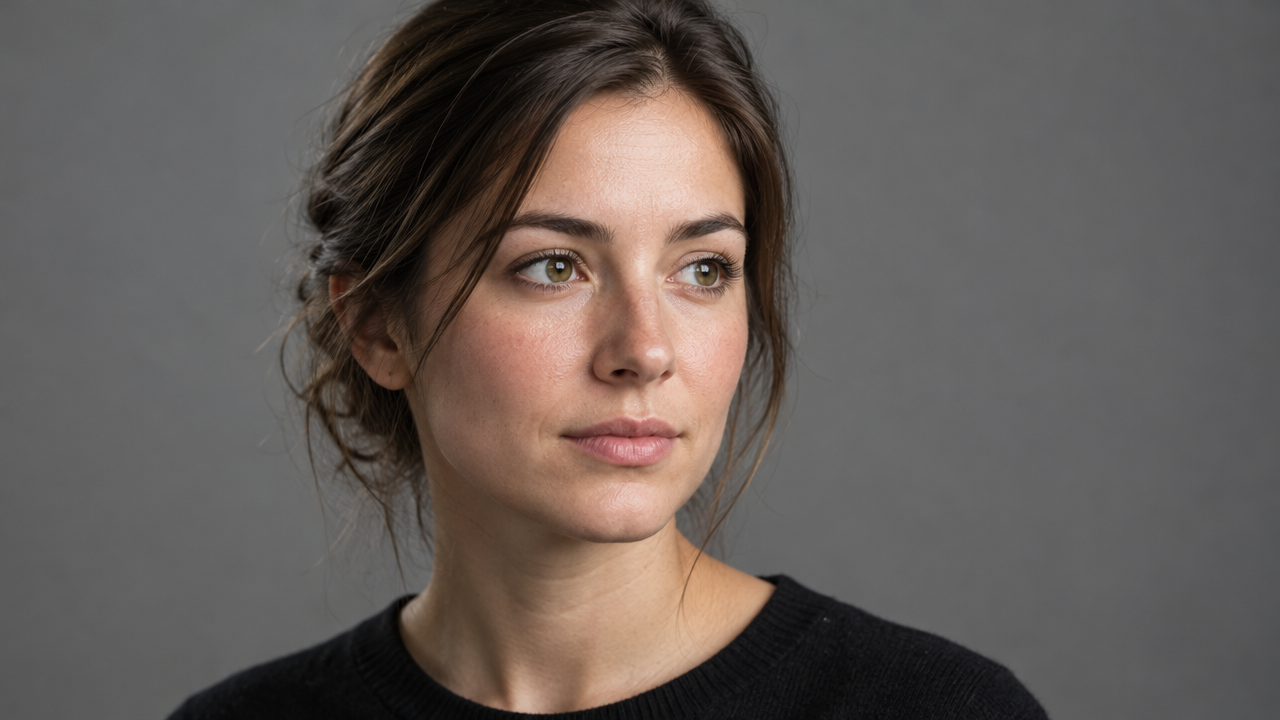
image_urls
Prompt
Image-to-image portrait repainting style. Use the provided reference photo as the sole source of the person's identity and composition: keep the same facial structure, hairstyle silhouette, head angle, and shoulder pose. Render a single medium close-up portrait, 3:4 vertical composition, with soft directional key light coming from the left side of the camera and a gentle falloff into a neutral warm-gray seamless background. Preserve natural skin texture with visible pores and fine hairs, subtle specular highlights on the cheekbones and bridge of the nose, realistic eyes with visible catchlights, and lifelike tonal transitions. Restrained color grading with a slight film-like contrast; no over-stylization, no plastic skin smoothing, no extra props or text. Shallow depth of field with sharp focus on the eyes, 85mm portrait lens effect.
Copy the full prompt and adapt it for your own generation.
Tags
Pricing
muse-image-1.0/image-to-image per task
| Unit Price | $0.015 |
|---|
Overview
muse-image-1.0/image-to-image is a reference-image-driven image generation and editing model released by Meta, accessible through the unified HiAPI.ai interface. It takes one or more reference images as input, works with text prompts to perform image generation, element replacement, and style rewriting, and breaks down multi-part complex instructions with layout planning before rendering. It is suitable for developers who need to use existing assets as base images and pursue prompt adherence and batch output efficiency, and can be used in workflows such as asset variants, product scene images, and personalized compositing.
Key Highlights
- Reason-then-render generation workflow — before rendering, it breaks down multi-part prompts and plans the layout, reducing the chance that complex instructions are dropped in a single forward generation.
- Generation and editing happen within the same model — reference image fusion and instruction-based rewriting require no extra editing toolchain, reducing the number of calls.
- Multiple reference images can be submitted at once — accepts up to 10 reference images, and you can specify the subject, style, or composition role for each image in the prompt.
- Output specifications controlled directly by parameters — you can specify the aspect ratio and the jpeg, png, or webp output format, making it easy to connect to downstream asset pipelines.
Capabilities
Reference-image-driven image editing: takes reference images plus text prompts as input, modifies or preserves the content in the images according to the prompt, suitable for targeted adjustments on existing assets rather than generating from scratch.
Multi-image fusion: a single request can carry 1 to 10 reference images, with the subject, style, or composition role labeled for each image in the prompt, for compositing tasks.
Decomposed execution of complex prompts: plans multi-part descriptions before rendering, making prompts that contain multiple subjects and layout requirements easier to fully implement.
Output specification control: supports nine aspect ratios from 1:1 to 21:9, and lets you choose jpeg, png, or webp format to output directly according to delivery or storage needs.
Use Cases
- Advertising and media teams: batch-generate variants from existing assets — upload brand base images and rewrite the visuals and ratios according to channel prompts, producing multiple sets of ad creatives for A/B testing and multi-channel distribution.
- E-commerce operations: contextual transformation of product images — use real product photos as references, prompt to replace backgrounds and scenes, and output catalog images or scene images for product detail pages.
- Personalized compositing: blend user photos into new scenes — use user-uploaded photos as reference images to composite themed scenes, producing customized images for campaign pages or social sharing.
Limitations and Selection Advice
Public materials do not disclose technical details such as model architecture and output resolution, so generation results need to be evaluated based on actual performance. Multi-step reasoning introduces additional latency and is not suitable for scenarios extremely sensitive to response latency; output is limited to images and does not involve video or audio. If the task only requires text-to-image generation from scratch without reference images, the text-to-image line in the same family can be used; if video generation or lower latency is required, other models should be considered.
Frequently asked questions
View all FAQs →-
How do I choose generation or editing?
Choose generation to start from a written brief, or editing with references to build on an existing subject or layout.
-
How many images can I get per task?
Each task returns one image with no count selector. Submit a new task with an adjusted prompt for another composition.
-
Can I select 1K, 2K or 4K?
This entry has no resolution tiers. Choose framing; the model determines dimensions, typically around 2.5MP. Inspect the downloaded file.
-
Which file formats can I choose?
Choose JPEG, PNG or WebP; the default is WebP. Select a format for your web or design workflow.
Create a generation task
https://api.hiapi.ai/v1/tasks Headers
AuthorizationstringRequiredAccount API key. Required on every request. Example: Bearer YOUR_HIAPI_API_KEY. Get your API key
Content-TypestringOptionalThe request body is always parsed as JSON; when sent, only application/json (optionally with charset) is accepted — any other value returns 415. Example: application/json.
Idempotency-KeystringOptionalIdempotency key, up to 255 bytes. Retries with the same key from the same account create the task only once; replays return the original taskId.
On network timeouts or client retries, the same key creates the task only once — no double charges (scope: the API key's account). Use a business-unique identifier as the key (e.g. "order-42"); replays return the original taskId, and keys expire 24 hours after the first request. See the Unified Async API overview for the full scenario matrix.
Body
modelstringRequiredCurrent fixed value: muse-image-1.0/image-to-image
routestringOptionalCurrent fixed value: default
inputobjectRequired
Business parameters for muse-image-1.0/image-to-image and route default — see the parameter table below.
promptstringRequiredminLength 1maxLength 5000Text prompt describing the image you want to generate, or explaining what should be modified and kept in the reference images; when using reference images, specify the subject, style, or compositional role of each image in the prompt.
image_urlsarrayRequiredminItems 1maxItems 10Array of reference images, whose elements are image URLs, providing the reference images needed for image-to-image generation; it is recommended to explain in the prompt the subject, style, or compositional role corresponding to each image.
Array [ string ]
aspect_ratiostringOptionalThe aspect ratio of the output image; it only determines the ratio, not the exact pixel dimensions.
1:14:33:416:99:163:22:321:9Show all (1)
9:21output_formatstringOptionalDefault: "webp"The file format for downloading the image; default is webp.
jpegpngwebpcallbackobjectOptional
Terminal-state notification config. When omitted, no callback is delivered — poll the task yourself. See the callback note below.
Provide callback.url when creating a task and HiAPI POSTs to your service once the task reaches a terminal state — no polling needed. The callback payload mirrors the task detail structure; signature verification, delivery retries and idempotency are documented on the Unified Async API overview page.
urlstringRequiredRequired when callback is present. A POST is sent to this URL once the task reaches a terminal state; must be a valid http(s) URL.
whenstringOptionalDefault: "final"Only final is supported today — notified on both success and fail.
finalstoragestringOptionalDefault: "temp"Artifact storage tier: temp (default, retained about 7 days) or persistent (long-term, billed by size). Insufficient balance or exceeding the storage cap silently downgrades to temp; the effective tier is shown in the task detail response.
temppersistentRequest examples
# Submit an async task; returns a taskId immediately (no waiting for generation)
curl -X POST "https://api.hiapi.ai/v1/tasks" \
  -H "Authorization: Bearer $HIAPI_API_KEY" \
  -H "Content-Type: application/json" \
  -d '{
  "model": "muse-image-1.0/image-to-image",
  "input": {
    "prompt": "…",
    "image_urls": "…",
    "output_format": "webp"
  }
}'
const res = await fetch("https://api.hiapi.ai/v1/tasks", {
method: "POST",
headers: {
Authorization: `Bearer ${process.env.HIAPI_API_KEY}`,
"Content-Type": "application/json",
},
body: JSON.stringify({
model: "muse-image-1.0/image-to-image",
input: {
"prompt": "…",
"image_urls": "…",
"output_format": "webp"
}
}),
});
const task = await res.json();
// { code: 200, message: "success", data: { taskId } }import os, requests
res = requests.post(
"https://api.hiapi.ai/v1/tasks",
headers={"Authorization": f"Bearer {os.environ['HIAPI_API_KEY']}"},
json={
"model": "muse-image-1.0/image-to-image",
"input": {
"prompt": "…",
"image_urls": "…",
"output_format": "webp"
}
},
)
print(res.json()) # { code, message, data: { taskId } }200 OK
{
  "code": 200,
  "message": "success",
  "data": {
    "taskId": "tk-hiapi-01HZTQ8BX2N3GM3YFK4Z9D7VQR"
  }
}
400 Bad Request
{
  "code": 400,
  "message": "invalid request",
  "data": null,
  "error_code": "INVALID_REQUEST"
}
Get task detail
https://api.hiapi.ai/v1/tasks/:id Response fields
taskIdstringRequiredTask ID, always prefixed with tk-hiapi-.
modelstringRequiredResolved full model name. Tasks submitted with the route parameter return base@route (e.g. gpt-image-2/text-to-image@ext); otherwise identical to the name passed at creation.
routestringOptionalPresent only when the task was submitted with an explicit route parameter; echoes the submitted value.
statusstringRequiredTask status.
queued Queued, not started yet.
handling Being processed.
archiving Processing finished, artifacts being prepared.
success Terminal: completed, artifacts available (output returned).
fail Terminal: failed (error returned).
After submission, check status: success and fail are terminal, everything else is non-terminal. Poll every 1–3 seconds until terminal. On success, download artifacts from output[].url and transfer them before expireAt; pass storage: "persistent" at creation time when long-term retention is needed.
creatednumberRequiredTask creation time (Unix seconds).
completednumberRequiredUnix seconds when the task reached a terminal state; fixed to 0 while not terminal.
outputarrayOptional
Present only when status == success. Artifact list — always an array; a single task may return multiple types at once (e.g. video + first_frame).
Array [ object ]
Array items
urlstringRequiredArtifact URL, directly downloadable.
typestringRequiredCurrent possible values: video, image, audio, first_frame, last_frame, thumbnail; more may be added later.
expireAtnumberRequiredUnix seconds until which the artifact remains accessible; download or transfer before it expires.
errorobjectOptional
Present only when status == fail.
codestringRequiredBusiness error code.
messagestringRequiredError description.
Response examples
Success
{
  "code": 200,
  "message": "success",
  "data": {
    "taskId": "tk-hiapi-01HZTQ8BX2N3GM3YFK4Z9D7VQR",
    "model": "happyhorse-1-0",
    "status": "success",
    "created": 1777282033,
    "completed": 1777282099,
    "output": [
      {
        "url": "https://cdn.hiapi.ai/tasks/.../video.mp4",
        "type": "video",
        "expireAt": 1777886899
      }
    ]
  }
}
Processing (non-terminal)
{
  "code": 200,
  "message": "success",
  "data": {
    "taskId": "tk-hiapi-...",
    "model": "happyhorse-1-0",
    "status": "archiving",
    "created": 1777282033,
    "completed": 0
  }
}
Failed
{
  "code": 200,
  "message": "success",
  "data": {
    "taskId": "tk-hiapi-...",
    "model": "happyhorse-1-0",
    "status": "fail",
    "created": 1777282033,
    "completed": 1777282099,
    "error": {
      "code": "TASK_FAILED",
      "message": "task failed"
    }
  }
}Articles
View all articles →Related Models
View all models →Same Type
-
 BRIA Product Shot Bria $0.058 /image
-
 GPT Image 2.5 OpenAI $0.017 /image
-
 Krea 3 Krea $0.036 /image
-
 Nano Banana 2 Lite Google $0.033 /image
-
 Z-Image Alibaba $0.008 /image
-
 Ideogram V3 Character Ideogram $0.090 /image
-
 851 Labs Background Remover 851 Labs $0.002 /image
-
 Ideogram V4.5 Ideogram $0.011 /image
-
 Wan 2.7 Image Alibaba $0.035 /image
-
 Grok Imagine xAI $0.011 /second
-
 FLUX 3 Image Black Forest Labs $0.041 /image
-
 Qwen Image 2.1 Alibaba $0.020 /image