
ByteDance
Seedream 5.0
seedream-5.0-flash
ByteDance's production-grade image generation model, supporting web retrieval and multi-step logical reasoning, 4K output, and example-based editing, suitable for product images and infographic creation
Try seedream-5.0-flash
Input
Showcases
View all showcasesOutput
image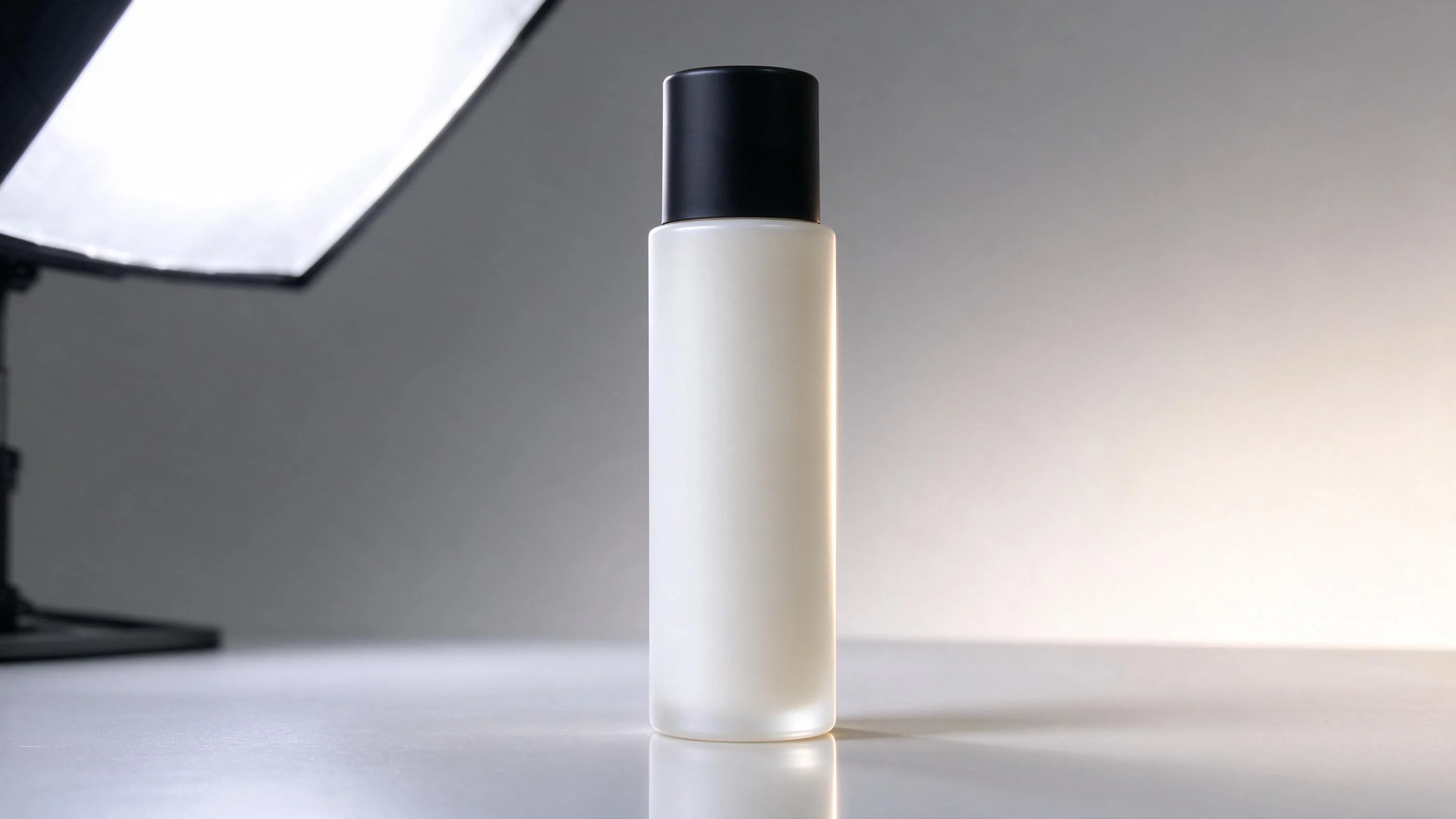
E-commerce-Grade Product Photography Look: Seedream 5.0 Flash Prompt Paradigm
Style Product Image · ecommerce · Studio lighting
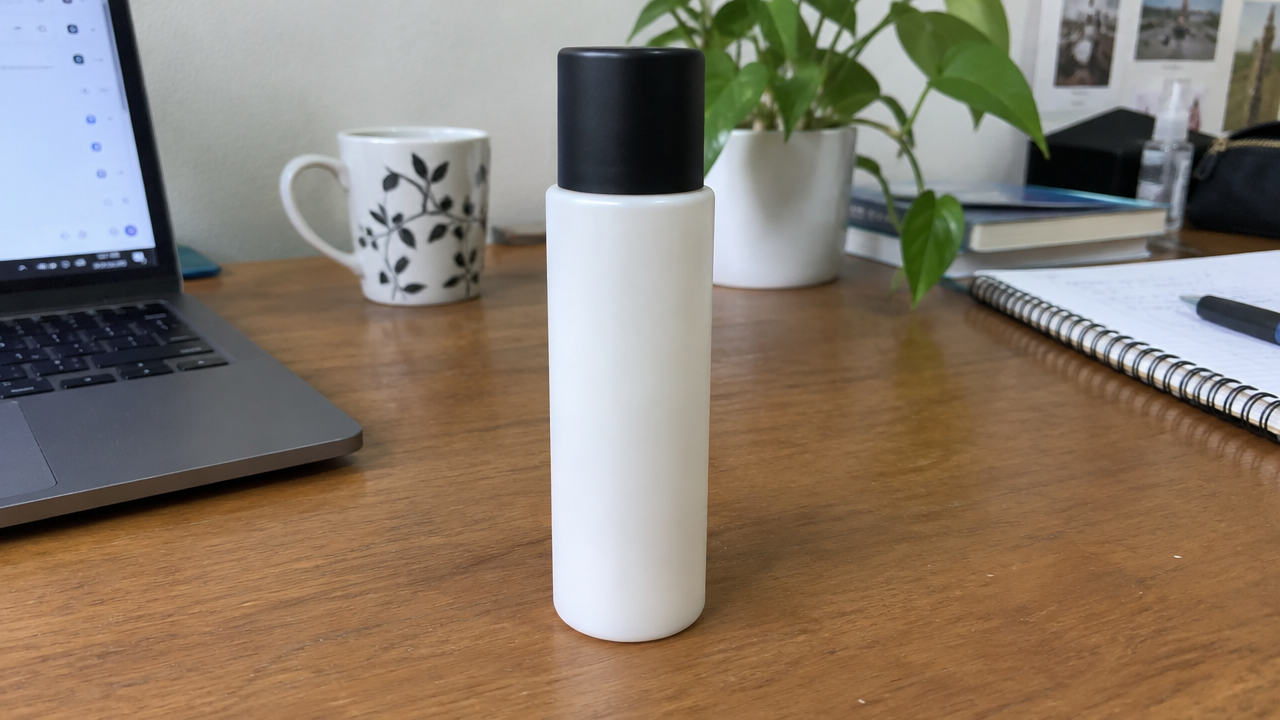
Reference inputs
image
Prompt
E-commerce studio product photography. A bottle of skincare serum with a frosted glass body and matte cap, placed on a seamless light gray acrylic surface, three-quarter front view, camera angle slightly low, 85mm macro lens look, shallow depth of field, label in sharp focus. A soft, large softbox key light from the upper left, a narrow rim light along the right edge separating the bottle from the background, gentle contact shadow and subtle mirror reflection at the base. Clean gradient background transitioning from light gray to warm off-white, with ample negative space on the right for copy. Neutral color grading, accurate rendering of glass and plastic materials, no clutter, no text artifacts, commercial catalog quality, high detail, 16:9 composition.
Copy the full prompt and adapt it for your own generation.
Tags

Style Spectrum of a Single Composition: From Flat Vector to Realistic Oil Painting
Style style-spectrum · editorial-illustration · style-transfer
Reference inputs

image
Prompt
An editorial illustration-style chromatographic study: a figure seated beside a wooden table, on which sits a ceramic vase holding dried branches, a stack of books, and a window casting soft slanted shadows; centered three-quarter composition with ample negative space, 16:9 aspect ratio. Painterly realistic rendering, visible brushstroke texture and layered lighting, soft ochre and teal tones, solid anatomical structure, subtle grain. Clear silhouette separation between subject and background, no text, no watermark.
Copy the full prompt and adapt it for your own generation.
Tags

Seedream 5.0 Flash Portrait Style Reference: Dual Paths of Realism and Artistry
Style Portrait & Photography · Photorealistic · Editing
Reference inputs

image
Prompt
Photo-level realistic editorial portrait, a young woman with short dark hair, centered three-quarter composition, calmly looking directly at the camera, soft window light from the left side of the camera with gentle falloff, natural skin texture, visible pores and fine peach fuzz, subtle warm-toned color grading, shallow depth of field with a neutral gray studio background, 85mm lens look, high detail, no text, no watermark
Copy the full prompt and adapt it for your own generation.
Tags
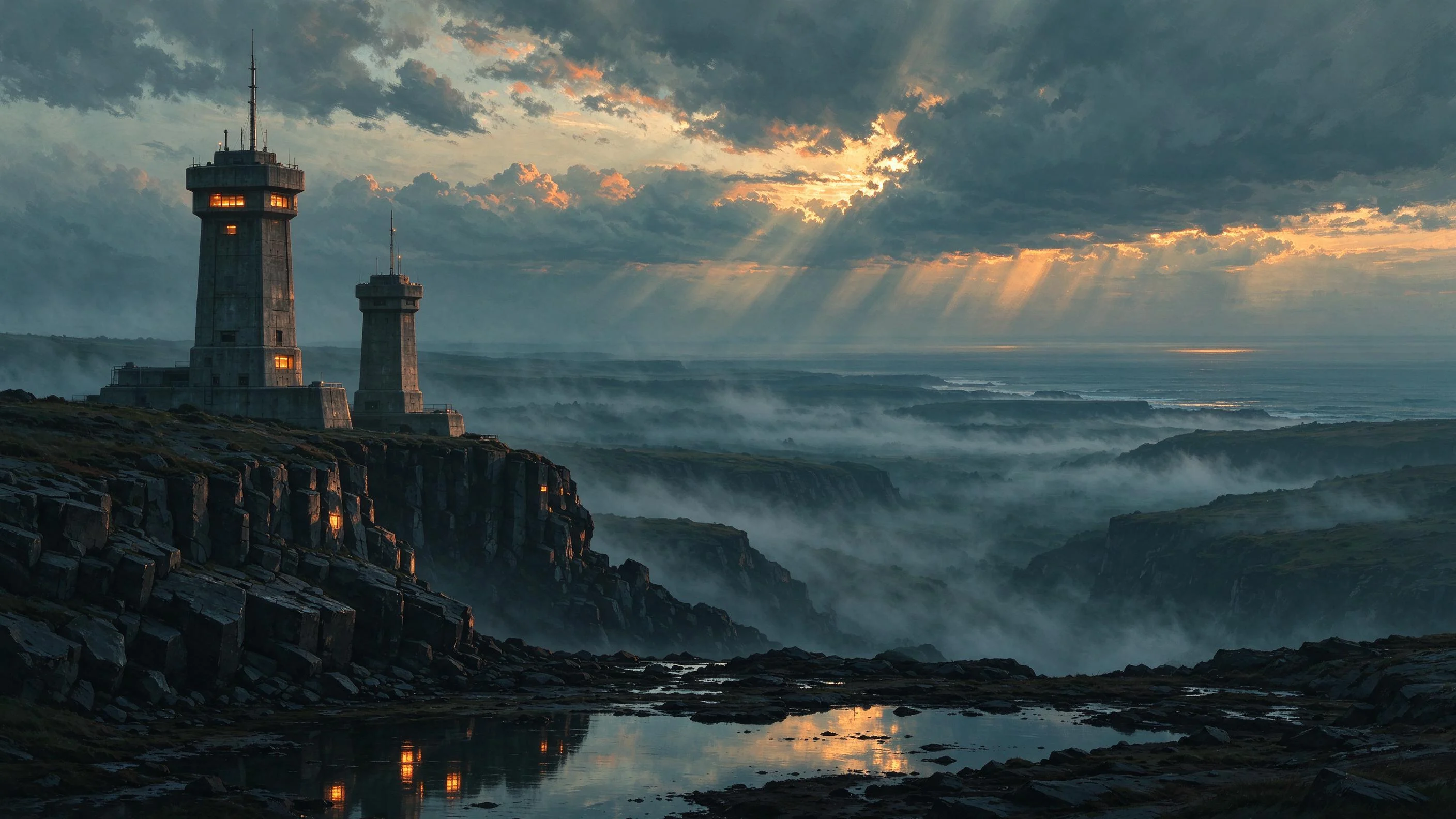
Seedream 5.0 Worldbuilding Scene Concept Art
Style Concept Art · Environmental Design · Sci-Fi
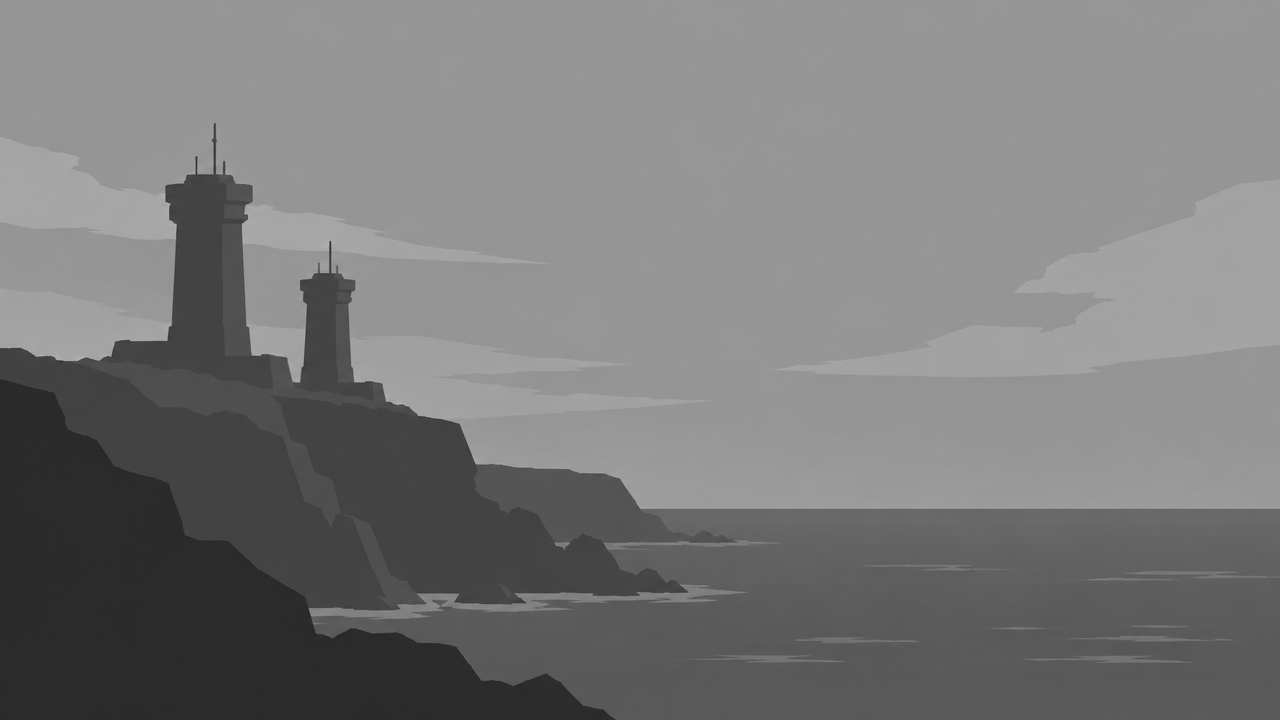
Reference inputs
image
Prompt
Wide 16:9 environmental concept art, a coastal research outpost at dusk, brutalist concrete towers anchored to wet basalt cliffs, slender antenna masts catching the last warm light, layered sea fog churning in the valley below, volumetric light piercing down between heavy clouds, the distant ocean horizon fading into cold blue haze, foreground tide pools reflecting amber windows, soft teal and rust tones, painterly digital matte painting, high structural consistency, cinematic wide-angle perspective, subtle atmospheric depth of field, no text, no watermark
Copy the full prompt and adapt it for your own generation.
Tags
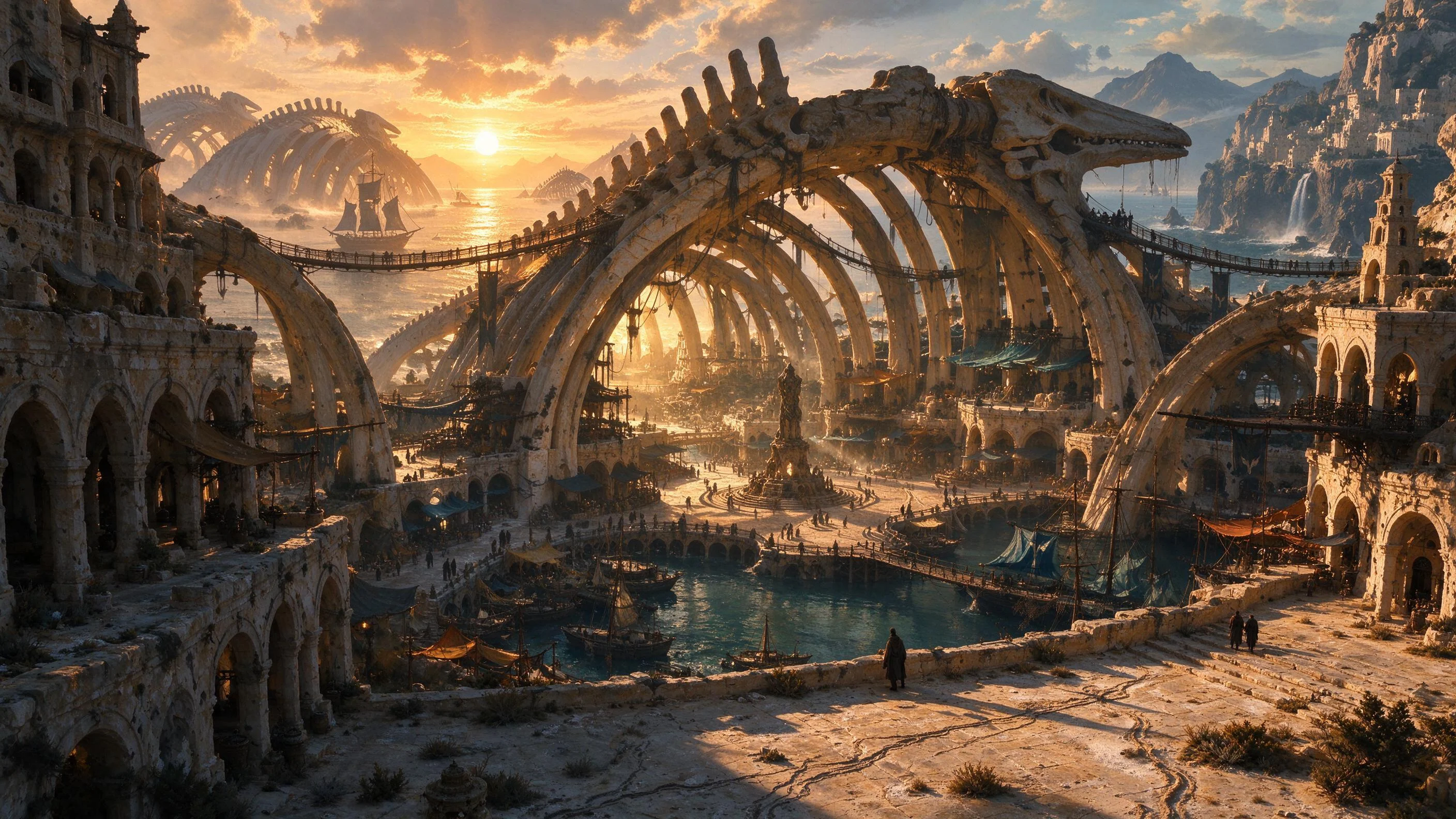
Worldbuilding Scene Concept Art: The Three-Act Space of Withered Tide Harbor
Style Concept Art · Worldbuilding · Environmental Design
Reference inputs

image
Prompt
Environmental concept art of a coastal city-state built within the ribs of a stranded giant leviathan ship. 16:9 wide-angle scene establishing the composition: a terraced harbor district, dried tide marks delineating the streets, salt-eroded limestone arcades, rigging repurposed as pedestrian bridges, a massive hull spine arching above the central plaza. Golden-hour dusk backlight rakes across the entire scene, long shadows, warm ochre stone contrasting with cool teal shadows, atmospheric haze and salt dust in the air. Painterly production art rendering, clearly readable silhouette layers, restrained color palette, highly clear structure, no text, no close-up figures.
Copy the full prompt and adapt it for your own generation.
Tags
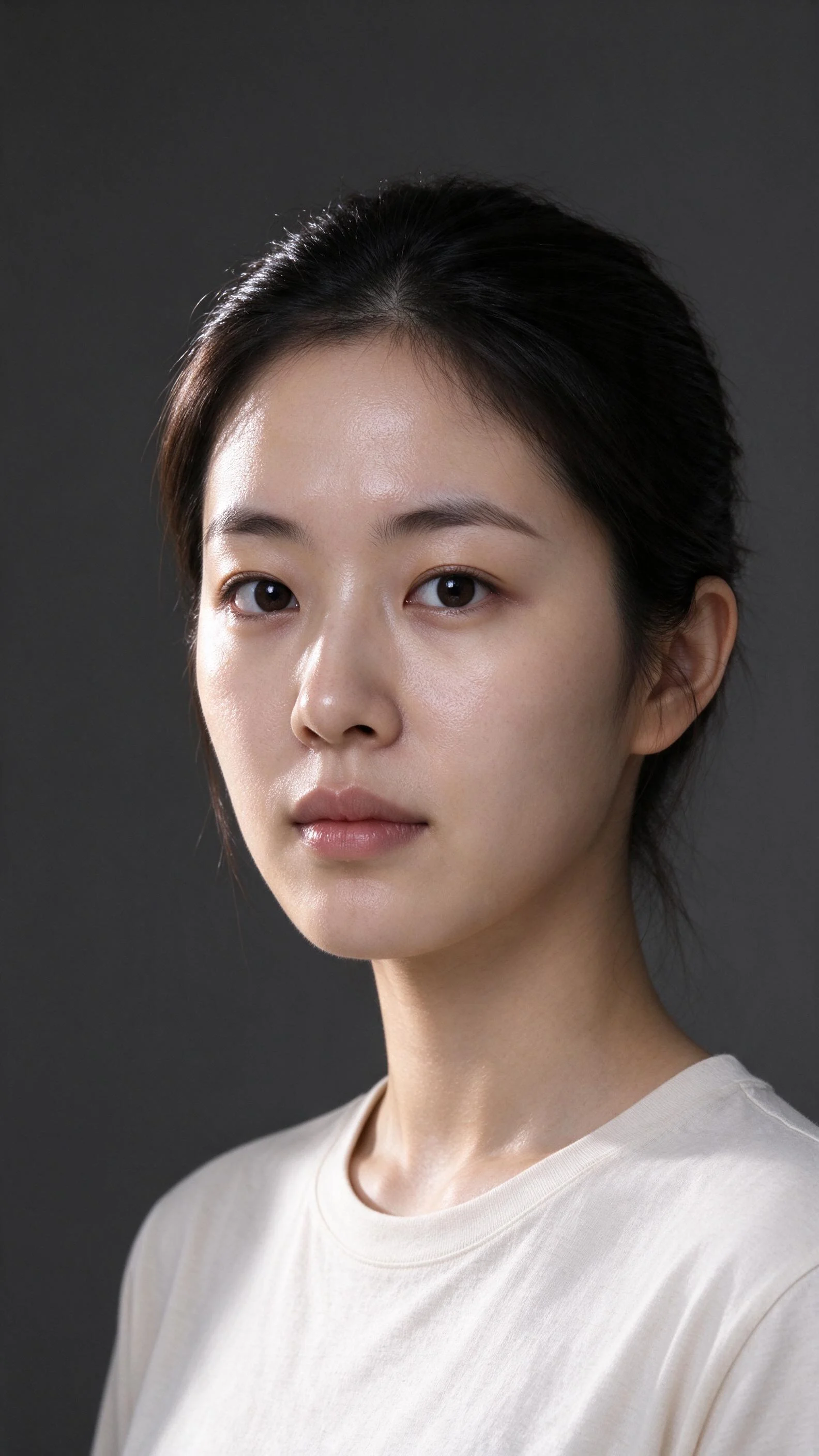
Seedream 5.0 Flash Portrait Style Demo: Dual Paths of Realism and Artistic Rendering
Style Portrait & Photography · Photorealistic · reference-sheet
Reference inputs

image
Prompt
A realistic studio portrait of a young East Asian woman, three-quarter profile, soft directional key light from the left side of the camera supplemented by subtle fill light, neutral warm skin tones, visible natural texture and fine pores, catchlights in the eyes, f/2 shallow depth of field, 85mm lens perspective, seamless dark gray background, subtle rim separation light on the edges of the hair, high dynamic range, sharp focus on the eyes, restrained color grading, editorial beauty photography aesthetic, vertical composition with headroom preserved
Copy the full prompt and adapt it for your own generation.
Tags
Pricing
seedream-5.0-flash per image
| Unit Price | $0.025 |
|---|
Positioning Overview
Seedream 5.0 Flash is the fast image generation model in the ByteDance Seedream 5.0 series, supporting both text-to-image and image-to-image paths. It accepts up to 10 reference images, allows you to specify 1K, 1.5K, 2K, or custom width and height sizes, and supports transparent backgrounds and JPEG/PNG output format selection. It is suitable for developers who need to produce product images, marketing assets, and series visuals in batches. It can be integrated through the unified HiAPI.ai interface, using reference images and prompts to complete generation and modification.
Core Highlights
- Image-to-image with multi-reference image input — You can pass a single URL, Base64, or an array of up to 10 images, using a set of reference images to constrain characters, style, and composition.
- Flexible output size control — Supports 1K, 1.5K, 2K presets or custom width and height, with aspect ratios covering 1:16 to 16:1, suitable for banner and vertical assets.
- Optional transparent background output — During single-image editing, you can specify a transparent background and output PNG, making it easy to overlay assets directly onto design drafts or pages.
- Prompt optimization toggle — Built-in standard prompt optimization mode improves generation stability without changing the invocation logic.
Capability Description
Dual paths of text-to-image and image-to-image: Generate an image from a prompt alone, or combine reference images to specify modification locations and content. One interface covers needs from creating new assets to modifying existing images.
Multi-image reference and fusion: Image-to-image supports up to 10 reference images, and you can identify the role of each image in the prompt for style consistency and multi-element composition.
Controllable output size and format: You can specify 1K to 2K or custom width and height, and output JPEG or PNG; transparent background editing is automatically constrained to single-image input and PNG format.
Generation watermark toggle: The watermark parameter is disabled by default and can be explicitly enabled to add an AI-generated watermark, making it easy to switch according to the compliance requirements of publishing channels.
Use Cases
- E-commerce developers producing product images in batches — Use actual product photos as reference images and combine prompts to generate versions with different backgrounds and compositions, producing assets that can be used directly on detail pages and in advertising.
- Series visual extension for marketing teams — Pass in a key visual reference image and describe variant requirements to batch-produce posters, banners, and other assets with consistent size and style.
- Scenario-based image invocation in design tools — Call the interface with text or image input within a product to provide users with instant image generation and modification capabilities.
Limitations and Selection Advice
As a Flash model, it is aimed at conventional image generation and reference-image editing, with a maximum output size of 2K and no higher-resolution output option. Transparent backgrounds are limited to single-image editing and must output PNG, so this capability cannot be used simultaneously in batch multi-image reference scenarios. If you need higher resolution, complex infographics, or pixel-level fine editing, you should evaluate more capable versions in the same series; for scenarios with extremely high generation quality requirements and acceptable longer wait times, separate selection is also recommended.
What's new
View changelog →- New model seedream-5.0-pro/image-to-image Now Available
- New model New model launched: seedream-5.0-pro/text-to-image
- New model seedream-5.0-lite/image-to-image model now available
Create a generation task
https://api.hiapi.ai/v1/tasks Headers
AuthorizationstringRequiredAccount API key. Required on every request. Example: Bearer YOUR_HIAPI_API_KEY. Get your API key
Content-TypestringOptionalThe request body is always parsed as JSON; when sent, only application/json (optionally with charset) is accepted — any other value returns 415. Example: application/json.
Idempotency-KeystringOptionalIdempotency key, up to 255 bytes. Retries with the same key from the same account create the task only once; replays return the original taskId.
On network timeouts or client retries, the same key creates the task only once — no double charges (scope: the API key's account). Use a business-unique identifier as the key (e.g. "order-42"); replays return the original taskId, and keys expire 24 hours after the first request. See the Unified Async API overview for the full scenario matrix.
Body
modelstringRequiredCurrent fixed value: seedream-5.0-flash
routestringOptionalCurrent fixed value: default
inputobjectRequired
Business parameters for seedream-5.0-flash and route default — see the parameter table below.
sizestringOptionalDefault: "2K"pattern ^(1K|1\.5K|2K|[1-9][0-9]{0,3}x[1-9][0-9]{0,3})$Controls the dimensions of the generated image. Accepts 1K, 1.5K, 2K, or a custom size in the form "width x height"; custom sizes must have a total pixel count between 921600 and 4624220, and an aspect ratio between 1:16 and 16:1. Defaults to 2K.
imageanyOptionalminLength 1minItems 1maxItems 10pattern ^(https?://|data:image/)Reference image input. Accepts a single URL, a Base64 image, or an array of up to 10 images, used to guide generation or editing. Required when background is transparent.
promptstringRequiredminLength 1maxLength 5000Describes the image content you want to generate; when used with reference images, you can specify which areas and content should be modified.
watermarkbooleanOptionalDefault: falseControls whether to add an AI-generated watermark to the output image; pass true to enable. Disabled by default (false).
backgroundstringOptionalDefault: "opaque"Controls the output background type. Defaults to opaque; when set to transparent, it applies only to editing a single image with an alpha channel, and the output format must be PNG or unspecified.
opaquetransparentoutput_formatstringOptionalSpecifies the file format of the output image; when omitted it is usually JPEG, or PNG for transparent backgrounds. When background is transparent, only png is supported.
jpegpngoptimize_prompt_optionsobjectOptional
Prompt optimization settings group; controls options related to prompt optimization.
modestringOptionalDefault: "standard"Controls the prompt optimization mode, using the standard optimization mode. Defaults to standard.
standardcallbackobjectOptional
Terminal-state notification config. When omitted, no callback is delivered — poll the task yourself. See the callback note below.
Provide callback.url when creating a task and HiAPI POSTs to your service once the task reaches a terminal state — no polling needed. The callback payload mirrors the task detail structure; signature verification, delivery retries and idempotency are documented on the Unified Async API overview page.
urlstringRequiredRequired when callback is present. A POST is sent to this URL once the task reaches a terminal state; must be a valid http(s) URL.
whenstringOptionalDefault: "final"Only final is supported today — notified on both success and fail.
finalstoragestringOptionalDefault: "temp"Artifact storage tier: temp (default, retained about 7 days) or persistent (long-term, billed by size). Insufficient balance or exceeding the storage cap silently downgrades to temp; the effective tier is shown in the task detail response.
temppersistentRequest examples
# Submit an async task; returns a taskId immediately (no waiting for generation)
curl -X POST "https://api.hiapi.ai/v1/tasks" \
  -H "Authorization: Bearer $HIAPI_API_KEY" \
  -H "Content-Type: application/json" \
  -d '{
  "model": "seedream-5.0-flash",
  "input": {
    "size": "2K",
    "prompt": "…",
    "watermark": false,
    "background": "opaque"
  }
}'
const res = await fetch("https://api.hiapi.ai/v1/tasks", {
method: "POST",
headers: {
Authorization: `Bearer ${process.env.HIAPI_API_KEY}`,
"Content-Type": "application/json",
},
body: JSON.stringify({
model: "seedream-5.0-flash",
input: {
"size": "2K",
"prompt": "…",
"watermark": false,
"background": "opaque"
}
}),
});
const task = await res.json();
// { code: 200, message: "success", data: { taskId } }import os, requests
res = requests.post(
"https://api.hiapi.ai/v1/tasks",
headers={"Authorization": f"Bearer {os.environ['HIAPI_API_KEY']}"},
json={
"model": "seedream-5.0-flash",
"input": {
"size": "2K",
"prompt": "…",
"watermark": False,
"background": "opaque"
}
},
)
print(res.json()) # { code, message, data: { taskId } }200 OK
{
  "code": 200,
  "message": "success",
  "data": {
    "taskId": "tk-hiapi-01HZTQ8BX2N3GM3YFK4Z9D7VQR"
  }
}
400 Bad Request
{
  "code": 400,
  "message": "invalid request",
  "data": null,
  "error_code": "INVALID_REQUEST"
}
Get task detail
https://api.hiapi.ai/v1/tasks/:id Response fields
taskIdstringRequiredTask ID, always prefixed with tk-hiapi-.
modelstringRequiredResolved full model name. Tasks submitted with the route parameter return base@route (e.g. gpt-image-2/text-to-image@ext); otherwise identical to the name passed at creation.
routestringOptionalPresent only when the task was submitted with an explicit route parameter; echoes the submitted value.
statusstringRequiredTask status.
queued Queued, not started yet.
handling Being processed.
archiving Processing finished, artifacts being prepared.
success Terminal: completed, artifacts available (output returned).
fail Terminal: failed (error returned).
After submission, check status: success and fail are terminal, everything else is non-terminal. Poll every 1–3 seconds until terminal. On success, download artifacts from output[].url and transfer them before expireAt; pass storage: "persistent" at creation time when long-term retention is needed.
creatednumberRequiredTask creation time (Unix seconds).
completednumberRequiredUnix seconds when the task reached a terminal state; fixed to 0 while not terminal.
outputarrayOptional
Present only when status == success. Artifact list — always an array; a single task may return multiple types at once (e.g. video + first_frame).
Array [ object ]
Array items
urlstringRequiredArtifact URL, directly downloadable.
typestringRequiredCurrent possible values: video, image, audio, first_frame, last_frame, thumbnail; more may be added later.
expireAtnumberRequiredUnix seconds until which the artifact remains accessible; download or transfer before it expires.
errorobjectOptional
Present only when status == fail.
codestringRequiredBusiness error code.
messagestringRequiredError description.
Response examples
Success
{
  "code": 200,
  "message": "success",
  "data": {
    "taskId": "tk-hiapi-01HZTQ8BX2N3GM3YFK4Z9D7VQR",
    "model": "happyhorse-1-0",
    "status": "success",
    "created": 1777282033,
    "completed": 1777282099,
    "output": [
      {
        "url": "https://cdn.hiapi.ai/tasks/.../video.mp4",
        "type": "video",
        "expireAt": 1777886899
      }
    ]
  }
}
Processing (non-terminal)
{
  "code": 200,
  "message": "success",
  "data": {
    "taskId": "tk-hiapi-...",
    "model": "happyhorse-1-0",
    "status": "archiving",
    "created": 1777282033,
    "completed": 0
  }
}
Failed
{
  "code": 200,
  "message": "success",
  "data": {
    "taskId": "tk-hiapi-...",
    "model": "happyhorse-1-0",
    "status": "fail",
    "created": 1777282033,
    "completed": 1777282099,
    "error": {
      "code": "TASK_FAILED",
      "message": "task failed"
    }
  }
}Articles
View all articles →Related Models
View all models →Same Type
-
 FLUX 3 Image Black Forest Labs $0.041 /image
-
 Seedream 4.5 ByteDance $0.045 /image
-
 Recraft Creative Upscale Recraft $0.357 /image
-
 Nano Banana 2 Google $0.036 /image
-
 Imagen 4 Google $0.030 /image
-
 FIBO 1.5 Bria $0.058 /image
-
 Recraft V4.1 Recraft $0.010 /image
-
 Google Virtual Try-On Google $0.107 /image
-
 FLUX.2 Black Forest Labs $0.035 /image
-
 Krea 2 Medium Turbo Krea $0.021 /image
-
 FLUX.2 Klein 9B Black Forest Labs $0.0086 /image
-
 FASHN Tryon v1.6 FASHN $0.107 /image