
Visual Notes on Camera Language: Reproducing Five Basic Camera Movements with motion-control
Using the motion-control capability of Kling 3.0 as the entry point, five common camera movements—push in, pull out, pan, track, and follow—are turned into visual notes that can be directly compared. The method: first prepare a clear head-and-shoulders character reference image, then provide a single continuous shot as a camera-movement reference video; the reference video determines the motion and facial expressions, the reference image determines the character identity, and the prompt is used only to supplement the scene, style, and visual guidance. This entry shows the real input structure of that pipeline: the required character image and motion reference video are all generated by the production line and then bound to image_url and video_url; character_orientation is set to image so that the composition follows the reference image, which suits demo clips focused on camera movement. It is suitable for storyboard previews, teaching materials on camera language, and short-video creation where existing camera movements need to be replicated onto a new character.
Style Camera Movement · Storyboard · Reference video
Model Kling 3.0
Reference inputs
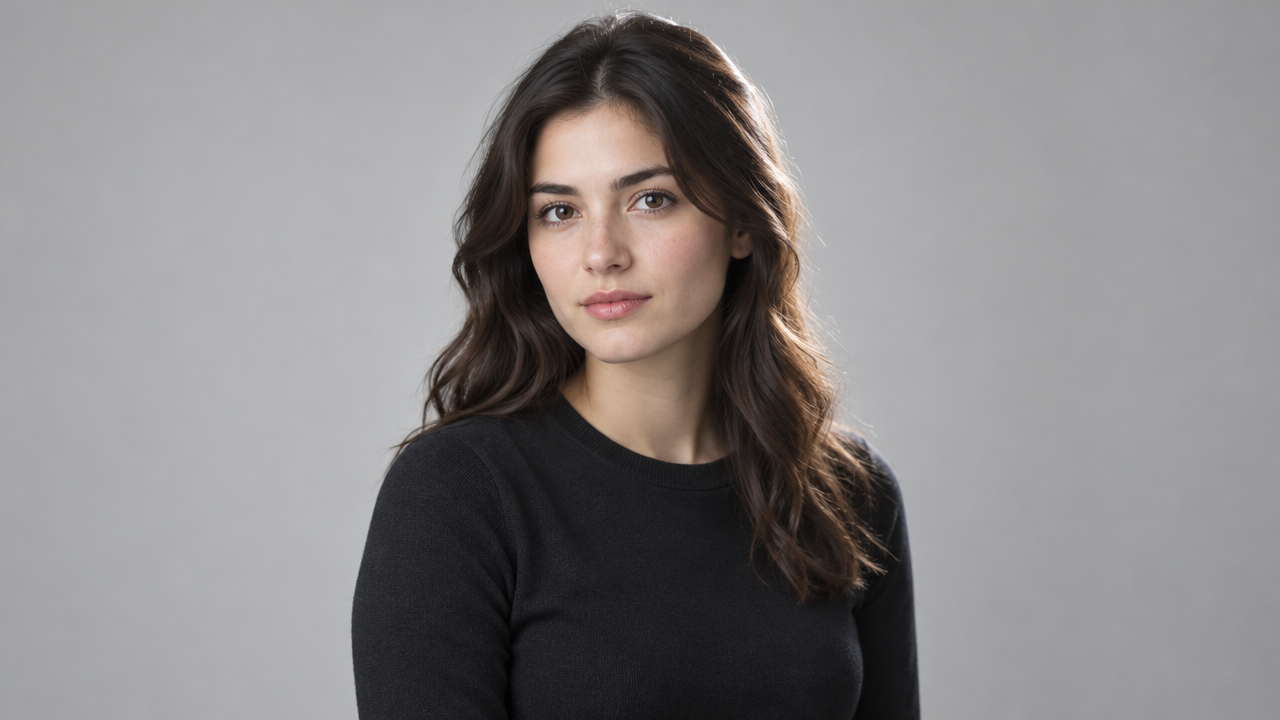
image_url
video_url
Prompt
A continuous medium shot of a character framed from the head and shoulders, against a neutral studio background, for studying camera movement: the camera slowly and steadily pushes in from a medium shot to a close-up, keeping the character centered and the horizon level. Soft directional key light from camera left, supplemented by slight fill light, creating delicate contour separation, shallow depth of field, cinematic color grading, restrained contrast. Smooth mechanical movement, no cuts, no handheld shake, character identity consistent throughout the shot.
Copy the full prompt and adapt it for your own generation.
Tags