
Guide
FIBO 1.5 Prompts: 6 Templates with Real Outputs
Lettered products, storefront signs, portraits, food, try-on composites, and masked swaps — for generation and editing.
- Scene templates
- 6
- Per image
- $0.0575
- Signup bonus
- 200 credits
TL;DR
- 6 ready-to-use scenes: lettered product shots, storefront signs, natural-light portraits, and overhead food (generation on
fibo-gen-1.5/text-to-image), plus try-on composites and masked floor swaps (editing onfibo-edit-1.5/image-to-image) — all real outputs. - Generation and editing both cost $0.0575 per image (see the pricing page); every link pre-fills the prompt or instruction (see the API guide).
- New accounts get 200 credits; $10 yields about 173 images.
Scene 1: Product shots with label text
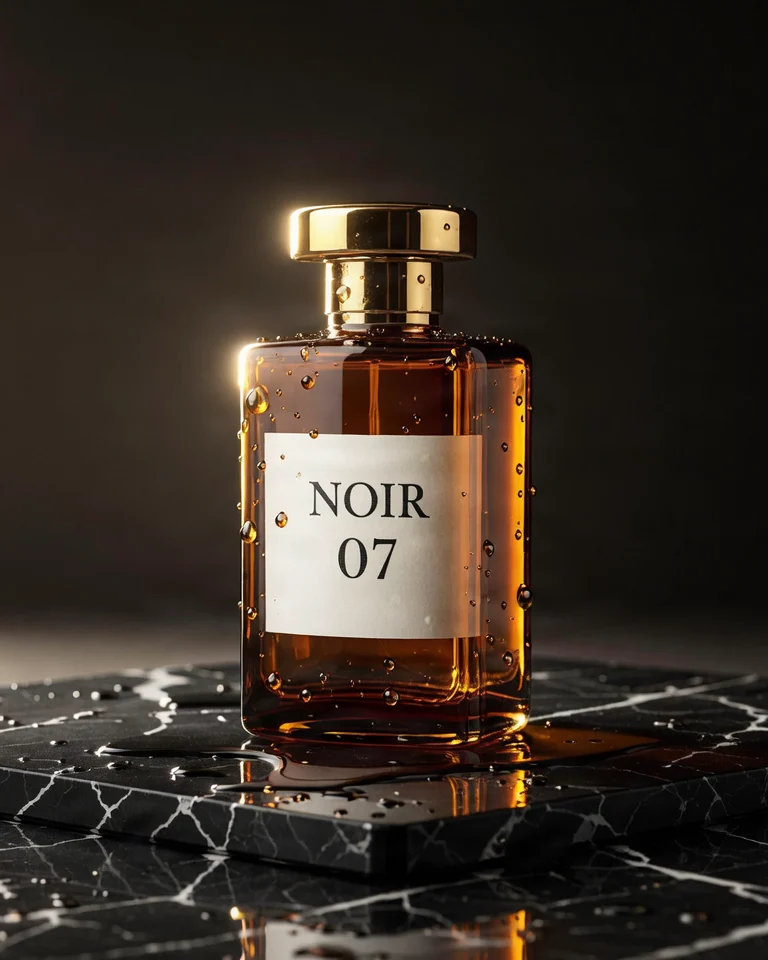
Luxury product photo of an amber glass perfume bottle on wet black marble, gold cap, soft rim light, droplets on the glass, the label reads 'NOIR 07' in elegant serif letters
fibo-gen-1.5/text-to-image, 4:5, 768×960, $0.0575.
How to write it: put the words in with the label reads '…' and follow with the type style (elegant serif letters) — NOIR 07 came out letter-perfect.
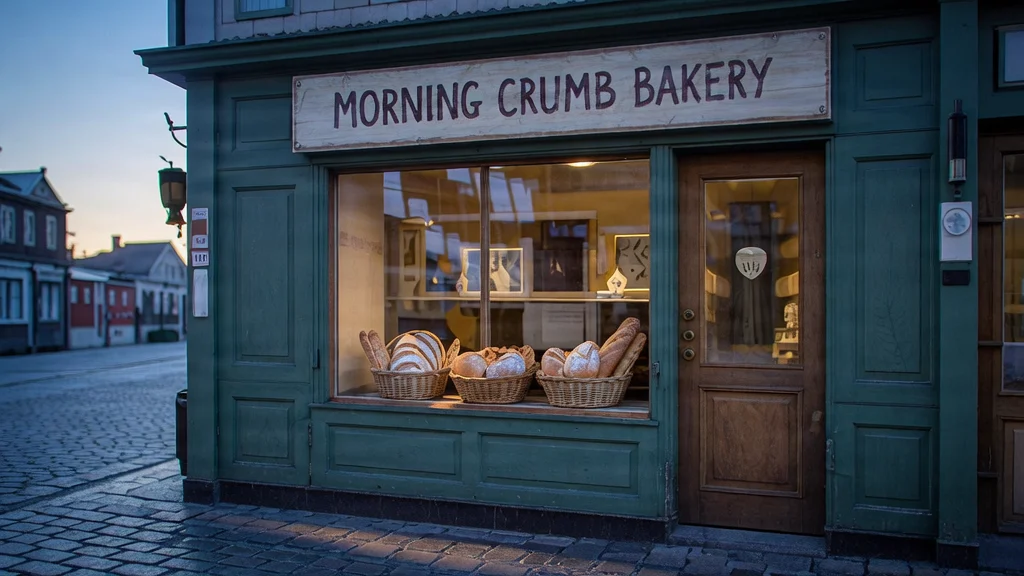
Scene 2: Storefront signs
Street photo of a small bakery storefront at dawn, hand-painted sign reading 'MORNING CRUMB BAKERY' above the door, baskets of bread in the window
fibo-gen-1.5/text-to-image, 16:9, 1024×576, $0.0575.
How to write it: use sign reading '…' above the door for content and placement; large sign lettering lands more reliably than small text.
Scene 3: Natural-light portraits
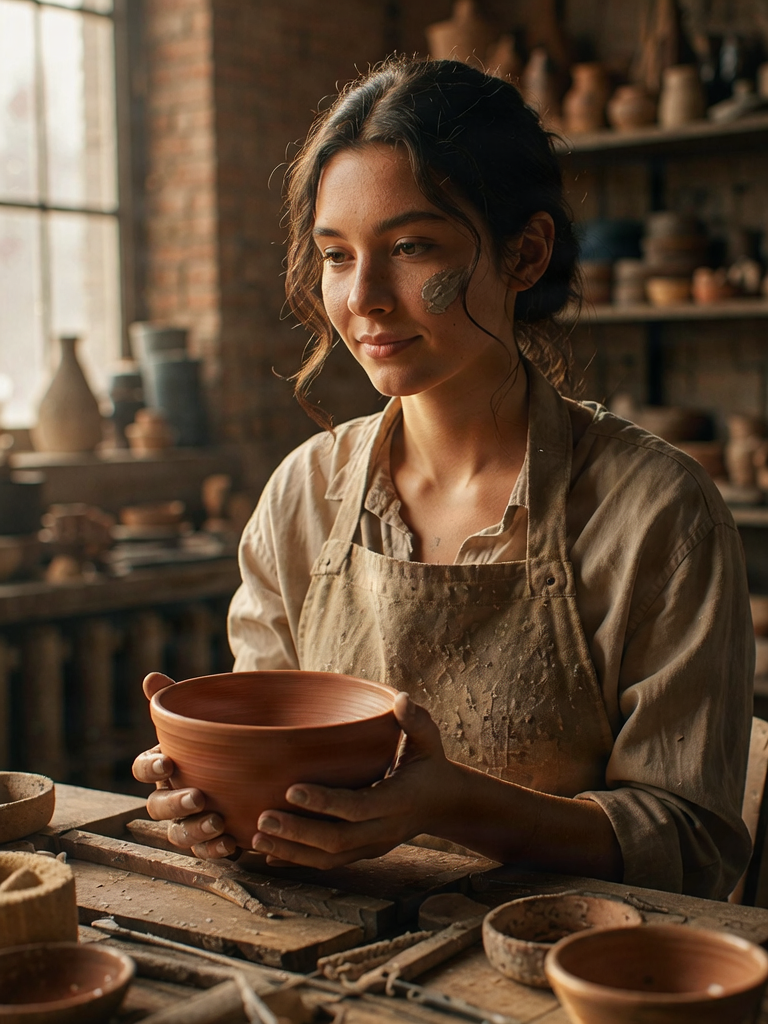
Natural light portrait of a young ceramic artist in her studio, clay-dusted apron, holding a freshly thrown bowl, soft window light, realistic skin texture
fibo-gen-1.5/text-to-image, 3:4, 768×1024, $0.0575.
How to write it: occupation + setting + one prop-driven action (clay-dusted apron, holding a bowl); add realistic skin texture instead of stacking quality words.
Scene 4: Overhead food photography
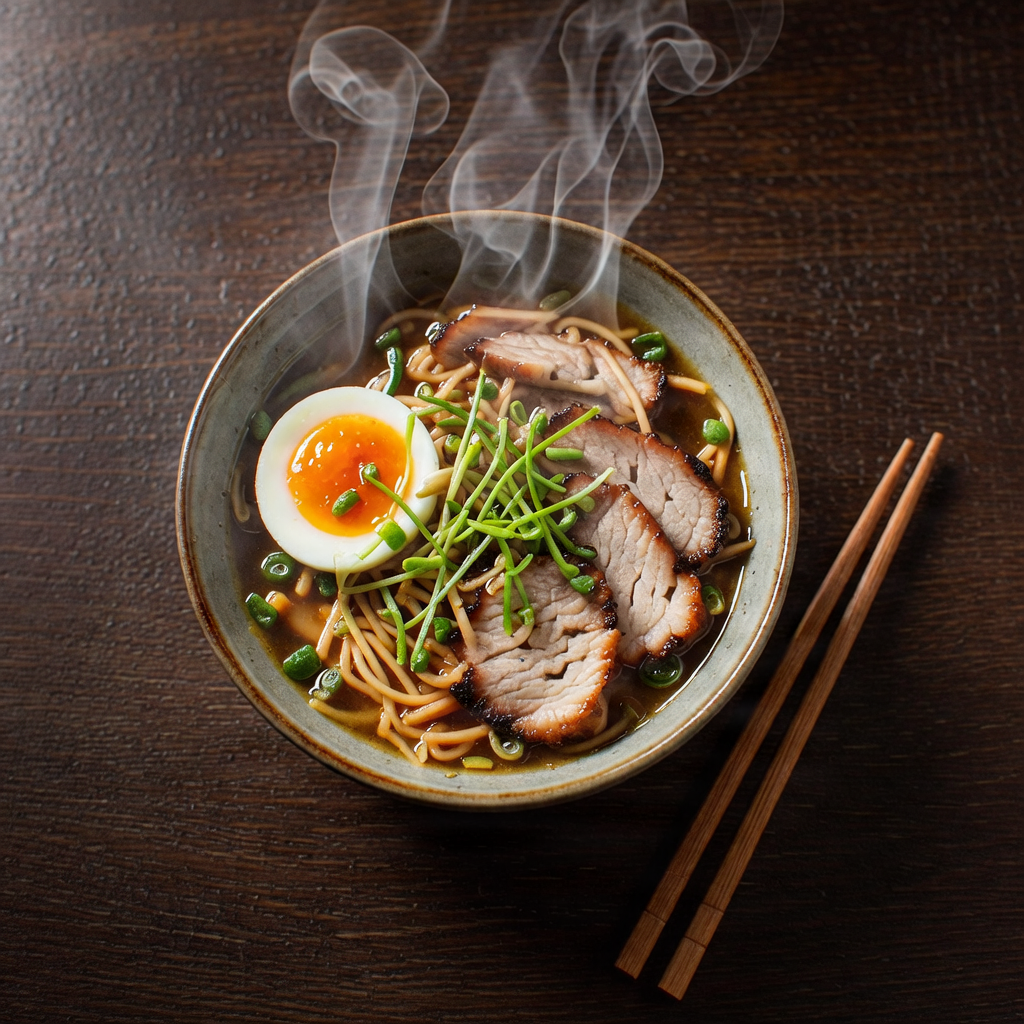
Overhead food photograph of a bowl of ramen with soft-boiled egg, chashu and scallions on a dark wooden table, chopsticks, steam
fibo-gen-1.5/text-to-image, 1:1, 1024×1024, $0.0575.
How to write it: open with Overhead food photograph, name the ingredients one by one, and let a single word (steam) carry the warmth.
Scene 5: Try-on composites (editing)
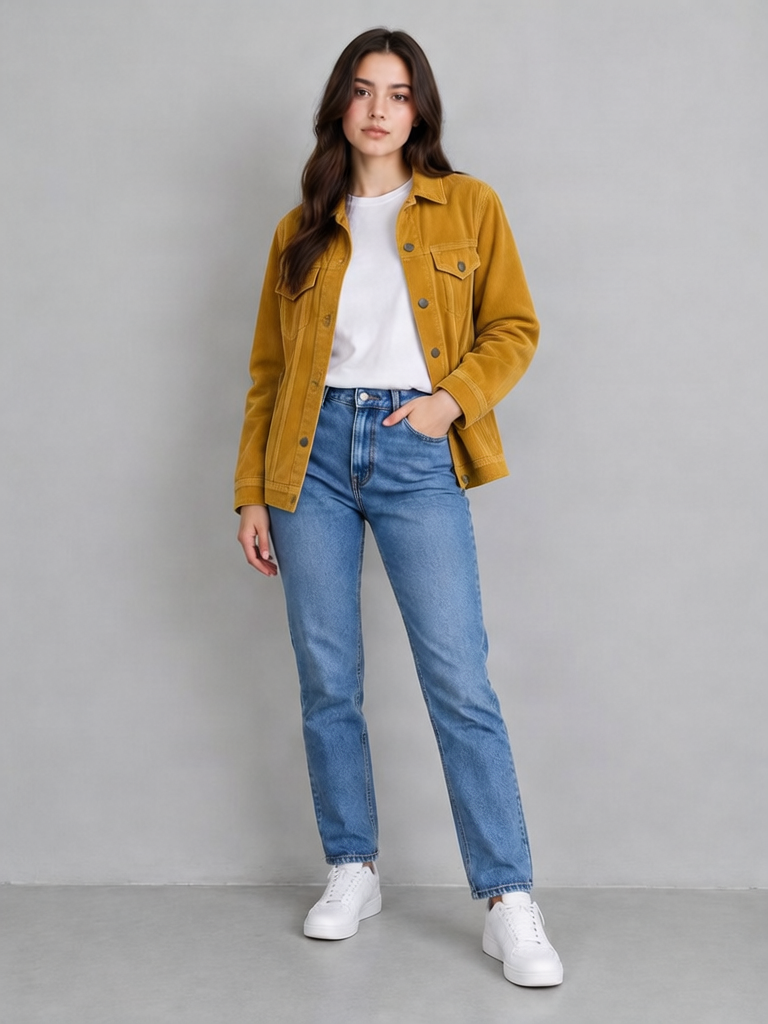
Dress the woman in image 1 with the mustard corduroy jacket from image 2, worn open over her white t-shirt. Keep her pose, face and the studio background.
(A two-image composite on fibo-edit-1.5/image-to-image: input the person plus the garment.)
Run this instruction on the Edit page →
fibo-edit-1.5/image-to-image, 3:4, 768×1024, $0.0575.
How to write it: reference image 1 / image 2 explicitly (the order of image_urls), then close with what stays ("Keep her pose, face and…") — unmentioned content is up to the model; mentioned content holds.
Scene 6: Masked floor swap (editing)
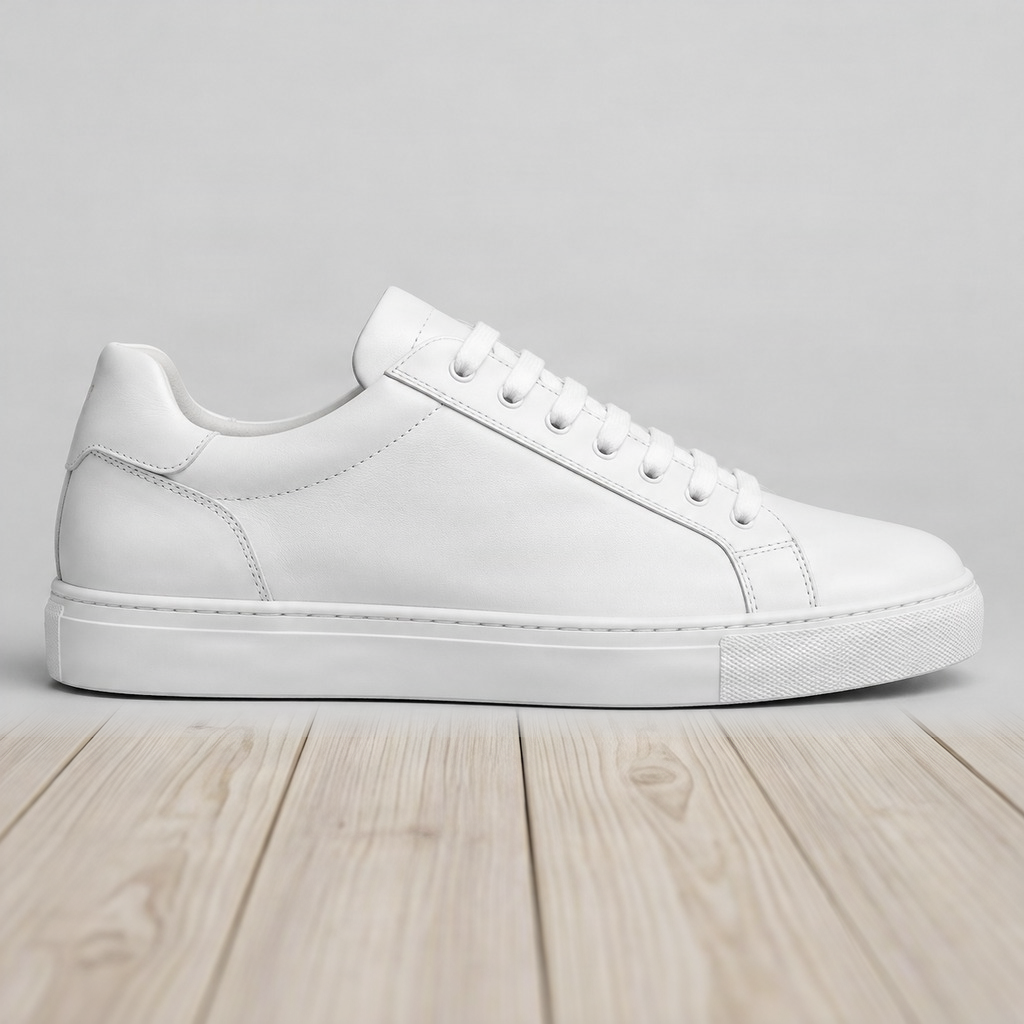
Replace the floor under the sneaker with light wooden planks.
(Masked edit: white marks what changes, black stays; input one sneaker image plus one mask.)
Run this instruction on the Edit page →
fibo-edit-1.5/image-to-image, masked edit, 1:1, 1024×1024, $0.0575.
How to write it: describe only what the white area becomes — one sentence is enough. FIBO's white-edits polarity is the reverse of some editors, and the mask must match the image size.
How to write these prompts (3 lines)
- Generation: subject + surface/scene + light + optional
the label reads '…'; editing: one sentence for the change, one for what stays. - Quote in-image text verbatim with placement and type style; signs and labels (large lettering) are the most reliable.
- Omit the seed to reproduce (default 5555 is fixed); pass a new seed explicitly for a different take.
FAQ
Do prompts run in English?
Yes. The links pre-fill exactly what's in the code blocks.
Can generated images go straight into editing?
Yes — same price, one base image becomes a set at $0.0575 each.
How many images can edits take?
Up to four, referenced as image 1, image 2; a mask pairs with exactly one.
Next: pick the scene closest to your work, follow the link to pre-fill a prompt, generate a base image, then turn it into a set with one instruction.
Related articles
View all articles →-

Guide
Getting Started with seedream-5.0-pro/image-to-image: Capabilities, Pricing, and Integration Essentials
Capability boundaries, billing model, and engineering integration practices for ByteDance's image editing model
-

Guide
seedream-5.0-pro Text-to-Image Getting Started Guide: Capability Boundaries, API Integration, and Cost Control
A hands-on developer perspective: from key parameters to a cost estimate of $0.05 per image
-

Guide
Hailuo 2.3 Fast Image-to-Video Getting Started Guide: Capability Boundaries, Pricing, and Integration Practices
MiniMax image-to-video model selection and integration key points for developers