
Comparison
Muse Image vs Nano Banana 2.1: Which Should You Use?
Same prompts on both: a skincare ad, a paper-cut illustration and a day-to-night edit, plus price, size, ratios and how to switch.
- Muse
- $0.015
- NB 2.1 1K
- $0.022
- On sale
- $0.011
Short answer: Pick Muse Image when you want the lowest list price for large, ready-to-use images: $0.015 flat for about 2.5 MP, generation or editing. Pick Nano Banana 2.1 when you need a specific resolution up to 4K, extreme banner ratios like 4:1 or 1:8, or one model id that both generates and edits. Through November 8, Nano Banana 2.1 is also 50% off ($0.011 at 1K). Both are live on HiAPI. Try Muse Image on its model page.
The differences at a glance
| Muse Image 1.0 | Nano Banana 2.1 | |
|---|---|---|
| Maker | Meta | |
| Model id | muse-image-1.0/text-to-image, /image-to-image |
gemini-nano-banana-2.1 |
| Price | $0.015 per image, flat | 1K $0.022 / 2K $0.036 / 4K $0.058 |
| Sale price (to Nov 8) | — | 1K $0.011 / 2K $0.018 / 4K $0.029 |
| Output size | ~2.5 MP, fixed | 1K, 2K, or 4K |
| Aspect ratios | 9 (1:1 to 21:9 / 9:21) | 14 plus auto, including 4:1, 1:4, 8:1, 1:8 |
| Reference images | 1–10 on the edit entry | Up to 10 on the same id |
| Output format | JPEG, PNG, WebP | JPG, PNG |
| Artificial Analysis text-to-image rank | 8th | 4th |
Live HiAPI prices, checked October 15, 2026.
Same prompt, side by side
Each test uses the same prompt and aspect ratio, generated once per model. Nano Banana 2.1 ran at 2K, close to Muse's fixed size.
Test 1: a skincare ad with a brand word
Premium skincare campaign photograph of a matte coral glass bottle with a cream
label reading DAWN, a folded sandstone paper panel and a delicate olive branch
on pale travertine, soft morning side light, restrained editorial styling, crisp
material texture, generous cream negative space, no other text.
Muse Image:
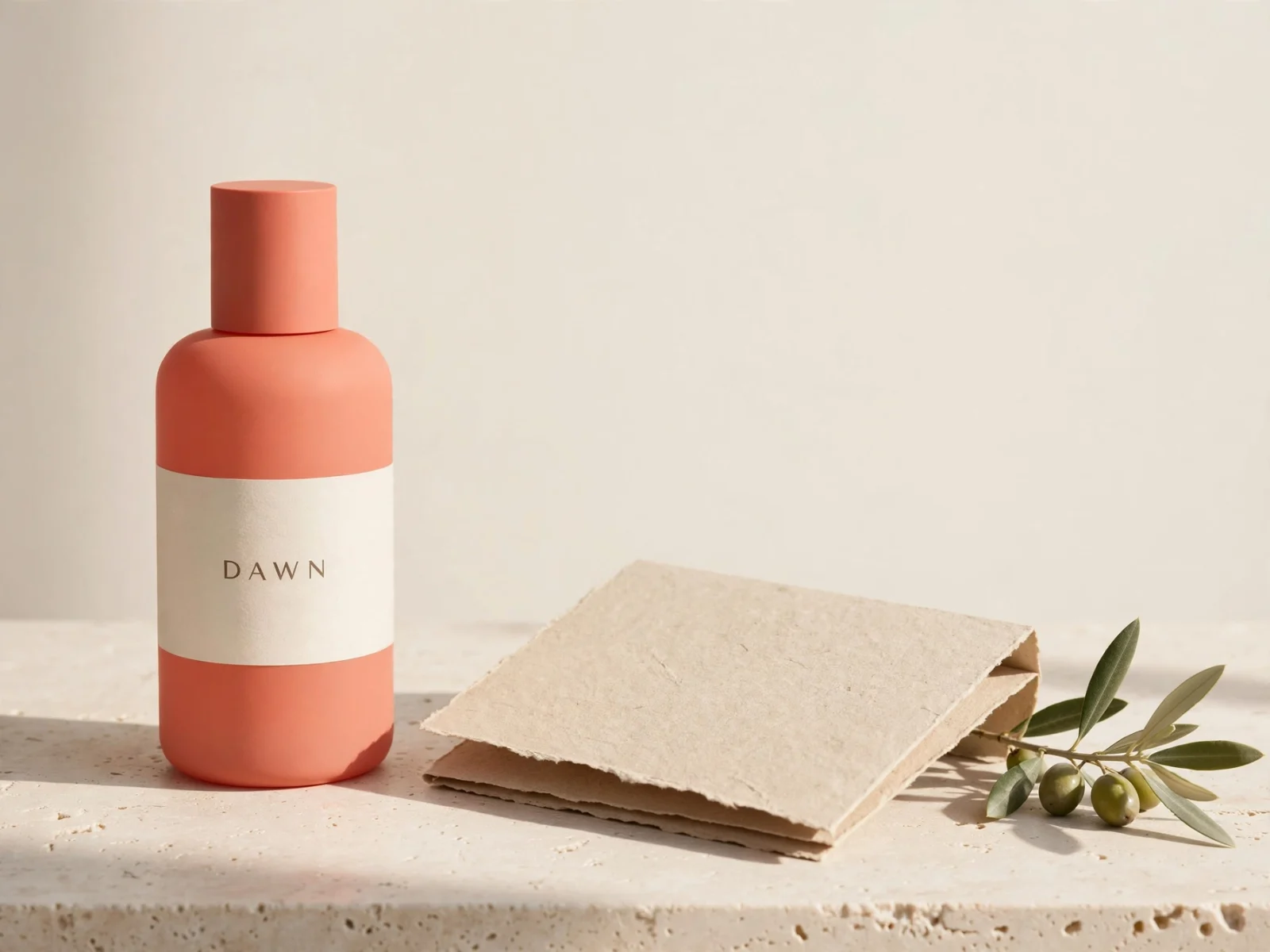
muse-image-1.0/text-to-image, 4:3, $0.015.
Nano Banana 2.1:
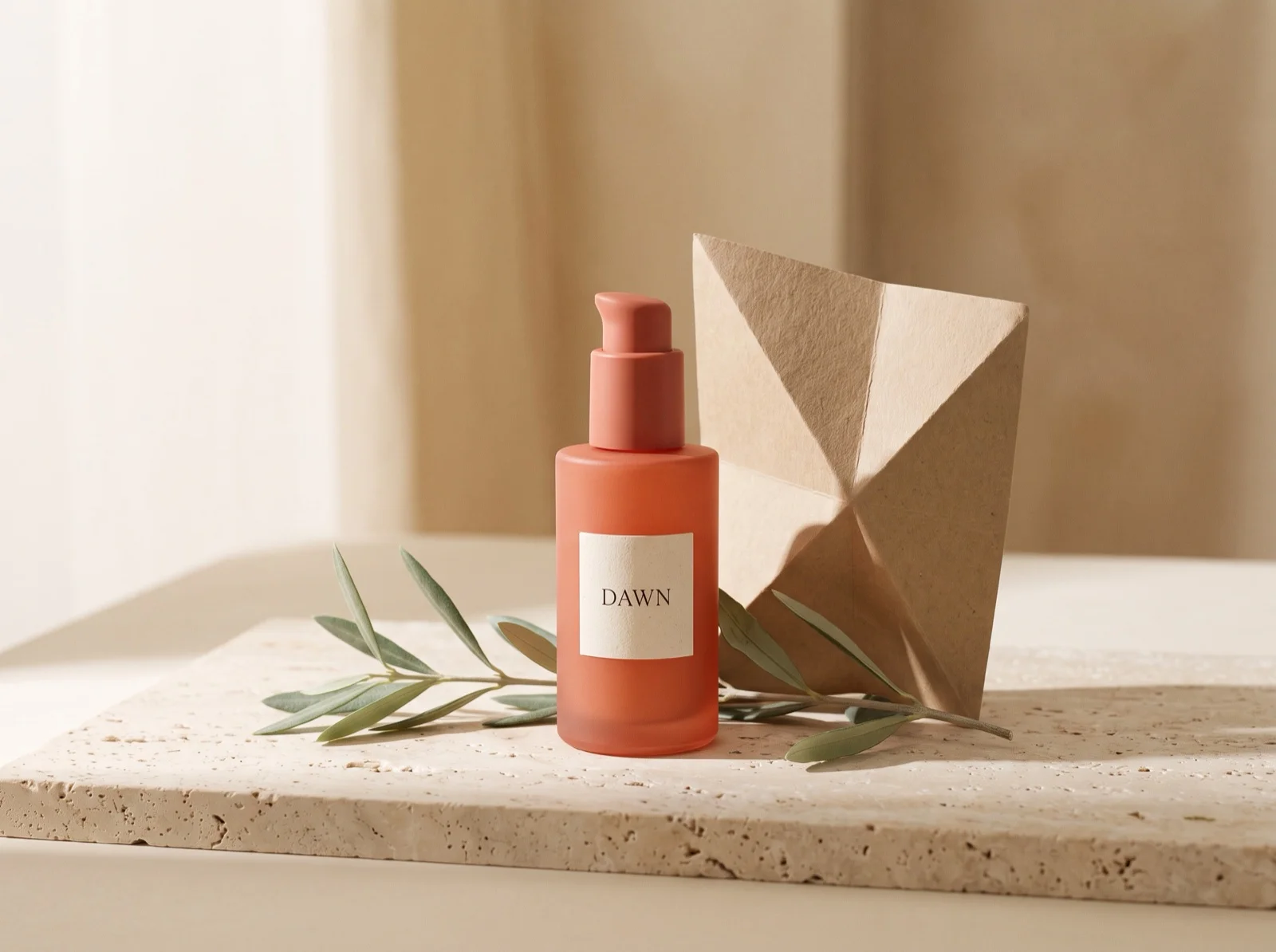
Generate this on Nano Banana 2.1 →
gemini-nano-banana-2.1, 2K, 4:3, $0.036 ($0.018 on sale).
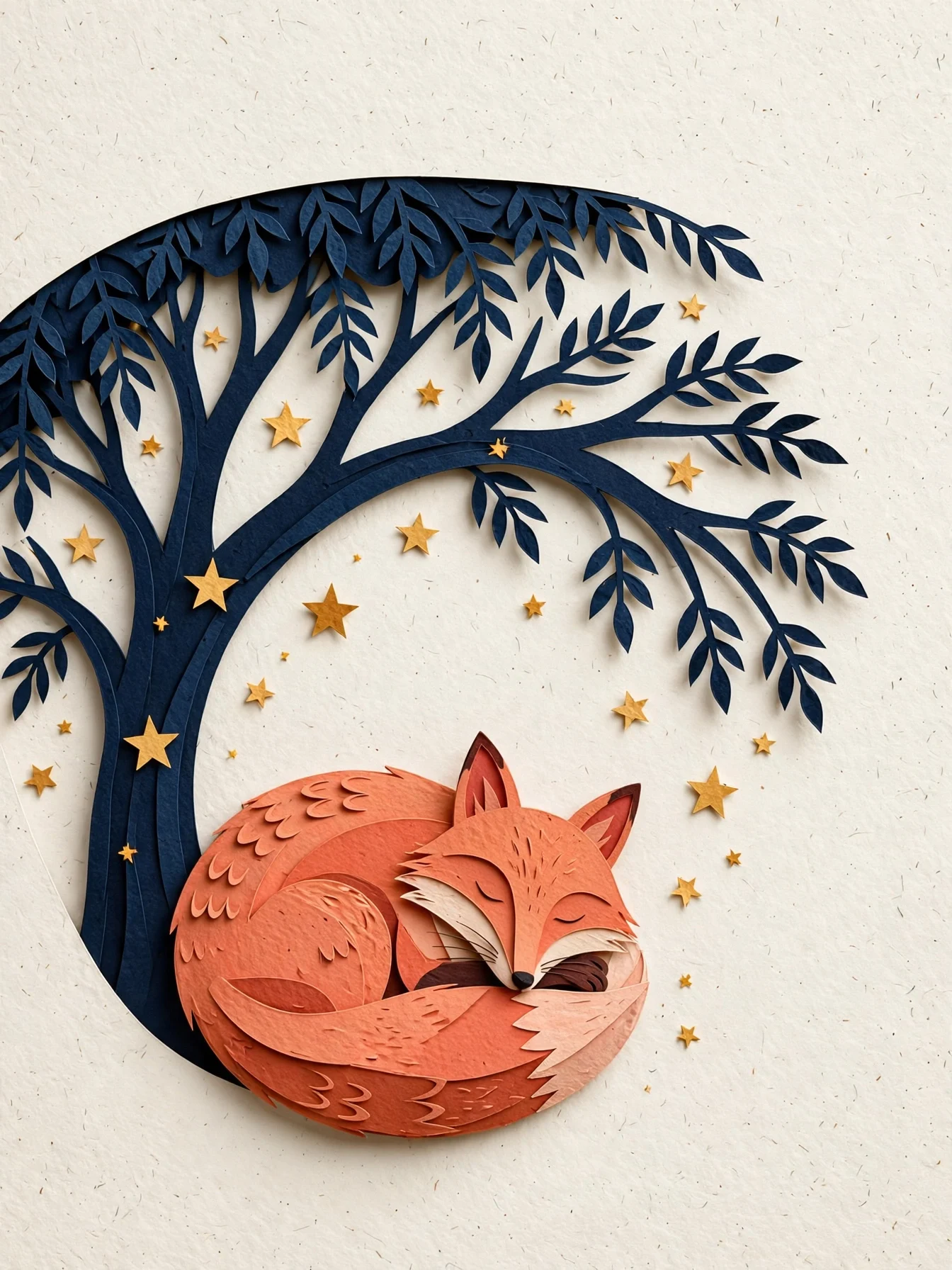
What's visibly different: both spell "DAWN" correctly on a cream label. Muse puts the bottle to one side and leaves the upper half as open cream space, as the prompt asked. Nano Banana 2.1 builds a fuller set, with a pump bottle, an upright folded paper sculpture, a raised travertine slab, and curtains behind.
Test 2: a paper-cut book illustration
Editorial paper-cut illustration of a coral fox curled beneath a midnight-blue
tree, scattered warm stars, layered tactile paper edges, clear silhouette and
generous negative space, quiet book-cover composition, no text.
Muse Image:
muse-image-1.0/text-to-image, 3:4, $0.015.
Nano Banana 2.1:

Generate this on Nano Banana 2.1 →
gemini-nano-banana-2.1, 2K, 3:4, $0.036 ($0.018 on sale).
What's visibly different: Muse sets a big, detailed fox and a navy tree against plain cream paper, so the negative space is light. Nano Banana 2.1 paints a full midnight-blue night with glowing stars, hills, and ferns, and the fox is small at the bottom. Both read as layered paper.
Test 3: day-to-night edit of the same illustration
Both edited the same 4:3 desert observatory illustration:
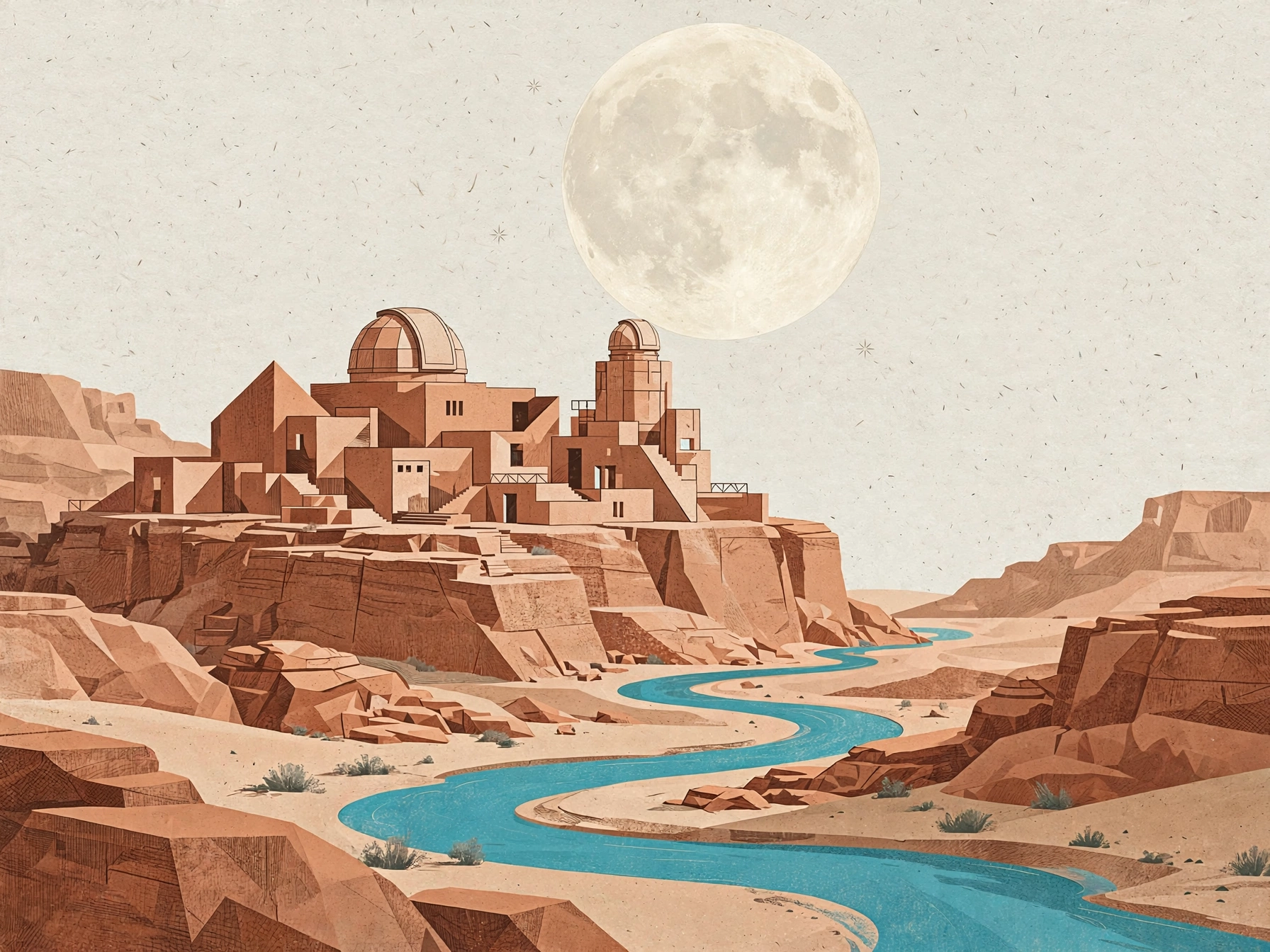
Transform the reference illustration into a nocturnal travel poster artwork.
Preserve the terracotta observatory dome, geometric building forms and winding
river. Change the sky to deep indigo with a silver crescent moon and a few tiny
stars, illuminate the windows with soft warm amber light, make the river glow
turquoise, retain the tactile paper grain and clear architectural silhouette,
no text.
Muse Image:
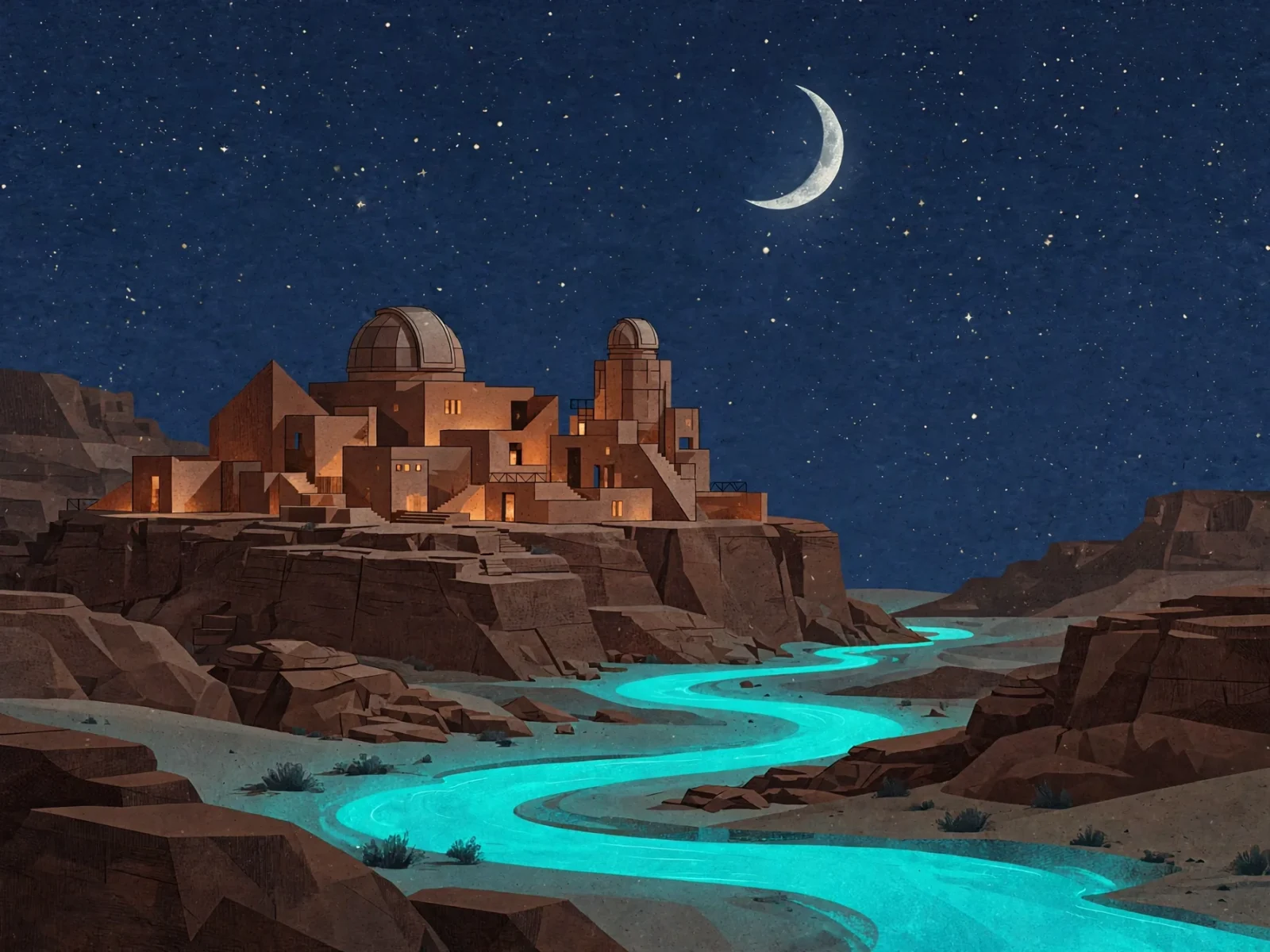
muse-image-1.0/image-to-image, 4:3, $0.015.
Nano Banana 2.1:
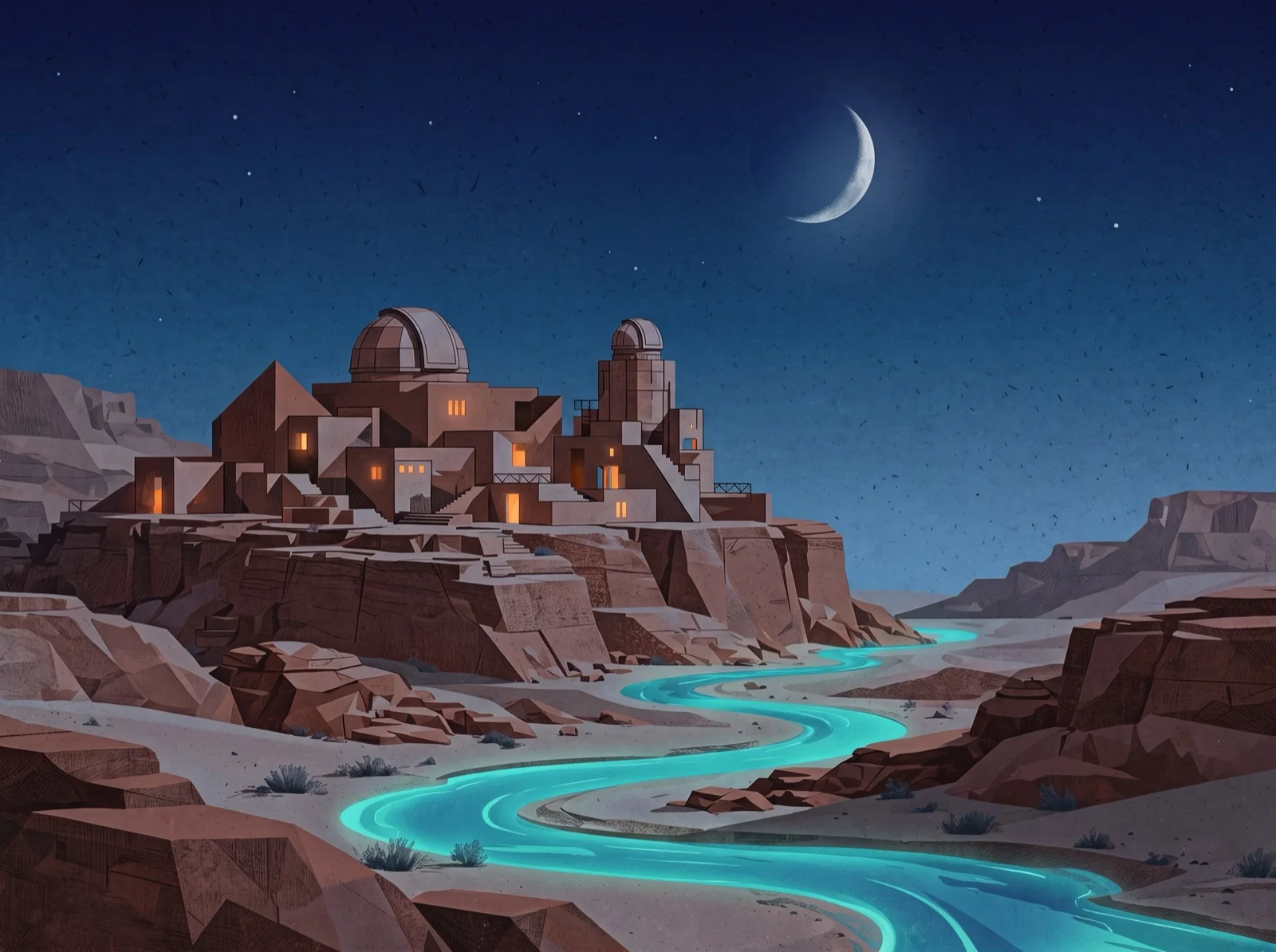
gemini-nano-banana-2.1, 2K, 4:3, $0.036 ($0.018 on sale).
What's visibly different: both keep the domes, the building blocks, and the river's path almost exactly, and both make the river glow. Muse fills the sky with a dense starfield and washes the buildings in warm light. Nano Banana 2.1 keeps the stars sparse, closer to "a few tiny stars", and lights only the windows. To run the edit yourself, upload your image on the Muse Image editing page.
Which to choose
- Lowest list price for large images: Muse Image, $0.015 for about 2.5 MP.
- Clean layouts with room for copy: Muse Image left the most open space in our tests.
- Specific resolution, or 4K: Nano Banana 2.1, up to 4K at $0.058.
- Very wide or very tall banners (4:1, 8:1, 1:8): Nano Banana 2.1.
- One id for generating and editing: Nano Banana 2.1. Muse uses two entries.
- Lowest price until November 8: Nano Banana 2.1 at 1K, $0.011 on sale.
Switching between them
Both run on POST /v1/tasks. The differences are the model id and the reference-image field:
| Muse Image | Nano Banana 2.1 | |
|---|---|---|
| Text-to-image | muse-image-1.0/text-to-image |
gemini-nano-banana-2.1 |
| Editing | muse-image-1.0/image-to-image with image_urls |
Same id with image_input |
| Size | No field | resolution: 1K / 2K / 4K |
{
  "model": "muse-image-1.0/image-to-image",
  "input": {
    "prompt": "Turn the illustration into a night scene with a crescent moon, keep the buildings and river",
    "image_urls": ["https://your-cdn.example.com/observatory.png"],
    "aspect_ratio": "4:3"
  }
}
FAQ
Is Muse Image always cheaper than Nano Banana 2.1?
At list prices, yes: $0.015 versus $0.022 at 1K. Until November 8, Nano Banana 2.1 is 50% off, and its 1K tier ($0.011) costs less than Muse.
Can Muse Image output 4K?
No. Every image is about 2.5 MP. Use Nano Banana 2.1 or FLUX.3 Image for 4K.
Which one renders text better?
Both spelled "DAWN" correctly in our test. For long text and multi-line layouts, test your own copy on both.
Full pricing is in Muse Image API pricing and code for both entries in the Muse Image API guide. Or copy the paper-cut fox prompt and run it on Muse Image.
Related articles
View all articles →-

Comparison
Recraft v4.1 Flash Text-to-Image Horizontal Comparison: Developer Model Selection and Migration Guide
Use the $0.01 per-image cost and pure text-to-image capability to judge whether it fits your image generation pipeline
-

Comparison
hailuo-2.3-fast/image-to-video Side-by-Side Comparison: How to Choose an Image-to-Video Model and Key Migration Points
-

Comparison
Seedream 5.0 Pro Image-to-Image Side-by-Side Comparison: Capabilities, Pricing, and Selection Guidance