
チュートリアル
Muse Image API の使い方:5 分で最初の 1 枚を生成
Muse Image が得意なこと、2 つのエントリーポイントの選び方、curl と Python(まず画像生成してから画像編集)、複数画像参照、パラメータ早見表、公開前の注意点。
TL;DR
- Muse Image 1.0 は Meta が 2026 年 8 月 27 日にリリースした画像モデルで、HiAPI には 2 つのエントリーポイントがあります:
muse-image-1.0/text-to-image(テキストから画像生成)とmuse-image-1.0/image-to-image(画像編集、参照画像 1〜10 枚)。モデルページを開くとオンラインで試せます。 - どちらのエントリーポイントも 1 枚 $0.015。1 枚あたり約 250 万ピクセルで、解像度を設定する必要はありません。
- 最短の調整方法:
POST /v1/tasksにpromptとaspect_ratioを渡し、successになるまでポーリングし、output[0].urlをダウンロードします。失敗ステータスはfailとfailedの両方を判定する必要があります。
Muse Image が得意なこと
- まず計画してから描く。 Meta によると、Muse Image はまず画面を明確に思い描いてから描画します。実際に使ってみると、「generous negative space」のようなレイアウト要件や「DAWN」のような短いブランド文字も画像に反映できました。
- イラスト、ポスター、プロダクトビジュアルを 1 枚 $0.015 で、大量コンテンツに適しています。
- デフォルトが大きいサイズ:1 枚あたり約 250 万ピクセルで、例えば 3:2 は約 1920×1280、1:1 は約 1600×1600 です。
- Artificial Analysis のテキストから画像生成ランキングで 8 位。
ひと言の説明で、1 枚の完成品、3:4:
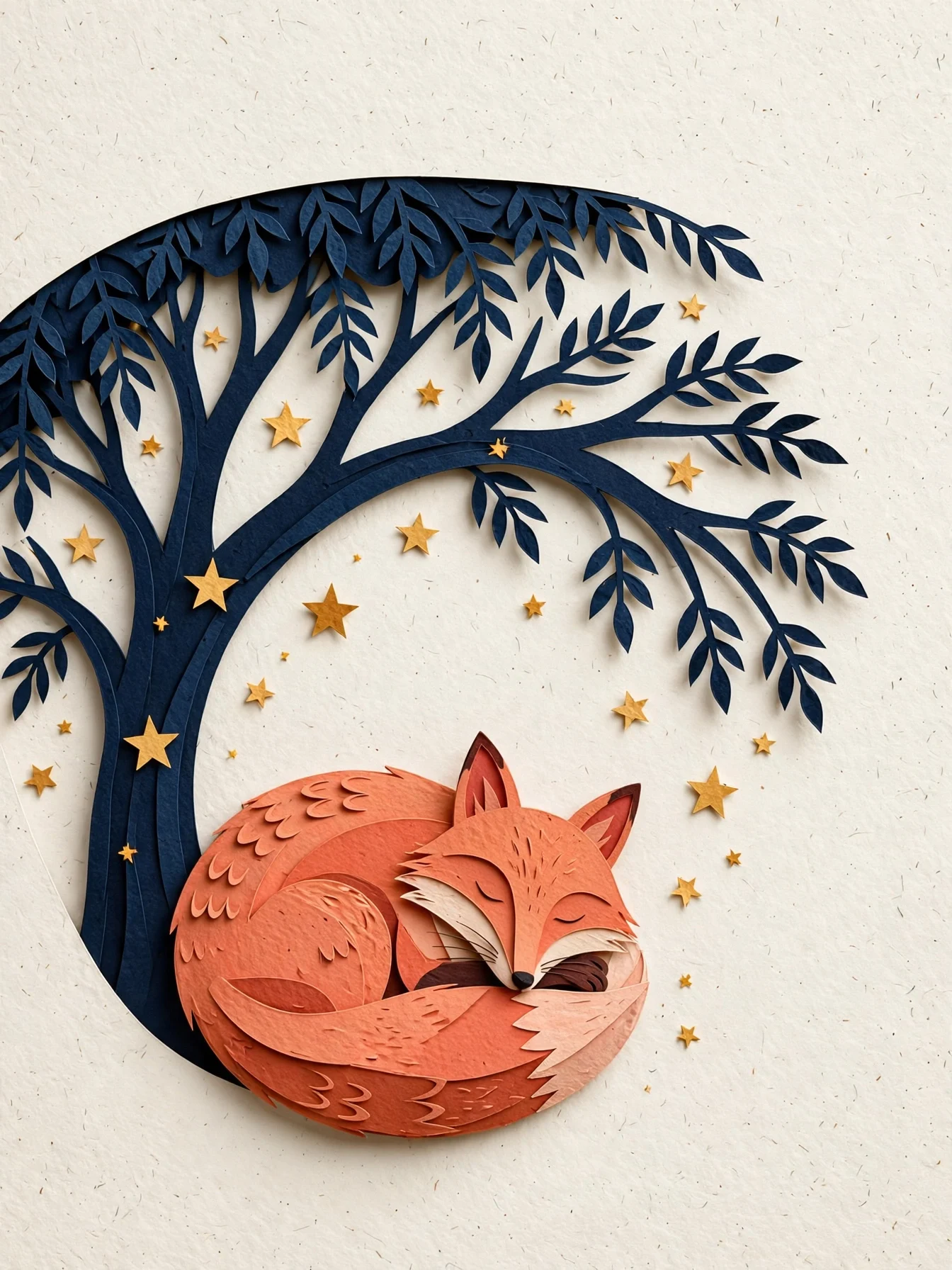
Editorial paper-cut illustration of a coral fox curled beneath a midnight-blue
tree, scattered warm stars, layered tactile paper edges, clear silhouette and
generous negative space, quiet book-cover composition, no text.
このプロンプトで生成 →(3:4)
muse-image-1.0/text-to-image、3:4、$0.015。
2 つの導入ルート
オンラインで試す(コード不要):
- テキストから画像生成ページまたは画像編集ページを開き、ログインします(新規ユーザー登録で 200 クレジット付与)。
- プロンプトを貼り付け、アスペクト比を選びます。画像編集では 1〜10 枚の画像をアップロードします。
- 生成をクリックし、結果をダウンロードします。
API 呼び出し:
- コンソールで API Key を作成します。
POST /v1/tasksで、モデル名に 2 つのエントリーポイントのいずれかを指定します。GET /v1/tasks/{taskId}をポーリングするかコールバックを受信し、output[0].urlを保存します。
curl:最初の 1 枚を生成
curl -X POST https://api.hiapi.ai/v1/tasks \
  -H "Authorization: Bearer $HIAPI_KEY" \
  -H "Content-Type: application/json" \
  -d '{
    "model": "muse-image-1.0/text-to-image",
    "input": {
      "prompt": "Editorial paper-cut illustration of a coral fox curled beneath a midnight-blue tree, warm stars, generous negative space, no text",
      "aspect_ratio": "3:4",
      "output_format": "png"
    }
  }'
レスポンスに data.taskId が含まれます。GET /v1/tasks/{taskId} をポーリングし、status が success になったら output[0].url をダウンロードします。
Python:まず画像生成、次に画像編集
# pip install requests; export HIAPI_KEY=あなたのKey
import os, time, uuid, requests

API = "https://api.hiapi.ai/v1/tasks"
H = {"Authorization": f"Bearer {os.environ['HIAPI_KEY']}"}

def run(model, timeout_s=300, **inp):
    # 同じ送信をリトライするときは同じ Idempotency-Key を再利用すると、課金は 1 回だけ
    r = requests.post(API, json={"model": model, "input": inp},
                      headers={**H, "Idempotency-Key": str(uuid.uuid4())}, timeout=30)
    r.raise_for_status()
    task_id = r.json()["data"]["taskId"]
    deadline = time.time() + timeout_s
    while time.time() < deadline:
        d = requests.get(f"{API}/{task_id}", headers=H, timeout=30).json()["data"]
        if d["status"] == "success":
            return d["output"][0]["url"]
        if d["status"] in ("fail", "failed"):
            raise RuntimeError(d)
        time.sleep(5)
    raise TimeoutError(task_id)

# テキストから画像生成、16:9 のヘッダー画像($0.015)
header = run("muse-image-1.0/text-to-image",
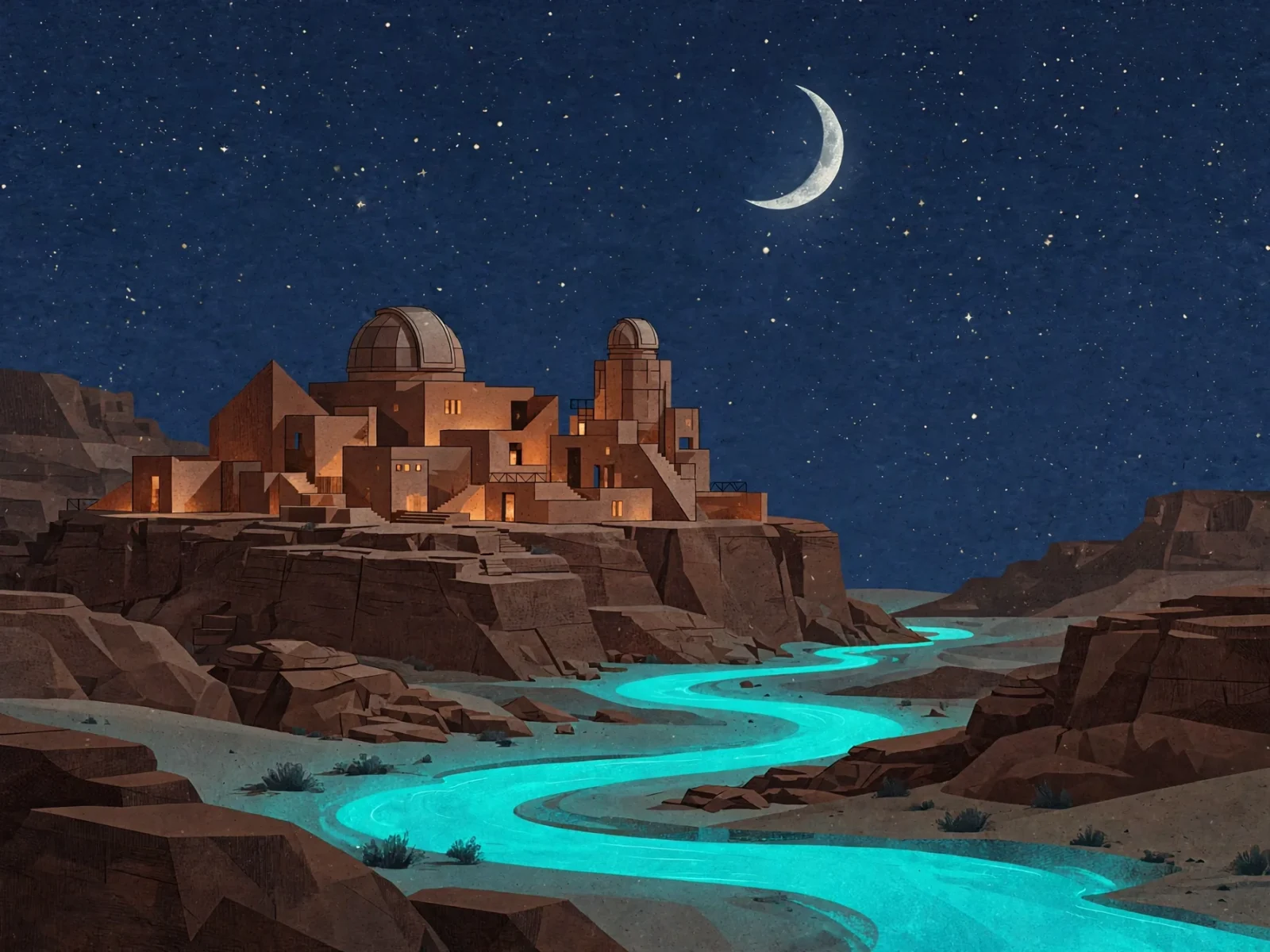
             prompt="A sophisticated editorial illustration of a terracotta desert observatory under an oversized pale moon, winding turquoise river, no text",
             aspect_ratio="16:9", output_format="png")

# 前の 1 枚を夜景に変更($0.015)
night = run("muse-image-1.0/image-to-image",
            prompt="Turn the illustration into night: deep indigo sky, silver crescent moon, warm amber windows. Keep the buildings and river.",
            image_urls=[header], aspect_ratio="16:9", output_format="png")

with open("night.png", "wb") as f:
    f.write(requests.get(night).content)
1 枚目のリンクは有効期限内で公開アクセス可能なため、そのまま参照画像として渡せます。長期保存したい画像は先にダウンロードして保存してください。
参照画像を使って画像編集
muse-image-1.0/image-to-image では image_urls(1〜10 枚)が必須です。各画像に役割を割り当てます:下の画像 1 でクジラの主体を出し、画像 2 からはレイアウトだけを借り、古い文字はすべて置き換えます。
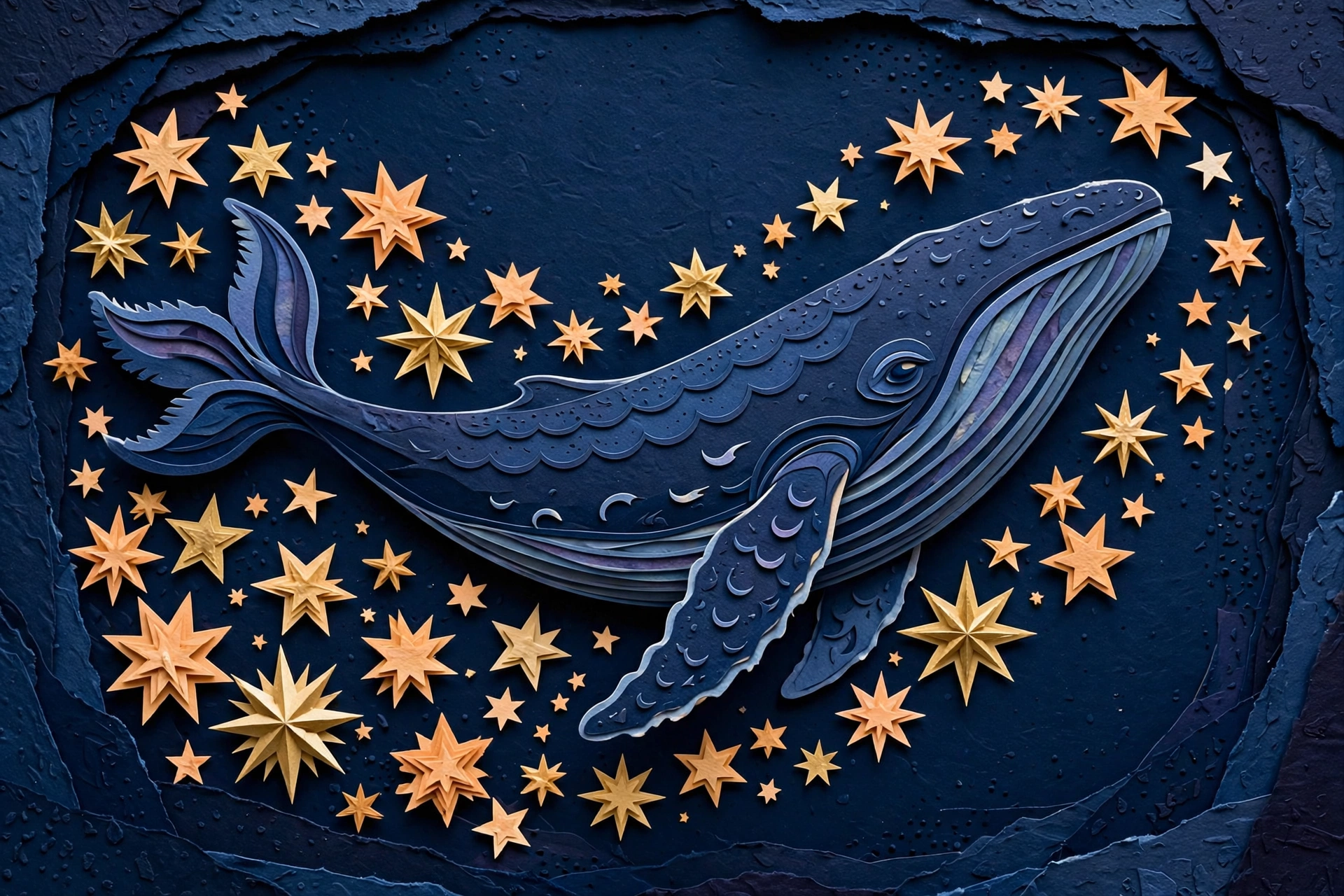
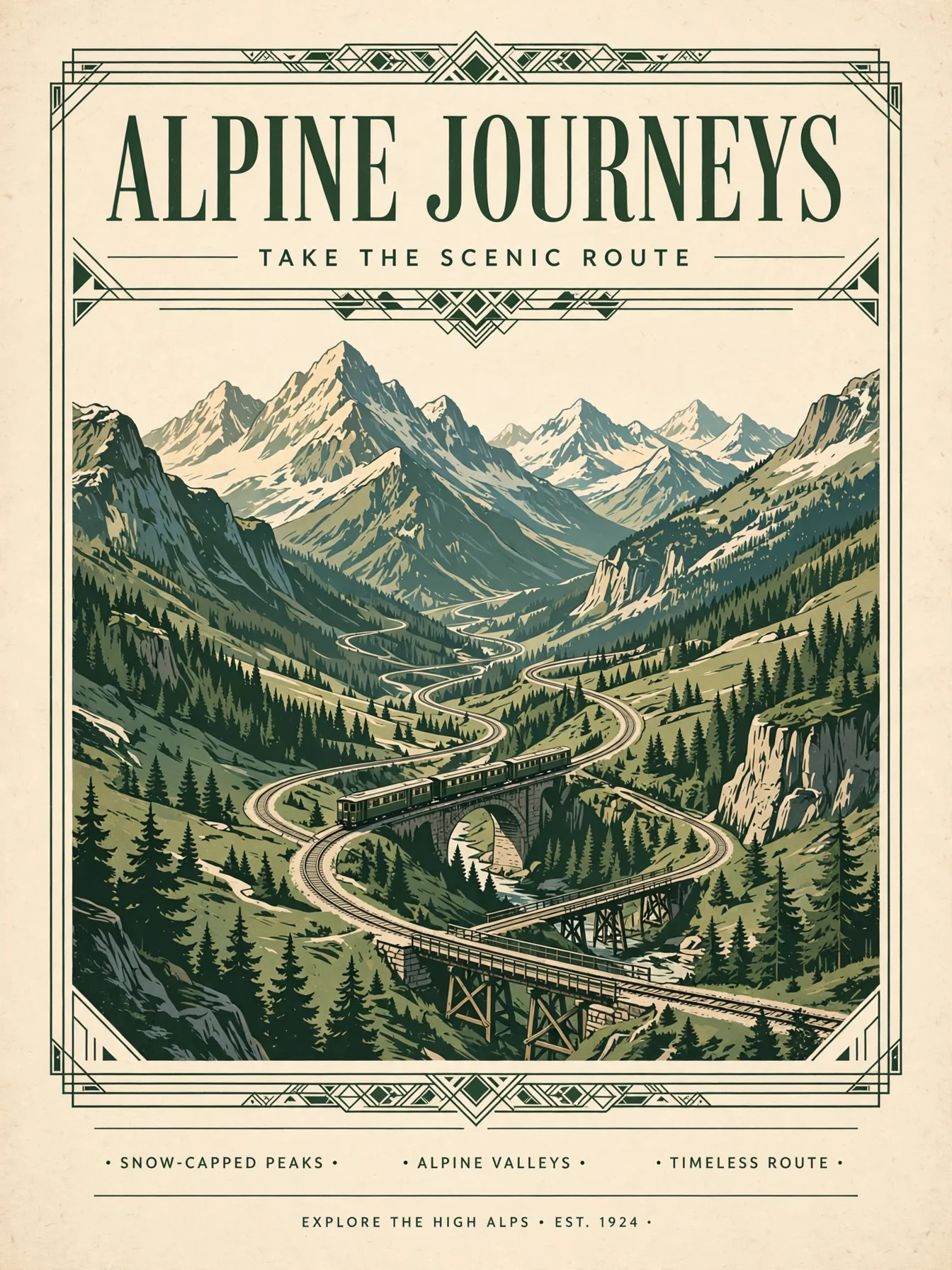
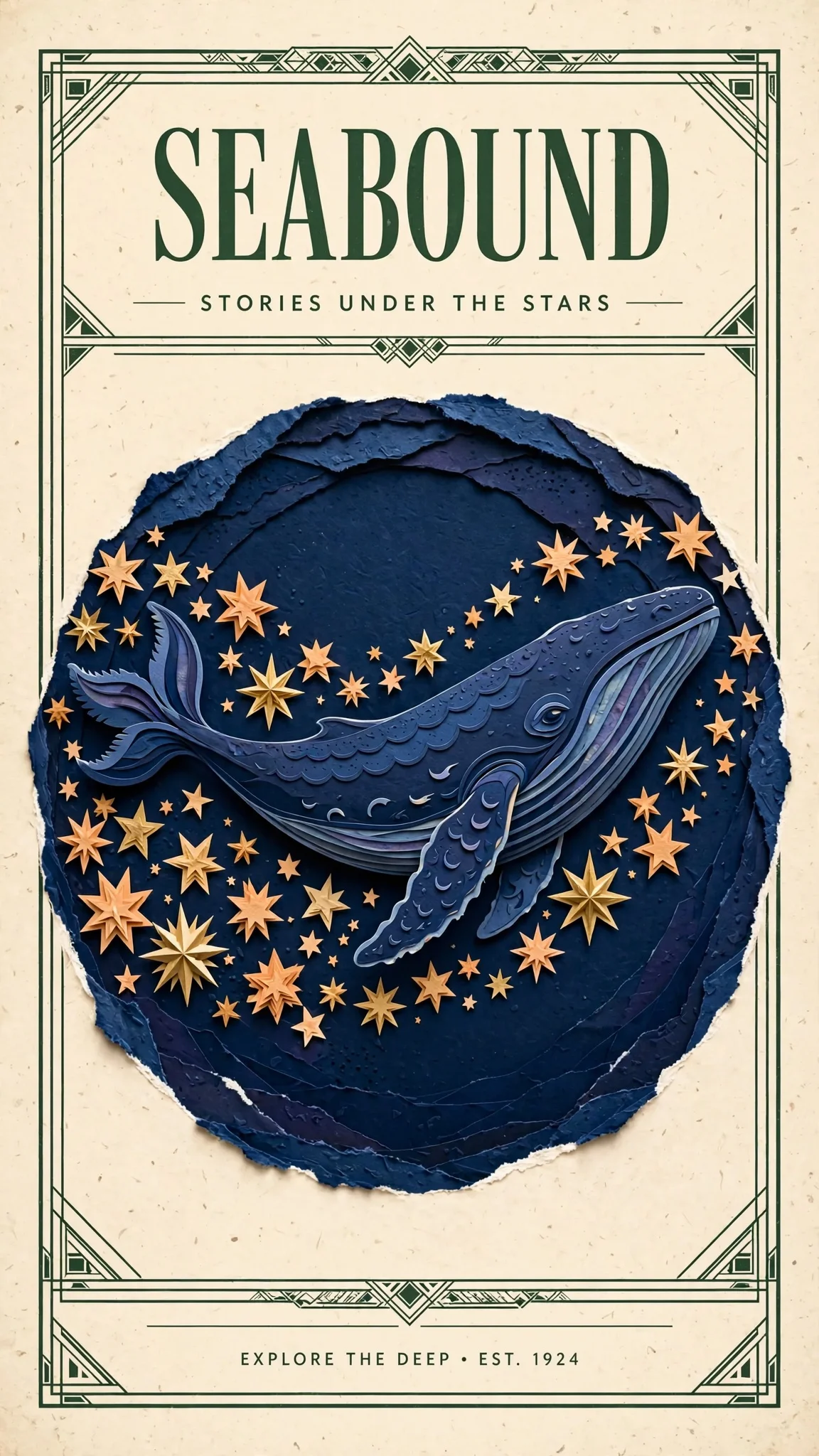
Design a polished illustrated travel poster using the indigo whale and warm
stars from Image 1 as the central artwork. Borrow the cream paper, forest-green
framing and clean heading hierarchy from Image 2. Replace all old poster text
with a single large heading SEABOUND at the top and the smaller line STORIES
UNDER THE STARS below. Keep the whale recognizable, use balanced spacing and
delicate layered paper detail.
このプロンプトで画像編集ページを開く →(自分の画像を 2 枚アップロード)
muse-image-1.0/image-to-image、参照画像 2 枚、$0.015。
メインタイトルとサブタイトルは一字一句同じですが、Muse が下部に要求していない小さな文字列を 1 行追加しました。コピーを正確にしたい場合は、プロンプトの末尾に「no other text」を追加してください。
パラメータ早見表
| フィールド | 値 | 説明 |
|---|---|---|
prompt |
文字列、必須、最大 5000 文字 | 画面を説明するか、何を変更し何を保持するかを明記 |
image_urls |
公開リンク 1〜10 枚 | 画像編集エントリーポイントでは必須。テキストから画像生成エントリーポイントでは不要 |
aspect_ratio |
1:1 4:3 3:4 16:9 9:16 3:2 2:3 21:9 9:21 |
任意。指定しない場合、モデルが画面内容に応じて構図を決定 |
output_format |
jpeg / png / webp、デフォルト webp |
3 形式とも同価格 |
resolution フィールドはありません。1 枚あたり約 250 万ピクセルで、幅と高さはアスペクト比に応じて変わります。
公開前の注意点
- 固定枠の配置では必ず
aspect_ratioを指定。 指定しないとモデルが独自に決めるため、探索時はよいですが、バナー枠に組み込む場合は不適切です。 failとfailedの両方を判定。 ドキュメントにはfailedと書かれていますが、両方を判定する方が安全です。- ポーリングの代わりにコールバックを使用:
inputと同じ階層に"callback": {"url": "https://your-app.example.com/hiapi/callback"}を追加し、taskIdで重複排除します。 - 結果はすぐに保存。
output[0].urlには有効期限があるため、速やかにダウンロードするか、タスク作成時に永久保存を選択してください。 Idempotency-Keyリクエストヘッダーを付与し、リトライ時に同じ Key ならタスクは 1 回だけ作成されます。
よくある質問
1 回のタスクで何枚出力されますか?
1 枚です。複数の方向性が必要な場合は、個別にタスクを送信してください。
より大きい、または小さい画像は出力できますか?
できません。Muse Image は約 250 万ピクセル固定です。4K が必要な場合は FLUX.3 Image または Nano Banana 2.1 を選んでください。
参照画像を渡さずに画像編集エントリーポイントを使えますか?
できません。画像編集エントリーポイントでは 1〜10 枚の画像が必須です。テキストから始める場合は muse-image-1.0/text-to-image を使用してください。
生成に失敗した場合、課金されますか?
課金されません。画像生成が成功した場合のみ課金されます。
価格はMuse Image API の価格、その他のプロンプトはMuse Image プロンプト事例、同じプロンプトでの比較はMuse Image vs Nano Banana 2.1をご覧ください。直接モデルページでこのペーパーアートのキツネを生成することもできます。
関連記事
すべての記事を見る →-

チュートリアル
HiAPI API で hailuo-2.3-fast/image-to-video を呼び出す方法:curl と Python の実践
高速・低コストな画像から動画へのティアにおける最初の実行可能なリクエスト — モデル ID から MP4 のダウンロードまで
-

チュートリアル
HiAPI APIでhailuo-2.3/text-to-videoを呼び出す方法:curl、Python、実行可能なリクエスト例
-

チュートリアル
HiAPI で Kandinsky 6.0 Pro のテキストto動画を使用する:curl と Python チュートリアル
リクエスト優先の実践デモ:プロンプトから動画クリップへの呼び出しを構築し、リクエストを送信し、完了状態をポーリングし、結果をダウンロードする