
使用ガイド
Kling 3.0 Omni プロンプト事例:7 本の実生成映像をそのままコピー可能
一隻の紙の舟でテキスト生成・参照生成・動画改変を走らせ、さらに漁港の画像生成と商品・キャラクター・二主体同框を加え、いずれも完全なプロンプト付き。
Kling 3.0 Omni の最も便利なところは、同じ主体が複数の入口の間でリレーできることです。以下ではまず一隻の紙の舟でテキスト生成・参照生成・動画改変の三つの入口を実演します:まずテキスト生成でショットを出し、次に参照生成でシーンを変え、動画改変で季節を変えます。さらに漁港の画像生成と、商品・キャラクター一致性の三つの事例を加えます。以下の 7 本はいずれも HiAPI 上で実際に生成されたもので、プロンプトは原文のまま記載しており、「このプロンプトで生成」をクリックするとモデルページで自動入力されます。新規ユーザー登録で 200 クレジット進呈、720p 3 秒で 1 本 $0.30 から。
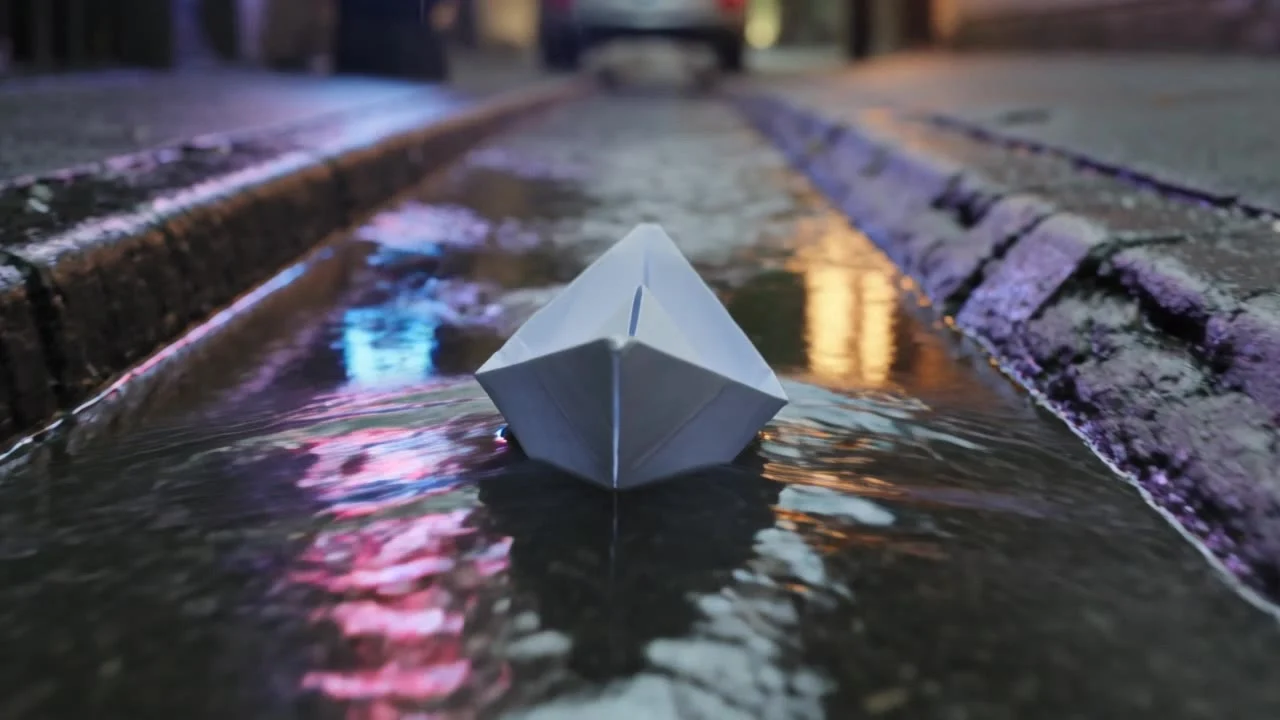
1. テキストから動画:雨夜の溝に浮かぶ紙の舟
ゼロからショットを出し、主体・環境・カメラの動きを明確に書きます。
テキストから動画 · 720p · 3 秒 · 16:9 · 音声オフ · $0.30
A paper boat drifts down a rain-soaked city gutter at dusk, neon signs reflecting and rippling on the water; the camera glides low beside it as raindrops splash around. Cinematic, shallow depth of field, smooth tracking motion.
低い位置からの追従撮影(the camera glides low beside it)がこのカットの鍵です:カメラが水面に張り付くことで、ネオンの反射が画面いっぱいに広がります。
2. 参照から動画:同じ紙の舟を森の小川へ
紙の舟の一フレーム画像を主体参照に、第 1 本の動画をカメラワーク参照に使い、シーンを丸ごと変えます。
参照から動画 · 720p · 3 秒 · 参照動画あり · $0.429
The same white paper boat from the reference drifts along a sunlit forest stream at golden hour, leaves floating beside it, camera tracks low alongside it with the same smooth motion as the reference video. Cinematic, shallow depth of field.
プロンプトに "The same ... from the reference" と "the same smooth motion as the reference video" を明記し、参照画像で主体を、参照動画でカメラワークを導きます;このカットでは紙の舟の形と低い位置からの追従撮影がともに保たれています。
3. 動画改変:雨夜を雪夜に
第 1 本の動画をそのまま入力し、何に変えるかだけを書きます。
動画改変 · 720p · 元動画に合わせて 3 秒 · $0.429
Transform the scene into a snowy winter night: the gutter becomes a frozen stream with drifting snowflakes, the paper boat becomes a small glowing paper lantern boat, keep the exact camera motion and water movement from the original video. Cinematic, cold blue tones.
最後の一文 "keep the exact camera motion and water movement" が元動画のカメラワークと水流を保ち、季節・光・紙の舟の質感だけを変えています。
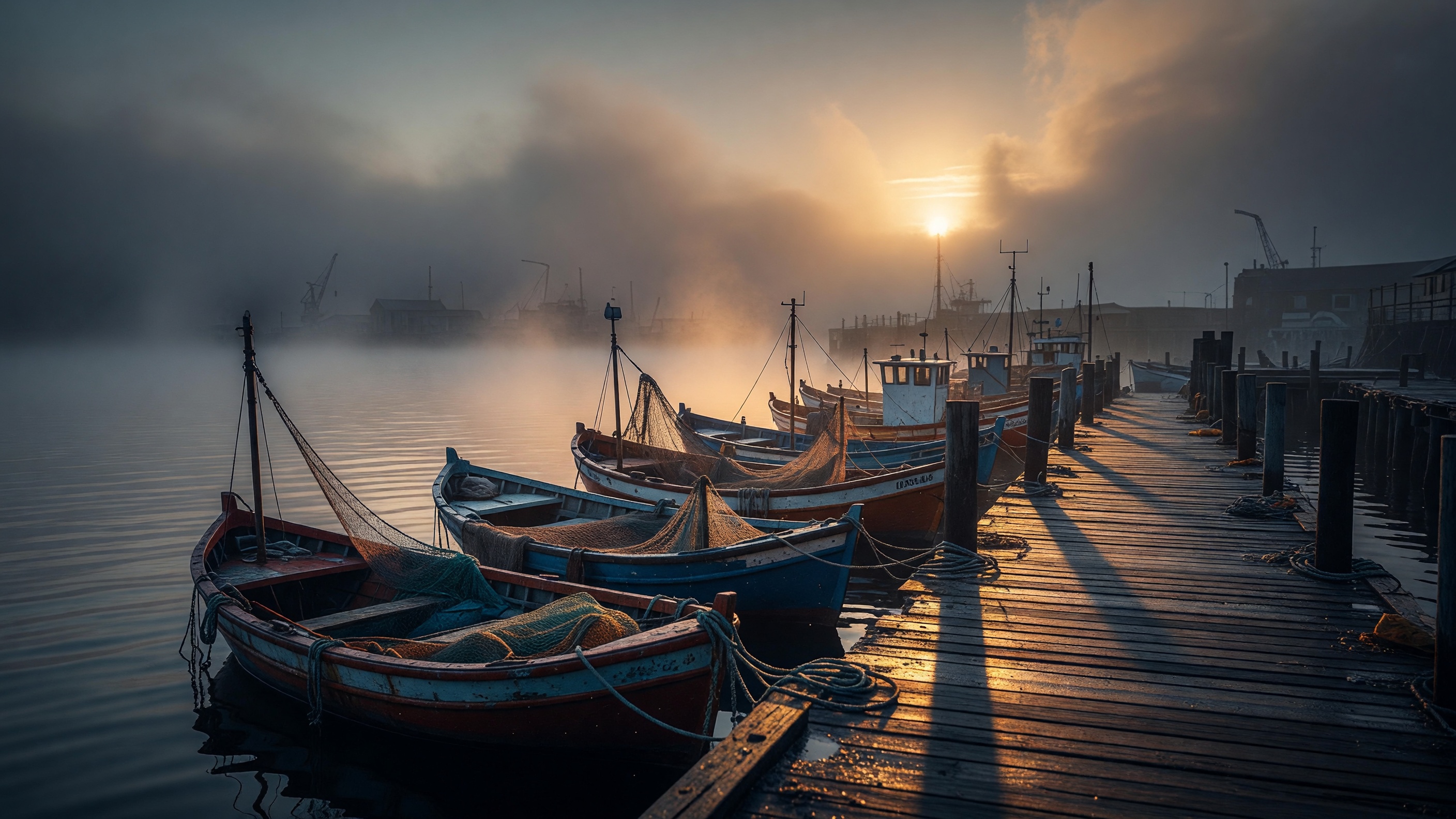
4. 画像から動画:朝霧の漁港
静止写真を最初のフレームにし、プロンプトには次に何が起こるかだけを書きます。
画像から動画 · 720p · 3 秒 · 最初のフレーム · $0.30
Morning fog slowly lifts over the harbor as the fishing boats rock gently on the water; the low sun breaks through the haze and glints on the wet pier, camera slowly pushes in along the dock. Cinematic, calm, photorealistic.
画像から動画では画面にすでにあるものを繰り返し描写する必要はなく、"霧が晴れる、船が揺れる、カメラが前進する" といった動きに紙幅を割きます。
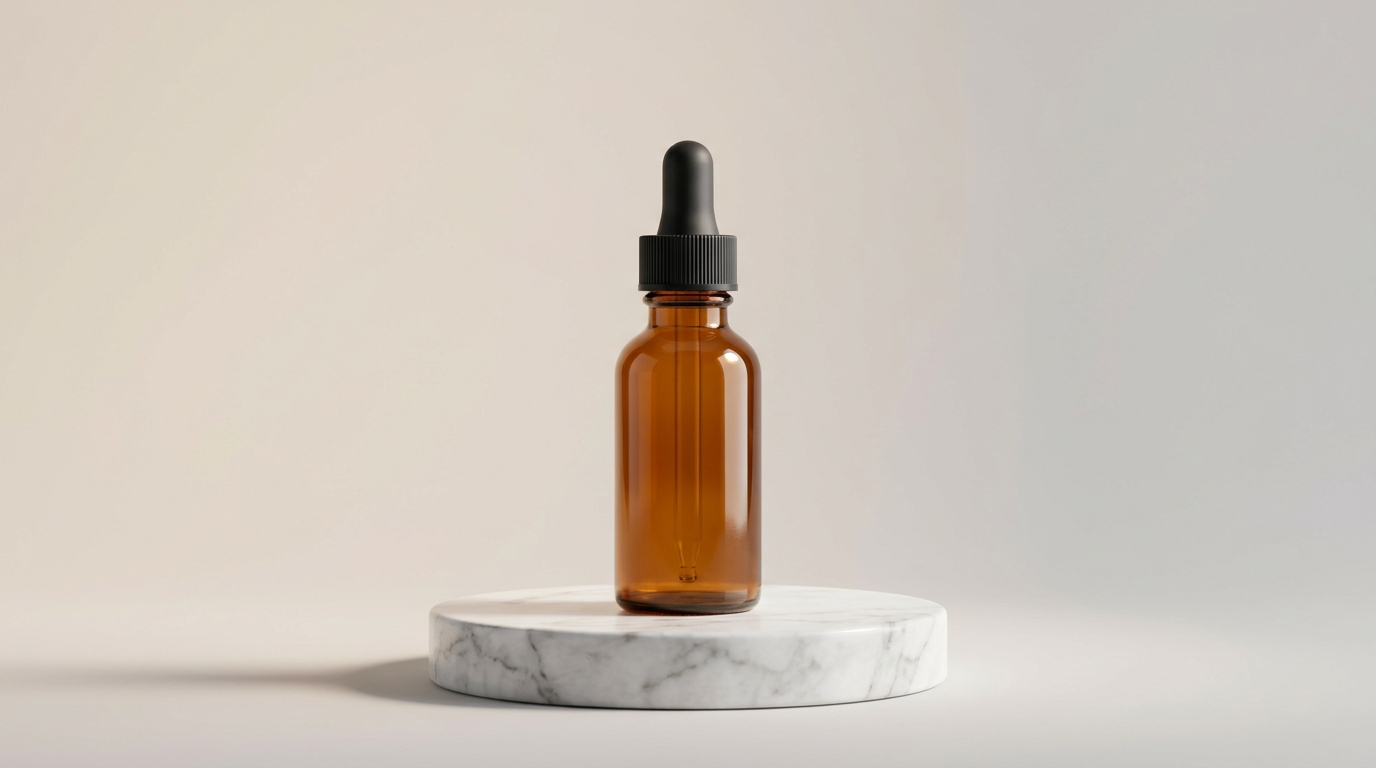
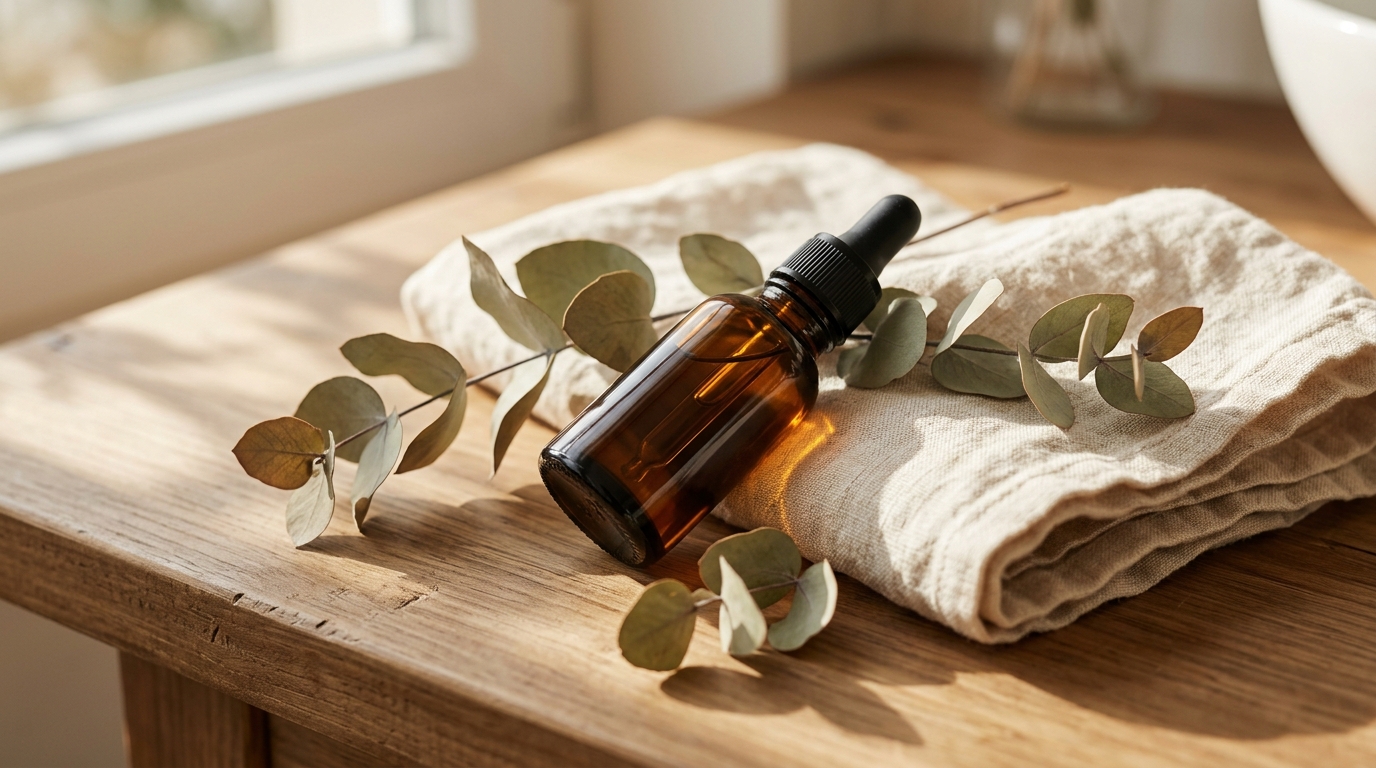
5. 商品カット:美容液のボトルを固定
同じ美容液の異なる角度の写真 2 枚を image_urls に入れ、カメラが寄っても瓶身・黒いスポイト・琥珀色のガラスが保たれます。
参照から動画 · 1080p · 5 秒 · 音声オフ · $0.645
Cinematic skincare product reveal. The camera slowly dollies in on the amber glass serum bottle from the reference images, standing on a round white marble pedestal, soft diffused studio light from the upper left, faint volumetric haze behind it. A single droplet of golden serum slowly forms and hangs at the tip of the black dropper. Shallow depth of field, premium commercial look, gentle highlights sliding across the amber glass as the camera eases in.
6. キャラクターカット:同じマスコットを別シーンへ
正面と斜め横顔の 2 枚の画像で、マスコットがカフェに立って手を振り、首をかしげ、ミントグリーンのフェイスプレート・丸い目・お腹のボタンがはっきり見えます。


参照から動画 · 1080p · 5 秒 · 音声オフ · $0.645
The matte-white robot mascot from the reference images stands in a cozy sunlit cafe with a warm morning glow from a window behind it. It gives a cheerful little wave with one arm, tilts its head, and its antenna bobs gently. Smooth friendly motion, soft bokeh of wooden cafe shelves in the background, a slow gentle camera push-in, wholesome animated-film look.
7. 二主体の同框:マスコットが美容液を紹介
二つの主体をともに固定したいときは、elements でそれぞれ名前を付け、プロンプトに @mascot と @serum を書きます:
"elements": [
  {"name": "mascot", "description": "Small matte-white rounded robot mascot with soft mint-green accents ...", "element_input_urls": ["ref-mascot-01.jpg", "ref-mascot-02.jpg"]},
  {"name": "serum", "description": "Amber glass skincare serum bottle with a black rubber-bulb glass dropper cap", "element_input_urls": ["serum-1.jpg", "serum-2.jpg"]}
]
参照から動画 · 1080p · 6 秒 · 音声オフ · $0.774
A clean, playful product commercial. @mascot stands beside a round white marble pedestal and gestures with one arm toward @serum resting on top of it, presenting it to the viewer. @mascot glances at the bottle, then turns to look at the camera. Soft diffused studio light, pale mint seamless background, a slow gentle camera push-in, premium yet friendly brand-ad look.
完全なリクエスト(参照画像の URL を含む)は英語版 Kling 3.0 Omni Reference-to-Video Prompt Recipes をご覧ください。
プロンプトをより安定して書くには?
- アイデンティティは参照画像に、動作はプロンプトに:主体がどう見えるかは画像に任せ、プロンプトにはカメラ・動作・環境だけを書きます。
- カメラの動詞を前に:dolly-in、tracks low、pulls back など、まずカメラを書いてから細部を書きます。
- 改変では差分だけを書く:動画改変では"何に変えるか"と"何を保つか"を書き、元動画を復述する必要はありません。
よくある質問
プロンプトは英語で書く必要がありますか?
いいえ、中国語でも英語でも構いません。本記事では生成時の原文をそのまま残しており、同じ画面を再現しやすくしています。
7 本をすべて再現するといくらかかりますか?
上記に記載のパラメータで、合計 $3.522 です。まず 720p、3〜5 秒で試し、満足してから 1080p に上げましょう。
参照画像は何枚必要ですか?
image_urls は最低 1 枚;elements では各主体につき同一主体の異なる角度の画像を 2〜4 枚。参照画像と主体は合計で最大 7 個、参照動画付きの場合は最大 4 個です。
第 1 本から始めるのが最も安価です:雨夜の紙の舟を生成 →、720p 3 秒で $0.30。組み込みコードは Kling 3.0 Omni API 中国語チュートリアル をご覧ください。


