
Guide
GPT-image-2.6-sunburst Image-to-Image Getting Started Guide: Capability Boundaries, Billing, and Engineering Practices
A hands-on developer roadmap from integration to launch: capabilities, parameters, costs, and best practices

On this page
What it can and cannot do
gpt-image-2.6-sunburst/image-to-image is an image model provided by OpenAI, and its positioning is clear from the model identifier: the input is an image and the output is an image, with the capability tag image-to-image. It is not an all-purpose image tool but a converter with a clearly defined responsibility—you give it a reference image, and it produces a new image according to your text instructions.
Tasks suitable for it
- Style transfer and repainting: convert a real photograph into a target style such as illustration, watercolor, or cyberpunk while preserving the subject's contours.
- Local or global modification: replace the background, adjust the lighting atmosphere, unify the color tone of the image, or clean up clutter in the image.
- Asset variant production: using a confirmed key visual as the baseline, batch-generate variants with similar composition but different details for A/B testing or asset pool expansion.
- From sketch to final artwork: color and refine line art, color-block drafts, or low-completion sketches to speed up the early design process.
The criterion is simple: if your need can be clearly expressed as "an existing image + a modification description," it falls within the model's capability range.
What it is not responsible for
- Pure text-to-image generation. Creating from scratch with only a prompt and no input image belongs to the domain of text-to-image models; do not expect it to replace that.
- Precise text layout. When specified copy must be rendered into the image exactly word for word (poster titles, packaging text), the generated result usually requires manual proofreading.
- Pixel-level replication. Image-to-image means "reference and repaint," not "lossless editing"; the output will not be pixel-identical to the input image.
- Video, 3D, and audio. The only output type is images.
- Factual guarantees. It does not understand whether the image content is true or compliant; sensitive content review on the business side must be handled by your own process.
When choosing a model, first ask: is there an image in my input? Is the desired output an image? If both answers are "yes," keep reading; otherwise, switching models will save more time than tuning parameters.
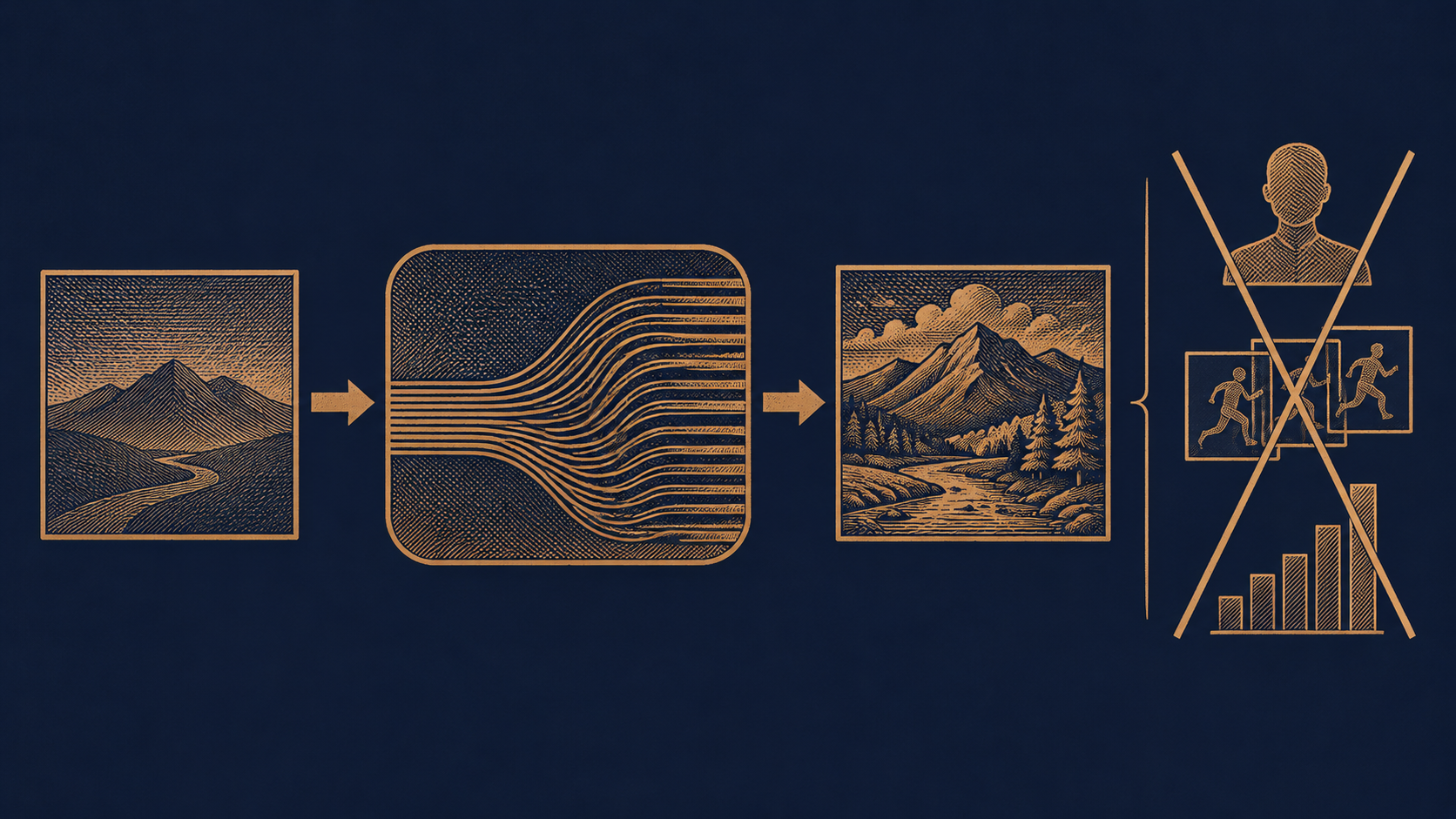
Integration path: from the aggregated API to the first generated image
Calling this model does not require integrating with upstream vendors one by one; going through HiAPI.ai's unified interface is sufficient: the client sends one HTTP request to the aggregated API, the platform handles authentication, routing, and the upstream call, and then returns the generated image to you. The entire chain exposes only one endpoint, one set of credentials, and one model identifier to developers.
What you need before starting
- API Key: create it in the HiAPI.ai console, put it in server-side environment variables, and never write it into frontend code or commit it to a repository.
- Model identifier: explicitly specify
gpt-image-2.6-sunburst/image-to-imagein the request, and be sure to include theimage-to-imagesuffix—variants with different capabilities under the same series are independent models, and a wrong suffix will directly cause the model to be not found or behave unexpectedly. - An accessible form of the input image: confirm the input methods supported by the platform (URL or base64) and ensure the image address is accessible during the call.
- Balance and quota: confirm the account balance and rate limits to avoid hitting quota errors on the very first integration test.
Minimal verification path
Do not run the full business flow right away. Proceed in this order:
- First run an "image can be returned" call using the sample request in the platform documentation to verify the key, model identifier, and network connectivity;
- Then switch to your own real input image and observe whether the output meets expectations;
- Finally, wrap this call into an internal function with timeout, retry, and logging, and have business code depend only on that function.
The value of this step is isolating variables: when the first attempt fails, you only need to troubleshoot authentication and parameters instead of simultaneously suspecting the image, prompt, and business logic. For the exact request field names, authentication headers, and response structure, refer to HiAPI.ai's official API documentation and do not apply other vendors' formats from memory.

Invocation parameters and input image preparation
This model has a narrower parameter surface than text-to-image, but precisely because it is narrow, applying old habits is the easiest way to make mistakes. The following explains key points by category; for the exact field names, value ranges, and default values, please refer to the official documentation, and this article does not make promises on their behalf.
Parameter categories worth attention
- Model identifier: fixed as
gpt-image-2.6-sunburst/image-to-image; this is the only parameter that must be correct. - Prompt: describe "what it should be changed into," not "what this is."
- Input image field: URL or inline data; usually only one of the two is supported, or they must be used differently according to the documentation.
- Output specifications: size, aspect ratio, return format, etc. Note that image-to-image output is often affected by the input image's ratio; forcing an unmatched ratio may trigger cropping or distortion.
- Quantity: how many images to generate per request. This directly affects billing; confirm the default value clearly and do not assume "only one will be produced."
- Randomness and seed: if the documentation provides a seed or randomness-control parameter, it is key to reproducing issues; if not, you must accept that the same input and prompt may produce different results.
Four hard rules for input images
- Resolution just needs to be sufficient. Too low will cause repainting to lose details, while too high only increases transmission and preprocessing burden. Choose a size where the subject is clearly recognizable but not bloated, and keep the same size for similar tasks to facilitate horizontal comparison of results.
- Unified format. Agree internally on one mainstream format to avoid differences in transparency channels and compression artifacts caused by mixing PNG, JPEG, and WebP. If transparency needs to be preserved, confirm in advance whether the model supports it.
- Clear subject and reasonable whitespace. If the image is packed with elements, the model will find it difficult to determine which part you want to change; cropping to the area of interest first is more effective than a long explanation in the prompt.
- Compliance and authorization. The input image will leave your system; confirm copyright, portrait rights, and business compliance before uploading.
One more point is easy to overlook: do not directly carry over the entire parameter habit set from text-to-image models. Image-to-image has no concept of "composing from scratch," and many parameters used to adjust style in text-to-image have different semantics here or do not exist at all. Blindly copying will only create invalid requests—and every invalid request is billed.
Pricing breakdown: what $0.023/image means
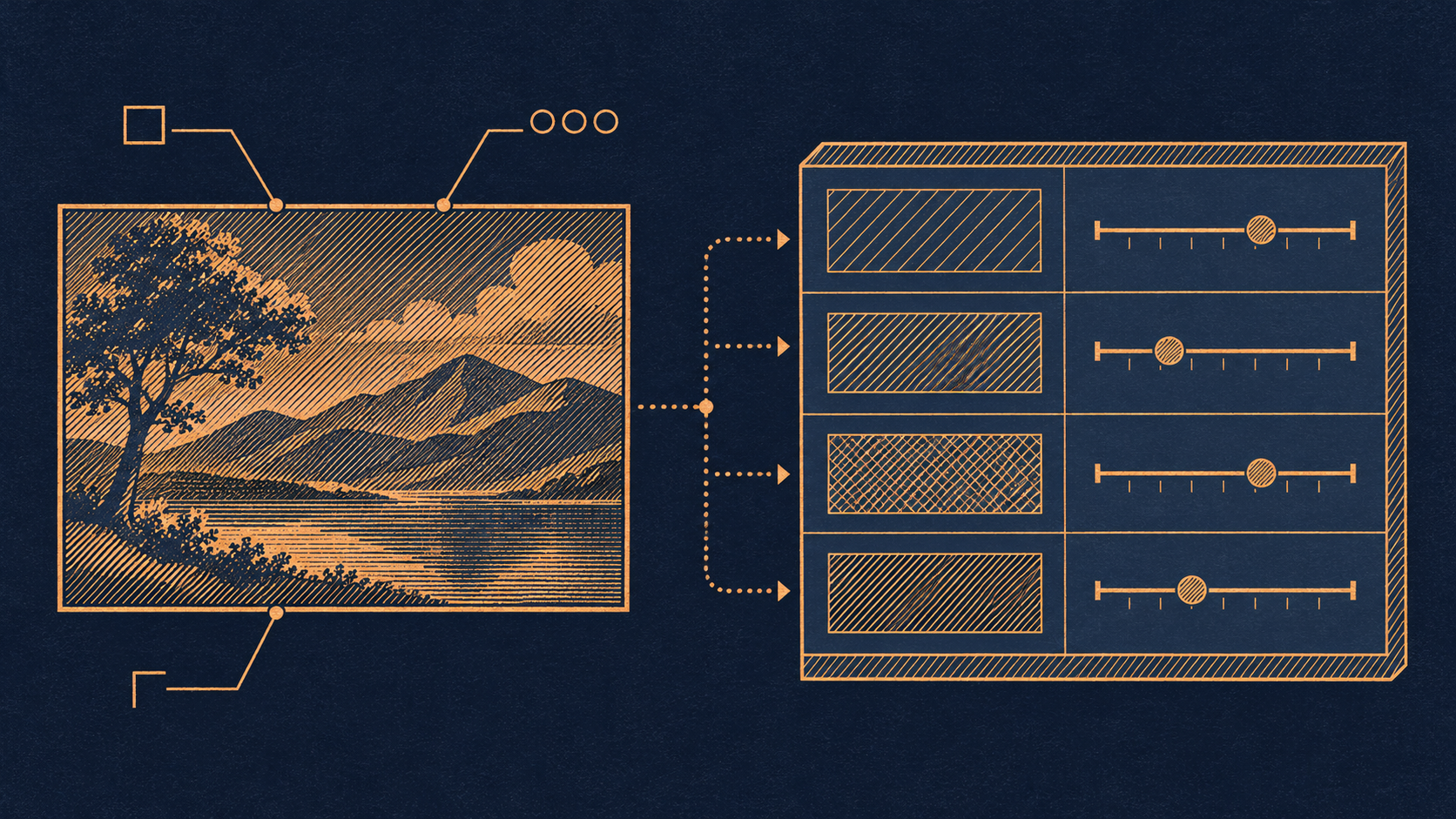
The billing basis for this model is straightforward: billed per image, at a unit price of $0.023 / image. There are no token-based tiers, and it does not depend on input image size, prompt length, or generation time; as long as one image is successfully produced, one fee is charged. This is a very developer-friendly pricing structure because it turns cost estimation into multiplication.
Build your own cost model
Only two variables are needed to estimate the total cost:
- Number of images per request: if the parameters allow multiple images to be returned in one request, then one call accumulates by the number of images. During integration testing, be sure to confirm this parameter's default value; otherwise, you may think you are testing one image while the bill shows several.
- Number of valid requests: note that this is the number of "successful image generations," not "how many times you clicked run"—but conversely, calls wasted due to wrong parameters will not be refunded as long as they produced images.
Multiply these two, then multiply by the estimated daily/monthly call volume on the business side, to obtain a budget baseline. It is recommended to write this formula into the documentation at project kickoff, and revisit it whenever the process changes (adding more variants, increasing retry counts, expanding batches) to avoid costs doubling without anyone noticing.
Three cost items that are easily underestimated
- Trial-and-error cost. Every generation during prompt debugging is billed. Rather than repeatedly trying in production, concentrate debugging on a small set of fixed test images.
- Retry cost. Blindly retrying after a network timeout may mean the upstream actually already generated successfully, while you paid for two images.
- Redundant variants. Generating multiple images at once "to give users more choices" may not improve conversion, but spending will certainly rise.
For billing figures and the latest prices, refer to the pricing panel on the HiAPI.ai website; this article only explains the basis and does not make price commitments.
Best practices for prompts and workflows
Image-to-image prompts are written differently from text-to-image prompts. Text-to-image requires you to describe the entire picture; image-to-image already has an image as the factual basis, so what you need to do is describe "changes," not "rebuilding."
Four-part prompt structure
A stable, usable prompt usually contains four parts. The order can be adjusted, but missing any part makes it easy to go off track:
- What to preserve: first lock down the parts that must not change. "Keep the person's pose and facial features unchanged," "Preserve the original composition and subject position." This sentence can significantly reduce subject drift.
- What to change: use verbs to clarify the scope of modification. "Replace the background with a rainy night street," "Change the overall color tone to warm orange."
- Style and texture: specify the target style and image texture, such as "flat illustration style, soft lighting, low-saturation film look."
- Exclusions: write down what you do not want. "Do not add extra people," "Do not include text." Negative constraints are often more effective than positive descriptions in image tasks.
Three rules of thumb
- Change only one category of thing at a time. Changing the background, lighting, and style simultaneously makes the result unattributable, and if something goes wrong, you will not know which prompt sentence caused it.
- Keep prompts short and specific. Stacking adjectives does not improve quality; it dilutes the focus. Clearly explaining one change in under twenty words is usually more stable than two hundred words.
- Version successful prompts. The same prompt may produce different results on the model side due to randomness; keeping records of the "prompt + input image + parameters" combination is the only way to determine during regression whether the model changed or you changed the input.
How to organize the workflow
A recommended two-stage process of "lock first, then iterate" is: in the first round, use the simplest prompt only to verify whether the subject is preserved; after confirming the fidelity is acceptable, add style and background modifications in the second round. Make parameter configuration and input image preprocessing (cropping, scaling, format unification) into fixed internal utility functions, and let business code only assemble prompts and initiate calls. This way, when the team collaborates, it is obvious whose step has a problem.
Cost control and retry strategy
Per-image billing means every "try it" has a clear price tag. Cost control is not a money-saving trick but engineering discipline.
Retries must have boundaries
- Distinguish error types before deciding to retry. For 4xx issues such as authentication failure, invalid parameters, or wrong model identifier, retrying a hundred times gives the same result and only wastes time; only timeouts, rate limits, and temporary upstream failures are worth retrying.
- Limit retry counts and backoff. Set a fixed upper limit (for example, at most two times) combined with exponential backoff to avoid amplifying requests into a traffic spike during an outage.
- Beware of timeouts with "uncertain success". A request timeout does not mean nothing was generated. If the business allows, first verify the result with the platform via request ID or logs rather than immediately resending.
What caching saves is real money
The same input image, same prompt, and same set of parameters are often requested repeatedly in business scenarios—users refresh pages, operations rerun tasks, and downstream services replay messages. Use "input image hash + prompt + parameters" as the cache key and directly reuse the generated image on a hit. The benefit of this layer is usually more direct than any prompt optimization.
The right way to batch
- Merge similar items: group tasks with exactly the same parameters into one batch to share a single debugging and review process.
- Small sample first, then scale up: confirm the effect with a small number of samples before expanding to full volume, avoiding an unusable entire batch.
- Control the number of images per request: multiple image returns multiply the cost of a single call; set it according to actual business needs and do not max it out by default.
- Set budget guardrails: track the cumulative number of generated images at the business layer and alert or degrade when the daily budget threshold is exceeded, rather than waiting until the end of the month to look at the bill.
There must be a fallback for failures
When retries are exhausted or quality consistently fails to meet standards, the process needs a clear fallback path: return a placeholder image, reuse the previous approved asset, switch to manual handling, or prompt the user to try again later. An image pipeline without a fallback plan will ultimately pay the price with "infinite retries."
Common issues and troubleshooting checklist
Fixing the troubleshooting order can significantly shorten fault localization time. It is recommended to check items from top to bottom.
The request fails directly
- Authentication issues: whether the key is valid, whether it is placed in the correct request header, and whether it has been overwritten to an empty value by an environment variable.
- Misspelled model identifier:
gpt-image-2.6-sunburst/image-to-imageis long, and a missing suffix or writing a different capability variant will cause the model to be not found. This is the most frequent basic error. - Invalid parameters: field name spelling, type mismatch (mixing strings and numbers), or passing fields that do not exist in the documentation.
- Input image unreachable: URL expired, authentication required, or inaccessible across domains or from a private network. Switching to inline data often allows quick verification.
- Quota and rate limits: when the balance is insufficient or the rate limit is triggered, the error message is usually clear, but it is easy to mistake it for an "occasional failure" and retry blindly.
The request succeeds but the result is wrong
- The prompt describes "rebuilding" rather than "modifying": bringing text-to-image phrasing into image-to-image will make the model tend to recompose, and the subject will drift. Change to the sentence pattern "preserve X, modify Y."
- The input image itself lacks information: the subject is too small, blurry, or cropped, and the model has no structure to rely on. Try a clearer reference image.
- Size/ratio mismatch: the output specification conflicts with the input image ratio, causing cropping or stretching. Unify the ratio first.
- Too many contaminating items: stacking multiple changes at once makes the result unattributable. Split into single variables and verify step by step.
- Instability caused by randomness: run the same input several times; if the results fluctuate significantly, the prompt is too sensitive to randomness and needs to be written more specifically with stronger preservation constraints.
Basic troubleshooting method
Change only one variable at a time. Fix the input image and parameters and change only the prompt; or fix the prompt and change only the input image. Keep records of "prompt + parameters" combinations that have succeeded historically; when problems occur, first roll back to a verified combination and then gradually move toward the new requirement. Also, remember to check the account balance before any debugging—mistaking a balance issue for a model issue is the most time-wasting situation.
When to switch models or use a combination
gpt-image-2.6-sunburst/image-to-image is a specialized tool with clear boundaries, which also means not all image needs should be handed to it.
Signals that you should switch to text-to-image
- The need is "draw an image from scratch," with no reference image, or the reference image is merely optional atmosphere guidance;
- Users start from a blank slate every time, and there is no reusable image asset on the input side;
- You find yourself writing long descriptions of composition in the prompt, which should have been handled by the input image.
The judgment can be summed up in one point: how strongly the task depends on the input image. If the dependency is strong and controllable modifications to an existing picture are needed, use image-to-image; if the dependency is weak and the focus is creative divergence, use text-to-image.
Scenarios where a combination should be considered
- Text-to-image as the base, image-to-image for convergence: first use text-to-image to quickly produce several concept images, then after choosing a direction, use image-to-image for style unification and detail correction. This is more efficient than repeatedly hard-tuning a single model.
- Image-to-image + manual review: for scenarios involving brand assets or external publishing, place the model in the middle of the pipeline and connect review and proofreading steps before and after, rather than letting it output directly to end users.
- Image-to-image + rule-based preprocessing: leave deterministic work such as cropping, size unification, and format conversion to code, and let the model handle only the creative part it is truly good at.
When to stop
If after repeated debugging you find that the quality bottleneck comes from "this task itself exceeds the model's capabilities," such as requiring precise text layout within the image, pixel-perfect restoration, or continuous frames with cross-frame consistency, then continuing to add prompts and retries is uneconomical. At this point, the more rational approach is to switch models or change that step to manual and template-based processing.
Under HiAPI.ai's unified interface, changing models only requires changing a model identifier, and the trial-and-error cost is very low—this is also the value of abstracting the integration layer. Think clearly about the nature of the task first, then decide which model to use; this is much more economical than the reverse.
Related articles
View all articles →-

Guide
Gemini Omni 1.2 Flash Integration Guide: Input Modes, Parameters, and Spec-Based Billing
The minimal integration path for the public model gemini-omni-1.2-flash: input modes, parameter constraints, copyable requests, and resolution-based billing
-
Guide
Run Claude Code on Free DeepSeek: Set It Up Now, Start Nov 24
Claude Code, Python and curl setups you can verify for free today
4 min read -
Guide
How Much to Top Up This Black Friday: 18% Extra at $100, 30% at $500
Four budgets from $50 to $500, in video seconds and images
3 min read