
Guide
MAI Image 2.7 Image Editing Getting Started Guide: Capabilities, Pricing, and Integration Key Points of the Image Editing Model
From capability boundaries to cost estimation, what developers need to know before integrating the Microsoft image editing model

On this page
What problem does this model solve
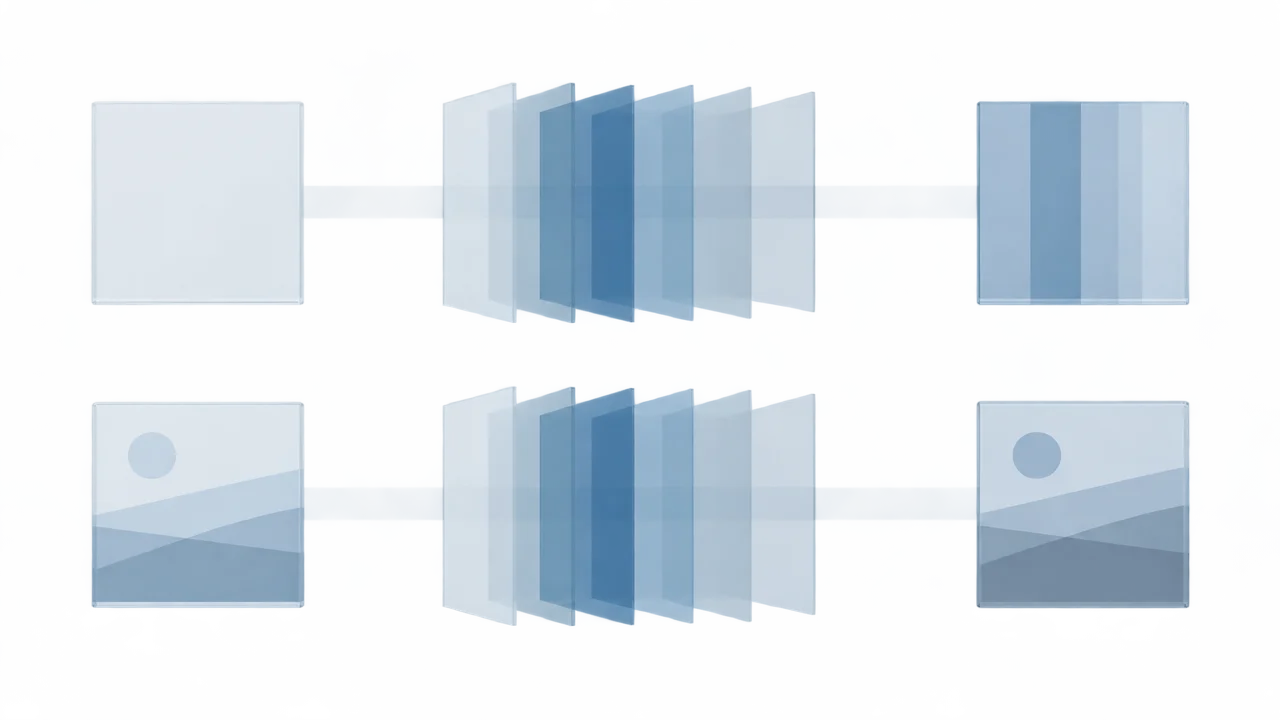
Image generation models fall into two usage categories: one is "generate from scratch," creating an image from zero given only a text description; the other is "edit," taking an existing image plus instructions and having the model modify it while preserving the original structure or style. mai-image-2.7/edit belongs to the latter.
This determines that it is suited to being attached to workflows with existing image assets, rather than being the starting point of content production. The typical criterion is: you already have an image, and you want the change to be "local or targeted"—swap the background, adjust the color tone, change the content of a certain region, or redraw according to instructions. If what you face is "I don't have a description at all, I just want an image," then the input prerequisite of this model is not met.
Clarifying the positioning has another practical benefit: it directly determines what the request body looks like. An image-to-image request must carry an input image, and text only plays the role of instructions; if you copy the calling habits of text-to-image (passing only a prompt), the request is structurally incomplete.
Capability boundaries: what it means to only do image-to-image
According to currently public information, the provider of mai-image-2.7/edit is Microsoft, the output type is image, and the only publicly disclosed capability is image-to-image. The way to use this information is to "define the scope," not to "guess extensions"—capabilities not mentioned in the documentation should not be extrapolated from experience and written into technical plans.
Within this boundary, the following types of requirements should directly turn to other models rather than tweaking parameters on mai-image-2.7/edit to force a fit:
- Text-to-image: no input image at all, generating from zero. This model requires an input image, so the path does not work.
- Multi-image fusion / composition: combining multiple reference images into one. The current public capability description does not include multi-image input; do not assume the request body supports an array-form image field.
- Pure text tasks: requirements such as classification, description generation, and OCR should be given to text or visual understanding models; an image editing model is not the tool on this path.
- Editing with strict structural control: if the business requires pixel-level alignment, precise mask boundaries, or reproducible geometric transformations, run small-batch validation first before deciding, and do not promise precision at the design stage.
A pragmatic principle: the capability list is a lower bound, not a promise of the upper bound. Publicly disclosed capabilities can be safely used in solution design; undisclosed behavior can only be explored during validation and cannot be written into external commitments.
Integration process and parameter focus
The integration path for image editing APIs is broadly the same, with key differences at the field level. When using a unified API, the order is:
- Prepare credentials: create an API Key in the console, store it server-side, and do not put it in frontend code or commit it to the repository. All requests carry it via the
Authorizationheader. - Confirm the model identifier: specify the target model in the request using the model ID
mai-image-2.7/edit. This is the sole basis for routing; a typo will land on a different model. - Construct the request body: the core is two parts—the input image and the editing instruction. The method of passing the input image (URL or base64) is subject to the API documentation; base64 significantly increases request size, so for images with large long edges, compress first or use a URL.
- Parse the response: image APIs usually return image data or an accessible address, and the subsequent handling differs between the two forms: the former must be written to disk or transferred, while the latter requires attention to the address's validity period. Also log the latency and status code for later troubleshooting.
- Error handling: handle 4xx (parameters, authentication, quota) and 5xx (server side) separately. Retrying the former is meaningless and the request should be fixed first; only the latter is suitable for backoff retries.
Input and output fields to watch closely:
- Input image size and format: images exceeding limits often fail at the preprocessing stage, and error messages are not necessarily straightforward.
- Granularity of the editing instruction: the more specific the instruction, the more controllable the result; vague instructions tend to produce "major changes" rather than "fine adjustments."
- Output specifications: whether the output image's resolution and format meet downstream use, and whether secondary conversion is needed.
- Idempotency: repeated requests on the same image may yield different results. When reproducibility is needed, cache the results yourself rather than relying on repeated calls.

Pricing conversion: what $0.0621/image means in business terms
The billing basis is clear: billed by number of output images, at $0.0621 per image. When building a cost model, convert in three layers:
- Cost per call = price per image × number of images produced per request. If one request produces only one image, the cost per call is the price per image; if the API supports multiple images per request, fix the number of images first and then multiply.
- Cost per business item = cost per call × average number of calls for that business. If a piece of content needs three rounds of edits to finalize, the cost is three times.
- Monthly cost = cost per business item × monthly processing volume.
What is truly easy to miss are three types of "hidden image counts":
- Retries: whether failed requests are billed depends on the stage at which the failure occurs; do not assume they are free, and estimate based on the worst case.
- Previews and debugging: the call volume generated by repeatedly trying parameters during development is counted on the same basis as production volume, so start accounting during the integration phase.
- Results filtered out manually: producing multiple images at once and using only one—the discarded ones are billed as well. This directly raises the "effective cost per image"; when quoting, calculate based on effective output, not on number of calls.
It is recommended to embed a counter on the business side: record request count and output image count by model dimension; after a week you will get the real cost per image, which is more reliable than paper-based estimation.
Typical usage and engineering practices
Scenarios suitable for this model usually have these three characteristics: existing image assets, targeted changes, and manual review acceptable for the results.
- Batch reprocessing of existing assets: applying uniform style or tone adjustments to the same batch of images, naturally suited to batch processing.
- Rapid iteration of operational materials: changing the copy area or background on the same base image saves upstream and downstream costs compared with regenerating.
- Intermediate drafts in the design process: the model produces drafts and humans refine them, moving repetitive labor upstream to the model.
Several engineering principles to follow:
- Batch processing needs throttling: higher concurrency is not always better; first understand the quota ceiling, then use a queue with a fixed concurrency count to avoid whole-batch failures after triggering rate limiting.
- Results must be validated: image outputs have no hard standard for "correctness," so perform basic checks before storing—size, format, non-empty, and whether the difference from the original image is too large.
- Layered retry strategy: back off and retry on network errors and 5xx; do not retry parameter errors; retries must have a maximum count to avoid runaway costs.
- Keep the correspondence between inputs and instructions: being able to reproduce when problems occur is the prerequisite for troubleshooting; log request parameters together with response metadata.
- Run small-batch validation with real business images before launch: document-level reasoning cannot reveal image quality drift and style preservation issues; only real images can expose them.
Working with an aggregated API: reducing model selection and migration costs
A single model can hardly cover all requirements. Text-to-image, editing, and multi-image fusion each have more suitable models; if each model is tied to a dedicated SDK and authentication method, switching costs will weigh on maintenance over the long term.
This is where the value of a unified API gateway lies: one set of authentication, one request format, one billing basis, and the model ID is just a field in the request. Switching models changes one string instead of rewriting a client layer. For A/B comparisons, the same business code can hit two models in parallel to compare result quality and unit cost.
For the model details, parameter descriptions, and latest pricing of mai-image-2.7/edit, refer to the model page: mai-image-2.7/edit. Prices will be adjusted; this article only discusses the conversion method, and for specific figures please refer to the site's pricing panel.
Common issues and troubleshooting directions
High-frequency problems when integrating image editing models are divided into three layers in troubleshooting order:
Layer 1: Input issues (most common)
- No image in the request, or the image field format is wrong—first confirm the field name and encoding method.
- The image is too large or the format is unsupported, failing at the preprocessing stage—reduce size, convert format, and retry.
- The image URL is not publicly accessible and server-side fetching fails—read it locally and re-encode.
Layer 2: Parameter issues
- The model ID is misspelled, and the request is routed to another model or directly reports not found.
- The editing instruction is empty or too vague, and the result deviates greatly from expectations—this is not a failure but an instruction issue.
- Fields not defined in the documentation are passed; some APIs silently ignore them, manifesting as "the parameter did not take effect."
Layer 3: Quota and authentication
- 401/403: the key is invalid, expired, or lacks permission; check whether it is actually included in the request header.
- 429: rate limiting triggered; reduce concurrency or add backoff.
- Quota exhausted: similar to rate limiting in appearance but different in cause; distinguish by the error code in the response body.
A general troubleshooting habit: first get a minimal request working—a small image, a short instruction, a single call. Once it works, gradually add complexity so that each added variable can be traced to a specific cause. Conversely, submitting a complete business request right away often yields error messages that do not point to the root cause.
Once the three things—capability boundaries, cost basis, and troubleshooting paths—are settled, what remains for integrating mai-image-2.7/edit is engineering detail.
Related articles
View all articles →-

Guide
MAI Image 2.7 Text-to-Image Getting Started Guide: Capability Boundaries, Pricing, and Integration Practices
From capability boundaries to per-image billing integration practices, all in one place
-

Guide
MAI Image 2.7 Flash Text-to-Image Integration Guide: Capability Boundaries, Parameters, and Cost Estimation
From capability boundaries to the cost accounting of $0.0149 per image, this article explains clearly in one go how to integrate, how to use, and how to save money
-

Guide
MAI Image 2.7 Flash Image Editing Getting Started Guide: Image-to-Image Capabilities, Pricing, and Integration Best Practices
A hands-on guide for developers on integrating the Microsoft image-to-image model and controlling costs