MiniMax
MiniMax H3 Image
minimax-h3-image/image-to-image
MiniMax image model: text-to-image and editing with 1–16 reference images share one capability set, with output up to 4K, support for ten aspect ratios plus automatic ratio, suited to concept design, commercial visuals, and multi-style creation
Try minimax-h3-image/image-to-image
Input
Showcases
View all showcasesOutput
image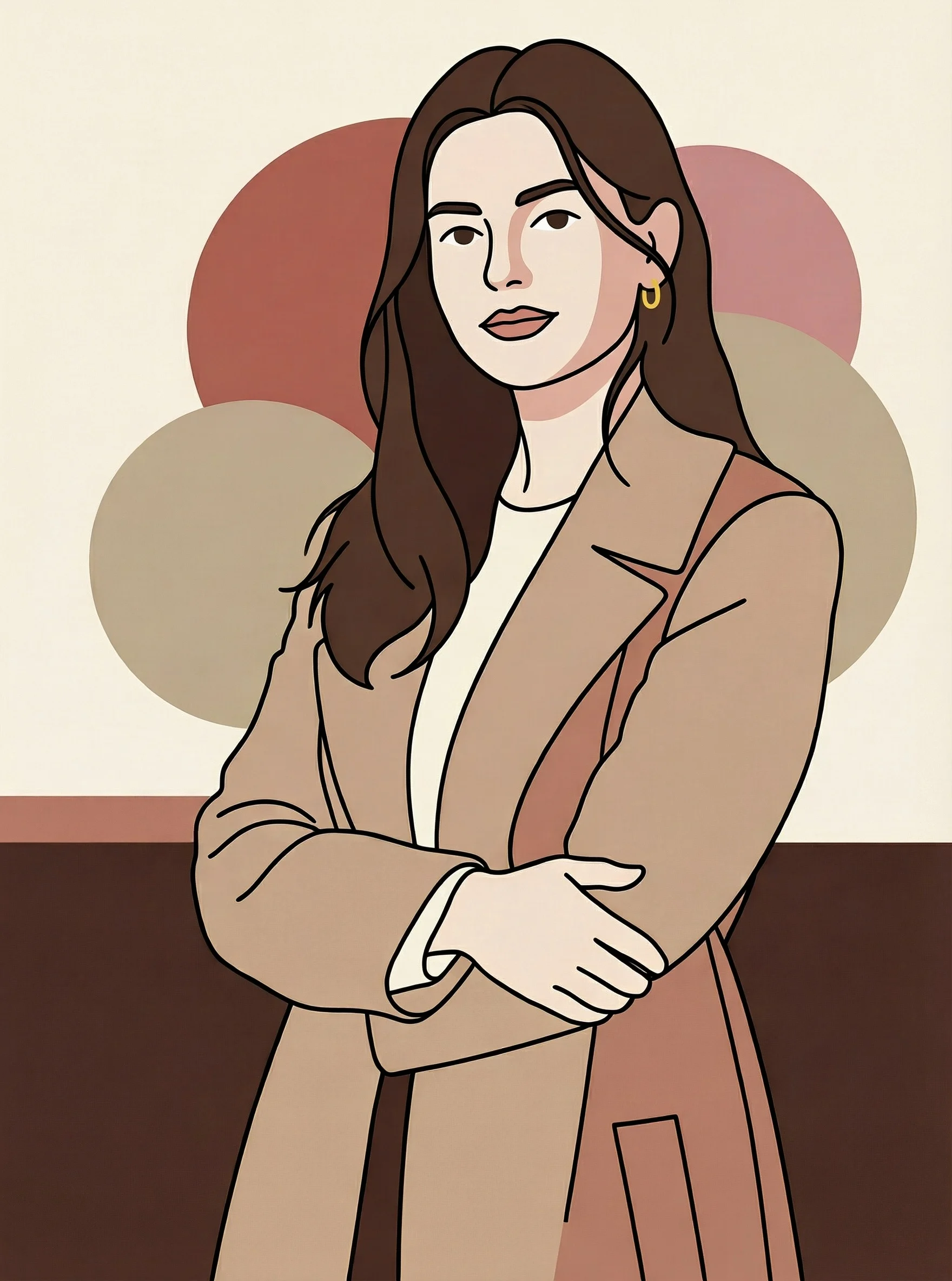
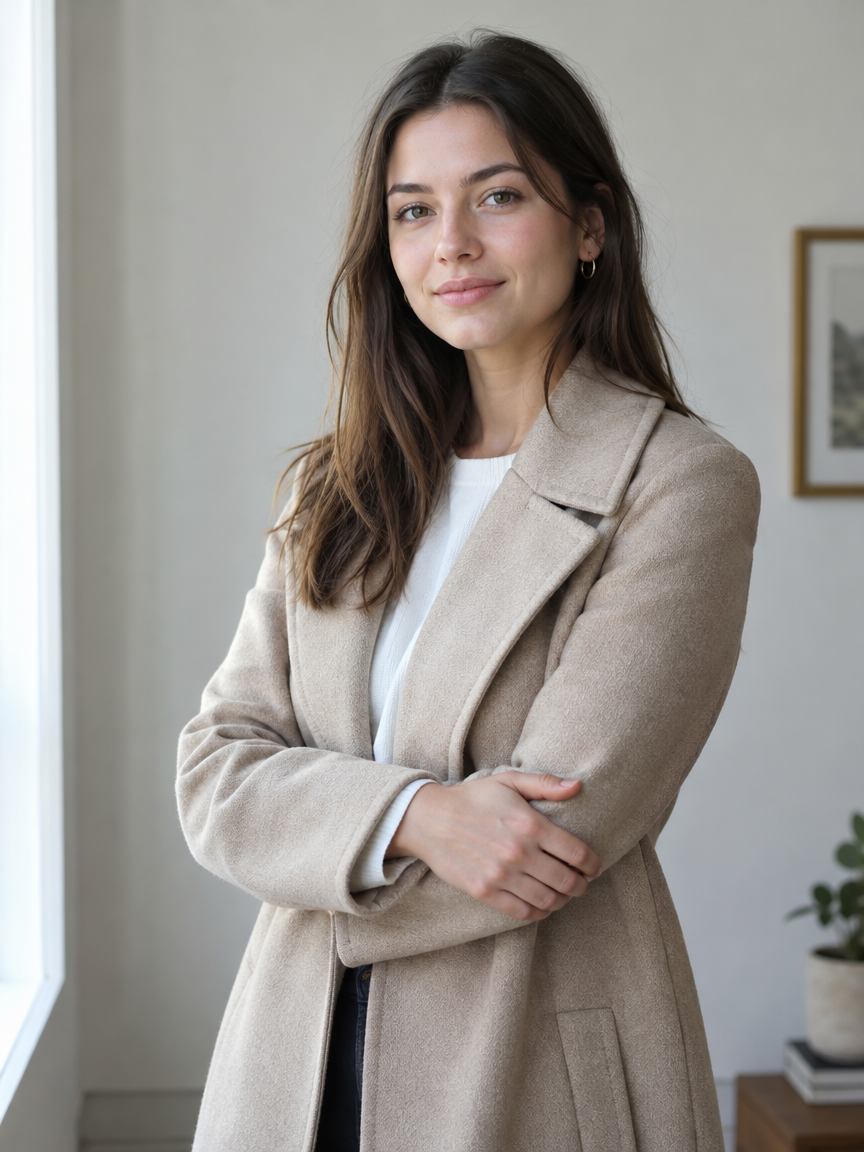
Realistic to Flat: An Illustration Style Spectrum of the Same Woman
Style style-transfer · editorial-illustration · Flat vector
Reference inputs
image_urls
Prompt
A flat vector editorial illustration depicting a young woman standing in a relaxed three-quarter pose, arms lightly crossed, gazing toward the viewer. Reinterpret the reference subject, compressing photographic detail into a few crisp planes of shape: the hair becomes a single continuous flowing silhouette, the folds of the jacket are reduced to two or three soft arcs, and the face retains only essential features, rendered with minimal two-tone skin shading. A restrained warm palette, using terracotta, soft cream, dusty rose, and deep ink lines, with clean negative space left around the figure, and a simple geometric backdrop of overlapping circles and a horizontal color band. Delicate grain-free flat fills, confident linework, a modern magazine illustration feel, with soft diffused light expressed through color blocks rather than gradients.
Copy the full prompt and adapt it for your own generation.
Tags
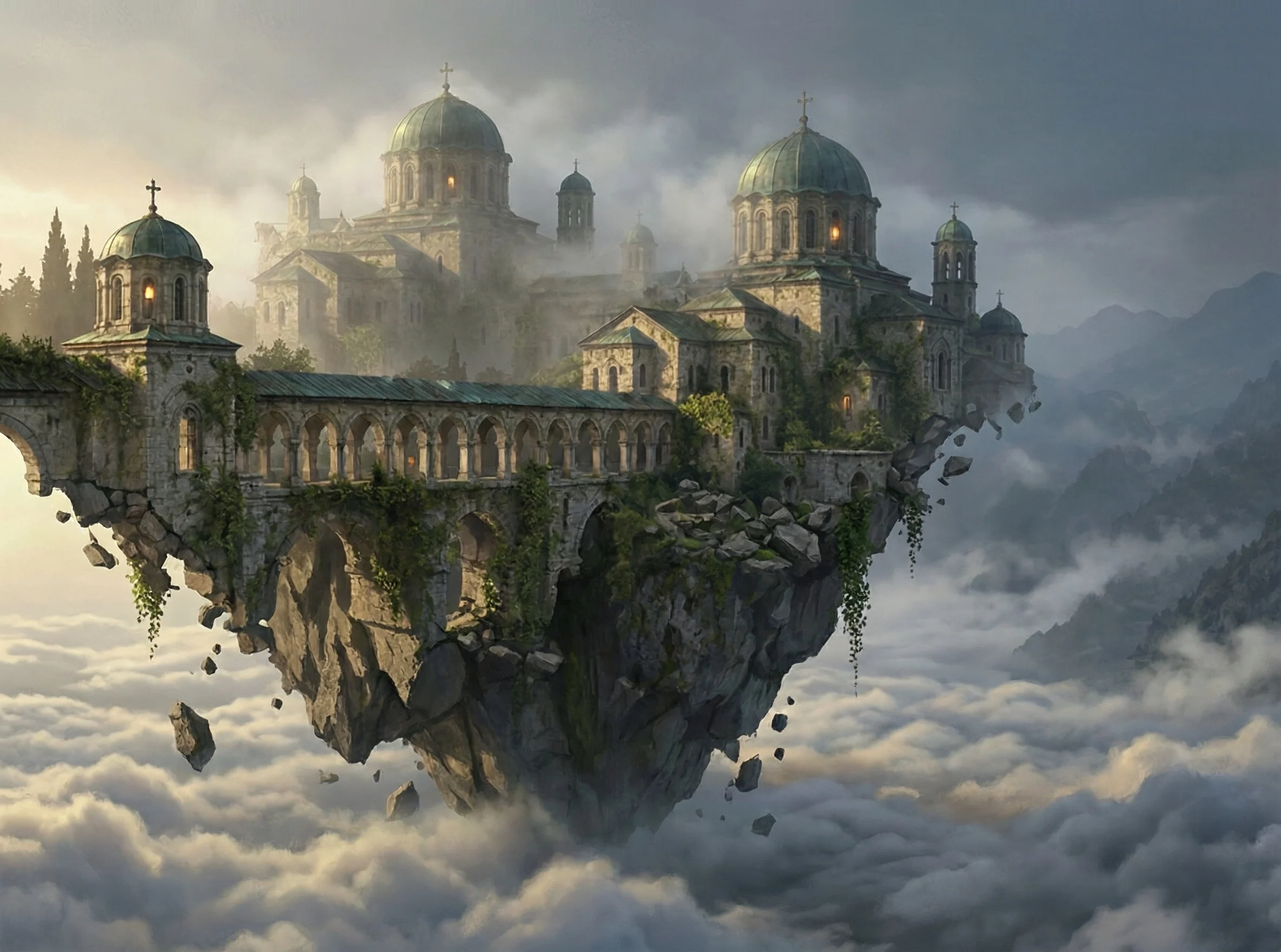
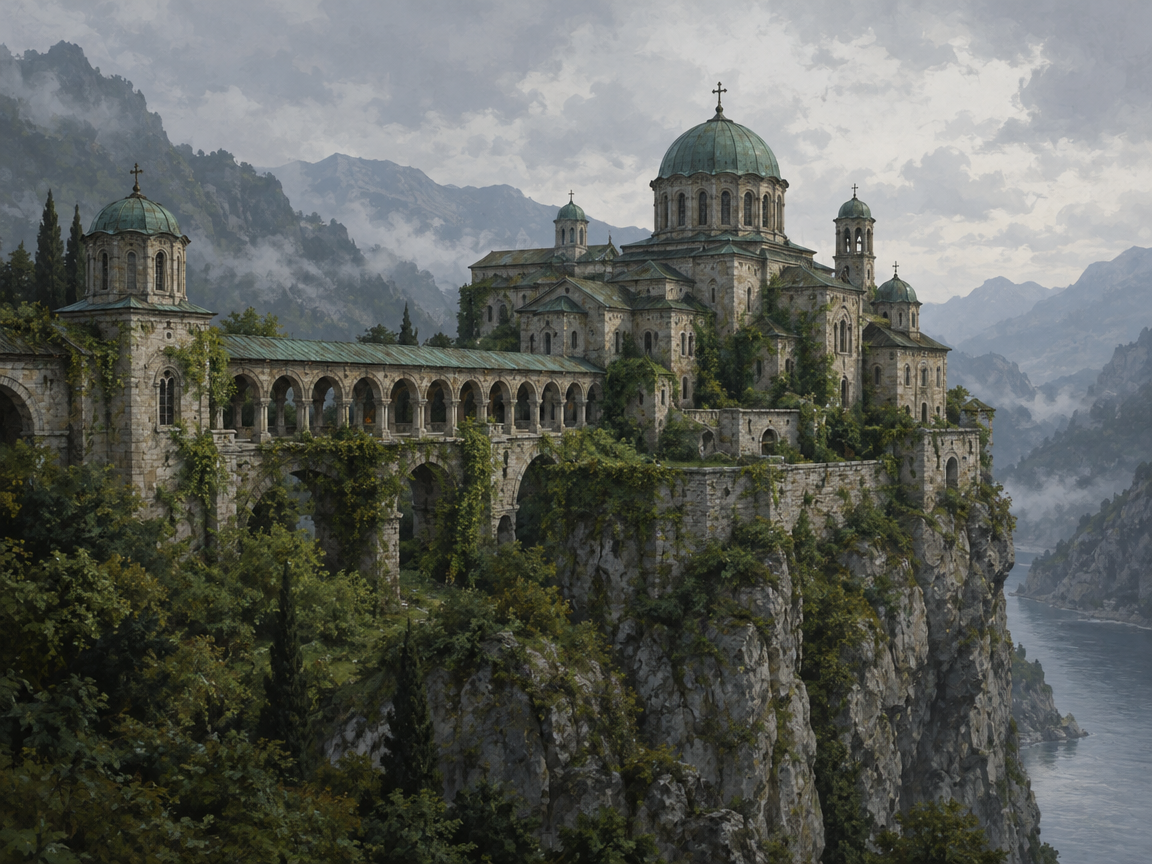
Floating Monastery · Sea of Clouds Concept Scene
Style Concept Art · Worldbuilding · Atmosphere
Reference inputs
image_urls
Prompt
Concept art: a stone-built monastery sits on the broken edge of a cliff suspended above a sea of clouds; long arched walkways and weathered verdigris domes are half-hidden in drifting morning mist; vines and loose rubble hang down into the air; faint warm lantern light glows from a few narrow windows; layered ridges in the distance gradually fade into a cold blue haze; painterly matte-painting texture; soft diffused morning light comes from the side; dominated by low-saturation slate gray and moss tones, with only a single warm color accent; a sense of serene vastness and an unfinished mythological atmosphere.
Copy the full prompt and adapt it for your own generation.
Tags
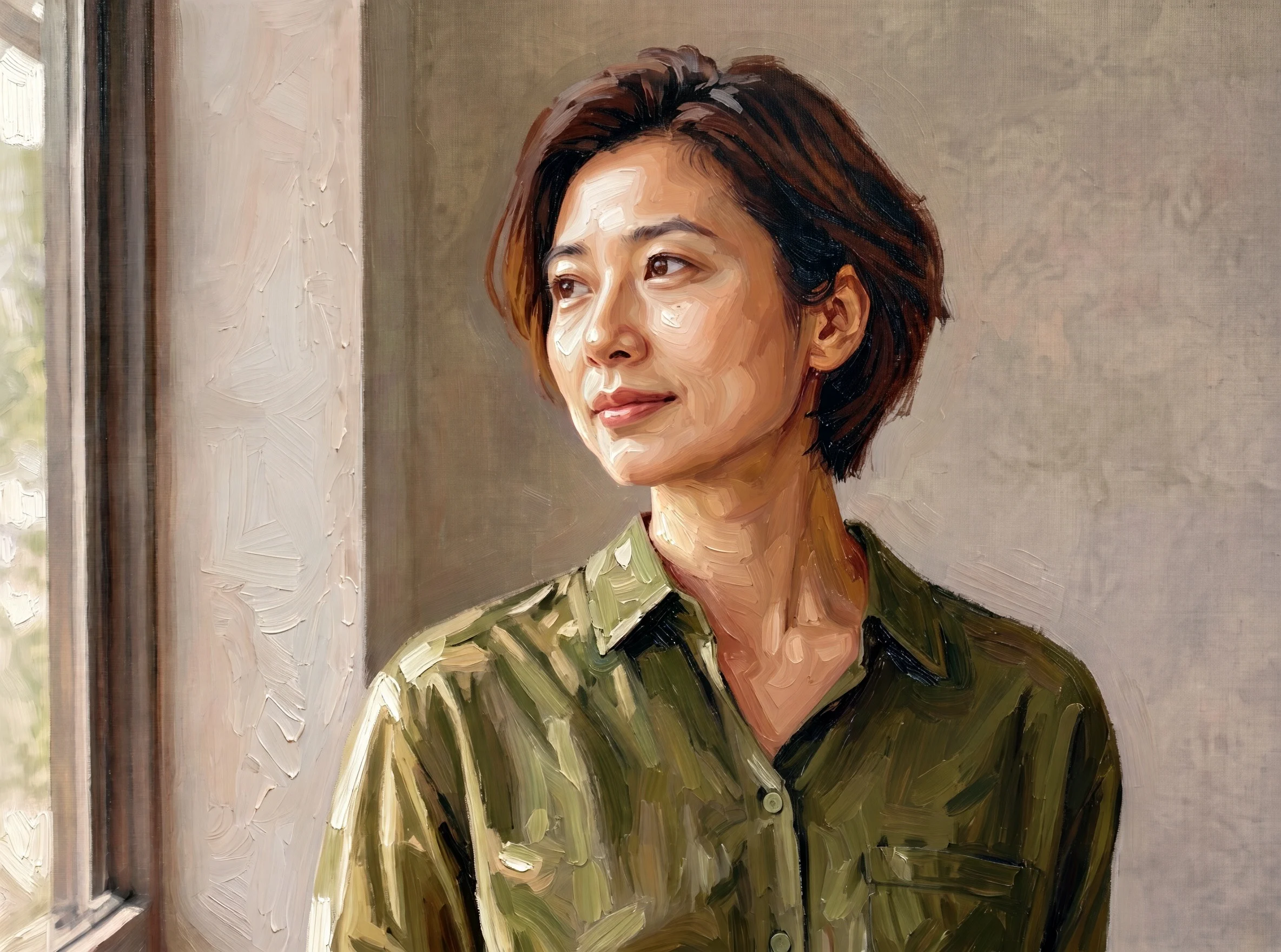
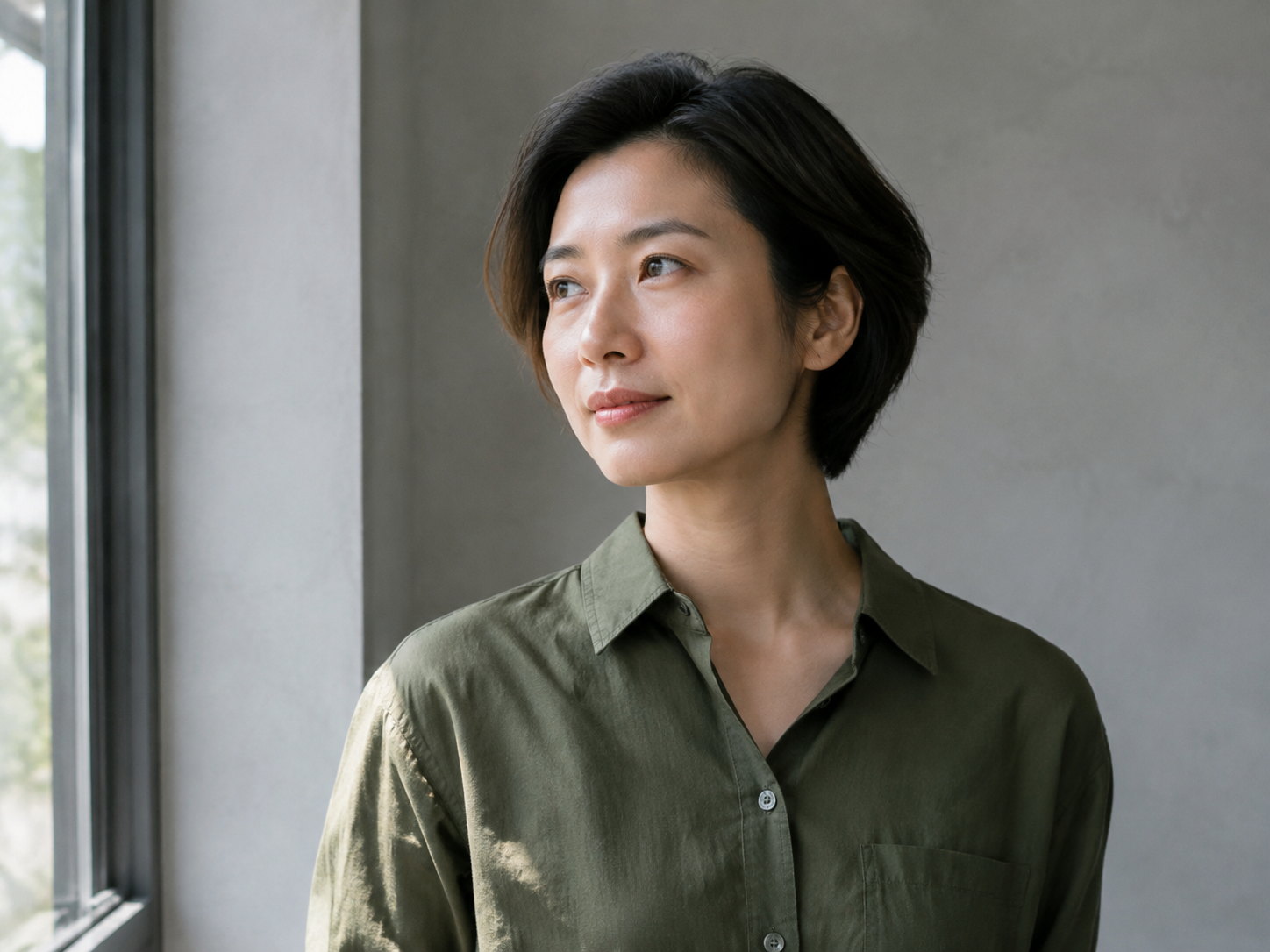
Portrait of a Person in Painterly Brushstrokes · Artistic Reinterpretation of a Reference Image
Style Portrait & Photography · Art style · Reference Edit
Reference inputs
image_urls
Prompt
A half-length portrait of the person in the reference image, reinterpreted as a painterly oil study: facial features and pose stay faithful to the reference, the skin keeps delicate realistic light and shadow, the contours of the shoulders and hair are simplified into broad, confident brushstrokes, the clothing appears as a few loose folds in desaturated olive, and the background dissolves into soft warm-gray color blocks with a faint canvas texture. Soft daylight from above and to the side, a restrained palette of warm ochre, olive, and dusty rose, visible paint edges, and gentle impasto highlights on the cheekbones and collarbones. A quiet, contemplative mood, with the feel of a gallery print-style character illustration.
Copy the full prompt and adapt it for your own generation.
Tags
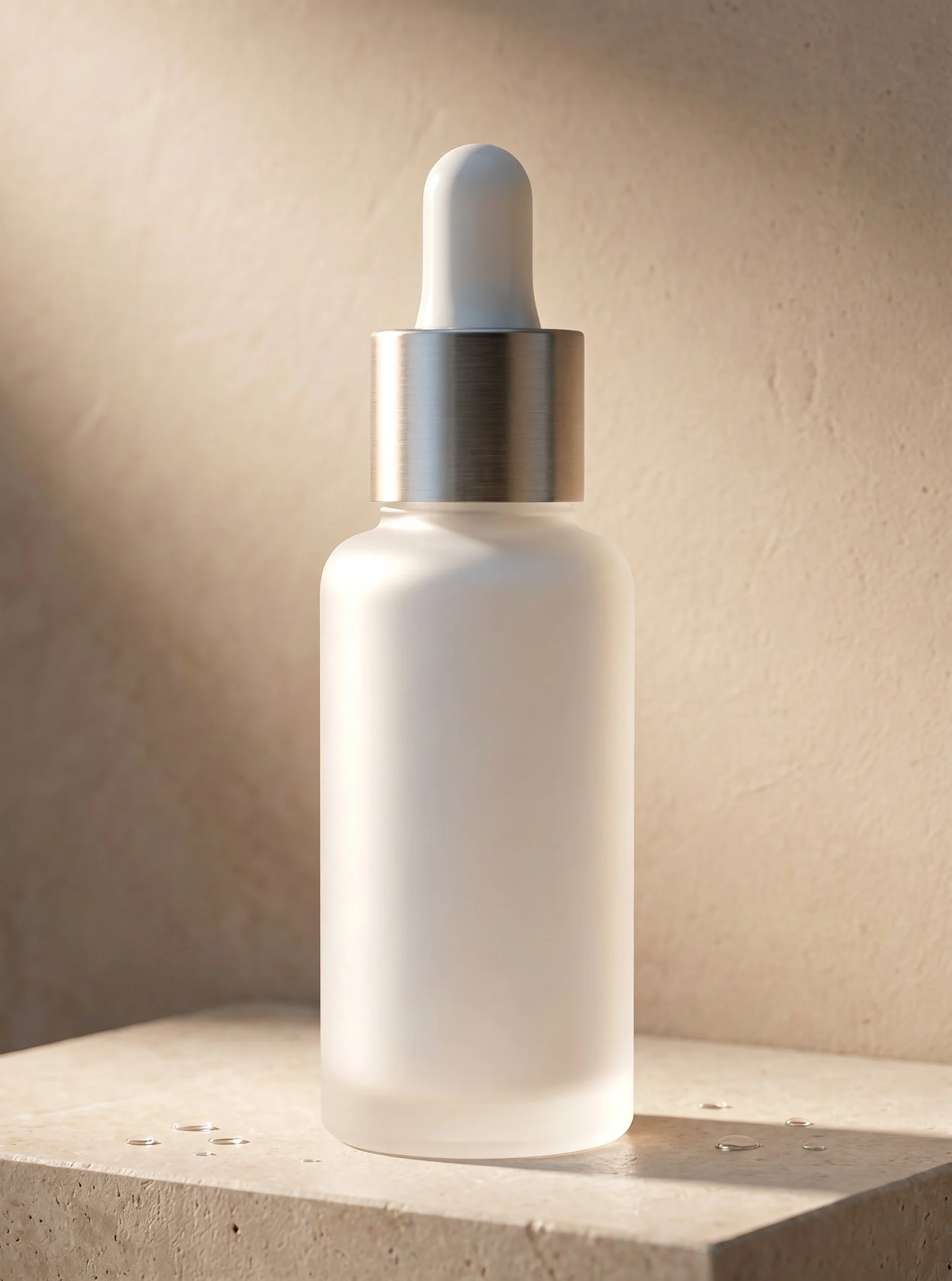
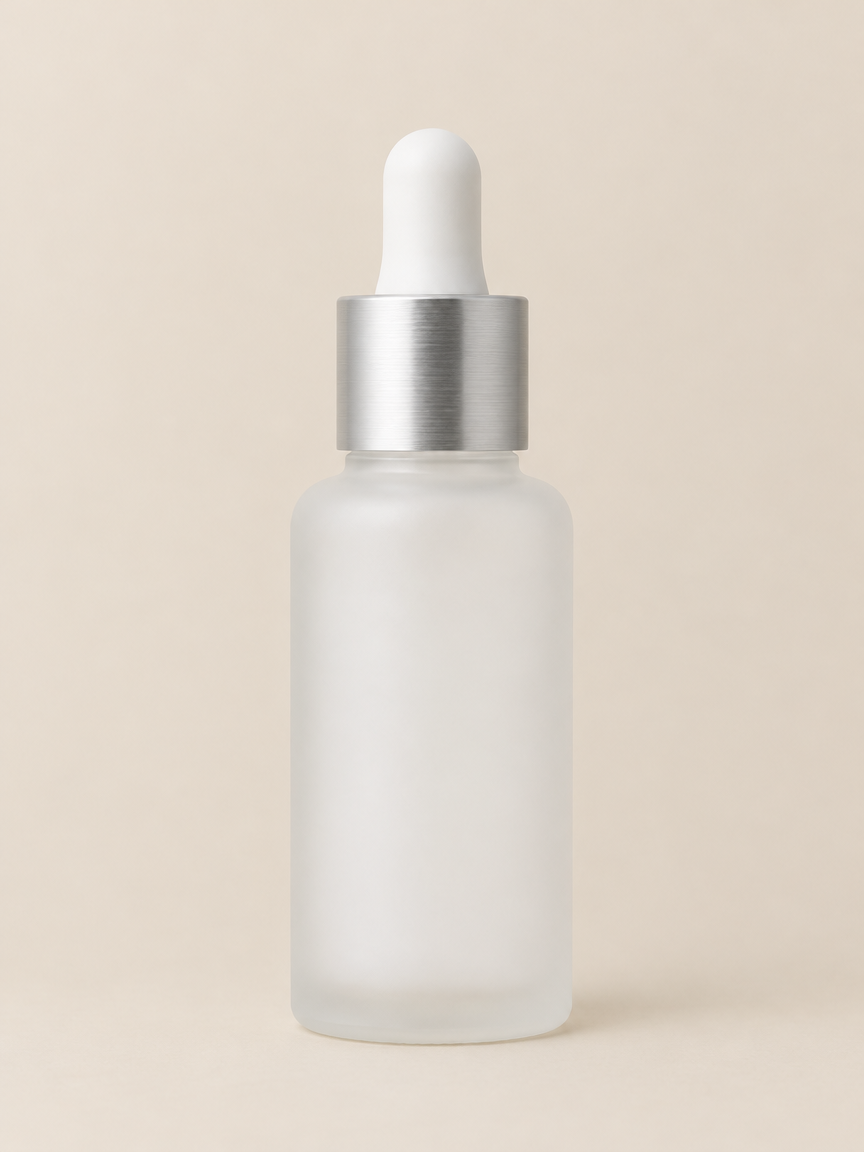
Frosted Glass Skincare Bottle · Portrait E-commerce Product Shot
Style Product Image · Packaging · Studio lighting
Reference inputs
image_urls
Prompt
A bottle of premium skincare serum, made of matte frosted white glass, standing upright at the center on a light sand-toned stone pedestal, with a brushed aluminum dropper cap. The shoulders of the bottle are rounded and the lines soft; the body leaves a blank label area, and the negative space is clean and crisp. The background is a matte plaster wall in the same palette of warm neutral tones, showing a soft gradient transition toward the edges. A soft band of light sweeps diagonally across the left side of the glass, revealing the frosted texture and forming a thin, crisp highlight along the edge, while a faint reflection emerges on the pedestal surface. A few tiny water droplets sit near the base. Studio product photography style, controlled soft shadows, shallow depth of field, the bottle in sharp focus with the background gently blurred, realistic glass and metal textures, neutral color grading, warm highlights and cool shadows.
Copy the full prompt and adapt it for your own generation.
Tags
Pricing
minimax-h3-image/image-to-image per image
| Specifications | Unit Price |
|---|---|
| 1K | $0.0129 + $0.0036 Per Reference Image |
| 2K | $0.0129 + $0.0036 Per Reference Image |
| 4K | $0.0393 + $0.0036 Per Reference Image |
Positioning Overview
Designed for developers with image editing and composition needs, it provides an image-to-image generation service based on reference images. It accepts 1 to 16 JPG, PNG, or WEBP images as references, which are cited in the prompt in image order as Picture 1, Picture 2, and so on, to describe the edits or blends to be performed. The output is a static image, supporting three resolution tiers—1K, 2K, and 4K—as well as multiple aspect ratios, with a choice of JPEG or PNG format. It is suitable for concept design, visual material retouching, and multi-image composition.
Core Highlights
- Multi-image reference fusion support—up to 16 reference images can be submitted in a single request to edit or combine multiple images, with each reference image billed individually.
- Selectable output resolution tiers—three output resolution tiers are offered: 1K, 2K, and 4K, approximately 1MP, 4MP, and 16MP respectively, selectable according to the intended use of the material.
- Reproducible results with a fixed seed—the seed parameter can fix the random seed to reproduce results; when omitted, a random seed is used.
- Automatic aspect ratio selection—aspect_ratio defaults to auto, with the model determining the output ratio based on the prompt and reference images; 10 fixed ratios can also be specified.
Capabilities
Multi-image reference editing and fusion: Submit 1 to 16 reference images and an editing prompt of up to 5000 characters, referencing Picture 1, Picture 2, etc. in image order, to edit existing images or combine multiple images into a new composition, outputting a static image.
Output resolution and aspect control: resolution can be set to 1K, 2K, or 4K, corresponding to approximately 1MP, 4MP, and 16MP outputs; aspect_ratio supports 11 aspect ratios including 1:1, 16:9, and 21:9, defaulting to auto, with the model deciding automatically based on the prompt and reference images.
Output format and seed control: output_format can be jpeg or png; PNG is approximately 12MB at 2K and approximately 30MB at 4K; seed accepts integers from 0 to 2147483647 for reproducing results, and is random if omitted.
Use Cases
- Concept design retouching based on reference images—designers upload character or scene reference images and describe the desired changes to obtain edited concept images for option exploration and visual communication.
- Multi-image composition of commercial visual materials—multiple product images or background images are input as references to generate fused high-resolution materials for advertising and e-commerce display.
- Instruction-based editing of existing images—operations staff or content creators upload existing images and describe the required adjustments to output modified static images for social media or page illustrations.
Limitations and Selection Advice
Each request must include at least 1 and at most 16 reference images, with each image side length between 128 and 8192 pixels, size no greater than 20MB, and format limited to JPG, PNG, or WEBP. The prompt can be up to 5000 characters and must contain non-whitespace content. Reference images are billed per image. The output is a static image; generating video or audio content is not supported. PNG files are significantly larger than JPEG, at approximately 30MB at 4K, so storage and transmission overhead should be taken into account.
What's new
View changelog →- New model MiniMax H3 Image is live: text-to-image and multi-reference editing
Frequently asked questions
View all FAQs →-
How many reference images can be provided at most?
Image-to-image accepts a maximum of 16 reference images and a minimum of 1. Formats are JPG, PNG, or WEBP, with each side between 128–8192 px and each image no larger than 20 MB. Each reference image costs an additional $0.0036; for example, 2K with 3 reference images costs $0.0129 + 3 × $0.0036 = $0.0237 in total. When writing prompts, refer to each image by number such as Picture 1, Picture 2 in the order they were passed in, so the model can correctly map to the objects you want to edit or combine.
-
How are the output dimensions determined, and how large can they get?
Resolution comes in three tiers: 1K, 2K, and 4K, roughly 1 MP, 4 MP, and 16 MP respectively, with 2K as the default. Aspect ratio can be auto or 1:1, 5:4, 4:5, 4:3, 3:4, 3:2, 2:3, 16:9, 9:16, 21:9; when auto is selected, the model decides based on the prompt and reference images, so specify it explicitly if you need a fixed composition.
-
How should I write the prompt to preserve the character's appearance?
Organize it in this order: first describe the subject you want to keep, then write the parts you want to change, and finally refer to images by number: ① Start with one or two sentences fixing the subject's appearance features, such as hairstyle, clothing, color scheme, and signature details; ② Then specify the target scene, pose, camera, and lighting; ③ When you need to reference a reference image, write "the person in Picture 1", numbering multiple images in the order they are passed in. Prompts are capped at 5000 characters; putting details in the body text is more effective than piling up adjectives.
-
How can I create multi-angle character design sheets for the same character?
First use a clear, unobstructed reference image of the subject as Picture 1, fix the character feature description in the prompt, then generate the images one by one and change only the description of the angle or pose, for example front, side, back, half-body, and full-body, with the aspect ratio fixed at 3:4 or 1:1. Keeping the same seed for each image helps reduce random variation; the stylistic consistency of a series mainly depends on the reference image plus a fixed subject description.
Create a generation task
https://api.hiapi.ai/v1/tasks Headers
AuthorizationstringRequiredAccount API key. Required on every request. Example: Bearer YOUR_HIAPI_API_KEY. Get your API key
Content-TypestringOptionalThe request body is always parsed as JSON; when sent, only application/json (optionally with charset) is accepted — any other value returns 415. Example: application/json.
Idempotency-KeystringOptionalIdempotency key, up to 255 bytes. Retries with the same key from the same account create the task only once; replays return the original taskId.
On network timeouts or client retries, the same key creates the task only once — no double charges (scope: the API key's account). Use a business-unique identifier as the key (e.g. "order-42"); replays return the original taskId, and keys expire 24 hours after the first request. See the Unified Async API overview for the full scenario matrix.
Body
modelstringRequiredCurrent fixed value: minimax-h3-image/image-to-image
routestringOptionalCurrent fixed value: default
inputobjectRequired
Business parameters for minimax-h3-image/image-to-image and route default — see the parameter table below.
seedintegerOptionalmin 0max 2147483647Random seed used to reproduce the same result; takes an integer, and a random seed is used when omitted.
promptstringRequiredminLength 1maxLength 5000pattern \SThe editing instruction text, which must refer to reference images in order as Picture 1, Picture 2, etc.; length 1–5000 characters.
image_urlsarrayRequiredminItems 1maxItems 16An array of reference images to be edited or composited, with each element being an image URL; supports 1–16 JPG, PNG, or WEBP images, each side 128–8192 px, up to 20 MB per image, and each reference image is billed separately.
Array [ string ]
resolutionstringOptionalDefault: "2K"Output resolution tier: 1K is about 1 MP, 2K is about 4 MP, 4K is about 16 MP; default is 2K.
1K2K4Kaspect_ratiostringOptionalDefault: "auto"The aspect ratio of the output image; default is auto, which lets the model choose based on the prompt and reference images.
auto1:15:44:54:33:43:22:3Show all (3)Show less
16:99:1621:9output_formatstringOptionalDefault: "jpeg"Output image format; default is jpeg, and PNG files are significantly larger (about 12 MB at 2K, about 30 MB at 4K).
jpegpngcallbackobjectOptional
Terminal-state notification config. When omitted, no callback is delivered — poll the task yourself. See the callback note below.
Provide callback.url when creating a task and HiAPI POSTs to your service once the task reaches a terminal state — no polling needed. The callback payload mirrors the task detail structure; signature verification, delivery retries and idempotency are documented on the Unified Async API overview page.
urlstringRequiredRequired when callback is present. A POST is sent to this URL once the task reaches a terminal state; must be a valid http(s) URL.
whenstringOptionalDefault: "final"Only final is supported today — notified on both success and fail.
finalstoragestringOptionalDefault: "temp"Artifact storage tier: temp (default, retained about 7 days) or persistent (long-term, billed by size). Insufficient balance or exceeding the storage cap silently downgrades to temp; the effective tier is shown in the task detail response.
temppersistentRequest examples
# Submit an async task; returns a taskId immediately (no waiting for generation)
curl -X POST "https://api.hiapi.ai/v1/tasks" \
  -H "Authorization: Bearer $HIAPI_API_KEY" \
  -H "Content-Type: application/json" \
  -d '{
  "model": "minimax-h3-image/image-to-image",
  "input": {
    "prompt": "…",
    "image_urls": "…",
    "resolution": "2K",
    "aspect_ratio": "auto",
    "output_format": "jpeg"
  }
}'
const res = await fetch("https://api.hiapi.ai/v1/tasks", {
method: "POST",
headers: {
Authorization: `Bearer ${process.env.HIAPI_API_KEY}`,
"Content-Type": "application/json",
},
body: JSON.stringify({
model: "minimax-h3-image/image-to-image",
input: {
"prompt": "…",
"image_urls": "…",
"resolution": "2K",
"aspect_ratio": "auto",
"output_format": "jpeg"
}
}),
});
const task = await res.json();
// { code: 200, message: "success", data: { taskId } }import os, requests
res = requests.post(
"https://api.hiapi.ai/v1/tasks",
headers={"Authorization": f"Bearer {os.environ['HIAPI_API_KEY']}"},
json={
"model": "minimax-h3-image/image-to-image",
"input": {
"prompt": "…",
"image_urls": "…",
"resolution": "2K",
"aspect_ratio": "auto",
"output_format": "jpeg"
}
},
)
print(res.json()) # { code, message, data: { taskId } }200 OK
{
  "code": 200,
  "message": "success",
  "data": {
    "taskId": "tk-hiapi-01HZTQ8BX2N3GM3YFK4Z9D7VQR"
  }
}
400 Bad Request
{
  "code": 400,
  "message": "invalid request",
  "data": null,
  "error_code": "INVALID_REQUEST"
}
Get task detail
https://api.hiapi.ai/v1/tasks/:id Response fields
taskIdstringRequiredTask ID, always prefixed with tk-hiapi-.
modelstringRequiredResolved full model name. Tasks submitted with the route parameter return base@route (e.g. gpt-image-2/text-to-image@ext); otherwise identical to the name passed at creation.
routestringOptionalPresent only when the task was submitted with an explicit route parameter; echoes the submitted value.
statusstringRequiredTask status.
queued Queued, not started yet.
handling Being processed.
archiving Processing finished, artifacts being prepared.
success Terminal: completed, artifacts available (output returned).
fail Terminal: failed (error returned).
After submission, check status: success and fail are terminal, everything else is non-terminal. Poll every 1–3 seconds until terminal. On success, download artifacts from output[].url and transfer them before expireAt; pass storage: "persistent" at creation time when long-term retention is needed.
creatednumberRequiredTask creation time (Unix seconds).
completednumberRequiredUnix seconds when the task reached a terminal state; fixed to 0 while not terminal.
outputarrayOptional
Present only when status == success. Artifact list — always an array; a single task may return multiple types at once (e.g. video + first_frame).
Array [ object ]
Array items
urlstringRequiredArtifact URL, directly downloadable.
typestringRequiredCurrent possible values: video, image, audio, first_frame, last_frame, thumbnail; more may be added later.
expireAtnumberRequiredUnix seconds until which the artifact remains accessible; download or transfer before it expires.
errorobjectOptional
Present only when status == fail.
codestringRequiredBusiness error code.
messagestringRequiredError description.
Response examples
Success
{
  "code": 200,
  "message": "success",
  "data": {
    "taskId": "tk-hiapi-01HZTQ8BX2N3GM3YFK4Z9D7VQR",
    "model": "happyhorse-1-0",
    "status": "success",
    "created": 1777282033,
    "completed": 1777282099,
    "output": [
      {
        "url": "https://cdn.hiapi.ai/tasks/.../video.mp4",
        "type": "video",
        "expireAt": 1777886899
      }
    ]
  }
}
Processing (non-terminal)
{
  "code": 200,
  "message": "success",
  "data": {
    "taskId": "tk-hiapi-...",
    "model": "happyhorse-1-0",
    "status": "archiving",
    "created": 1777282033,
    "completed": 0
  }
}
Failed
{
  "code": 200,
  "message": "success",
  "data": {
    "taskId": "tk-hiapi-...",
    "model": "happyhorse-1-0",
    "status": "fail",
    "created": 1777282033,
    "completed": 1777282099,
    "error": {
      "code": "TASK_FAILED",
      "message": "task failed"
    }
  }
}Articles
View all articles →
Related Models
View all models →Same Type
-
 GPT Image 2.6 OpenAI $0.023 /image
-
 BRIA Eraser Bria $0.058 /image
-
 Recraft Crisp Upscale Recraft $0.004 /image
-
 Z-Image Alibaba $0.008 /image
-
 Grok Imagine xAI $0.011 /second
-
 Seedream 4.5 ByteDance $0.045 /image
-
 Ideogram V4 Ideogram $0.050 /image
-
 Nano Banana 2 Google $0.018 /image
-
 Wan 2.7 Image Alibaba $0.035 /image
-
 GPT Image 2 OpenAI $0.007 /image
-
 FLUX.1 Schnell Black Forest Labs $0.005 /image
-
 FLUX 1.1 Pro Black Forest Labs $0.050 /image