MiniMax
MiniMax H3 Image
minimax-h3-image/text-to-image
MiniMax image model: text-to-image and editing with 1–16 reference images share one capability set, with output up to 4K, support for ten aspect ratios plus automatic ratio, suited to concept design, commercial visuals, and multi-style creation
Try minimax-h3-image/text-to-image
Input
Showcases
View all showcasesOutput
image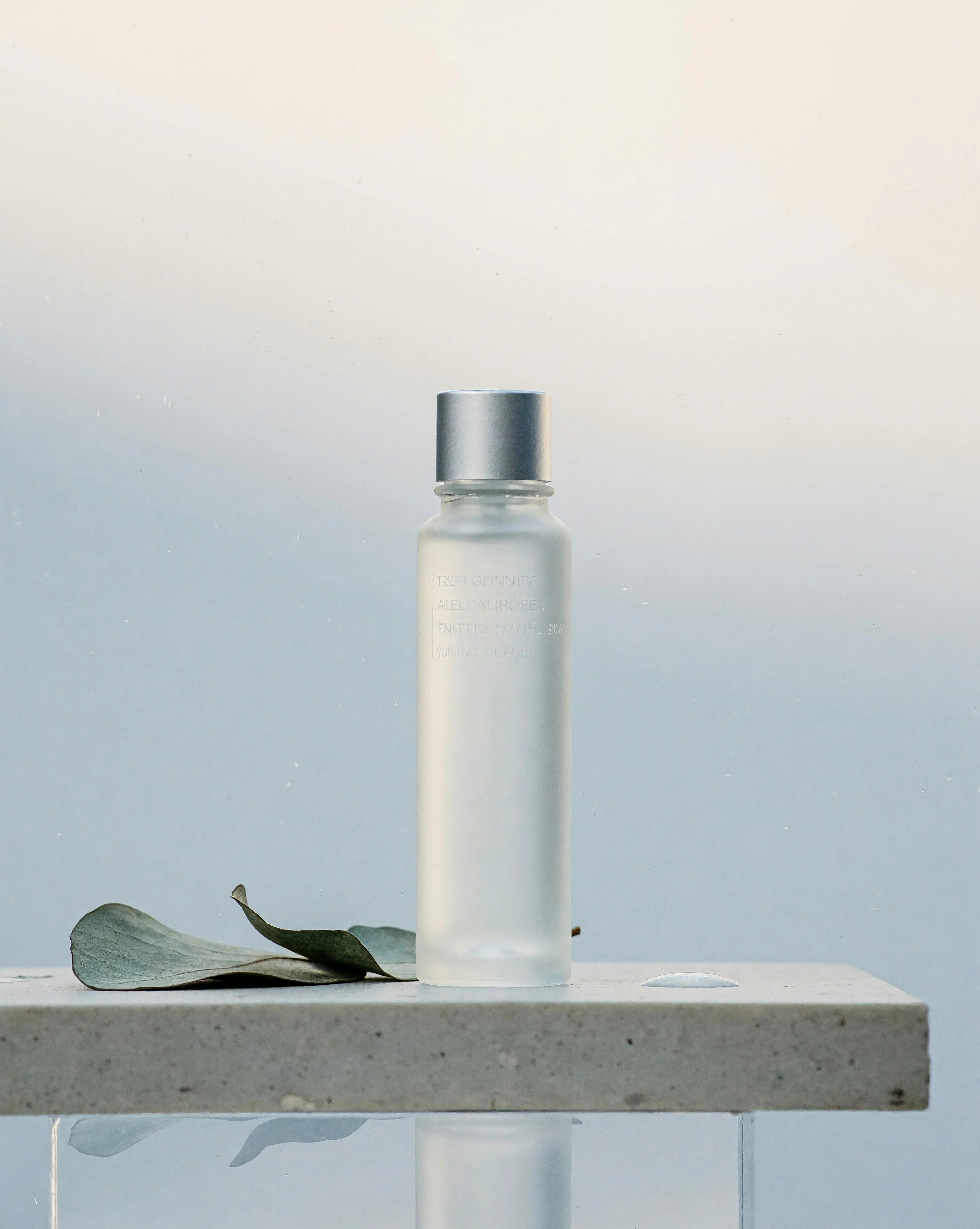
Frosted Serum Bottle · Stone Surface Still Life Product Shoot
Style Product Image · Still Life · Studio lighting
Prompt
A frosted glass skincare serum bottle stands upright on a light gray micro-cement pedestal. Its matte surface appears soft due to the glass texture, and on the front is a small debossed label with tiny, illegible letters. Beside the bottle lie two dried eucalyptus leaves and a single clear water droplet. A large softbox is positioned behind and to the side, tracing a slender highlight along the edge of the bottle, while subtle fill light brightens the shadow side. The low acrylic base reflects a faint, blurred reflection of the bottle. The background transitions from a cool light gray at the bottom to a warm off-white near the top, with extremely fine dust particles floating in the air. Shallow depth of field, with focus falling sharply on the bottle shoulder and cap, quiet negative space above and around the subject, refined commercial still life styling, realistic glass and stone textures, natural color grading.
Copy the full prompt and adapt it for your own generation.
Tags
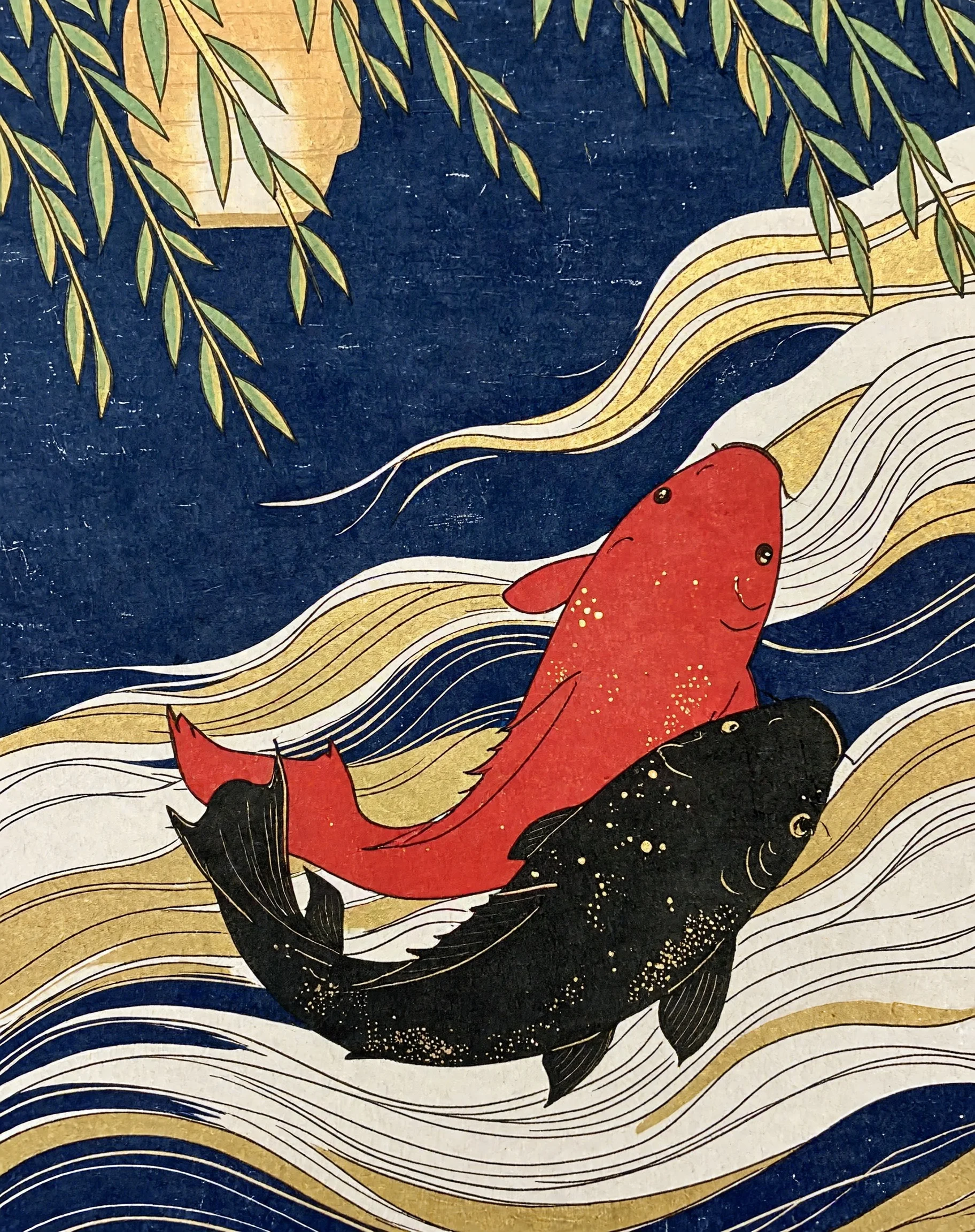
Koi Ukiyo: Golden Scales Crossing the Night
Style Ukiyo-e · japanese-print · Artistic Illustration
Prompt
An ukiyo-e style illustration of two koi fish swimming in deep indigo water, one vermilion and one ink black, their scales flecked with gold leaf fragments; layered wave patterns are carved into flat bands of color, the contours clear and sharp, while the fish bodies retain a soft, moist volume and subtle highlights and reflections. Weeping willow branches and the warm glow of paper lanterns in the distance form the composition in the upper area, leaving a large expanse of open water; the grainy texture of woodblock printing and visible paper grain, a restrained palette dominated by indigo, vermilion, gold, and off-white, with the water flowing in gentle diagonal currents.
Copy the full prompt and adapt it for your own generation.
Tags
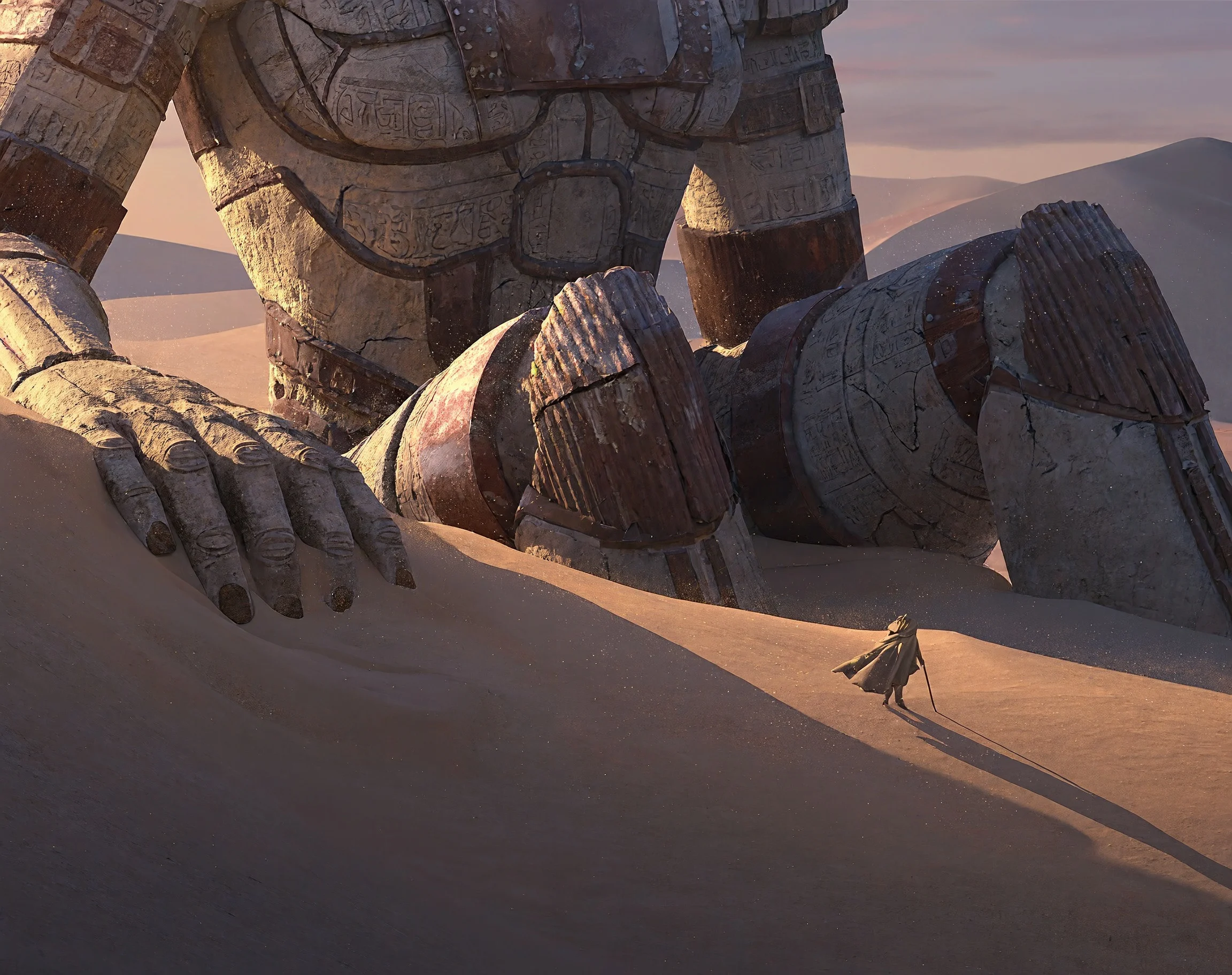
Colossal Colossus of the Sand Sea · Dusk Ruins Concept Scene
Style Worldbuilding · Sci-Fi · Atmosphere
Prompt
A colossal ancient statue half-buried in a desert of endless shifting sands, its weathered stone and rusted metal shell layered with eroded carvings, one giant hand reaching out from the sand. A tiny, solitary traveler draped in a long cloak walks along the ridge of a nearby dune, casting a long shadow and appearing insignificant before the colossus. Golden-hour sunset light slants in from the side, gilding the statue's edges with warm amber rim light, while distant dunes fade into a soft haze of dust; in the air, fine grains of sand glint in the light. Painterly concept art rendering with realistic material detail, soft ochre and gray-violet tones, deep atmospheric depth, epic scale, quiet and mysterious mood.
Copy the full prompt and adapt it for your own generation.
Tags

Afternoon Rooftop · Film-Texture Side-Light Portrait
Style Portrait & Photography · Cinematic texture · Golden Hour
Prompt
A portrait of a young woman wearing a loose, off-white linen shirt, standing at the edge of a city rooftop at dusk. Her face is turned slightly toward the low-hanging sun, which rims her loose dark hair with a warm golden edge and bathes the shadowed side of her cheek in soft, delicate half-light. Behind her, a water tower and distant apartment blocks dissolve into a gentle blur; a low concrete parapet and a few potted plants form the foreground. Natural skin texture with visible fine pores and faint freckles, film-like grain, low-saturation warm tones paired with cool shadows, shallow depth of field, with the feel of a fashion magazine editorial.
Copy the full prompt and adapt it for your own generation.
Tags
Pricing
minimax-h3-image/text-to-image per image
| Specifications | Unit Price |
|---|---|
| 1K | $0.0129 |
| 2K | $0.0129 |
| 4K | $0.0393 |
Overview
This is a model that generates static images from text descriptions. You only need to enter a prompt to get an image that matches the description, and you can control the image's resolution tier, aspect ratio, and output format. When necessary, you can also fix the random seed so that results generated with the same prompt and settings are reproducible. It is aimed at designers, content creators, and developers who need to quickly bring ideas to life, and is suitable for creating concept art, atmospheric scene images, and various visual assets.
Key Highlights
- Automatic prompt expansion — Submitted prompts are automatically expanded with additional details, helping to achieve richer visual expression.
- Multiple resolution tiers available — The output resolution can be selected from three tiers: 1K, 2K, and 4K, corresponding to approximately 1, 4, and 16 megapixels.
- Supports multiple aspect ratios — Built-in ratios from 1:1 to 21:9, plus automatic selection, adapting to different layout requirements.
- Fixed seed for reproducibility — Set an integer seed between 0 and 2147483647 to reproduce results with the same prompt and parameters.
Capabilities
Text-to-image: Input a prompt describing the image, and the model generates a static image accordingly. Prompts must be at least 1 character and at most 5000 characters.
Resolution tier control: The output resolution can be selected from three tiers: 1K, 2K, and 4K, corresponding to approximately 1, 4, and 16 megapixels respectively; the default is 2K.
Aspect ratio control: Supports 1:1, 5:4, 4:5, 4:3, 3:4, 3:2, 2:3, 16:9, 9:16, 21:9, and automatic ratio; the default is 1:1.
Output format selection: JPEG or PNG output can be selected; PNG files are larger, approximately 12 MB at 2K and approximately 30 MB at 4K.
Fixed random seed: An integer seed from 0 to 2147483647 is provided to reproduce results with the same prompt and parameters; if not set, it is randomly generated.
Use Cases
- Concept designers drawing characters and scenes — Enter text descriptions of characters or scenes to generate stylized concept art for preliminary proposals and visual development.
- Content creators making illustrations — Write prompts based on article or video themes to generate images that fit the layout, ready for direct use in content publishing.
- Commercial visual asset production — Select the 4K tier and a high aspect ratio to generate high-resolution assets for advertising or presentation materials.
- Developers generating images in batches — Use fixed seeds with parameter combinations to batch-generate reproducible image assets and integrate them into design or content pipelines.
Limitations and Selection Advice
The prompt is required, can be at most 5000 characters, and cannot contain only whitespace characters. The resolution tier, aspect ratio, and output format must each be selected from enumerated values; custom numeric values are not supported. Seed values are limited to integers from 0 to 2147483647. The generated result is a static image, with one image output per request.
What's new
View changelog →- New model MiniMax H3 Image is live: text-to-image and multi-reference editing
Frequently asked questions
View all FAQs →-
How many reference images can be provided at most?
Image-to-image accepts a maximum of 16 reference images and a minimum of 1. Formats are JPG, PNG, or WEBP, with each side between 128–8192 px and each image no larger than 20 MB. Each reference image costs an additional $0.0036; for example, 2K with 3 reference images costs $0.0129 + 3 × $0.0036 = $0.0237 in total. When writing prompts, refer to each image by number such as Picture 1, Picture 2 in the order they were passed in, so the model can correctly map to the objects you want to edit or combine.
-
How are the output dimensions determined, and how large can they get?
Resolution comes in three tiers: 1K, 2K, and 4K, roughly 1 MP, 4 MP, and 16 MP respectively, with 2K as the default. Aspect ratio can be auto or 1:1, 5:4, 4:5, 4:3, 3:4, 3:2, 2:3, 16:9, 9:16, 21:9; when auto is selected, the model decides based on the prompt and reference images, so specify it explicitly if you need a fixed composition.
-
How should I write the prompt to preserve the character's appearance?
Organize it in this order: first describe the subject you want to keep, then write the parts you want to change, and finally refer to images by number: ① Start with one or two sentences fixing the subject's appearance features, such as hairstyle, clothing, color scheme, and signature details; ② Then specify the target scene, pose, camera, and lighting; ③ When you need to reference a reference image, write "the person in Picture 1", numbering multiple images in the order they are passed in. Prompts are capped at 5000 characters; putting details in the body text is more effective than piling up adjectives.
-
How can I create multi-angle character design sheets for the same character?
First use a clear, unobstructed reference image of the subject as Picture 1, fix the character feature description in the prompt, then generate the images one by one and change only the description of the angle or pose, for example front, side, back, half-body, and full-body, with the aspect ratio fixed at 3:4 or 1:1. Keeping the same seed for each image helps reduce random variation; the stylistic consistency of a series mainly depends on the reference image plus a fixed subject description.
Create a generation task
https://api.hiapi.ai/v1/tasks Headers
AuthorizationstringRequiredAccount API key. Required on every request. Example: Bearer YOUR_HIAPI_API_KEY. Get your API key
Content-TypestringOptionalThe request body is always parsed as JSON; when sent, only application/json (optionally with charset) is accepted — any other value returns 415. Example: application/json.
Idempotency-KeystringOptionalIdempotency key, up to 255 bytes. Retries with the same key from the same account create the task only once; replays return the original taskId.
On network timeouts or client retries, the same key creates the task only once — no double charges (scope: the API key's account). Use a business-unique identifier as the key (e.g. "order-42"); replays return the original taskId, and keys expire 24 hours after the first request. See the Unified Async API overview for the full scenario matrix.
Body
modelstringRequiredCurrent fixed value: minimax-h3-image/text-to-image
routestringOptionalCurrent fixed value: default
inputobjectRequired
Business parameters for minimax-h3-image/text-to-image and route default — see the parameter table below.
seedintegerOptionalmin 0max 2147483647Fixed random seed for reproducible results; use an integer, a random seed is used when omitted.
promptstringRequiredminLength 1maxLength 5000pattern \SImage description prompt, 1–5000 characters long; the prompt is automatically expanded to render richer details.
resolutionstringOptionalDefault: "2K"Output resolution tier; 1K is about 1 MP, 2K about 4 MP, 4K about 16 MP; default is 2K.
1K2K4Kaspect_ratiostringOptionalDefault: "1:1"Output aspect ratio; when set to auto the model chooses on its own; default is 1:1.
auto1:15:44:54:33:43:22:3Show all (3)Show less
16:99:1621:9output_formatstringOptionalDefault: "jpeg"Output image format, default is jpeg; PNG files are significantly larger (about 12 MB at 2K, about 30 MB at 4K).
jpegpngcallbackobjectOptional
Terminal-state notification config. When omitted, no callback is delivered — poll the task yourself. See the callback note below.
Provide callback.url when creating a task and HiAPI POSTs to your service once the task reaches a terminal state — no polling needed. The callback payload mirrors the task detail structure; signature verification, delivery retries and idempotency are documented on the Unified Async API overview page.
urlstringRequiredRequired when callback is present. A POST is sent to this URL once the task reaches a terminal state; must be a valid http(s) URL.
whenstringOptionalDefault: "final"Only final is supported today — notified on both success and fail.
finalstoragestringOptionalDefault: "temp"Artifact storage tier: temp (default, retained about 7 days) or persistent (long-term, billed by size). Insufficient balance or exceeding the storage cap silently downgrades to temp; the effective tier is shown in the task detail response.
temppersistentRequest examples
# Submit an async task; returns a taskId immediately (no waiting for generation)
curl -X POST "https://api.hiapi.ai/v1/tasks" \
  -H "Authorization: Bearer $HIAPI_API_KEY" \
  -H "Content-Type: application/json" \
  -d '{
  "model": "minimax-h3-image/text-to-image",
  "input": {
    "prompt": "…",
    "resolution": "2K",
    "aspect_ratio": "1:1",
    "output_format": "jpeg"
  }
}'
const res = await fetch("https://api.hiapi.ai/v1/tasks", {
method: "POST",
headers: {
Authorization: `Bearer ${process.env.HIAPI_API_KEY}`,
"Content-Type": "application/json",
},
body: JSON.stringify({
model: "minimax-h3-image/text-to-image",
input: {
"prompt": "…",
"resolution": "2K",
"aspect_ratio": "1:1",
"output_format": "jpeg"
}
}),
});
const task = await res.json();
// { code: 200, message: "success", data: { taskId } }import os, requests
res = requests.post(
"https://api.hiapi.ai/v1/tasks",
headers={"Authorization": f"Bearer {os.environ['HIAPI_API_KEY']}"},
json={
"model": "minimax-h3-image/text-to-image",
"input": {
"prompt": "…",
"resolution": "2K",
"aspect_ratio": "1:1",
"output_format": "jpeg"
}
},
)
print(res.json()) # { code, message, data: { taskId } }200 OK
{
  "code": 200,
  "message": "success",
  "data": {
    "taskId": "tk-hiapi-01HZTQ8BX2N3GM3YFK4Z9D7VQR"
  }
}
400 Bad Request
{
  "code": 400,
  "message": "invalid request",
  "data": null,
  "error_code": "INVALID_REQUEST"
}
Get task detail
https://api.hiapi.ai/v1/tasks/:id Response fields
taskIdstringRequiredTask ID, always prefixed with tk-hiapi-.
modelstringRequiredResolved full model name. Tasks submitted with the route parameter return base@route (e.g. gpt-image-2/text-to-image@ext); otherwise identical to the name passed at creation.
routestringOptionalPresent only when the task was submitted with an explicit route parameter; echoes the submitted value.
statusstringRequiredTask status.
queued Queued, not started yet.
handling Being processed.
archiving Processing finished, artifacts being prepared.
success Terminal: completed, artifacts available (output returned).
fail Terminal: failed (error returned).
After submission, check status: success and fail are terminal, everything else is non-terminal. Poll every 1–3 seconds until terminal. On success, download artifacts from output[].url and transfer them before expireAt; pass storage: "persistent" at creation time when long-term retention is needed.
creatednumberRequiredTask creation time (Unix seconds).
completednumberRequiredUnix seconds when the task reached a terminal state; fixed to 0 while not terminal.
outputarrayOptional
Present only when status == success. Artifact list — always an array; a single task may return multiple types at once (e.g. video + first_frame).
Array [ object ]
Array items
urlstringRequiredArtifact URL, directly downloadable.
typestringRequiredCurrent possible values: video, image, audio, first_frame, last_frame, thumbnail; more may be added later.
expireAtnumberRequiredUnix seconds until which the artifact remains accessible; download or transfer before it expires.
errorobjectOptional
Present only when status == fail.
codestringRequiredBusiness error code.
messagestringRequiredError description.
Response examples
Success
{
  "code": 200,
  "message": "success",
  "data": {
    "taskId": "tk-hiapi-01HZTQ8BX2N3GM3YFK4Z9D7VQR",
    "model": "happyhorse-1-0",
    "status": "success",
    "created": 1777282033,
    "completed": 1777282099,
    "output": [
      {
        "url": "https://cdn.hiapi.ai/tasks/.../video.mp4",
        "type": "video",
        "expireAt": 1777886899
      }
    ]
  }
}
Processing (non-terminal)
{
  "code": 200,
  "message": "success",
  "data": {
    "taskId": "tk-hiapi-...",
    "model": "happyhorse-1-0",
    "status": "archiving",
    "created": 1777282033,
    "completed": 0
  }
}
Failed
{
  "code": 200,
  "message": "success",
  "data": {
    "taskId": "tk-hiapi-...",
    "model": "happyhorse-1-0",
    "status": "fail",
    "created": 1777282033,
    "completed": 1777282099,
    "error": {
      "code": "TASK_FAILED",
      "message": "task failed"
    }
  }
}Articles
View all articles →
Related Models
View all models →Same Type
-
 FLUX.1 Schnell Black Forest Labs $0.005 /image
-
 FIBO 1.5 Bria $0.058 /image
-
 Nano Banana 2 Google $0.018 /image
-
 Krea 2 Medium Turbo Krea $0.021 /image
-
 BRIA Product Shot Bria $0.058 /image
-
 Z-Image Alibaba $0.008 /image
-
 Google Virtual Try-On Google $0.107 /image
-
 Seedream 5.5 ByteDance $0.019 /image
-
 851 Labs Background Remover 851 Labs $0.002 /image
-
 Ideogram V4.5 Ideogram $0.011 /image
-
 FLUX 1.1 Pro Black Forest Labs $0.050 /image
-
 Nano Banana 2 Lite Google $0.033 /image