
Tutorial
Hands-on text-to-image with mai-image-2.7: 5 high-value business scenarios and implementation essentials
From e-commerce assets to batch content production: implementing 5 types of real needs with a unified image generation API

On this page
Why choose a text-to-image API instead of building it in-house
Before deciding to put text-to-image capabilities into your product, answer one question: should this really be built in-house, or should it go through a unified API? The answer depends on three dimensions — cost structure, iteration pace, and maintenance burden.
Building image generation in-house means preparing an inference environment, maintaining model versions, handling concurrency scaling and GPU memory scheduling, and continuously keeping up with quality iterations. For teams where image generation is only a supporting product capability, this infrastructure investment is hard to amortize across business volume. The real cost is not a one-time deployment, but long-term maintainability.
A unified API is much simpler to call. Take mai-image-2.7/text-to-image for example: the output type is image, the capability is pure text-to-image, billing is per image, and on the engineering side you only need one HTTP call plus a place to store results. You can focus your effort on prompt design and business integration instead of model operations.
The criteria come down to a few points: Is image generation your core competitiveness? Is the daily call volume large enough to amortize in-house costs? Does the team have the manpower to continuously follow model iterations? If most answers are "no", you should start with the API. Conversely, only when generation quality, private-data training, or extreme latency become hard barriers is in-house building worth considering. For the vast majority of business scenarios, using a unified interface to get the workflow running and to accumulate prompts is the most cost-effective path.
Scenario 1: E-commerce and product hero image assets
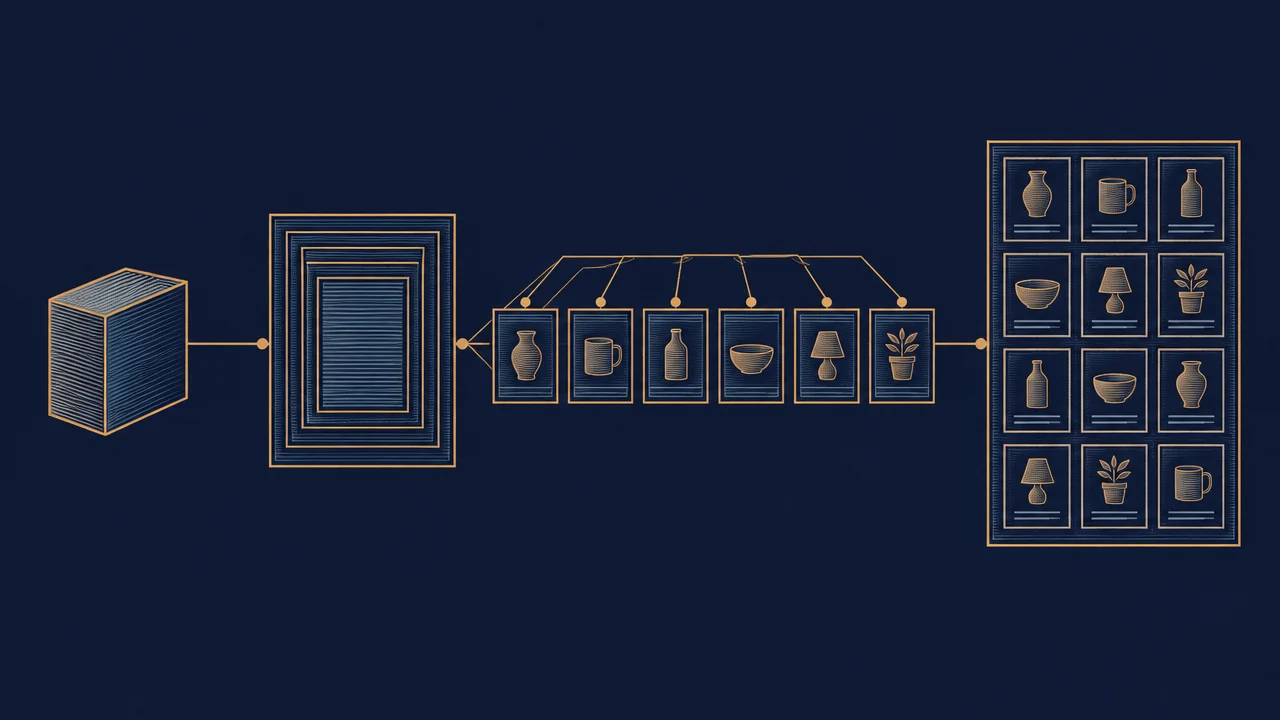
E-commerce is the most typical text-to-image scenario: a product needs a hero image, scene image, mood image, and detail supplement images. The traditional approach relies on a photo studio and post-production, with long cycles and high costs. Text-to-image can quickly produce "the scene the product sits in".
The key is prompt templating. Do not write prompts from scratch every time; instead, break product attributes into fixed slots:
Subject: {product name}, {material}, {color}
Scene: {usage scenario}
Lighting: soft light/natural light/studio strobe
Composition: centered/rule of thirds/top-down
Style: commercial photography/minimalist/lifestyle
Aspect ratio: 1:1
The benefit of fixed slots is reproducible style. For the same batch of products, you only replace the subject field while keeping scene, lighting, and composition consistent, so the produced hero images share a unified visual language and do not look cluttered on a listing page.
On the engineering side, turn this template into a configurable struct, and assemble it into the final prompt when calling mai-image-2.7/text-to-image. Note that product descriptions must be specific; avoid vague expressions like "nice clothes", because the model cannot extract effective visual information from them. It is recommended to store generated results in a database or storage archive; the same product with the same template combination can be reused without being billed again.
Scenario 2: Marketing campaigns and banner imagery
Campaign pages are characterized by short timelines, multiple sizes, and multiple styles. One campaign concept needs to be used in the hero banner, sidebar, pop-up, mobile, and other places, each with different sizes and ratios.
The strategy is "one concept, multiple variants". First generate a baseline image with a complete prompt to confirm the visual direction; then adjust aspect ratio and element density around the same concept to generate variants for each size. Explicitly specify aspect ratio and compositional focus in the prompt, such as "leave space on the left for copy" and "safe area for top and bottom cropping", to avoid placing key elements at the crop edges.
How batch tasks are organized matters a lot. Treat each "concept × size × style" combination as one task unit, put it in a queue, and record the task ID and prompt. After the campaign ends, the mapping between this set of prompts and the outputs becomes reference assets for the next campaign. Campaign cycles are short and manpower is tight, so preparing prompt templates and batch scripts in advance is far more efficient than hastily generating images one by one at the last minute.

Scenario 3: Hero image generation for blogs and content platforms
The most common pain point for content teams: the article is finished, but the hero image is still missing. Automatically turning titles into accompanying images can significantly speed up publishing cadence.
The approach is to establish rules for converting titles into prompts. Do not throw the title at the model as-is; instead extract the topic, domain, and emotion, then assemble them into a visual description. For example, for an article about "distributed caching", the converted prompt should describe concrete visual elements and style rather than piling up abstract terminology.
A typical pipeline integrated into publishing is: article finalized → extract title and summary → assemble prompt → call the API to generate → store in object storage → write the cover URL back to the content system. This pipeline is suitable as an asynchronous task: generation failure does not block publishing, and it can fall back to a default cover. For style, it is recommended to unify a platform visual guideline (for example, a fixed color palette and compositional tendency) so that all hero images look like they belong to the same content brand.
Scenario 4: In-app placeholder images and personalized visuals
Empty states, loading placeholders, card backgrounds — these places used to be filled with static assets or solid colors, giving a bland experience. Text-to-image can dynamically generate visuals that fit the context and scenario.
But boundaries must be drawn here. Dynamic generation is suitable for low-frequency, non-critical-path positions: ambient backgrounds on a user profile page, guide illustrations when a certain type of data is empty, periodic image rotation in operational slots. It is not suitable for elements that appear frequently at key positions in the main flow — there, call volume and latency are both uncontrollable.
A feasible approach is pre-generation plus caching. Enumerate a limited set of combinations by theme, color tone, and scenario, batch-generate a small set of candidate images in advance, and select at runtime based on user attributes or context instead of making a real-time request every time. This gives the feel of "personalization" while keeping call volume within budget. Personalization dimensions should be limited to a small number of attributes (such as theme color, industry category); the more dimensions, the worse the combinatorial explosion.
Scenario 5: Creative exploration and prompt iteration
Before formal batch production, the prompts themselves need exploration. The cost of a single call is low, which makes it ideal for A/B iteration.
The method is controlled variables: change only one factor at a time (lighting, style, composition), generate samples and review them manually, record which version better matches the goal, then proceed to the next round. Turn each validated prompt into a structured entry — scenario, full prompt text, parameters, review conclusion — forming a prompt library shared by the team.
The value of this library accumulates over time: new projects do not have to start trial and error from scratch; they can directly reuse validated combinations and only fine-tune the differences. In the exploration phase, do not chase perfection in one shot; instead, make "trial — record — converge" a fixed process. Note that every generation is billed per image, so exploration must also be restrained: first validate direction with low resolution and small batches, then scale up after confirmation.
Engineering implementation and cost control for batch generation
The engineering essentials for batch scenarios focus on four points: concurrency, retries, deduplication, and budget.
- Concurrency: Use a queue to control the concurrency level, avoiding instant exhaustion of quotas and making it easier to reschedule failed tasks.
- Retries: Distinguish retryable errors (timeouts, rate limiting) from non-retryable errors (prompt policy violations). Retrying the latter is meaningless; mark them as failed directly and record the reason.
- Deduplication: Hash "prompt + parameters" and reuse existing results directly on a cache hit without calling again. This is the most direct cost-saving measure.
- Budget: Billing is per image, and the unit price can be found on the site's pricing panel. Estimate batch budget as "planned image count × unit price", and maintain a counter of generated images in the task queue, alerting when approaching the threshold.
When storing results, record the prompt, parameters, task status, and output address, which facilitates auditing and provides a basis for later reuse. Batch tasks should be designed to be idempotent, so that resubmitting the same batch does not cause duplicate billing. For specific API parameters and invocation methods, refer to the mai-image-2.7/text-to-image model page.
Common issues and troubleshooting checklist
When encountering problems, troubleshoot in the following order:
- Request rejected: First check whether the prompt violates the content policy; remove sensitive or vague descriptions and retry; confirm that the parameter format matches the API requirements.
- Style drift: Check whether the prompt differs slightly each time, or whether missing scene/lighting fields cause the model to improvise. Fixed template slots significantly improve consistency.
- Uncontrollable output: When element positions or counts do not match expectations, replace abstract adjectives with more explicit composition and spatial descriptions, and reduce the target complexity of a single generation.
- Duplicate results: Confirm whether the deduplication hash is working, and whether the prompt and parameters are really identical.
- High failure rate: Break down statistics by error type; if it is rate limiting, reduce concurrency; if it is a prompt problem, go back to the template layer to fix it.
Write each troubleshooting conclusion back into the prompt library and task logs, so the same type of problem does not have to be solved again next time. Stability comes from standards, not luck.
Related articles
View all articles →-

Tutorial
MAI Image 2.7 Flash Image Editing in Practice: 5 High-Value Image Editing Scenarios and Integration Essentials
-

Tutorial
MAI Image 2.7 Image Editing in Practice: 5 High-Value Image Editing Scenarios and Integration Essentials
An image-to-image scenario breakdown for developers: from model selection and integration to cost control
-
Tutorial
MAI Image 2.7 Flash Text-to-Image in Practice: 5 High-Value Application Scenarios and Integration Essentials
From scenario selection to cost accounting, truly put low-cost text-to-image models to work