
Tutorial
Seedream 5.5 Practical Guide: 5 High-Value Image Generation Use Cases
A developer-focused walkthrough of real-world image generation patterns, parameters, and cost trade-offs

On this page
Why Seedream 5.5 Deserves a Use-Case-First Approach
Most image model integrations fail not because of quality but because the request shape was chosen before the job was understood. Seedream 5.5 makes that failure mode easy to avoid, because the route exposes exactly two capabilities: text-to-image and image-to-image. Everything else—prompt structure, size tier, reference count, background mode, output format—is a downstream consequence of which of those two paths you take.
That is why a use-case-first approach pays off. If you start from "we need a hero image for a landing page," the answer is a short prompt, an aspect ratio that matches the layout slot, and a size tier that fits the budget. If you start from "we need forty product photos that all look like the same SKU," the answer is image-to-image with reference images, and the dominant cost variable becomes how many references you attach, not how long the prompt is.
Two structural facts about the route shape the rest of this guide:
- Billing is per image, with size tiers. The 1K and 1.5K tiers share the same per-image price, while 2K is the default and the most expensive tier. Omitting
sizetherefore silently puts you on the priciest path. - Every reference image is billed separately. In
image_urlsyou can pass 1 to 10 public http(s) images, and each one counts on the bill. Reference count is your main cost lever for image-to-image work.
Keep those two facts in view and the five use cases below become variations on a small number of decisions rather than five separate integrations. The model page for Seedream 5.5 is the canonical reference for the parameter enum values quoted throughout.
The two-path mental model
Text-to-image means: you send prompt and nothing else is required. Image-to-image means: you send prompt plus one or more entries in image_urls, and the prompt describes what to change versus what to preserve. There is no third mode, no separate editing endpoint, no inpainting mask parameter. That constraint is a feature—it keeps the integration surface small enough to reason about.
Why this ordering matters for cost
A team that starts from the model's parameters tends to default into 2K output with five references because those are valid values. A team that starts from the use case notices that a social thumbnail does not need 2K and that a catalog variant usually needs one strong reference, not five. The difference in per-image spend across a batch is meaningful at any volume, and it comes from a design decision, not an optimization pass.

The Parameter Surface That Shapes Every Use Case
Here is the compact mental model. Six parameters plus one required field cover every request you will write in this guide; later sections reference these without re-explaining them.
prompt (required)
A string from 1 to 5000 characters describing the image you want, or—when reference images are supplied—describing what to modify and what to keep. The 5000-character ceiling is generous enough that prompt length is a genuine design surface, not a constraint to work around. Use it.
size
Enum of 1K, 1.5K, 2K. Default is 2K. The 1K and 1.5K tiers are priced identically per image. Because 2K is the default, any request that omits size is billed at the 2K tier—set it explicitly unless you have decided 2K is what you need.
aspect_ratio
Enum covering 1:1, 4:3, 3:4, 16:9, 9:16, 3:2, 2:3, 21:9, 2:1, 1:2. When omitted, the model chooses framing based on your prompt and any reference images. Omitting it is a legitimate choice for exploratory work; specifying it is the right call when the image has to fit a known layout slot.
background
Enum of auto, transparent, opaque; default auto. Transparent backgrounds require the output format to be PNG. This is the only hard coupling in the parameter set, and it bites people who set output_format: jpeg and then wonder why transparency did not come through.
output_format
Enum of png, jpeg; default png. PNG is the safer default for anything with transparency or sharp edges; JPEG is smaller for photographic content where you control the background anyway.
image_urls
Array of 1 to 10 public http(s) reference images. Omitting it means pure text-to-image. Each reference image is billed separately, so the array is simultaneously a quality control and a cost control.
How to think about the combination
Ask three questions in order. First: do I need a reference image? That decides the mode. Second: what size tier does the downstream consumer actually need? That decides size and most of the bill. Third: does the asset need transparency? That decides background and locks output_format to PNG. Aspect ratio is a layout concern and can usually be deferred or left to the model during exploration.
Use Case 1: Marketing and Social Visuals at Scale
This is the pure text-to-image case, and it is the highest-volume one most teams hit first. A campaign needs one visual idea rendered into a square feed post, a vertical story asset, a wide banner, and a link-preview image. The creative direction is identical; only the frame changes.
Implementation pattern
Write the prompt once, describing subject, style, lighting, and mood in concrete visual terms. Then issue one request per channel slot, varying only aspect_ratio:
1:1for feed posts and profile-adjacent placements9:16for vertical story formats16:9for wide banners and video thumbnails21:9or2:1for ultra-wide headers
Because the prompt is shared, the visual identity stays consistent across slots without you hand-tuning each one. The model handles reframing within the ratio you request.
Where the budget decision lives
A feed thumbnail rendered at 1K and a feed thumbnail rendered at 2K look identical on a phone. Since 1K and 1.5K share the same per-image price, and 2K is the most expensive tier, the practical rule is: reserve 2K for assets that will be viewed large or cropped into—hero banners, print-adjacent key art, anything a designer will re-crop. Everything downstream of a fixed layout slot should be explicit about size rather than inheriting the 2K default.
Prompt structure that survives variation
Front-load the subject, then the treatment. For example: "A ceramic mug on a linen surface, soft window light from the left, shallow depth of field, warm neutral palette, no text." Subject first means that when the aspect ratio changes and the model re-composes, the thing that must survive—the subject—is the thing stated first. Negative instructions like "no text" are worth including on marketing assets because generated lettering is rarely usable and often has to be composited anyway.
Leaving aspect_ratio unset
For the first exploratory render of a campaign concept, omit aspect_ratio and let the model pick framing. You will sometimes get a composition you would not have specified, and that is cheap information before you commit to a multi-slot batch.
Use Case 2: Product and Catalog Imagery
Catalog work is where reference images earn their cost. The goal is a set of images that all plausibly depict the same physical object—same shape, same material, same color—rendered across contexts or angles.
Implementation pattern
Send prompt plus image_urls containing your product reference. One well-lit, uncluttered reference is usually enough to anchor shape and color. The prompt then describes the target scene rather than the object: surface, lighting, angle, and background treatment. Something like "the same object photographed on a matte concrete surface, three-quarter overhead angle, soft diffused studio light, subtle shadow beneath."
Generate variants by changing the scene description while holding the reference constant. This is the cheapest form of consistency: the reference pins the identity, the prompt varies the presentation.
The cost implication of multiple references
Every entry in image_urls is billed separately, on top of the generated image. Attaching five references to nail a tricky material means each generated image carries five reference charges. That is occasionally worth it—a translucent or reflective product may genuinely need multiple angles for the model to infer geometry—but it should be a deliberate decision, not a default.
A practical discipline: start with one reference. Add a second only if the output shows the model guessing wrong about a specific attribute (back panel shape, cap geometry, fabric drape). Cap the array at what the task demonstrably requires. In a batch of hundreds of catalog images, the difference between one and four references per request is the single largest variable in the whole integration.
Size tier for catalog work
Catalog images often feed a grid where each tile is modest. That argues for an explicit 1K or 1.5K setting on grid tiles, with 2K reserved for the primary product image on a detail page. Since 1K and 1.5K price the same, choose between them on quality grounds, not cost: 1.5K gives you more pixels to crop into for zoom views at no extra per-image charge.
Output format
Photographic product content with a controlled background is a reasonable case for jpeg to keep payloads small. If the same asset also feeds a cutout use case, generate PNG instead and avoid a second request.
Use Case 3: Controlled Editing with Reference Images
This is image-to-image used as an editing primitive: you have an existing image and you want a specific, bounded change. The model has no mask parameter, so the discipline lives entirely in the prompt.
State what changes and what stays
The single most useful prompt pattern here is an explicit two-part sentence. Name the modification, then name the invariants. For example: "Change the background to a warm gradient; keep the subject's pose, clothing, and facial features exactly as in the reference."
Compare that with "make it look better," which gives the model nothing to hold constant and nothing to change. Vague editorial prompts are the main reason image-to-image output feels unpredictable. The 5000-character prompt ceiling exists precisely so you can be exhaustive about the invariants.
Keep reference counts at one unless the edit requires more
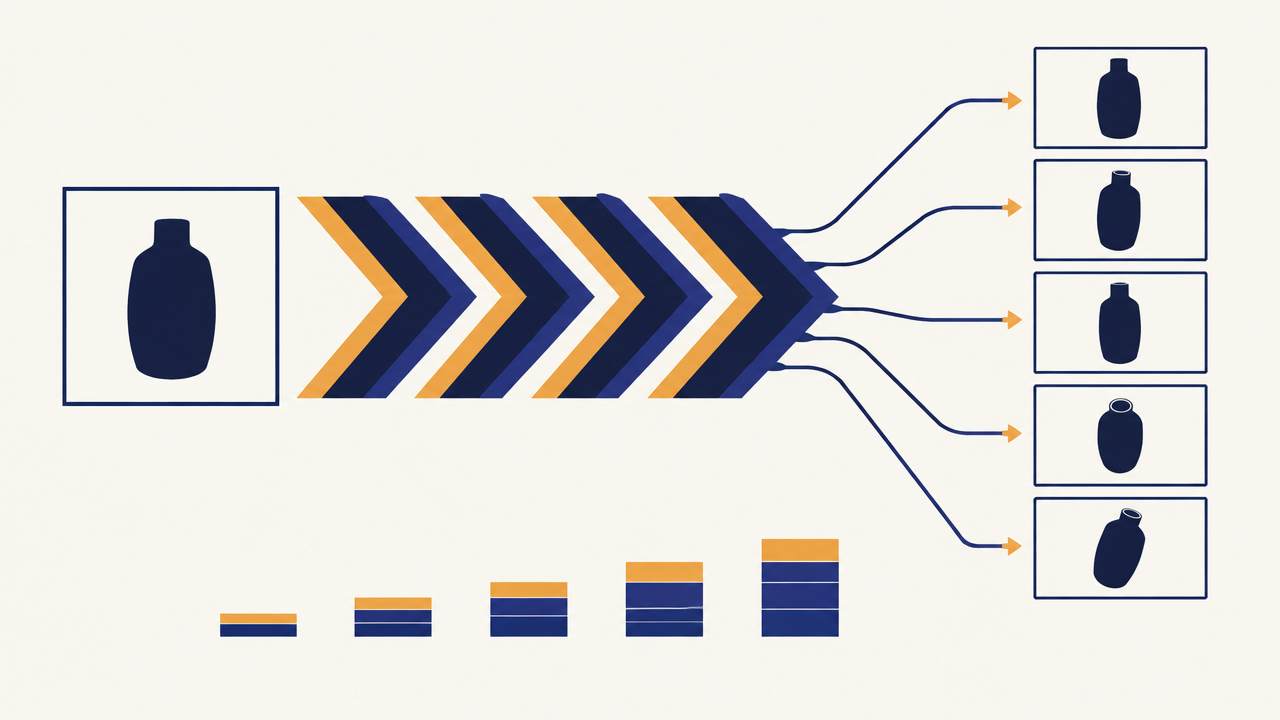
Most edits need exactly one reference: the image being edited. Two references make sense when the task is compositional—for instance, placing a subject from one image into a scene from another. Beyond two, ask whether you are asking the model to solve a problem that should be split into two sequential requests. Sequential single-reference edits are often cheaper and easier to debug than one request with many references, because each reference is billed independently.
Aspect ratio and editing
When editing an existing image, omit aspect_ratio and let the model infer framing from the reference. Forcing a ratio on an edit risks re-cropping content you asked the model to preserve. Specify a ratio only when the edit's purpose is a reformat—turning a landscape shot into a vertical crop, for example.
Iteration discipline
Each edit is a billed image, so treat the loop as a convergence process. Make one change per request and inspect the result. Batching multiple modifications into a single prompt sounds efficient but makes attribution impossible: when the output is wrong, you cannot tell which instruction caused it. One change per round is the cheaper debugging strategy even though it looks like more requests.
Use Case 4: Transparent-Background Assets for Apps and UI
Cutout assets—icons, stickers, character art, illustration elements—have one hard requirement, and the API enforces it: transparency needs background: transparent and a PNG output format.
The combination that works
Set background to transparent and leave output_format at its default png, or set it explicitly. If you set jpeg, transparency cannot be represented and the cutout will not do what you want. Since PNG is already the default, the safe pattern is to set background and change nothing else.
Prompting for a usable cutout
Two prompt habits improve cutout quality. First, describe the subject as an isolated object rather than a scene: "a stylized fox mascot, flat vector shading, bold outlines" rather than "a fox in a forest." Second, explicitly state the absence of a backdrop. Scene language invites the model to compose an environment, and a transparent background request with a described environment can produce halos or stray elements around the subject edges.
For app UI work, also specify the lighting model. Isometric flat shading, soft cel shading, and full 3D rendering all cut out fine, but mixing them across a set of assets makes the asset library look inconsistent. State the style in every prompt, or better, reuse one prompt template and vary only the subject.
Size and aspect ratio for UI assets
UI assets are consumed at fixed pixel sizes, which makes 1K the sensible default tier—it is the cheapest tier and more than sufficient for icon and sticker dimensions. Pair it with aspect_ratio: 1:1 when the asset lives in a square container, or omit the ratio if the subject's natural proportions should drive framing (a tall character, a wide logo lockup).
Where this use case goes wrong
Two failure modes dominate. The first is forgetting the format coupling and shipping JPEG with transparency requested. The second is scale inconsistency: generating a set of assets at different aspect ratios and then scaling them into a grid, which produces wildly different visual weights. Fixing the contract—size: 1K, background: transparent, output_format: png, one aspect ratio per asset class—removes both.
Use Case 5: Rapid Concept Exploration and Iteration
Before committing to finals, you want volume: many directions, cheaply, to find the one worth developing. This use case is entirely about exploiting the tier structure.
The two-phase loop
Phase one is exploration at 1K, with aspect_ratio omitted so the model explores framing on its own. Vary the prompt aggressively here—different treatments, different moods, different compositions. Because 1K and 1.5K share the same per-image price, you can step up to 1.5K during exploration for more useful inspection detail without changing the per-image cost at all.
Phase two is refinement at the tier the final asset needs. Once a direction is chosen, lock the aspect ratio, tighten the prompt, and render at 2K only for the assets that will actually ship at large size.
Why this ordering saves real money
The default size is 2K. A team that explores by writing requests without a size parameter is paying the top tier for throwaway concepts. Exploration that explicitly sets 1K or 1.5K keeps the per-image cost at the lower tier for the entire search phase, and reserves 2K spend for the handful of finals.
Structuring exploration prompts
Keep a fixed skeleton and vary one axis per batch: subject, then style, then composition, then palette. Varying one axis at a time makes the results comparable, which is the whole point of exploration—you are not looking for a lucky accident, you are trying to learn which axis drives the outcome you like.
Reusing winners as references
A strong exploration result can become the reference for the final render: feed it back through image_urls with a prompt describing the production treatment you want, and you get a controlled final rather than a re-roll. That converts a cheap exploratory image into an anchor, at the cost of one extra reference charge per final. For a small number of finals, that is a good trade.
Cost Planning and Integration Checklist
Pull the pieces together into something you can act on before wiring the route into a product.
Cost model in one paragraph
Billing is per generated image, with size tiers: 1K and 1.5K are priced identically and 2K is the most expensive tier and the default. Reference images in image_urls are billed individually on top of the generated image. So the total for a request is a function of the size tier plus the number of references. Current official size-tier prices are $0.0186 at 1K and 1.5K, and $0.0325 at 2K, and each reference image adds $0.0075 (tier price + count × $0.0075, not tier × count). Confirm the Seedream 5.5 model page if you need to re-check the live panel, and budget against these official figures.
Checklist
- Set
sizeexplicitly on every request. Omitting it bills at 2K. Only omit it if 2K is genuinely what you want. - Choose the tier by consumer, not by habit. UI assets and grid tiles sit at 1K or 1.5K; large hero and detail images justify 2K.
- Cap reference images. Start with one. Add a second only when a specific attribute comes out wrong. Prefer two sequential single-reference edits over one many-reference request.
- Pair
background: transparentwith PNG. JPEG cannot carry transparency. - Omit
aspect_ratiofor exploration and edits; specify it for layout-bound production assets. - Use the prompt budget. Up to 5000 characters. For edits, state what changes and what stays. For generation, front-load the subject.
- Cache and reuse. Identical request parameters against an unchanged prompt is recomputation you are paying for; store results and dedupe.
- Validate reference URLs.
image_urlsrequires publicly reachable http(s) images, 1 to 10 entries. - Log tier and reference count per request. These two fields explain almost all spend variance in an image pipeline; without them, cost reviews stall.
- Fail loudly on parameter mismatch. Reject
transparentplusjpegat the client layer rather than discovering the problem in a rendered asset.
A note on prompt as an engineering artifact
Across all five use cases, the prompt is the part of the request that changes most often and is hardest to review. Treat it like code: keep templates in version control, name the variables you substitute, and write the invariants explicitly for image-to-image work. The parameter surface is small and stable—the prompt is where the quality and the iteration cost actually live.
Start with the use case, set size and reference count deliberately, and the rest of the integration follows. The Seedream 5.5 model page has the full parameter enum and current per-image tiers for when you are ready to wire it up.
Related articles
View all articles →-

Tutorial
P-Video 2 Pro Replace Practical Guide: 5 High-Value Video Use Cases
A developer walkthrough of person-insertion video-to-video, from input constraints to per-second cost control
15 min read -

Tutorial
MiniMax Music 1.5 Practical Guide: 5 High-Value Use Cases for Developers
From prompt and lyrics to format, bitrate, and sample rate: how to ship music generation features that hold up
14 min read -

Tutorial
Lyria 3 Pro Practical Guide: 5 High-Value Music Generation Use Cases
From prompt to production: where text-to-music actually pays off, and how to build it
12 min read