
Comparison
Tripo H3.1 Side-by-Side Comparison and Selection Guide: How to Choose Among Three 3D Generation Paths and How to Save
A developer-oriented trade-off between pricing and capability, starting from input form, geometric refinement, and PBR/texture switches
On this page
Why 3D Generation Should Start by Choosing a Path Based on Input Form
A common mistake developers make when integrating 3D generation is to first pick the cheapest endpoint from the price list and then try to cram their existing assets into it. The result is often: forcing a one-sentence description into the input of image-to-3D, or throwing a product image with a complex background at the multiview endpoint, retrying repeatedly, and ending up spending more.
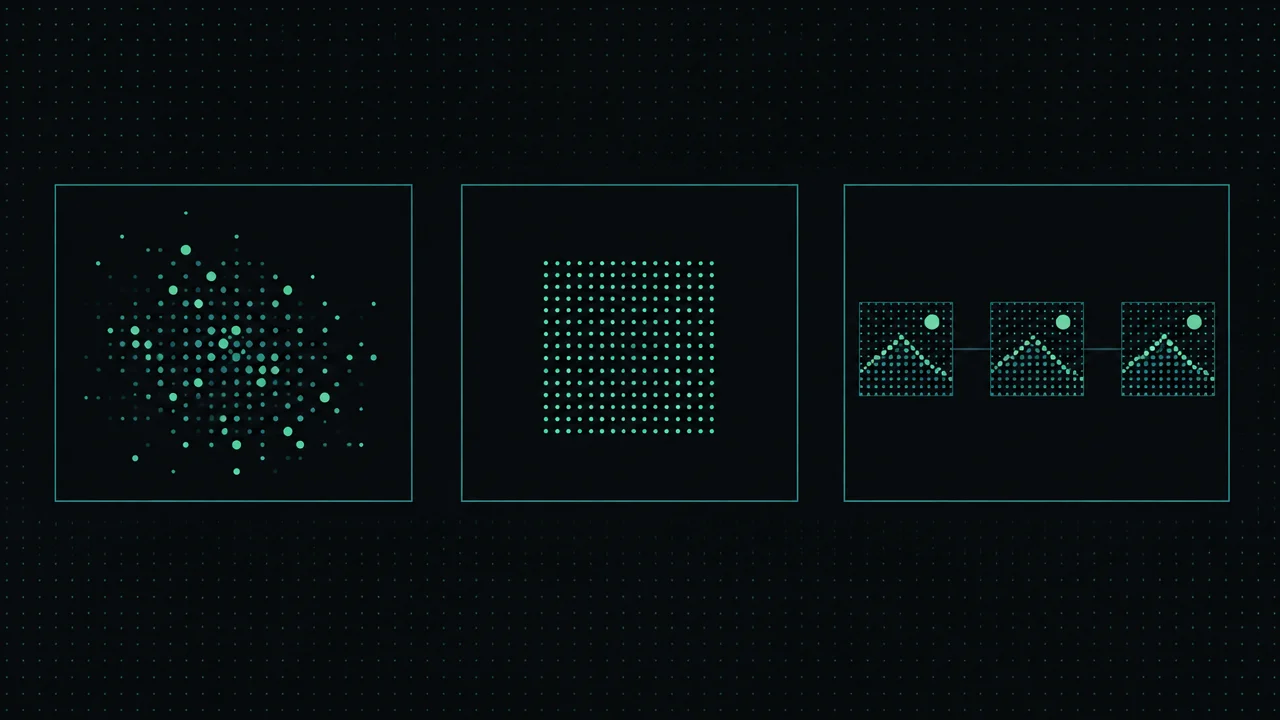
A more reasonable framework is to look at the input form first. Text-to-3D accepts a natural-language description, image-to-3D accepts an image of an object on a clean background, and multiview-to-3D accepts 2–4 views of the same object arranged in front/left/back/right order. These are essentially three tiers of input information: text has the weakest constraints, a single image provides a definite silhouette and color scheme, and multiple views add geometric information about occluded surfaces.
Stronger input constraints usually mean more controllable output, but only if you actually have the corresponding assets. The order of choosing a path should be: first inventory your asset conditions, then look at accuracy requirements, and only lastly estimate the budget against the billing structure. Putting price first will let selection be driven by the per-call unit price and cause you to overlook the hidden costs of retries and rework.

The Three Paths of Tripo H3.1 and Their Capability Boundaries
Tripo H3.1 covers three generation methods, corresponding to three endpoints that can be called separately.
tripo-h3.1/text-to-3d accepts a natural-language description as input, suitable for stages where you don't yet have a physical object or reference image and only have a concept. Its advantage is the lowest asset threshold; its disadvantage is that the deviation between description and result must be converged through repeated prompt iteration.
tripo-h3.1/image-to-3d accepts the image_url parameter, which must be an HTTPS image of an object on a clean background. A single image provides definite frontal information, and the output is usually closer to expectations in subject silhouette and color scheme than text-to-3D, making it suitable for scenarios where product images, concept drafts, or renders already exist.
tripo-h3.1/multiview-to-3d accepts the image_urls parameter, requiring 2–4 images of the same object in front/left/back/right order. Multiple views add geometric clues for the sides and back, making it friendlier to objects with complex structure and heavy occlusion, but the asset preparation cost is also the highest.
All three paths output a GLB model file and a preview image, so the output-handling logic on the integration side can be reused. The differences are concentrated in input constraints and the resulting controllability, which also determines the different baselines for the pricing discussion that follows.
Breaking Down the Price Structure: Surcharges Beyond the Starting Price
Tripo H3.1 is billed per call, with each call corresponding to one model output. The price list looks like a set of numbers, but it should actually be read as a billing structure: a base price plus several add-ons that can be enabled independently.
There are three main switches that affect per-call cost: PBR, texture, and detailed geometry. On the text-to-3D path, with PBR off and texture off is the starting-price tier; turning on texture or turning on PBR moves to a higher tier; texture also distinguishes between standard texture and fine texture. Selecting detailed geometry adds a fixed fee on top of the current tier. Image-to-3D and multiview-to-3D have the same billing structure, only each tier is overall higher than the text-to-3D path, and the price difference comes from the input form itself.
Therefore, when comparing two paths, don't compare only the lowest tier. The real comparison should be the total price under the same set of switch configurations: the gap between an image-to-3D call with PBR and texture enabled and a text-to-3D call with the same options enabled may be more noteworthy than the gap between starting prices.
PBR and texture are the main price amplifiers, detailed geometry is a separate surcharge, and the combination of all three is the actual cost of a single call. The full list prices in the current test environment are as follows.
The list prices in the current test environment are as follows, billed per call, per model, in USD.
Text-to-3D (tripo-h3.1/text-to-3d)
| Specification | Standard Texture | Fine Texture |
|---|---|---|
| PBR off · Texture off | $0.150 | $0.150 |
| PBR off · Texture on | $0.290 | $0.430 |
| PBR on | $0.290 | $0.430 |
Image-to-3D (tripo-h3.1/image-to-3d) and Multiview-to-3D (tripo-h3.1/multiview-to-3d) at the same price
| Specification | Standard Texture | Fine Texture |
|---|---|---|
| PBR off · Texture off | $0.290 | $0.290 |
| PBR off · Texture on | $0.430 | $0.580 |
| PBR on | $0.430 | $0.580 |
For all of the above tiers, selecting detailed geometry incurs an additional $0.290.

face_limit and geometry_quality: Trade-offs in Geometric Accuracy
face_limit controls the upper limit of faces in the output mesh, with a value range of 1000 to 1,500,000; when detailed geometry is enabled, the upper limit can be relaxed to 2,000,000. This parameter can be omitted, in which case the model adaptively determines the face count.
geometry_quality defaults to standard, i.e., standard geometry; setting it to detailed enables detailed geometry, corresponding to the separate surcharge mentioned earlier.
The logic of combining the two parameters is: detailed geometry raises the upper limit of geometric detail, while face_limit determines how many faces you are actually willing to accept. If you enable only detailed geometry but set face_limit very low, the detail space bought by the surcharge will be eaten up by the face cap. Conversely, if the target platform has a hard constraint on model face count, you should first determine face_limit and then judge whether detailed geometry is worth enabling.
A practical tip: face_limit can be omitted to let the model adapt, which saves parameter-tuning time in early validation stages. Once the path and switch combination are confirmed, then tighten the face cap for the target runtime (such as mobile or web display).
Scenario-Based Selection: Which Path to Use in Which Situation
Condense the preceding judgments into a few actionable rules.
When you have only a concept description and no reference assets, use text-to-3D. This is the only path that does not depend on image input, suitable for early concept exploration and batch brainstorming, accepting the reality that results require multiple rounds of prompt iteration.
When you already have a single clean-background object image, use image-to-3D. Product images, concept renders, and e-commerce hero images all fall into this category; the output is closer to the original image in silhouette and color scheme, reducing rework.
When the object has a complex structure with obvious occlusion and you can provide images from multiple angles, use multiview-to-3D. The asset preparation cost buys geometric fidelity, which is especially worthwhile for models that need to reproduce the back and sides.
The order for judging accuracy is: first run a path with the default configuration, then enable PBR or texture once the input format is confirmed to be fine, and only lastly consider detailed geometry. Each upgrade step should be based on whether the previous step's result meets the bar, rather than turning on all switches at once.
Cost Control and Batch Call Strategies
In batch scenarios, differences in per-call cost are amplified by the number of calls, so control strategies should focus on two dimensions: call count and switch combination.
First, validate input and expectations with the default configuration. If the default tier works, it means the asset format and description direction are fine; if it doesn't work, fix the input first rather than adding switches. Using the lowest tier for input validation is the most cost-effective way to debug.
Second, make switch upgrades a ladder. Enable texture and PBR item by item, and after each one, evaluate whether the output meets downstream needs. Many display scenarios actually don't need everything enabled, especially internal previews and placeholder assets.
Third, use the fact that parameter validation incurs no charge for stress testing. Requests with invalid parameters are rejected directly and not billed, which means you can use invalid parameter combinations to validate the integration layer's error-handling logic without incurring cost.
Fourth, submit batch tasks grouped by path. Text-to-3D, image-to-3D, and multiview have different tiers; submitting them mixed together will distort budget estimates, and only separate statistics can show which path is eating the budget.
Migration and Integration Considerations
When migrating to Tripo H3.1, most invalid calls stem from input format rather than model capability; several details are worth confirming in advance.
The image_url for image-to-3D must be HTTPS, and the image background must be clean. Images with complex backgrounds interfere with subject recognition, and the output tends to carry irrelevant geometry. The image_urls for multiview require 2–4 images of the same object, with a fixed order of front/left/back/right; incorrect order directly affects geometric stitching.
The value range of face_limit is 1000 to 1,500,000, with an upper limit of 2,000,000 under detailed geometry; requests outside the range or with the wrong type will be rejected. Such rejections are not billed, but they will appear as failures at the integration layer, so it is recommended to do a parameter range check on the client side first to block errors before the call.
On the output side, it is uniformly a GLB file plus a preview, so the storage and transcoding pipeline can reuse existing logic without writing branches for different paths. Before integrating, it is recommended to check the model page to confirm the parameter signatures of each path, and then begin batch migration.
FAQ and Next Steps
The most common hesitation is: "Image-to-3D and multiview have the same billing structure—isn't it simpler to just use image-to-3D?" The answer depends on assets: if you can reliably provide multi-angle images, the geometric benefit of multiview is usually worth it; if you have only one frontal image, image-to-3D is the correct choice, and forcing multiview will only waste calls.
The second hesitation is: "Should I enable PBR from the start?" It is recommended not to. First confirm input and geometry in the off state, then treat PBR as an upgrade for rendering needs rather than a default configuration.
For next steps, start from the corresponding model pages: for text-to-3D scenarios, see Tripo H3.1 Text-to-3D; for single-image scenarios, see Image-to-3D; for multi-angle assets, see Multiview 3D. Get one path working first, then turn on switches item by item as needed—this is the most worry-free way to use this set of endpoints.
Related articles
View all articles →-
Comparison
How to choose between gemini-4-neon and similar models: a developer's cross-comparison and migration guide
From capability boundaries and token pricing to migration cost, a practical model-selection decision framework
-

Comparison
gemini-4-hydrogen vs. comparable models: a developer's guide to model selection and migration
From capability boundaries and token pricing to integration and migration, an executable decision framework for engineering teams
-

Comparison
Kling Image 4.0 Model Selection and Comparison Guide: Known Specs, Testing Methods, and Migration Checks
Evaluate standard images, series images, and long images separately, and establish a comparison baseline using verifiable parameters and costs