
Tutorial
ltx-2.5-pro/image-to-video in Practice: 5 High-Value Application Scenarios and Integration Essentials

On this page
Why use image-to-video instead of text-to-video
This model is billed by output duration, in two tiers based on resolution: 720p at $0.1715/second and 1080p at $0.2429/second. Only 6, 8, and 10 second durations are supported.
In video generation, the input for text-to-video is a text description, and the model must simultaneously decide composition, color, subject form, and motion; the input for image-to-video is an already-determined image, and the model only needs to decide "how it moves." This difference looks small, but it makes engineering controllability completely different.
When your business already has a static asset that has been designed, reviewed, and conforms to brand guidelines—a product hero image, a poster, an illustration, a UI screenshot—image-to-video can extend that visual asset directly into a dynamic version. Style, color palette, and subject appearance are locked before generation, and the model's uncertainty is compressed into the motion dimension. Text-to-video, by contrast, makes a fresh art-direction decision on every generation, so it is hard to keep visual consistency across the same batch of assets, and brands usually do not accept that randomness.
This also means the applicable boundary of image-to-video is clear: you have a controllable static asset and want it to move on top of its existing visual foundation. Conversely, if you have not yet determined what the image should look like, or you need a completely fictional scene, you should solve the image-generation problem first and then do image-to-video, rather than expecting to get there in one step.
Another often-overlooked point is pipeline position. Image-to-video is not an isolated step: it depends on the image quality from the previous step, and downstream it depends on transcoding, storage, and distribution. An image that is perfectly fine as a static image may expose defects such as insufficient edge detail or repeated textures once it enters a video model. So when evaluating "should we adopt this," you cannot look only at model capability; you also need to look at your existing asset quality and post-processing capability.
On HiAPI.ai, ltx-2.5-pro/image-to-video is offered exactly for this positioning: input one image, output one video, billed by output seconds. The scenarios below all revolve around this capability.

Scenario 1: Dynamic display of e-commerce product images
E-commerce is the most typical production scenario for image-to-video. Merchants have systematic product hero images, but detail pages and feed placements both need video assets, and reshooting is expensive and slow.
The approach is straightforward: send a white-background or scene-based product hero image into the model and generate a short dynamic clip of a few seconds. Motion design should be restrained—the product must not deform or show structural corruption, and camera motion (slow push-in, slight orbit, flowing background light) is usually safer than making the product itself move. Prompts should explicitly state "how the camera moves" rather than "how the product changes," for example describing a slow camera push-in with light sweeping slowly across the surface.
The resulting short clips have two destinations: the detail page as a first-screen dynamic display, and feed ad assets. The two have different requirements for duration and aspect ratio, so the same source image often needs to spawn multiple versions—a point expanded in the next scenario.
Implementation essentials: the product subject must be complete with clear edges, to avoid the background being misidentified as the subject during generation; for products with materials such as metal, glass, or liquid, validate on a few SKUs before going batch, because these materials are most prone to texture breakdown during motion.
Scenario 2: Multi-version batch derivation of marketing assets
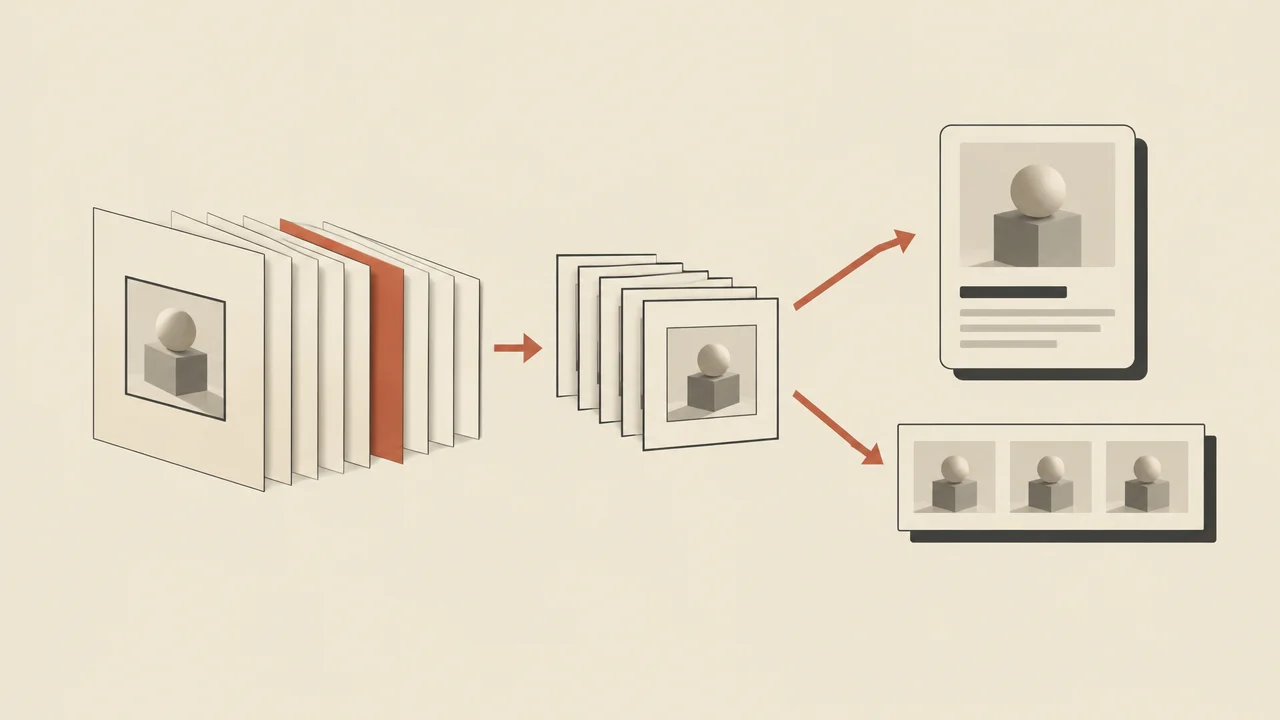
A single marketing campaign often needs a set of assets: different durations, different aspect ratios, different openings. The traditional approach is to edit them one by one; image-to-video can turn this into batch processing.
The organizing pattern is "source image → variant matrix." Each source image corresponds to several configurations: duration configuration (for example, an ultra-short version for feeds and a slightly longer version for detail pages), aspect-ratio configuration (vertical, square, horizontal), and motion-intensity configuration (quiet version, obvious-motion version). Each configuration is an independent call, and after parameterization, task queues dispatch them in batches.
There are several problems that must be handled in engineering:
- Concurrency and rate limiting: do not fire all batch tasks at once; use a queue with a concurrency cap, together with exponential backoff retries.
- Idempotency and naming: each variant needs a derivable identifier (source image ID + configuration signature) to avoid duplicate generation wasting quota.
- Persisting results: as soon as generation succeeds, transfer the video to your own object storage; do not depend on temporary URLs long-term, because the returned links for asynchronous tasks usually expire.
Note that the cost of batch derivation adds up linearly—the number of variants multiplied by the output seconds per variant is the total output duration. So when designing the variant matrix, first validate the effect with a small number of combinations, then decide whether to roll out to the full set.

Scenario 3: Daily short clips for social media and content operations
The core tension for content teams is update frequency versus production cost. Image-to-video can significantly lower the production barrier for a single short clip: visual assets come from design or existing materials, and operators only need to choose the source image and configure the motion style to produce a publishable short clip.
The key here is not single-clip quality but sustainability of cadence. It is recommended to solidify the process into a weekly cycle: centrally produce a batch of source images → batch-generate short clips → manual review → scheduled publishing. Decouple "generation" and "publishing" so you are not scrambling for assets every day.
Because this runs continuously, budget guardrails must come first. Set an output-duration cap and a variant-count cap for each batch, and block over-limit tasks outside the queue rather than discovering it when the bill arrives. At the same time, keep a pass/reject record and use it to infer which motion descriptions are reliably usable under your content style, gradually converging into a reusable set of prompt templates.
Scenario 4: In-app motion effects and lightweight interactive assets
Some motion effects were originally implemented with sprite sheets or frontend animation, which means large asset size and complex implementation. Replacing them with short-duration video can enrich the visual presentation, at the cost of introducing video decoding overhead.
The trade-off is judged by three points: whether the motion needs to loop, whether it needs an alpha channel, and whether the file size is acceptable. The video approach has inherent weaknesses in smooth looping and size control—the loop point requires the first and last frames to match, and size grows rapidly with resolution and duration. So this scenario is better suited to "short, low-frequency, non-critical-path" motion effects, such as empty-state illustrations, onboarding-page illustrations, and celebration effects on result pages, rather than high-frequency, millisecond-response interactions such as button feedback.
In implementation, it is recommended to transcode uniformly to the target resolution and bitrate after generation, and prepare a fallback for low-end devices (static image as a backstop). During acceptance, besides checking the visuals, measure first-frame time and memory usage on actual devices.
Scenario 5: Prototyping and creative validation
Before formal production, whether the creative direction is right often determines whether the subsequent investment is worthwhile. Image-to-video is a cheap validation tool in this chain: turn a concept image or storyboard sketch into a few seconds of dynamic preview, so decision-makers can judge whether the motion rhythm, camera feel, and atmosphere meet expectations before seeing the final cut.
The workflow is a loop: concept → generate short clip → review → adjust the source image or motion description → regenerate. Change only one variable per round, to avoid adjusting multiple factors at once and making attribution impossible. The clip does not need to be long—enough to express the motion intent—which naturally keeps validation cost low.
The value of this scenario is front-loading failure. Compared with rework during formal production, trial and error with short clips early on is far cheaper.
Cost and duration control: estimation method under per-second billing
ltx-2.5-pro/image-to-video is billed by output seconds, so cost estimation has only one core variable: total output duration. The general formula is:
Total output duration (seconds) = output seconds per clip × number of clips × retry factor
Estimated cost = total output duration × price per second
$0.1715/second and 1080p is $0.2429/second. Only 6, 8, and 10 second durations are supported. $0.1715/second, and 1080p is $0.2429/second. Only 6, 8, and 10 second durations are supported. The value of this formula is that every term is controllable: per-clip duration is determined by parameters, the number of clips by business requirements, and the retry factor by your success rate—a low success rate means hidden costs double, so troubleshooting itself is cost control.
Three actions for setting guardrails:
- Set a cap by duration. Enforce a maximum output seconds per clip at the call layer and reject requests that exceed it. Most business scenarios need only a few seconds; long videos should be split into multiple segments rather than generated in one go.
- Set a budget by batch. Compute total output duration before dispatching batch tasks; if it exceeds the threshold, require manual confirmation.
- Record actual consumption. Log the output seconds of every call, aggregate by scenario and by day, and compare against the budget regularly.
Also mind testing costs: during debugging, run the pipeline end to end with the shortest duration and the fewest clips; after confirming parameters and response structure are correct, scale up to the formal configuration.
Integration and troubleshooting checklist
Confirming each item before integration can save most post-launch rework.
Parameter validation
- Whether the input image format, dimensions, and size meet requirements; both too large and too small should be blocked on the client side first.
- Whether the output duration parameter is within the allowed range and consistent with the cap set by the business.
- Whether parameters such as aspect ratio and resolution match the downstream playback scenario, to avoid waste from cropping after generation.
Asynchronous tasks and retries
- Video generation is asynchronous: submission returns a task identifier, then you poll or wait for a callback. Do not write polling as an infinite loop; set a maximum wait time and polling interval.
- Retries should apply only to retryable errors (timeouts, rate limiting, temporary server errors); retrying parameter errors is pointless and only amplifies cost.
- Use exponential backoff with random jitter to avoid secondary congestion from batch tasks retrying simultaneously.
- Ensure idempotency: when the same business request is submitted repeatedly, it can be identified and the existing result reused.
Result storage
- Immediately after successful generation, transfer the result to your own storage and record the complete correspondence among source image, parameters, output URL, and output seconds.
- Do not write temporary links directly into the frontend or the ad-delivery system; deliver them only after transfer.
Acceptance criteria
- Visual level: whether the subject deforms, whether edges break down, whether motion looks natural, and whether duration and aspect ratio meet expectations.
- Engineering level: whether first-frame time, file size, and encoding format are fully supported by the target platform.
- Business level: sample and score manually, define a clear pass-rate threshold, and rerun batches below the threshold instead of forcing them live.
Model capabilities and invocation methods are subject to the model page for ltx-2.5-pro/image-to-video. Before integration, it is recommended to first run one minimal scenario end to end, then gradually expand to batch and multi-scenario use according to the checklist above. Turning visual assets into dynamic assets: the real barrier is not the generation step, but how you organize its upstream and downstream.
Related articles
View all articles →-

Tutorial
Meshy-6 Text-to-3D in Practice: 5 High-Value Application Scenarios and Integration Essentials
-

Tutorial
meshy-6/image-to-3d in practice: 5 high-value use cases and key implementation points
From one image to a usable 3D asset: a cross-cutting view of cost, quality, and engineering integration
-

Tutorial
ltx-2.5-fast/audio-to-video in Practice: 5 Practical Audio-Driven Video Scenarios
A scenario-selection and implementation checklist for developers, from API integration to cost estimation