
Guide
Getting Started with magi-2: Generate a 4-Second Video with Sound from a Single Prompt
Three steps from prompt to finished video: describe the picture clearly, set the duration, and get a finished video with synchronized sound effects.
- Model
- magi-2
On this page
magi-2 is Sand.ai's multimodal video model, unifying four input types — text, images, video, and audio — into a single generation pipeline that produces picture and sound together in one pass. This article walks through the shortest path to a working text-to-video generation.
1. Choose a path first
- Text-to-video: text only, suited to empty shots, atmospheric footage, and concept previews.
- Image-to-video: give one first frame; the aspect ratio follows the first frame, suited to turning posters and product images into short videos.
- Reference-to-video: give image/video/audio references for a character or style, suited to short dramas and virtual-human talking-head videos.
2. Write a prompt that can actually be executed
Spell out three things — picture + camera movement + sound — clearly; this works better than piling on adjectives. For example:
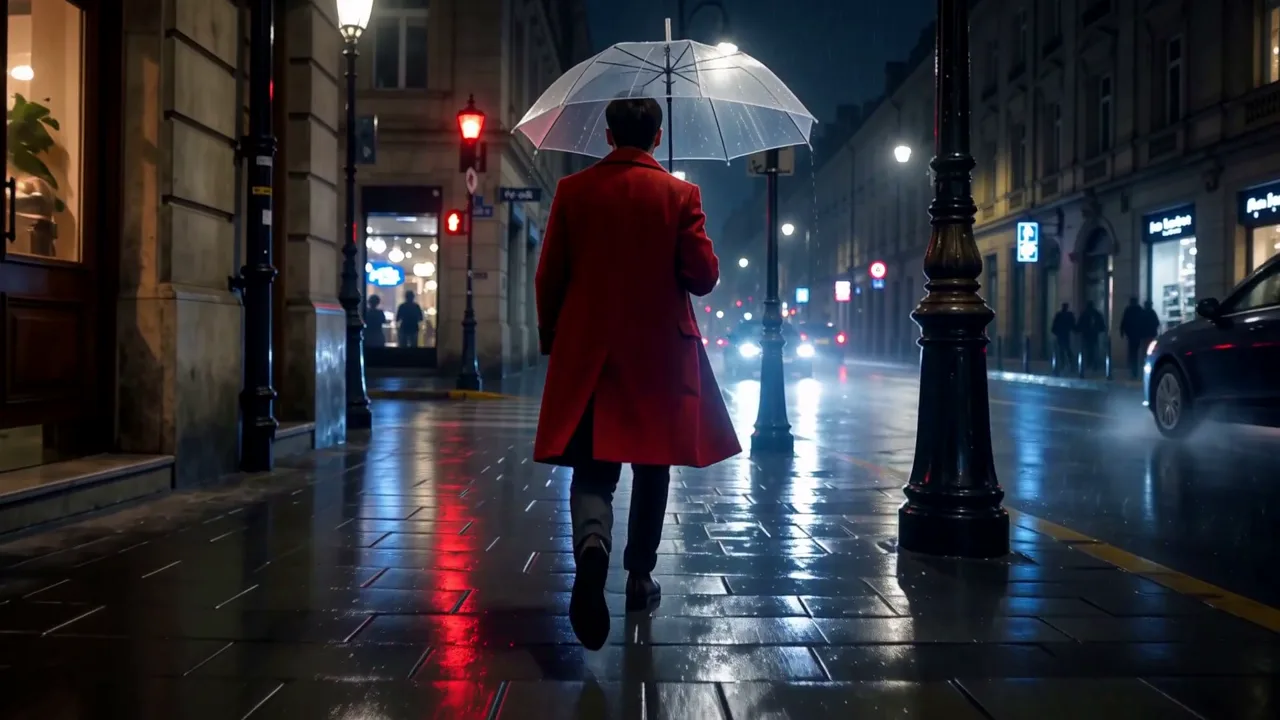
At a street corner in the old city on a rainy night, a young person in a red coat holds a transparent umbrella and walks quickly across the waterlogged pavement;
the camera slowly tracks forward from a low angle; the fine pattering of raindrops on the umbrella surface, distant traffic, and the splash of tires
running through puddles fade in, while footsteps land on the wet flagstones with a crisp echo.
3. Call the API
Submit to POST /v1/tasks with the model name magi-2/text-to-video; the parameters include prompt, duration, aspect_ratio, and generate_audio. Then poll GET /v1/tasks/{id} with the task ID to get the result URL.
4. Know the costs
Pricing is per second: 4 seconds is about $0.50, 10 seconds about $1.26. Generating audio costs nothing extra, so don't turn it off to save money — turning it off saves nothing and you lose the sound effects.
Related articles
View all articles →-

Guide
MAI Image 2.7 Text-to-Image Getting Started Guide: Capability Boundaries, Pricing, and Integration Practices
From capability boundaries to per-image billing integration practices, all in one place
-
Guide
MAI Image 2.7 Flash Text-to-Image Integration Guide: Capability Boundaries, Parameters, and Cost Estimation
From capability boundaries to the cost accounting of $0.0149 per image, this article explains clearly in one go how to integrate, how to use, and how to save money
-

Guide
MAI Image 2.7 Image Editing Getting Started Guide: Capabilities, Pricing, and Integration Key Points of the Image Editing Model
From capability boundaries to cost estimation, what developers need to know before integrating the Microsoft image editing model