
Tutorial
Hands-on Video Background Removal: 5 High-Value Use Cases and Integration Essentials for bria-vrmbg-3
From pricing conversion to scenario selection: a developer's guide to implementing video-to-video matting

On this page
Why video matting deserves its own selection process
Image matting and video matting look like they differ only by "a few more frames," but their engineering implications are completely different. Image matting is one-shot inference; if it fails, you can swap in another image and start over. Video must maintain temporal consistency: the same person's edges cannot jitter between adjacent frames, the separation of foreground and background must remain stable across the entire clip, and flicker in any single frame is immediately magnified during review. This means video background removal is not a simple conversion of "image matting × frame count."
As a developer, before adopting this kind of capability it is worth answering four questions first. First, what type of source material is it: live-action footage, talking-head segments, product stills on a turntable, or material that already has a green screen? Green-screen material can already be handled with traditional keying, and material with a solid background and clean edges may not need model-level matting. Second, how much consistency tolerance is there: is it final-delivery grade, or internal preview and derivative-creation material? The former demands high consistency, while the latter allows spot-checking sampled frames. Third, is the pipeline offline batch or near-real-time: offline can tolerate minute-level waits, while near-real-time requires rethinking concurrency and queueing design. Fourth, how will the output be used: is the background to be removed for background replacement, material reuse, or only for compliance checks? Different uses impose different requirements on edge precision.
bria-vrmbg-3/video-background-removal is a video-to-video capability; the output itself is a video, which means downstream must first connect storage and transcoding rather than directly compositing a single frame. Its model page on HiAPI.ai is bria-vrmbg-3 video background removal, and parameters and call forms follow that page. Keep one principle in mind when selecting: video-level matting is worth putting into the production pipeline only when frame-by-frame consistency, hair strands, and motion edges become real pain points; otherwise, traditional keying or image-level solutions are more economical.

Work out the cost first: converting per-second billing into a per-video budget
This capability is billed by output seconds, with an official price of $0.0715 per second. The conversion logic is straightforward: per-video cost ≈ unit price per second × total video duration (seconds). A 30-second clip corresponds to the unit price times 30, and a 3-minute course segment is the unit price times 180—for the exact amount, refer to the live display on the site's pricing panel; here we only discuss the calculation method.
What really deserves attention is the batch amplification effect. When a content team distributes dozens of clips at a time, or a course platform has thousands of recorded lectures per semester, cost grows linearly with total duration. There are usually three directions for reducing cost: pre-screening, first sampling frames or running short clips to test, blocking obviously unacceptable material at the door so you don't pay for the whole video only to find the edges unusable; trimming the effective region, launching tasks only for the segments that need a new background, leaving opening and closing titles and pure-background transition segments unprocessed; tiered processing, using the full pipeline for high-value final videos and low-precision paths or manual keying for internal previews and rough cuts.
Budget conversion must also include downstream costs: transcoding, storage, and compositing rendering also consume resources. Evaluating total cost with matting as one link in the pipeline gets closer to the real ledger than watching the unit price alone.
Scenario 1: Unifying backgrounds in e-commerce and product videos
Product video background replacement is the scenario where benefits are easiest to see: material delivered by different suppliers comes with wildly varied backgrounds—white, gray, studio cloth, cluttered countertops mixed together—and placed on the same detail page, the visual style is scattered. Using video background removal to separate the product from its original background and then compositing it uniformly onto the brand-specified base color or scene image can significantly reduce visual rework.
We recommend organizing the implementation process as follows. First, run an admission check on the material: whether the product subject is obscured for long periods, whether there are large reflective or transparent materials (glass, water surfaces), and whether motion blur is severe—these are the inputs most likely to fail matting, and it is best to flag them before queueing. Then batch-submit the background-removal tasks, with output as video-to-video, obtaining video files with a transparent or already replaced background. Finally, connect the compositing step to add back the unified base color, shadows, and cast shadows; this step cannot be skipped, because after pure background removal the product tends to "float" on the background, and lacking contact shadows makes it look cheap.
Regarding material requirements, turntable videos and fixed-camera displays are friendlier than handheld camera moves; the faster the camera movement and the shallower the depth of field, the harder it is to guarantee edge stability. In batch scenarios, keep a dual index of original files and background-removed results, so that if a batch's results fall short, you can rerun in a targeted way instead of redoing the whole batch.
Scenario 2: Virtual background replacement for talking-head and course videos
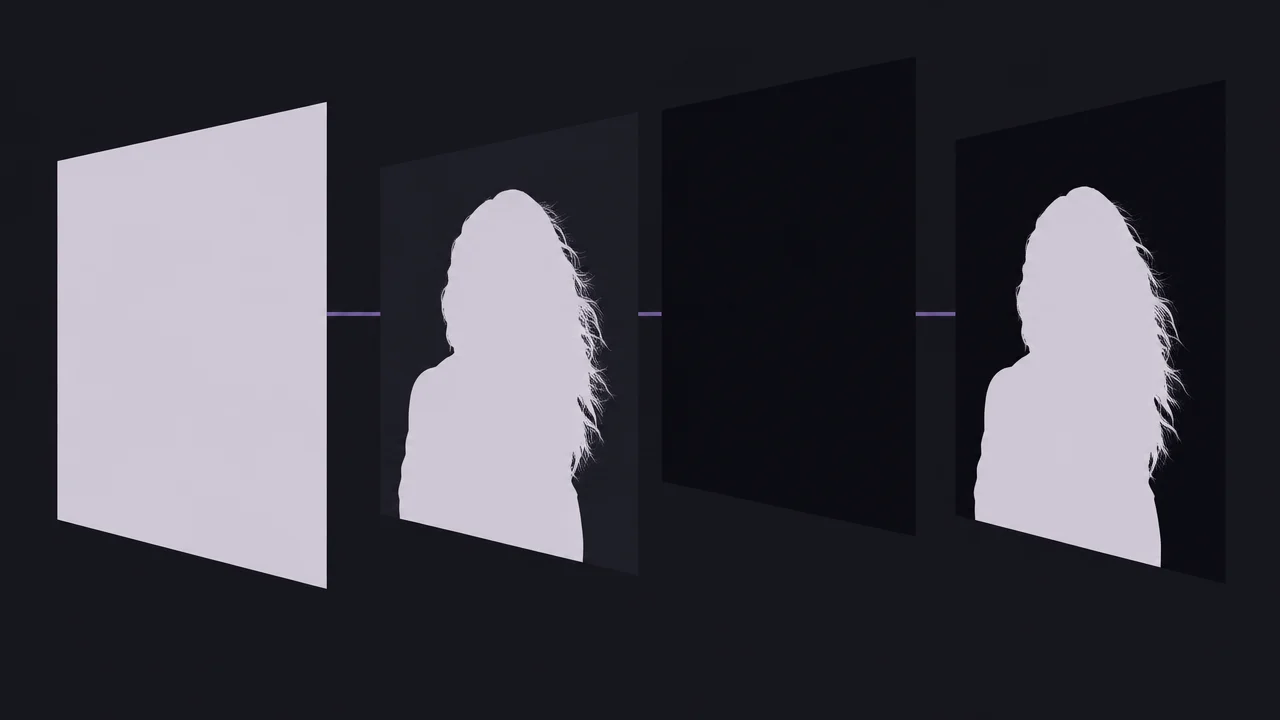
Talking-head and course videos are the classic battleground for person matting. Speakers sit in cluttered offices or homes; appearing on camera directly is unprofessional, and building a physical set is expensive. Using video background removal to extract a person mask and then compositing onto brand courseware backgrounds, virtual studios, or solid colors is a common practice for content teams.
This pipeline can be broken into four layers: the input video layer, the mask extraction layer, the background asset layer, and the compositing output layer. The first layer sets the ceiling—material with a fixed camera, even lighting, and some distance between the speaker and the background works best. The second layer is the model's job, outputting the separation of person and background. The third layer is design assets: courseware pages, brand base colors, dynamic backgrounds all work. The fourth layer handles compositing and transcoding, paying attention to anti-aliasing on mask edges.
What viewers most easily pick out is hair strands and shoulder edges. With fine hair, knit or fuzzy materials, or rapid arm swings, edges tend to show fringing or flicker. Slight edge feathering and stroke processing during compositing can mitigate this, but the root cause remains in the input material. Another detail is shadows: if the speaker's shadow cast on the desk or wall is removed along with the background, the composited person will look unnaturally "pasted" onto the background; reserving the corresponding contact points when planning background assets will look more realistic.
Scenario 3: Rapid re-creation of short videos and social material
The pain point for content teams is that the same clip must be distributed across multiple platforms, multiple accounts, and multiple visual styles. Using video background removal to extract the subject turns the material into a reusable "foreground asset": the same person clip can be given a holiday-themed background, a product selling-point background, or a solid-color title backdrop, generating multiple versions in batch.
We recommend organizing around the principle of "remove background once, composite many times." Run the background-removal task once per original material, and archive the result as a reusable foreground layer; all subsequent multi-version generation happens on the compositing side, without repeatedly calling matting. This way, even if you need a dozen or more background versions, you pay the matting cost only once. For version management, record the source, duration, and applicable-scenario tags for each foreground layer, so that operations can search by tag later and the asset library doesn't become increasingly cluttered.
This scenario is relatively tolerant of edge precision—short-video frames are small, playback is fast, and viewers' attention is on the copy and pacing, so slight edge flaws are hard to notice. Instead, pay more attention to time alignment at background switches: the in and out points of the background change must align with the music beat and copy punctuation, otherwise even the cleanest matting cannot save the viewing experience.
Scenario 4: Content moderation and de-identification for UGC and livestream replays
In user-uploaded content and livestream replays, backgrounds often carry information that should not appear: details of the home environment, chat windows on screen, door plates and addresses, third-party brand logos. Video background removal and background replacement can play a role in the de-identification process—replacing areas outside the subject with a neutral background, preserving the content subject while reducing the information exposure surface.
The boundary must be stated clearly here. Matting is not a moderation tool; it does not determine whether content is violating policy, it only separates foreground from background. Text and logos on the subject, on handheld items, or attached within the person area of the frame will not be removed by background removal. Therefore it is suitable as a means of "background information minimization," used in conjunction with manual review or an independent detection step, and cannot be treated as a sufficient condition for compliance. For moderation scenarios, a more pragmatic positioning is reducing re-review workload: erase the background first, and human reviewers only need to focus on foreground content.
Another practical consideration is the retention policy. Background-removed products are derivative files, and their retention period and access permissions should be managed separately from the original material, to avoid de-identified versions and original footage sitting in the same directory and being misdistributed.
Scenario 5: Integrating matting into an automated production pipeline
To truly put the capability to use, the engineering side needs task orchestration rather than single calls. A usable pipeline usually looks like this: object storage receives an upload event → enqueue → preprocessing (sampled-frame quality checks, duration trimming) → call video-to-video matting → write results back to storage → trigger transcoding and compositing → notify downstream.
Concurrency control is key. Video tasks are time-consuming, and blind concurrency will exhaust quotas and slow down all tasks. Group by queue: separate the high-priority final-video queue from the low-priority batch queue, set a timeout limit per task, and send timeouts to retry. Failure retries need differentiation: network errors can be retried with exponential backoff, while material errors (decode failures, unsupported formats) are meaningless to retry and should be persisted directly as pending manual handling with the error reason attached.
Plan naming and lifecycle for result storage. Establish a mapping among input file names, task IDs, and output paths for batch traceability; output files are usually large, so combine hot and cold tiers—keep recently needed compositing material in hot storage and move archived batches' background-removed results to cold storage. Trigger downstream transcoding and compositing with event-driven rather than polling to reduce idle spinning.

Integration flow, parameter validation, and common troubleshooting
Integration can start from the model page: view parameter definitions and call examples at bria-vrmbg-3/video-background-removal, get the minimal closed loop working with a short clip, then gradually scale up batches.
The hands-on checklist can follow this order. First, prepare material: confirm that encoding, resolution, and duration are within the supported range, and prioritize short clips for validation. Second, validate input parameters: resolution, duration, and output format are the most error-prone, so validate once on the client before submission to avoid invalid calls incurring charges. Third, small-sample validation: run a clip of 10 seconds or less first, and manually review it to confirm edge quality and that the output is playable. Fourth, scale to batches: submit grouped by queue, recording the mapping between task IDs and material. Fifth, result acceptance: a sampling ratio of manual review plus automated file integrity checks (duration, resolution, decodability).
Troubleshooting directions for common problems: obvious edge jitter in the output is mostly due to severe motion blur in the material or excessive frame-to-frame differences; try reducing motion intensity or cutting out violent camera-movement segments; if output duration differs from input, check whether the input has variable frame rate, convert to constant frame rate, and resubmit; if the file cannot play, confirm the output format is compatible with the downstream player/transcoder; if a task has no result for a long time, first confirm whether the material size and duration exceed limits, then check whether it is queue waiting rather than failure; if the subject is incomplete after background removal, check whether transparent or reflective materials caused foreground determination errors—for such material, manual keying is recommended instead.
Treating matting as one link in the pipeline—combined with quality checks, transcoding, compositing, and material archiving—is how per-second billing costs translate into stable output. When selecting, validate consistency with short clips first, then decide whether to scale up batches; this is the lowest-risk path.
Related articles
View all articles →-

Tutorial
Meshy-6 Text-to-3D in Practice: 5 High-Value Application Scenarios and Integration Essentials
-

Tutorial
meshy-6/image-to-3d in practice: 5 high-value use cases and key implementation points
From one image to a usable 3D asset: a cross-cutting view of cost, quality, and engineering integration
-

Tutorial
ltx-2.5-fast/audio-to-video in Practice: 5 Practical Audio-Driven Video Scenarios
A scenario-selection and implementation checklist for developers, from API integration to cost estimation