
Guide
Vidu Q3 Mix Reference-to-Video Getting Started Guide: Capability Boundaries, API Parameters, and Billing Essentials
An integration decision and hands-on perspective for developers

On this page
What problem does this model solve
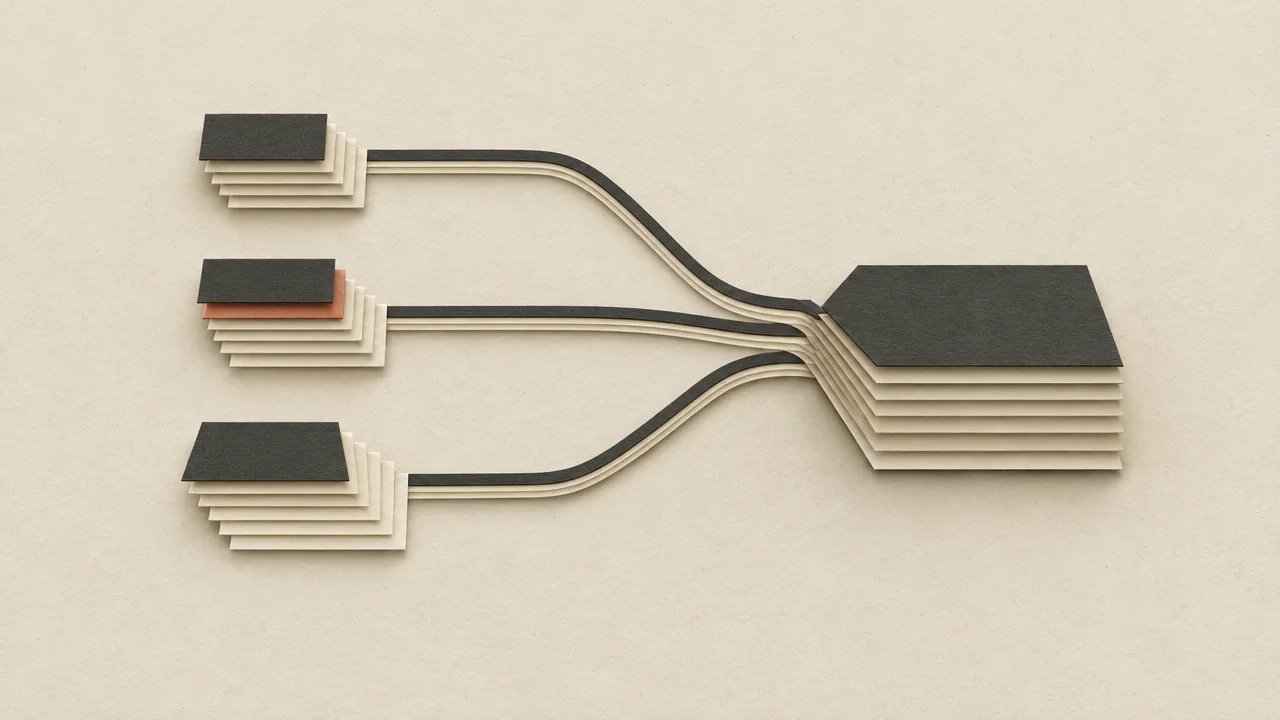
The input form of a video generation model determines whether you can keep "control" in your own hands. Text-to-video gives only a prompt, and the model freely decides where the visuals go; image-to-video gives a first frame, and the model is responsible for making it "move." Reference-to-video takes a third path: you provide reference material, and the model continuously references it during generation rather than treating it only as the first frame.
The positioning of vidu-q3-mix/reference-to-video lies on this branch. It suits needs such as:
- Characters or subjects need to stay consistent across shots: you don't have existing video footage, but you have one or more reference images representing the subject's appearance, and you want the subject in the final video to "still look like it."
- Style and tone need to be anchored: the reference material carries lighting, materials, and compositional tendencies; the final video follows this visual language, which is more controllable than relying purely on text descriptions.
- Creating dynamic content from static assets: e-commerce products, IP characters, concept design drafts, and other existing image assets need to be turned into short videos.
In other words, if your need is "just give me a clip that matches the description," text-to-video is more direct; if your need is "this clip must look like what I gave you," reference-to-video is the right tool. When choosing, first ask yourself one question: do I have a visual anchor that must be preserved? If yes, use it.
On HiAPI.ai, this model shares the same invocation context as other video models; you don't need to build a separate integration logic for it. When switching models, what mainly changes is the capability parameters rather than the engineering structure.
Key differences from image-to-video
The input image for image-to-video is the "starting point"; the input for reference-to-video is a "constraint." The former gives the model a frame it must continue from; the latter gives the model a set of features it must obey. Once you understand this, all subsequent judgments about material preparation and parameter tuning will follow naturally.
Capability boundaries and unsuitable scenarios
Drawing the model's capability circle clearly is more important than memorizing what it supports. Based on the capability definition of reference-to-video, the following boundaries can be established:
What it covers
- Generating video with reference material as the visual basis: features of the reference image are introduced into the generation process.
- Subject consistency and style continuity: maintaining relatively stable appearance expression across multiple generations.
- Controlling content direction with prompts: reference material is responsible for "whether it looks alike," and the prompt is responsible for "what it does."
What it does not cover
- It is not a substitute for text-to-video: when there is no reference material, you should not write extremely long prompts to "simulate" a reference image; that is using the wrong tool, and both results and cost are unfavorable.
- It is not a strict frame-by-frame replication tool: reference-to-video does not mean precisely animating the reference image, and you should not expect it to be responsible for every pixel of the reference image. If your need is "this image must move exactly as is," image-to-video is closer.
- It does not promise unlimited duration: the specific upper limit for a single generation is subject to the available parameters of the interface and platform panel; do not design product flows around "generate as long as I want."
- It does not replace post-production: subtitles, editing, multi-segment splicing, and audio track compositing remain the responsibility of your pipeline.
The most common misuse in model selection
The most typical misuse is treating reference-to-video as a "cheaper image-to-video." The input semantics of the two are different, and so are the output expectations: when what you really need is strict first-frame alignment, using reference-to-video often yields "spiritually similar but different" results, and repeated retries only amplify cost. Conversely, when you need subject stability across multiple shots, feeding images segment by segment with image-to-video is actually more prone to appearance drift.
The judgment rule can be simplified to one sentence: want a starting point, choose image-to-video; want a constraint, choose reference-to-video.

API parameters and invocation flow essentials
The engineering complexity of integrating this type of model lies mainly not in "sending the request," but in "preparing the input" and "organizing the flow." The overall chain can be split into four stages:
1. Reference material preparation
Before making the call, normalize the reference material first: unify size and aspect ratio, remove watermarks and extraneous background elements, and ensure the subject is clear with consistent lighting. Only when this step is solid do subsequent parameter fine-tuning efforts become meaningful.
2. Request construction
A typical call needs to organize three types of information in the request:
- Capability identifier: specify
vidu-q3-mix/reference-to-videoso the request lands on the correct capability branch. - Reference material: the location or upload handle of the reference image; the specific field names and accepted forms are subject to the API documentation.
- Generation description: the prompt, describing actions, camera movement, rhythm, and atmosphere, rather than repeatedly describing the appearance already present in the reference image.
For specific field names, required items, and value ranges, please refer to HiAPI.ai's API documentation and model detail page. This article does not invent fields; assemble them according to the documentation during integration.
3. Generation task
Video generation is asynchronous in nature: after the request is submitted, a task identifier is returned, and it takes some time for the model side to complete inference. Your server should decouple "submission" from "fetching results," using the task identifier to poll or receive callbacks, rather than waiting within a synchronous request.
4. Result retrieval and retry
After obtaining the result, first perform a usability check (whether the file decodes normally and whether the duration matches expectations), then decide whether to retry. The retry branch must have an upper limit, and record the reason for each failure—this is crucial for estimating cost.
How to write prompts
For reference-to-video prompts, the focus should be on "information beyond the reference image": what the subject should do in the frame, how the camera moves, and how the environment changes. Spending length on repeatedly describing what is already in the reference image is a common waste. The more specific the description and the closer it is to executable visual instructions, the more stable the generation result.

Estimating cost at $0.1865/second
This model is billed by the number of seconds of output video, at a unit price of $0.1865 per second. Once you understand this, cost estimation becomes a simple multiplication problem.
Single-item cost formula
Single-item cost = output duration (seconds) × $0.1865
A 5-second final clip costs 5 × 0.1865; 10 seconds is 10 × 0.1865. Double the duration, double the cost linearly—there are no tiers and no hidden discount for "generating in one go," so the duration budget must be written into product design from the very beginning.
Factor in retries
The real cost is never "the price of one video." Generation involves uncertainty, and you need to reserve retry budget for failures and unsatisfactory results:
Expected total cost = single-item cost × expected number of attempts
Expected number of attempts ≈ 1 + retry rate
For example, if an 8-second generation task on average needs one retry to get a usable result, the actual cost is 8 × 0.1865 × 2, not 8 × 0.1865. For teams with a high retry rate, costs will multiply—this is a hidden cost that many integrators discover only after scaling up.
Three levers for budget control
- Short first, long later: during debugging, use the shortest duration to verify whether prompts and material are aligned, then lengthen after confirming effectiveness. The trial-and-error cost of short videos is much lower.
- Set a retry upper limit: give each task a maximum number of attempts; beyond that, intervene manually or change material, to avoid automatic retries eating the budget.
- Log every call: report duration, whether it was retried, and failure reasons. Without this data, you cannot tell whether budget overruns come from prompt issues or material issues.
For real-time pricing and billing details, refer to the pricing panel on the HiAPI.ai website; this article only discusses estimation methods.
Reference material preparation and tuning approach
In the reference-to-video chain, the impact of material quality on the final video is usually greater than parameter fine-tuning. The reason: parameter adjustment changes the model's "tendency," while material determines the model's "basis." If the basis is unclear, even the best tendency cannot take effect.
What makes good reference material
- Clear subject: viewers can tell within half a second "what needs to be preserved" in the image. Cluttered backgrounds and a small subject proportion both weaken the reference effect.
- Stable features: the appearance of the same subject across different reference images should be consistent. If multiple reference images themselves contradict each other (colors, shapes, materials don't match), the model can only waver between versions.
- Reasonable lighting and angles: extreme lighting and severely distorted angles convey wrong visual cues to the model.
- Clean: remove watermarks, stickers, and extraneous text. These elements may be carried over as subject features.
Tuning priorities
When results are unsatisfactory, it is recommended to troubleshoot in this order rather than adjusting parameters right away:
- Change the material first: replacing the reference image with a clearer version with a single subject is often the fastest way to improve results.
- Then revise the prompt: clarify actions and environment, and delete descriptions that duplicate the reference image.
- Adjust parameters last: consider fine-tuning only after the first two steps are stable, and change only one variable at a time for easy attribution.
Consistency across multiple reference images
If you provide multiple reference materials, make sure they are of "the same subject." Mixing in images of different individuals or different styles is one of the most common causes of result drift. Better to give one less image than to give a contradictory one.
Establish a material baseline
It is recommended to build a fixed reference material set for your core subject as the baseline for all subsequent generations. Start from this baseline for every generation and change only the prompt; this way you can cleanly distinguish "material issues" from "description issues," and also make it easier to unify style across multiple video segments.
Common failures and troubleshooting directions
Most problems during integration fall into a few fixed patterns. Troubleshooting in the following order is usually faster than blind retrying.
1. Request rejected or parameter error returned
First confirm whether the capability identifier is written correctly, whether the required reference material fields are complete, and whether the material form is accepted by the interface. Field names are subject to the documentation; do not guess from experience.
2. Task has no result for a long time
Video generation is an asynchronous task; first confirm that you are fetching results by task identifier rather than waiting in a synchronous request. If it does time out, check whether the material size is too large.
3. Result "doesn't look like" the reference material
This is the most frequent problem. The troubleshooting order is: is the material clear → were contradictory reference images provided → is the prompt describing content that conflicts with the reference image. In most cases, the model is not the problem; the material is inadequate.
4. Subject drifts between segments
The cause is usually that different reference materials were used for each segment, or that the descriptions of the subject in each segment's prompt are inconsistent. Fixing a baseline material set and unifying the subject description can significantly improve this.
5. Visual actions do not match expectations
The prompt lacks clear action and camera instructions, so the model can only improvise. Write clearly "what to do, how to move, where the camera is."
6. Cost exceeds expectations
Review the call logs: was the duration set too long, or is the retry rate too high? For the former, adjust the duration strategy on the product side; for the latter, go back to material and prompts to find the cause.
Basic troubleshooting principles
Change only one variable at a time, and keep logs. If you modify both material and prompt at the same time, even if the result improves, you won't know which one made the difference, and next time you encounter a similar problem you'll still have to start over.
Pre-integration checklist and next steps
Before formally scaling up, it is recommended to verify each item according to the checklist below and keep risks within the small-traffic stage.
Pre-launch checklist
- Capability matches: confirm that your scenario really needs reference-to-video, not text-to-video or image-to-video.
- Material baseline ready: the core subject has a fixed, clean reference material set.
- Templated prompts: descriptions of actions, camera, and environment have a reusable structure rather than being improvised each time.
- Asynchronous chain connected: submission, polling or callback, result verification, and failure retry—all four stages have code and have been stress-tested.
- Retries have limits: automatic retries have a maximum count; exceeding it enters a manual queue.
- Cost dashboard available: duration and retry counts are logged per call, so actual spending can be calculated at any time.
- Duration strategy clear: the product side constrains the duration that can be generated, preventing users from arbitrarily lengthening it and causing cost blowouts.
From small traffic to scaling up
The recommended path is: first run end-to-end with manually constructed requests to verify the effectiveness of material and prompts; then run small batches with the shortest duration, measuring retry rate and usability rate; after confirming the metrics are stable, gradually increase concurrency and duration. Keep rollback capability at every step.
Key metrics
What really needs attention during the scaling stage is first-attempt usability rate and average number of attempts. The former determines user experience, and the latter directly determines cost. Only after these two metrics are stable can duration and concurrency be expanded.
If you haven't started yet, you can first check the model details and real-time pricing of vidu-q3-mix/reference-to-video on HiAPI.ai, and then decide how long your first video generation should be.
Related articles
View all articles →-

Guide
gpt-6.2-sol Getting Started Guide: Capability Boundaries, API Integration, and Token Pricing Essentials
Integration decisions and practical essentials for engineering teams
-

Guide
gpt-6.2-astra Getting Started Guide: Text Model Capability Boundaries, Integration Essentials, and Cost Control
-

Guide
Tripo H3.1 Getting Started Guide: Choosing Among Three Input Modes, Parameters, and Pricing
A practical guide for developers on 3D generation integration decisions and cost control