
Guide
wan-2.2-animate/move Getting Started Guide: video-to-video Capabilities, Pricing, and Integration Practices
Selection judgment, cost estimation, and engineering integration points for Alibaba's video rewriting model

On this page
What problem it solves: the positioning of video-to-video
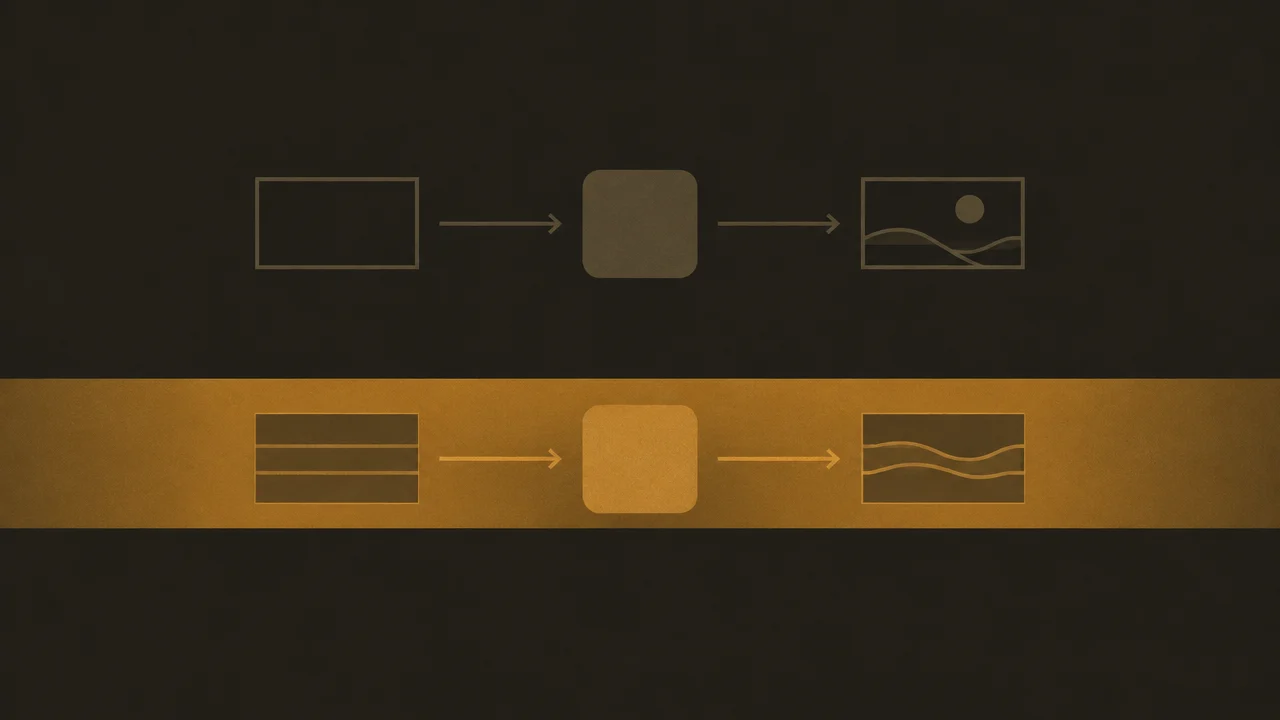
wan-2.2-animate/move is a video model launched by Alibaba. Its output type is video, and its capability is marked as video-to-video. These three facts basically determine how it should be used: it is not a model that generates footage from scratch, but one that rewrites and reprocesses an existing video.
This distinction is very practical in engineering terms. For text-to-video, the input is a prompt and the output is entirely created by the model, so you cannot control who appears in the frame or what the action is; for video-to-video, the input is a piece of real footage, and the model reshapes the visual content according to your intent while preserving the structure of the footage (people, actions, camera movement, rhythm). In other words, the "skeleton" of the footage is provided by your material, and the model is responsible for the "skin and flesh."
So the selection criterion can be boiled down to one sentence: do you have a suitable source video on hand? If not, this model cannot help; if you do, and you want to change the visual presentation of the video without reshooting, then it falls into the target scenario.
At the integration level, wan-2.2-animate/move is called in the same way as other video models: submit a task, poll the status, and retrieve the result through the unified interface of HiAPI.ai, without maintaining a separate integration flow for it. Model capabilities and billing details can be found on the wan-2.2-animate/move model page.
Capability boundaries and suitable scenarios
It is easier to make a selection if you first clarify what it explicitly does not do, and then discuss what it can do.
Unsuitable requirements:
- Generating content from scratch. Without a source video there is no input; such requirements should follow the text-to-video path.
- Precise frame-by-frame control over the visual content. video-to-video is a holistic rewrite of style and content, and is not suitable for use as timeline-based video editing software.
- Guaranteeing the quality of the source material. Blur, shake, and compression artifacts in the material itself will be inherited or even amplified; the model will not fix shooting problems for you.
- Requiring strictly reproducible, pixel-identical output. Generative models are probabilistic in nature, and the same input may produce different results across multiple runs.
Requirements worth trying:
- You already have live-action footage and want to switch to another visual style or form of presentation, but reshooting is inconvenient.
- Deriving multiple versions of ads, short films, or social media content—producing multiple visual variants from the same footage for A/B comparison.
- Animation and derivative creation, converting live-action people or footage into another form of presentation.
- Batch refresh of existing video assets, especially when the content structure is still usable and only the visual presentation is outdated.
A practical check: first run a 5- to 10-second clip and see whether the output preserves the key structure you need (character contours, action continuity, camera rhythm). If even a short clip cannot produce a usable result, lengthening the material will not make it better.
Per-second billing: how to estimate costs
This model is billed by output seconds, at a unit price of $0.0893 per second. The billing basis is "seconds," not the number of calls or tokens, so the cost model is very linear:
Cost per call = output video seconds × unit price
To budget on this basis, you only need to answer one question: how many seconds of video do you expect to produce?
Here are a few estimation scenarios (only the basis is given; specific amounts are not calculated):
- If a single piece of content is 15 seconds, then the cost per call is 15 billing units.
- If a 30-second piece of footage is submitted as a whole, the cost is twice that of 15 seconds; if the model supports it and the business allows splitting it into two segments, the cost basis is the same, but you get a finer failure granularity.
- For batch scenarios, simply multiply: seconds per item × number of items = total seconds × unit price. This is the most reliable way to do monthly budgeting—first estimate the total seconds, then apply the unit price.
A few cost multipliers that are easy to overlook:
- Retries. Every resubmission is billed again. If the failure retry rate is high, the actual cost will deviate from the nominal cost.
- Trial and error in parameter tuning. Repeatedly running samples during development will quickly accumulate seconds; it is recommended to try small clips in the staging environment rather than tuning parameters on full-length footage.
- Duration splitting. Splitting itself does not change the total number of seconds, but if the splitting strategy causes the same content to be submitted repeatedly, you will pay repeatedly.
For real-time unit prices and billing rules, refer to the pricing panel on the site; this article only provides the estimation method.

Integration flow and key parameters
The call path can be summarized in four steps, isomorphic to other video tasks:
- Obtain API credentials. Configure the key on the HiAPI.ai side and use unified platform authentication; do not scatter credentials across business modules.
- Submit the task. Submit the source video together with the relevant parameters and obtain a task identifier.
- Poll the status. Video tasks are asynchronous; use the task identifier to query the status until it reaches a success or failure terminal state.
- Retrieve the result. On success, return the URL or identifier of the output video; on failure, retrieve the error information.
In terms of parameter dimensions, it is recommended to focus on the following categories:
- Source video. Format, resolution, duration, and bitrate are the factors that first affect success or failure; validate them before submission rather than relying on server-side errors.
- Duration. Since billing is per second, duration is both a cost parameter and a parameter for the scope of failure impact; long footage should be prioritized for splitting.
- Style and rewrite-strength parameters. These parameters determine the degree of deviation between the output and the source material; try them in small steps on samples and do not turn them all the way up at once.
- Output specifications. Resolution and format affect compatibility with downstream consumers; align on them in advance.
There is an easy pitfall in engineering: video tasks take much longer than text tasks, and synchronous waiting will drag down the request chain. Split submission and querying into two independent stages: after submission, immediately persist the task identifier and return, and let background polling or callbacks advance the status.
Result validation and common failure troubleshooting
It is recommended to validate results in three layers to avoid conflating "the model effect is not good" with "there is a problem in the integration."
The first layer is the task layer: whether the task successfully reaches a terminal state, whether the output URL is accessible, and whether the video can be decoded normally. Failures at this layer are usually integration or scheduling issues.
The second layer is the material layer: whether the output preserves the key structure of the source video. If the output is unstable, actions are broken, or the subject is lost, first go back and check the source material—too low resolution, too small a subject in the frame, severe camera shake, and multiple crossing subjects will all make video-to-video perform poorly.
The third layer is the effect layer: whether the visual presentation meets expectations. If you are unsatisfied at this layer, it is usually a parameter issue; go back to small clips and try the rewrite strength instead of rerunning the full video.
Common failure types and troubleshooting order:
- The task reports an error immediately: first check whether the source video format and duration are within the supported range, then check whether any parameter has an illegal value.
- The task times out: check whether the footage duration is too long and consider splitting; also confirm that the polling cadence is not too dense.
- Output quality is unstable: shorten the footage clip for controlled experiments, run the same clip multiple times to observe variance, and determine whether the problem is the material itself or overly aggressive parameters.
- The result is usable but the style is wrong: prioritize adjusting style-related parameters, and secondarily consider switching to footage with a "cleaner" presentation.
An efficient practice is to record every call as a structured log of "input features + parameters + result rating." During troubleshooting you will find that the vast majority of problems can be attributed directly from the logs.
Engineering best-practices checklist
Going through this item by item before launch is much cheaper than reworking after launch.
Material preprocessing
- Perform unified input validation on format, resolution, and duration, and block non-compliant material before submission.
- Extract frames or spot-check key frames in advance, and remove clips that are blurry, have black frames, or show obvious shake.
- Write "material quality grading" into the process so that low-quality material does not enter formal batches.
Duration and splitting
- Define a splitting strategy for long footage, splitting by shot or fixed duration, and avoid hard cuts across scenes.
- Record the business attribution of each segment to ensure the output can be reassembled and traced.
- Balance the splitting granularity between the cost of failure and the stitching experience; do not split too finely just to save on the cost of failure.
Concurrency and retries
- Separate task submission from status polling; do not put long waits in the request chain.
- Retries must have an upper limit and distinguish error types: do not retry parameter errors; network and timeout errors can be retried.
- Set the concurrency limit according to the account quota to avoid a sudden batch exhausting the quota and causing the whole batch to fail.
Cost monitoring
- Use "total output seconds" as the core metric for the usage dashboard; it is closer to the real cost than counting by number of calls.
- Track the seconds generated by retries separately; an abnormal rise in the retry rate means there is a problem with the material or parameters.
- Set a cost circuit breaker for batch tasks; pause and require manual confirmation when the threshold is exceeded.
Launch acceptance
- Complete end-to-end integration testing with small clips before running long footage.
- Establish a fixed sample set for regression; after model or parameter changes, run the same batch of samples for comparison.
- Leave enough time for asynchronous task queuing and generation in externally committed delivery deadlines.
Selection conclusion: when to use it
Back to the initial judgment: the value of wan-2.2-animate/move lies in "changing the footage without reshooting." If your team has existing video assets, needs multi-version derivation or visual refresh, and can accept the result variance of generative models, then it is an option that can go directly into the evaluation queue; you only need to estimate costs by seconds and perform acceptance by clip.
Conversely, if your requirement is pure text-to-video generation, requires precise frame-by-frame editing, or the quality of the material itself cannot be guaranteed, then you should take another path rather than forcing it.
During actual integration, model capabilities and integration information can be obtained from the wan-2.2-animate/move page. Validate the effect with a short clip first, then decide whether to scale up to batch production.
Related articles
View all articles →-

Guide
meshy-6/image-to-3d Getting Started Guide: Capability Boundaries, API Parameters, and Pricing Practices
From image to 3D asset: what you need to understand before integrating a third-party image-to-3D model
-

Guide
Meshy-6 text-to-3d Getting Started Guide: Capability Boundaries, Pricing, and Integration Practices
From parameter design to cost control: integrate text-to-3D models into your workflow
-

Guide
LTX-2.5-Fast Text-to-Video Prompts: Copy-Paste Recipes for Developers
Reusable prompt patterns for storyboarding, native audio, and duration control
10 min read