
Guide
Using wan2.7-video/text-to-video via the HiAPI API: A Practical Short-Form Video Workflow
Prompt-to-clip patterns, camera phrasing, and a working API request for short-form video

On this page
Why text-to-video belongs in a pipeline, not a single call
The most common mistake with text-to-video models is treating them like an image generator with motion: one prompt in, one finished video out. Short-form video rarely works that way. A fifteen-second clip that performs well is usually the result of several generated segments, a selection pass, and an assembly step — not a single lucky render.
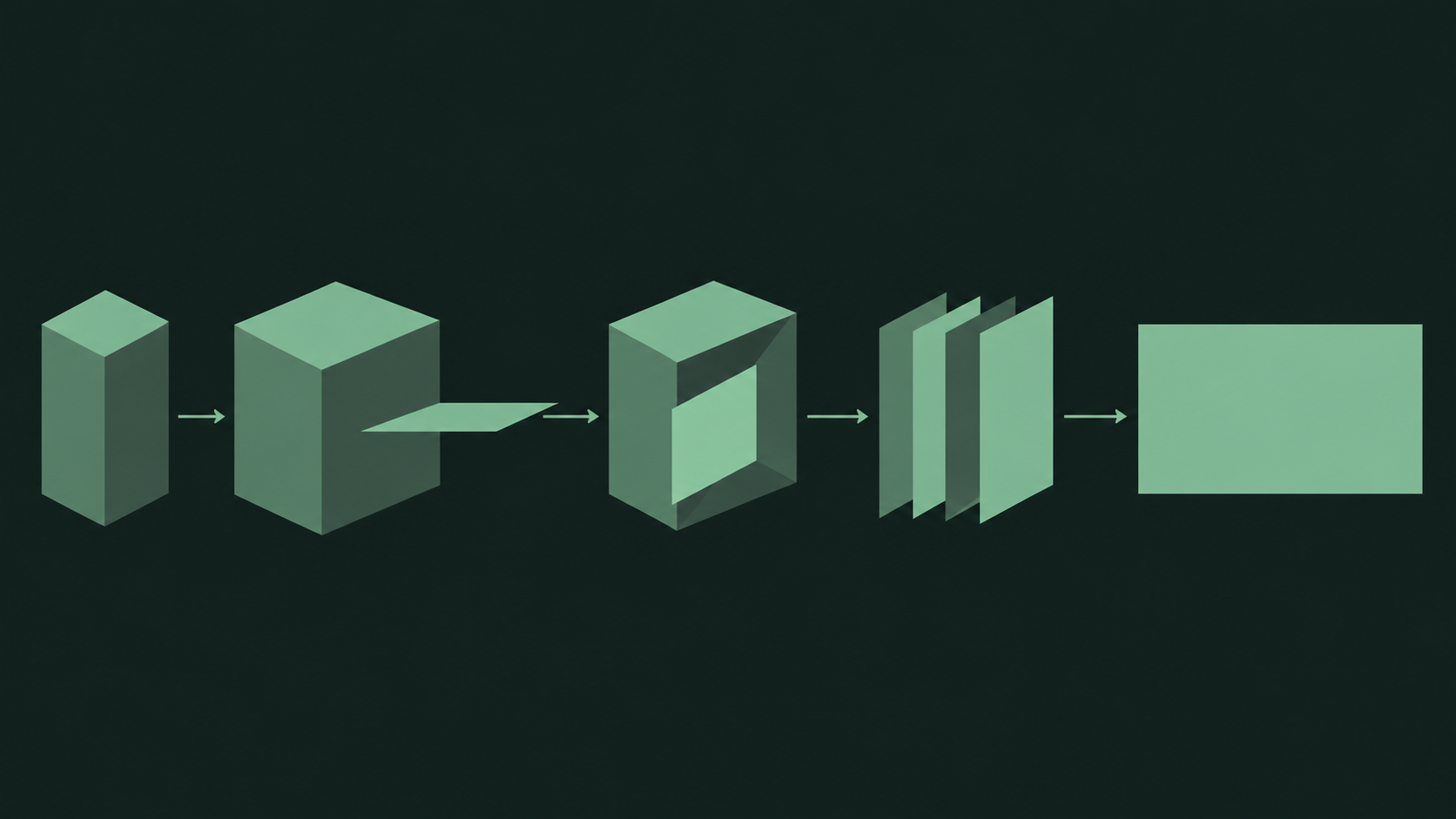
A more useful mental model is to treat the model as a clip generator inside a pipeline. The pipeline looks roughly like this:
- Prompt input — you write a prompt describing one clear moment: a subject, an action, a setting, and how the camera behaves.
- Clip generation — the wan2.7-video/text-to-video model produces a short segment from that prompt.
- Selection — you review generated clips and keep the ones that are usable on their own.
- Assembly — kept clips are stitched, trimmed, and arranged into the final short-form piece.
Two consequences follow from this framing. First, each generated clip must stand on its own: if a segment only makes sense as part of a larger sequence, it is hard to select and reorder. Second, the prompt becomes the primary variable in your workflow, not the integration code. You write the request once and vary the prompt text many times.
This is also why thinking in pipelines pays off early. If you design your first call as a one-shot render, you have no place to plug in selection or assembly later without rewriting. If you design it as a clip generator from the start, the rest of the workflow grows around it naturally.
What this article covers
We will scope what the model does in a HiAPI-based stack, how to structure prompts around single usable clips, how to phrase camera and motion language, a working request pattern, and the iteration loop that turns a working call into a repeatable process.
What the wan2.7-video/text-to-video model does in your stack
The wan2.7-video/text-to-video model accepts a text prompt and returns a generated video clip. That is the entire contract your pipeline should depend on: text in, clip out.
In a HiAPI-based stack, the model sits behind a single unified API surface. Your application does not talk to the model directly — it sends a request to HiAPI, and HiAPI handles the model invocation and returns the resulting clip asset. This has a few practical implications for how you scope the integration:
- One integration, many iterations. The API surface stays stable while your prompt changes. You build the request once.
- The model is the reusable unit. Prompt text is the variable you tune; the call structure is the constant.
- Your stack owns everything around the call. Upload, storage, selection logic, assembly, and publishing are your responsibility — the model only produces segments.
What to keep out of scope
Be careful not to assume specifics the model does not promise. Do not hard-code assumptions about frame rate, resolution presets, maximum duration per clip, or exact timing behavior into your pipeline logic based on guesswork. Instead, treat the returned clip as an opaque asset: read its metadata from the response, validate it, and let your assembly stage adapt to whatever duration each clip actually has.
This discipline matters for short-form work in particular. Short-form output is assembled from multiple segments, so a pipeline that adapts to real clip durations is far more robust than one that assumes a fixed segment length.
The division of labor
A clean split looks like this:
- Model side: prompt interpretation, motion, and generation of a video clip.
- HiAPI side: authenticated access to the model through the unified API.
- Your side: prompt design, request handling, response validation, clip storage, selection, assembly, and delivery.
Once you hold that line, the rest of the workflow — prompt structure, camera phrasing, iteration — slots into place.
Structuring prompts for short-form clips
Because each clip must be usable on its own, each prompt should describe a single, self-contained moment. The reliable way to get there is to build the prompt from explicit blocks rather than writing a paragraph and hoping.
The four blocks
A workable structure is subject, action, setting, style:
- Subject — who or what is on screen. Be specific: "a cyclist in a red rain jacket" beats "a person."
- Action — the one thing the subject does during the clip. Keep it to a single continuous motion.
- Setting — where this happens, including light and weather if they matter.
- Style — the visual treatment: realistic, animated, grainy handheld, cinematic, and so on.
For example, a block-structured prompt reads as: a cyclist in a red rain jacket, pedaling steadily through a wet city street at dusk, reflected neon in the puddles, realistic handheld look.
One action per clip
Short clips have no room for narrative arcs. If you describe a subject that walks in, sits down, orders coffee, and leaves, the model has to compress or drop parts of that, and the result is unpredictable. Split it: one clip for walking in, one for sitting, one for the counter. Each is selectable, reorderable, and trimmable in assembly — and each is easy to regenerate independently when one segment fails.
Recombine blocks to make variants
Treating the blocks as separate fields gives you a cheap way to generate variants. Hold the subject and setting fixed, vary the action. Hold the action fixed, change the style. This produces sets of related clips that cut together well, which is exactly what short-form assembly needs. You can generate these variants in a loop from a small data structure in your code rather than hand-writing every prompt.
Keep prompts lean
Every extra clause in a prompt competes for influence. If a detail does not change what appears on screen in this one clip, cut it. A focused prompt with four clear blocks usually outperforms a long, atmospheric description with five ideas layered on top.

Writing camera and motion phrasing that actually reads
Vague motion verbs produce vague motion. If your prompt says "the scene moves dynamically" or "an exciting shot," the model receives no spatial instruction and improvises — and improvised camera behavior is the most common reason a clip gets discarded in selection.
Be literal about camera behavior
Describe the camera with the same concreteness you would give to a camera operator. Useful phrasings include:
- "the camera slowly pushes in toward the subject"
- "the camera pans left, following the subject"
- "a static locked-off shot"
- "the camera rises from ground level to eye level"
- "a slow orbit around the subject"
Each of these specifies both a direction and a magnitude (slow, locked-off, rising), which is what makes them readable. Compare that to "dynamic camera," which specifies neither.
Separate subject motion from camera motion
These are two distinct instructions and should be written as two distinct phrases. The subject does something; the camera does something; the two are described independently. Mixing them in one clause — "the camera follows the runner sprinting past" — leaves it ambiguous which element drives the movement.
Match motion to clip length
A short clip cannot accommodate a complex camera move. A push-in, a pan, and an orbit in the same two-second segment will either be compressed into mush or dropped entirely. Pick one camera behavior per clip, and keep the magnitude modest. If you need a long, evolving camera move, that is a job for assembly: generate several clips with incremental camera positions and cut them together.
Use spatial anchors
The model reads relative position well. Phrases like "in the foreground," "behind the subject," "from the left side," and "toward the upper right of the frame" give it reference points. Adding one anchor to the subject and one to the camera usually stabilizes the shot more than adding adjectives.
Write it, then read it back
A simple check before you send a request: read the motion phrase as if you were instructing a person holding a camera. If they would ask a follow-up question, the prompt needs a more specific answer.
A working HiAPI request for a text-to-video clip
This section walks through the end-to-end request pattern. The goal is a template you keep and reuse, changing only the prompt text between runs.
Step 1: Authenticate
All calls go through HiAPI with your API credentials. Keep the key in an environment variable rather than in source code:
export HIAPI_API_KEY="your_key_here"
Step 2: Send the generation request
The request names the model and passes the prompt. A minimal pattern using curl looks like this:
curl -X POST "https://api.hiapi.ai/v1/video/generations" \
  -H "Authorization: Bearer $HIAPI_API_KEY" \
  -H "Content-Type: application/json" \
  -d '{
    "model": "wan2.7-video/text-to-video",
    "prompt": "a cyclist in a red rain jacket, pedaling steadily through a wet city street at dusk, reflected neon in the puddles, the camera slowly pushes in, realistic handheld look"
  }'
Note how the prompt carries the four blocks plus one explicit camera instruction. That is the same structure described earlier, just serialized.
Step 3: Handle the response
The response returns a reference to the generated clip asset. Treat the response as data to validate before you rely on it:
- Parse the response body as JSON and check for an error field before reading any result.
- Confirm that a clip reference is present; if not, log the full response and stop rather than proceeding with an empty value.
- Read the clip's metadata from the response and record it alongside the prompt that produced it — this is the foundation of your iteration loop later.
- Download or stream the clip to your own storage, since your pipeline owns persistence.
Step 4: Wrap it in a function
For any real workflow, move the request into a small function that takes a prompt string and returns the clip reference plus metadata. Keep the model name, headers, and error handling inside the function. From then on, every experiment is a one-line prompt change, not an integration task.
import os, requests

def generate_clip(prompt: str) -> dict:
    resp = requests.post(
        "https://api.hiapi.ai/v1/video/generations",
        headers={"Authorization": f"Bearer {os.environ['HIAPI_API_KEY']}"},
        json={"model": "wan2.7-video/text-to-video", "prompt": prompt},
        timeout=120,
    )
    resp.raise_for_status()
    data = resp.json()
    if not data.get("clip"):
        raise ValueError(f"No clip in response: {data}")
    return data
That function is the reusable unit of your pipeline. Everything that follows builds on it.
Step 5: Validate before you assemble
Before a clip enters the assembly stage, check that the file downloads cleanly and that its duration is what your assembly step expects to handle. Reject early rather than discovering a corrupt segment at publish time.

Iterating: from one good clip to a repeatable short-form workflow
Once the request works, the interesting work begins: turning a single good clip into a process that reliably produces short-form output.
The iteration loop
The loop has three stages, and it repeats:
- Vary the prompt. Change one block at a time — the action, the camera phrase, the style. Changing several at once tells you nothing about which change mattered.
- Select clips. Review the generated set and keep what is usable. Record your selection decisions; a note like "push-in worked, orbit was too fast" is worth more than the clip alone.
- Assemble. Stitch the kept clips, trim to the durations you need, and check whether the segments cut together cleanly.
The output of assembly feeds back into the next round of prompt variation. If two clips do not cut together, that is information about what your prompts should have in common — subject framing, lighting, or motion direction.
Build a prompt library
Keep every prompt that produced a kept clip, with its clip reference and your notes. Over a few rounds this becomes a small library of patterns you can recombine: proven subject descriptions, proven camera phrases, proven style blocks. New videos are then assembled from known-good parts rather than starting from a blank prompt.
Batch from a data structure
Because your request function takes a prompt string, generating variants is a loop over a list or a small configuration object. Define your subject and setting once, then loop over a list of actions and a list of camera phrases to produce a grid of candidates. This is where the pipeline framing pays off: the model is the constant, the prompt is the variable, and your code just enumerates variations.
Keep selection cheap
Not every generated clip needs to be reviewed in full. Define simple rejection criteria up front — wrong subject, missing motion, unusable framing — and discard quickly. Spend review time on the borderline cases where a clip could work with a trim.
Version your workflow
Store the prompt, the model name, and the response metadata together for every clip you keep. When the look of your channel shifts, you can trace exactly which prompt patterns produced the current style and adjust from a known baseline instead of guessing.
Common pitfalls and how to avoid them
A few failure modes show up again and again in text-to-video pipelines. Each has a straightforward fix.
Vague motion verbs
Symptom: clips come back with camera movement that feels random or with subjects that barely move. Fix: replace every abstract motion word with a literal, directional instruction. Specify one camera behavior and one subject action per clip, each with a magnitude — slow, steady, locked-off.
Overstuffed prompts
Symptom: parts of your description are missing from the output, or the result feels like a compromise between several ideas. Fix: enforce one action per clip and cut details that do not change what appears on screen. Split multi-beat ideas into separate clips and let assembly do the sequencing.
Skipping response validation
Symptom: a failed or malformed response flows into your storage and assembly stages, and you discover it at publish time. Fix: check for errors and for the presence of a clip reference immediately after every call, log the full response on failure, and verify the downloaded asset before it enters selection.
Assuming fixed clip properties
Symptom: assembly logic breaks when a returned clip has a different duration or format than expected. Fix: read metadata from the response and adapt in assembly. Do not hard-code segment durations into your pipeline.
Changing too many variables at once
Symptom: you cannot tell which prompt change improved or broke the output. Fix: vary one block per iteration and keep notes. Prompt engineering here is an experiment loop, not a rewrite.
Treating the API call as the whole product
Symptom: a working request but no reliable output, because selection and assembly were never built. Fix: remember that generation is one stage. Budget real effort for clip review, storage, and assembly — that is where short-form quality is actually decided.
If you keep the request in a reusable function and iterate on prompt text, most of these pitfalls disappear on their own.
Related articles
View all articles →-

Guide
seedream-5.0-flash Getting Started: Capabilities, Pricing, and Integration Essentials
Text-to-image and image-to-image integration guide with per-image pricing for developers
8 min read -

Guide
Imagen 4.0 Ultra Prompt Recipes: Copy-Paste Prompts for Realistic Detail and Lighting
A developer's guide to structuring prompts, controlling light, and using negative prompts on the top quality tier
9 min read -

Guide
MiniMax H3 Max Turbo Guide: Text-to-Video, First/Last-Frame Image-to-Video, Parameters and Pricing
Which ID to use, how to set parameters, and what it costs
4 min read