

Microsoft
MAI Image 2.7
mai-image-2.7/flash/text-to-image
The precision-focused tier in Microsoft's MAI image series, supporting text-to-image and image-to-image editing, capable of object removal and replacement, inpainting, and enhancement, accepting up to 5 reference images per request for multi-image fusion, and maintaining stable composition across multiple editing rounds
Try mai-image-2.7/flash/text-to-image
Input
Showcases
View all showcases


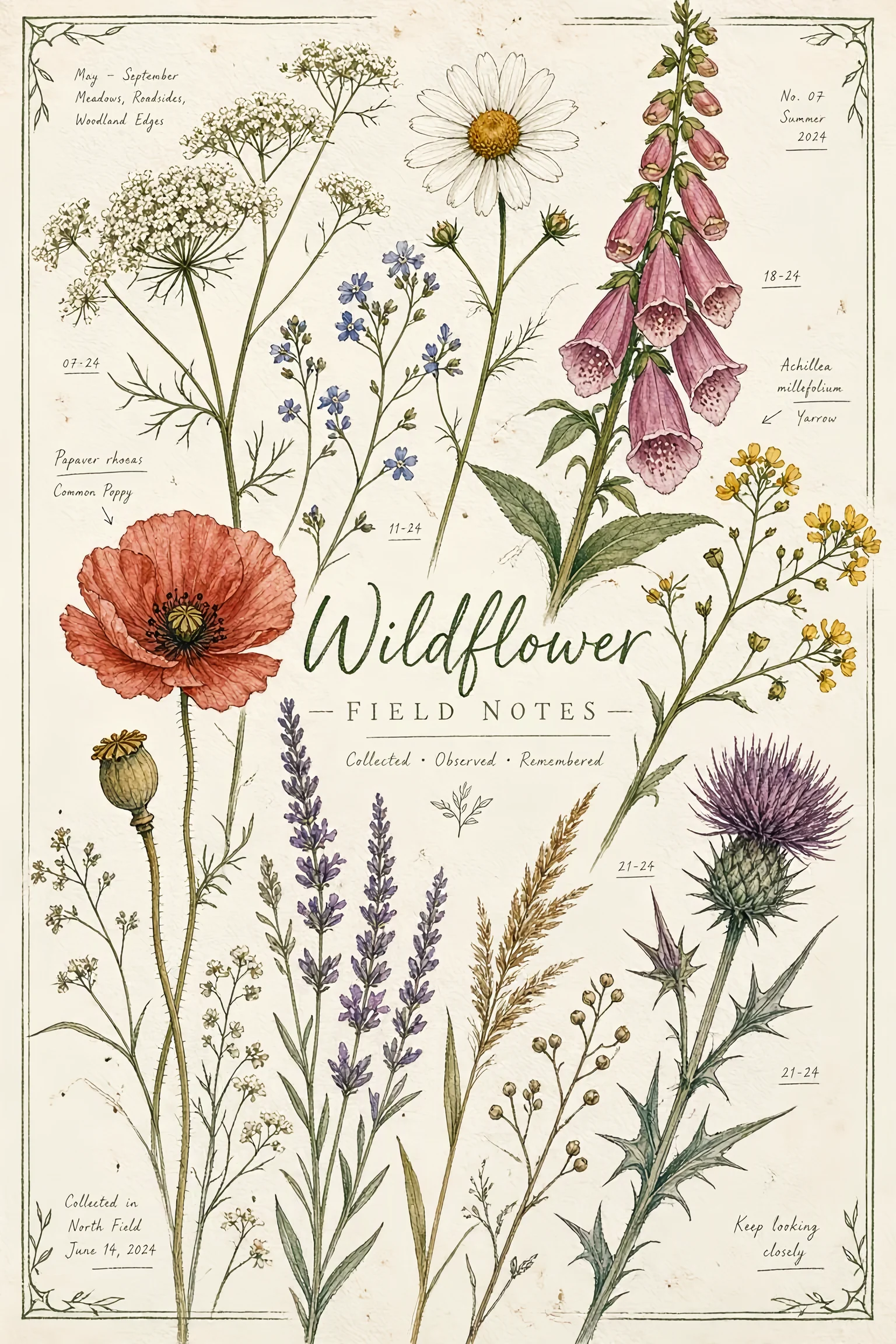
Output
imagePricing
mai-image-2.7/flash/text-to-image per image
| Specifications | Unit Price |
|---|---|
| 1K | $0.0149 |
| 2K | $0.0594 |
Positioning Overview
This is a text-to-image generation model that outputs static images based on natural language prompts. The currently available input method is the prompt, with a maximum length of 20,000 characters. Target users include creative designers, content operators, and visual developers, who can use it to rapidly generate visual assets such as concept art, social media illustrations, and poster drafts.
Core Highlights
- Long prompts for describing complex scenes — Prompts support up to 20,000 characters, accommodating detailed descriptions of scenes, styles, and composition.
- Multiple aspect ratios available — Provides 7 aspect ratios in total, including square, 4:3, 3:2, and 16:9 in both landscape and portrait orientations, suitable for different layouts.
- 1K or 2K resolution output — Each request can select either 1K or 2K output resolution, meeting the needs of drafts or final images.
- Transparent background and format options — A transparent background can be selected, and images can be output in PNG, JPEG, or WebP format as needed.
Capability Description
- Text-to-image generation: Input a natural language prompt, and the model generates a static image matching the description, suitable for rapidly producing visual concepts from text.
- Aspect ratio control: Select one of square, portrait 4:3, landscape 4:3, portrait 3:2, landscape 3:2, portrait 16:9, or landscape 16:9 via the image_size parameter, suitable for layouts such as posters, header images, or square images.
- Resolution and format options: resolution can be set to 1K or 2K, and output_format can be set to PNG, JPEG, or WebP, allowing you to choose output clarity and file format according to the publishing channel.
- Transparent background output: When background is set to transparent, a transparent-background image is generated, making it easy to overlay the subject asset onto other design drafts.
Use Cases
- Designers rapidly producing concept art — Designers input detailed scene descriptions and generate 1K or 2K images as inspiration sketches or proposal illustrations for internal review and presentations.
- Content operators creating social media illustrations — Operators use prompts to generate square or portrait images, choose a suitable format, and directly use them as illustrations for platforms such as WeChat Official Accounts and Xiaohongshu.
- Ad and poster draft generation — Creative teams generate scene concept art in 16:9 or 4:3 aspect ratios as poster backgrounds or ad visual drafts for subsequent layout.
- Transparent background asset creation — Visual developers generate subject images with transparent backgrounds, export them as PNG, and embed them into web pages, app interfaces, or e-commerce detail pages.
Limitations and Selection Advice
The maximum output resolution is 2K, with no 4K option; each request generates only one image; the prompt is required and must be between 1 and 20,000 characters; the aspect ratio, resolution, background, and output format must each be selected from the given options.
What's new
View changelog →- New model New model now available: mai-image-2.7/flash/edit
- New model New model launched: mai-image-2.7/flash/text-to-image
- New model New model released: mai-image-2.7/edit
Frequently asked questions
View all FAQs →-
What editing operations can this model perform?
It supports object removal, object replacement, attribute modification, local inpainting, and image enhancement, while keeping the composition and layout stable across multiple consecutive edits. When making these edits, write what to change and what to keep into the prompt, and leave the rest for the model to infer from the visual context.
-
What is the maximum number of reference images I can pass in a single request?
Up to 5 images, at least 1, passed in via the image_urls array. For multi-reference fusion, pass the person, product, style, and scene each as separate reference images, and state in the prompt what role each image plays; the model will fuse them according to the visual context.
-
What is the maximum output resolution?
Maximum 2K; no 4K option is offered. resolution accepts 1K or 2K, defaulting to 1K; if 4K output is required, you need to switch to another model that supports 4K.
-
How can I write prompts for better editing results?
Organize the prompt in this order: first anchor what to keep, then write the changes, and finally write the blending requirements: ① Clearly state the composition, subject, lighting, and layout to preserve; ② Specify the exact objects to remove, replace, or modify and their target state; ③ Explain how the new elements should blend with the scene in terms of lighting, scale, and position. This model reasons from visual context when a prompt is ambiguous, so spelling out the constraints in full is more effective than piling on adjectives.
Create a generation task
https://api.hiapi.ai/v1/tasks Headers
AuthorizationstringRequiredAccount API key. Required on every request. Example: Bearer YOUR_HIAPI_API_KEY. Get your API key
Content-TypestringOptionalThe request body is always parsed as JSON; when sent, only application/json (optionally with charset) is accepted — any other value returns 415. Example: application/json.
Idempotency-KeystringOptionalIdempotency key, up to 255 bytes. Retries with the same key from the same account create the task only once; replays return the original taskId.
On network timeouts or client retries, the same key creates the task only once — no double charges (scope: the API key's account). Use a business-unique identifier as the key (e.g. "order-42"); replays return the original taskId, and keys expire 24 hours after the first request. See the Unified Async API overview for the full scenario matrix.
Body
modelstringRequiredCurrent fixed value: mai-image-2.7/flash/text-to-image
routestringOptionalCurrent fixed value: default
inputobjectRequired
Business parameters for mai-image-2.7/flash/text-to-image and route default — see the parameter table below.
promptstringRequiredminLength 1maxLength 20000Text prompt describing the image content you want to generate, provided as a string.
backgroundstringOptionalDefault: "opaque"Controls how the background of the generated image is handled, provided as a string value, default opaque.
opaquetransparentimage_sizestringOptionalDefault: "square_hd"Specifies the size specification of the generated image, provided as a string value, default square_hd.
square_hdportrait_4_3landscape_4_3portrait_3_2landscape_3_2portrait_16_9landscape_16_9resolutionstringOptionalDefault: "1K"Specifies the resolution tier of the generated image, provided as a string value, default 1K.
1K2Koutput_formatstringOptionalDefault: "png"Specifies the output file format of the generated image, provided as a string value, default png.
pngjpegwebpcallbackobjectOptional
Terminal-state notification config. When omitted, no callback is delivered — poll the task yourself. See the callback note below.
Provide callback.url when creating a task and HiAPI POSTs to your service once the task reaches a terminal state — no polling needed. The callback payload mirrors the task detail structure; signature verification, delivery retries and idempotency are documented on the Unified Async API overview page.
urlstringRequiredRequired when callback is present. A POST is sent to this URL once the task reaches a terminal state; must be a valid http(s) URL.
whenstringOptionalDefault: "final"Only final is supported today — notified on both success and fail.
finalstoragestringOptionalDefault: "temp"Artifact storage tier: temp (default, retained about 7 days) or persistent (long-term, billed by size). Insufficient balance or exceeding the storage cap silently downgrades to temp; the effective tier is shown in the task detail response.
temppersistentRequest examples
# Submit an async task; returns a taskId immediately (no waiting for generation)
curl -X POST "https://api.hiapi.ai/v1/tasks" \
  -H "Authorization: Bearer $HIAPI_API_KEY" \
  -H "Content-Type: application/json" \
  -d '{
  "model": "mai-image-2.7/flash/text-to-image",
  "input": {
    "prompt": "…",
    "background": "opaque",
    "image_size": "square_hd",
    "resolution": "1K",
    "output_format": "png"
  }
}'
const res = await fetch("https://api.hiapi.ai/v1/tasks", {
method: "POST",
headers: {
Authorization: `Bearer ${process.env.HIAPI_API_KEY}`,
"Content-Type": "application/json",
},
body: JSON.stringify({
model: "mai-image-2.7/flash/text-to-image",
input: {
"prompt": "…",
"background": "opaque",
"image_size": "square_hd",
"resolution": "1K",
"output_format": "png"
}
}),
});
const task = await res.json();
// { code: 200, message: "success", data: { taskId } }import os, requests
res = requests.post(
"https://api.hiapi.ai/v1/tasks",
headers={"Authorization": f"Bearer {os.environ['HIAPI_API_KEY']}"},
json={
"model": "mai-image-2.7/flash/text-to-image",
"input": {
"prompt": "…",
"background": "opaque",
"image_size": "square_hd",
"resolution": "1K",
"output_format": "png"
}
},
)
print(res.json()) # { code, message, data: { taskId } }200 OK
{
  "code": 200,
  "message": "success",
  "data": {
    "taskId": "tk-hiapi-01HZTQ8BX2N3GM3YFK4Z9D7VQR"
  }
}
400 Bad Request
{
  "code": 400,
  "message": "invalid request",
  "data": null,
  "error_code": "INVALID_REQUEST"
}
Get task detail
https://api.hiapi.ai/v1/tasks/:id Response fields
taskIdstringRequiredTask ID, always prefixed with tk-hiapi-.
modelstringRequiredResolved full model name. Tasks submitted with the route parameter return base@route (e.g. gpt-image-2/text-to-image@ext); otherwise identical to the name passed at creation.
routestringOptionalPresent only when the task was submitted with an explicit route parameter; echoes the submitted value.
statusstringRequiredTask status.
queued Queued, not started yet.
handling Being processed.
archiving Processing finished, artifacts being prepared.
success Terminal: completed, artifacts available (output returned).
fail Terminal: failed (error returned).
After submission, check status: success and fail are terminal, everything else is non-terminal. Poll every 1–3 seconds until terminal. On success, download artifacts from output[].url and transfer them before expireAt; pass storage: "persistent" at creation time when long-term retention is needed.
creatednumberRequiredTask creation time (Unix seconds).
completednumberRequiredUnix seconds when the task reached a terminal state; fixed to 0 while not terminal.
outputarrayOptional
Present only when status == success. Artifact list — always an array; a single task may return multiple types at once (e.g. video + first_frame).
Array [ object ]
Array items
urlstringRequiredArtifact URL, directly downloadable.
typestringRequiredCurrent possible values: video, image, audio, first_frame, last_frame, thumbnail; more may be added later.
expireAtnumberRequiredUnix seconds until which the artifact remains accessible; download or transfer before it expires.
errorobjectOptional
Present only when status == fail.
codestringRequiredBusiness error code.
messagestringRequiredError description.
Response examples
Success
{
  "code": 200,
  "message": "success",
  "data": {
    "taskId": "tk-hiapi-01HZTQ8BX2N3GM3YFK4Z9D7VQR",
    "model": "happyhorse-1-0",
    "status": "success",
    "created": 1777282033,
    "completed": 1777282099,
    "output": [
      {
        "url": "https://cdn.hiapi.ai/tasks/.../video.mp4",
        "type": "video",
        "expireAt": 1777886899
      }
    ]
  }
}
Processing (non-terminal)
{
  "code": 200,
  "message": "success",
  "data": {
    "taskId": "tk-hiapi-...",
    "model": "happyhorse-1-0",
    "status": "archiving",
    "created": 1777282033,
    "completed": 0
  }
}
Failed
{
  "code": 200,
  "message": "success",
  "data": {
    "taskId": "tk-hiapi-...",
    "model": "happyhorse-1-0",
    "status": "fail",
    "created": 1777282033,
    "completed": 1777282099,
    "error": {
      "code": "TASK_FAILED",
      "message": "task failed"
    }
  }
}Articles
View all articles →-
Guide
MAI Image 2.7 Flash Text-to-Image Integration Guide: Capability Boundaries, Parameters, and Cost Estimation
From capability boundaries to the cost accounting of $0.0149 per image, this article explains clearly in one go how to integrate, how to use, and how to save money
-
Tutorial
MAI Image 2.7 Flash Text-to-Image in Practice: 5 High-Value Application Scenarios and Integration Essentials
From scenario selection to cost accounting, truly put low-cost text-to-image models to work
-

Comparison
MAI Image 2.7 Flash Text-to-Image Horizontal Comparison: How to Choose, How to Integrate, How to Save Money
From capability boundaries and pricing basis to migration paths, a text-to-image selection checklist for developers
Related Models
View all models →Same Type
-
 Nano Banana 2 Google $0.018 /image
-
 Seedream 4.5 ByteDance $0.045 /image
-
 FLUX.1 Schnell Black Forest Labs $0.005 /image
-
 FLUX 3 Image Klein Black Forest Labs $0.0092 /image
-
 GPT Image 2 OpenAI $0.007 /image
-
 Qwen Image 2.1 Alibaba $0.020 /image
-
 Grok Imagine Quality xAI $0.070 /image
-
 851 Labs Background Remover 851 Labs $0.002 /image
-
 BRIA Product Shot Bria $0.058 /image
-
 FIBO 1.5 Bria $0.058 /image
-
 Grok Imagine Image 2.0 xAI $0.052 /image
-
 Midjourney Midjourney $0.064 per call