
Guide
Getting Started with gemini-4-neon: Text Capability Boundaries, Integration Parameters, and Cost Control
Integration Decisions and Practical Points for Developers

On this page
What gemini-4-neon Is and Who Should Use It
gemini-4-neon is a text-output model launched by Google. The information in its name can be broken down: the provider is Google, and the output modality is text—it returns words, and does not produce images, audio, or video. This determines its place in the system: it is responsible for understanding input and generating text, and does not take on multimodal rendering duties.
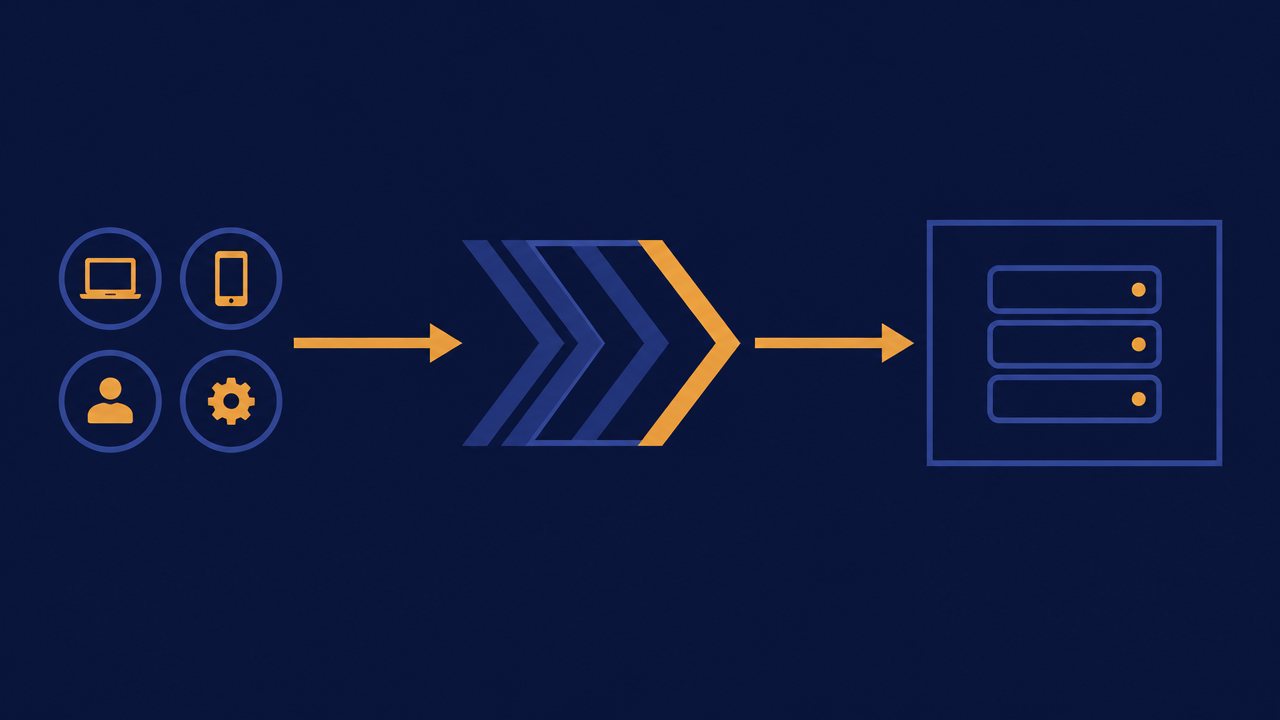
Architecturally, this type of model typically sits on a one-way text stream between the application layer and the model provider: your business code assembles the input, the model returns text, and then your code decides how to parse, display, or persist it. Understanding this one-way chain is important, because it defines the boundaries for all subsequent parameter design, error handling, and cost estimation.
This article is aimed at engineering teams preparing to make model selection and integration decisions: backend or platform engineers, those responsible for API gateways and quota management, and technical leads who need to budget costs for launch. We will focus on three things—what it is suited to handle, which parameters to watch when calling it through a unified interface, and how to keep costs under control under per-token pricing.
If you have already decided to use a pure text model to solve generative requirements, and you want to minimize the impact of "switching models" on business code, then reading on will be more targeted. For model details, see gemini-4-neon.
Key Parameters at a Glance
- Invocation method: Chat Completions endpoint
/v1/chat/completions, model namegemini-4-neon; for batch tasks insensitive to latency, usegemini-4-neon@flex. - Context and output: context window of 1,048,576 tokens, maximum output of 65,536 tokens per request.
- Reasoning level:
reasoning_effortcan be set tolow/medium/high; the higher the level, the deeper the reasoning, and the more time and tokens consumed. - Adjustable parameters:
temperature(0–2),top_p(0–1),max_tokens/max_completion_tokens,stream; function calling is currently not available. - Pricing (per million tokens): standard route input $4.54, output $22.68, cached input $0.227; @flex route input $2.27, output $11.34, cached input $0.113. @flex has higher latency and may be rejected first when upstream capacity is tight, so it is not suitable for real-time conversation.
Capability Boundaries: What Pure Text Output Can and Cannot Do
Using a model in the wrong place is often more costly than getting the parameters wrong. Based on the fact of "pure text output," tasks can be divided into two categories.
Tasks You Can Confidently Assign to It
- Text generation and rewriting: summarization, expansion, polishing, tone adjustment, format conversion (such as converting a natural-language description into a structured text fragment).
- Understanding and classification: intent recognition, tag classification, sentiment or topic judgment on existing text, output as textual conclusions or enum values.
- Extraction and conversion: extracting fields from long text, organizing semi-structured text into JSON-style string output.
- Conversational interaction: scenarios centered on text-based question-and-answer, such as customer service Q&A and internal knowledge assistants.
- Text output related to code and configuration: comment generation, change descriptions, document drafts.
The common thread of these tasks is: the input is text, and the expected output is also text, with no pixels or waveforms needed in between.
Requirements That Need a Different Solution
- Generation or editing of images, audio, and video—the output modality does not match, so no matter how the prompt is written, you will not get a media file.
- Strong real-time audio/video stream processing, speech transcription, etc., require dedicated modality models or separate services.
- Scenarios with extremely strict binary or file-level output requirements should treat it as "generating text content," with file packaging left to downstream code.
A practical way to judge: if your requirement description contains "generate an image," "recognize this speech," or "output a video," then it is outside the scope of this chain. Conversely, if the requirement can be summarized as "read a piece of text, write a piece of text," it is very likely a good fit.

Integration Path: Calling Google Text Models Through an Aggregated API
Calling Google's text model on an aggregation platform can be summarized in four steps: apply for and configure access credentials, select the model identifier, submit input according to the unified request structure, and parse the returned text result. Compared with connecting directly to each provider, the value of an aggregated interface lies in keeping request and response formats consistent, so business code does not need multiple adapter layers for different providers.
Parameter Dimensions to Watch
For specific field names and value ranges, refer to the platform documentation. Here we only list the dimensions that should be confirmed item by item during integration:
- Model identifier: the field used in the request to specify gemini-4-neon, usually a string ID; it is recommended to put it in configuration rather than hard-coding it in business logic.
- Input organization: single-turn input and multi-turn conversation are carried differently; multi-turn is usually expressed as an array of messages, each with a role and content.
- Generation length limit: the parameter controlling the length of a single output. It directly affects cost and also affects truncation risk; it is recommended to set it explicitly rather than rely on defaults.
- Randomness and stability: temperature-like parameters determine how divergent the output is. For extraction, classification, and other scenarios requiring stable results, lower it; for creative rewriting, you can raise it.
- Reasoning level:
reasoning_efforttakes low / medium / high. For simple tasks such as extraction and classification, use low to trade for speed and cost; for cross-file troubleshooting and multi-step analysis, turn on high. - Timeout and retry: network-layer parameters, unrelated to the model but strongly related to stability; it is recommended to encapsulate them uniformly on the client side.
Two Suggestions on Invocation Form
First, converge "model identifier + default parameter values + retry policy" into an internal wrapper, so the business side only passes business semantics (prompts and variables); this way, later model changes or parameter tuning do not require changes in multiple places. Second, log both requests and responses in a structured way, especially latency and token usage fields—this is the basic data for later cost accounting and troubleshooting.
For credential management, do not let the frontend or client connect directly to the aggregated interface; route everything through your backend gateway to facilitate quotas, auditing, and rate limiting.
Per-Token Pricing: Cost Structure and Estimation Methods
gemini-4-neon is priced per token. The meaning of this sentence is: cost is related to "the amount of text in and out," not simply to the number of requests. The standard route charges $4.54 per million input tokens and $22.68 per million output tokens, with cached input at $0.227; the same task on the @flex route costs half. The higher the reasoning level, the more tokens the reasoning process consumes, and the cost rises accordingly.
What Determines Cost
A single call usually involves two types of usage: input tokens (your prompt, context, retrieved reference material) and output tokens (text generated by the model). In multi-turn conversations, historical messages are often carried along, so the more turns and the longer the context, the larger the input for a single call—this is the primary reason many teams see bills exceed expectations after launch.
Estimation Approach
- Measure first, then calculate: during the canary phase, record input and output usage for each call, and take the median and high percentile of the real business-side distribution, rather than estimating with a short prompt.
- Split by scenario: group calls by business scenario (such as summarization, extraction, conversation), and separately calculate average usage and daily call volume to get the magnitude for each scenario.
- Add amplification factors: reserve headroom for long-tail inputs, retries, and user mistakes, then convert to a daily/monthly budget.
- Set limits: set an output length limit for single calls, and set daily quotas for tenants or users, to prevent a single-point anomaly from amplifying into the overall bill.
Four Practices for Cost Control
- Streamline context: include only necessary historical turns and reference snippets; chunk and filter long documents first.
- Clarify output limits: set the generation length parameter explicitly, and require short output for extraction tasks as much as possible.
- Cache reusable results: cache deterministic tasks with identical inputs to reduce repeated calls.
- Tiered processing: use a smaller output budget for simple tasks and only open up length for complex tasks, avoiding full configuration across the board.
Only by making these default configurations rather than relying on people to remember them can cost control be sustainable.
Typical Usage and Prompt Organization Suggestions
The key to getting the first scenario working is not the model, but the prompt structure. It is recommended to write prompts like code: with a fixed skeleton, and clear input and output sections.
Recommended Prompt Skeleton
- Role and goal: one sentence explaining what the model plays in this call and what it should accomplish.
- Input section: wrap the text to be processed with clear delimiters to separate it from instructions, preventing instructions from being overridden by user content.
- Constraints: output language, length limit, content that must be included or must be avoided.
- Output format: expected fields and structure; the more specific, the more stable.
An illustrative structure is as follows (pseudocode, not a real request):
You are <role>. Please complete <goal>.

<text to process>
{{user_input}}
</text to process>

Requirements:
- Output language: Chinese
- Length no more than N characters
- Output JSON only, with fields: summary, tags
Common Usage Patterns
- Single-turn extraction: input a piece of text, output fixed fields. Prioritize stability; lower the temperature.
- Multi-turn conversation: maintain a message array, control how many historical turns to keep, and summarize or compress early conversation when necessary.
- Two-stage generation: generate an outline first, then expand it, making it easier to verify direction midway and avoid truncation caused by generating long text all at once.
- Review-style rewriting: have the model point out problems first and then provide a revised draft; this usually yields more stable quality than one-shot rewriting.
Relationship Between Prompt Length and Tokens
Every explanation, every example, and every turn of history in a prompt counts toward input usage. Examples (few-shot) can significantly improve stability, but they also take up the most space—it is recommended to keep only a small number of the most representative examples rather than piling them up. The freer the output format, the more likely the model is to generate lengthy content; trading explicit field constraints for shorter output often improves both quality and cost.
It is recommended to put prompts under version control and record the corresponding effect and usage changes with each modification, to facilitate rollback.

Common Issues and Troubleshooting Directions
Problems in the early integration stage mostly fall into four categories. It is recommended to troubleshoot in the following order to avoid wasting time in the wrong direction.
Call Failures or Abnormal Returns
First look at error code layers: authentication issues (missing credentials, expired, insufficient permissions), request format issues (missing fields, wrong types, invalid message array structure), parameter out-of-range (length limit, temperature value out of range), and rate limiting and timeouts. The vast majority of failures occur during request construction; it is recommended to log the full original request and response, and check field by field against the documentation.
Unstable Output or Incorrect Format
If results vary greatly across multiple runs with the same input, first check whether temperature-like parameters are too high; if format parsing fails, check whether output constraints are placed prominently in the instructions and whether field-level examples are provided. For long inputs, repeating the key instructions once after the input section often significantly improves adherence. In addition, truncation of generation can also appear as "incomplete format," so you need to distinguish whether the length limit is insufficient or the model has gone off track.
Cost Exceeds Expectations
Troubleshooting order: first check whether the input for a single call far exceeds expectations (often due to overly long historical messages or reference documents), then check whether output length lacks a limit, and then check whether there are retry storms or loop calls. In multi-turn scenarios, failure to compress history is the most common cause.
High Latency
Long input and long output both lengthen processing time. You can try shortening context, setting a lower output limit, and splitting non-critical steps into parallel calls. On the client side, set reasonable timeouts and pair them with backoff retries, to avoid immediately retrying after a timeout and amplifying pressure.
When troubleshooting, keep three types of logs: request parameter summary, response usage fields, and end-to-end latency. These three items can basically cover all the branches above.
Pre-Launch Checklist
Before officially scaling up, it is recommended to confirm the following items one by one.
Integration and Configuration
- Model identifier and default parameter values are centralized in the configuration layer and not scattered across business code.
- Access credentials exist only on the server side; the client does not connect directly to the aggregated interface.
- The output length limit for single calls is explicitly set.
- Timeout, retry, and backoff policies are implemented in a unified wrapper.
Canary and Observability
- Adopt small-traffic canary releases, covering a single scenario first, then gradually expanding.
- Record input/output usage and latency for each call, viewable aggregated by scenario.
- Key scenarios have a result quality sampling mechanism, not just success rate.
- There is a clear rollback path: both prompt version and model identifier can be quickly switched back.
Cost and Quota
- Daily/monthly budget estimates have been made based on real distribution usage, rather than guesswork.
- Call quotas and output limits are set by tenant or user.
- Cost alert thresholds are configured so abnormal growth can be detected immediately.
- Reusable results are cached, so deterministic tasks are not billed repeatedly.
Boundary Confirmation
- No image, audio, or video output requirements in the requirement list have been mistakenly assigned to this model.
- Links involving vision or speech are handled by separate dedicated solutions.
- The team knows that this model is priced per token, and the unit price is subject to the platform pricing panel.
Solidify this checklist into the launch review process, so it can be reused when integrating other models later. For model details and parameter descriptions, see gemini-4-neon; it is recommended to start with a small scenario and then discuss scaling.
Related articles
View all articles →-

Guide
Tripo H3.1 Getting Started Guide: Choosing Among Three Input Modes, Parameters, and Pricing
A practical guide for developers on 3D generation integration decisions and cost control
-

Guide
Using qwen-image-2.1-turbo for E-commerce Product Images via the HiAPI API
A developer-first workflow for fast catalog visuals, transparent PNG output, and a working API request
9 min read -

Guide
Using topaz-upscale/video via the HiAPI API: A Short-Form Video Upscaling Workflow
Frame interpolation, enhancement settings, and a working HiAPI request for vertical video
10 min read