
On this page
Claude Code
Import the configuration with CC Switch or set environment variables to use Claude models in Claude Code through HiAPI.
Claude Code can connect to HiAPI through CC Switch or environment variables; CC Switch is recommended because you don’t edit any config file. HiAPI uses the Anthropic Messages protocol, and Claude Code connects to the official Anthropic API by default, so you only need to change two values to switch over. This tutorial was verified on Windows 11 with Claude Code 2.1.284, using claude-opus-5-5 as the example model.
1. Install Claude Code
Install Node.js first (LTS 22.19 or later); if you haven’t, see Node.js setup. Run each line in a terminal:
npm install -g @anthropic-ai/claude-code
claude --version
You should see a version number.
2. Option 1: one-click import with CC Switch (recommended)
CC Switch writes the configuration into Claude Code, so you won’t have to edit files when you change providers later. If you don’t have CC Switch yet, install it following CC Switch install and one-click import.
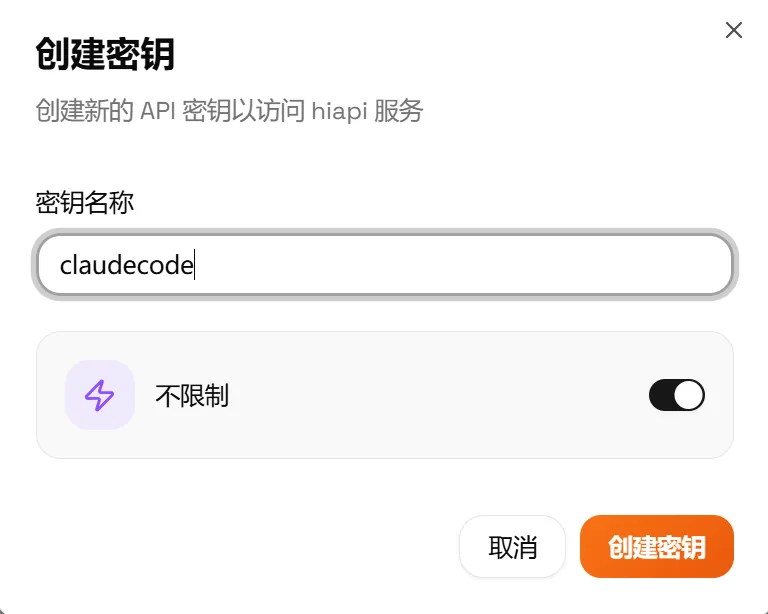
- Open HiAPI Console → API Keys and choose the key to use; if you don’t have one, create one as described in Get an API Key. You don’t need to copy the key here; the import carries it over.
- Click Import CCS to the right of the key (CCS means CC Switch). The browser opens CC Switch and passes this provider configuration to it.

- During the import, choose Claude Code as the tool, then tick the models you want to use.
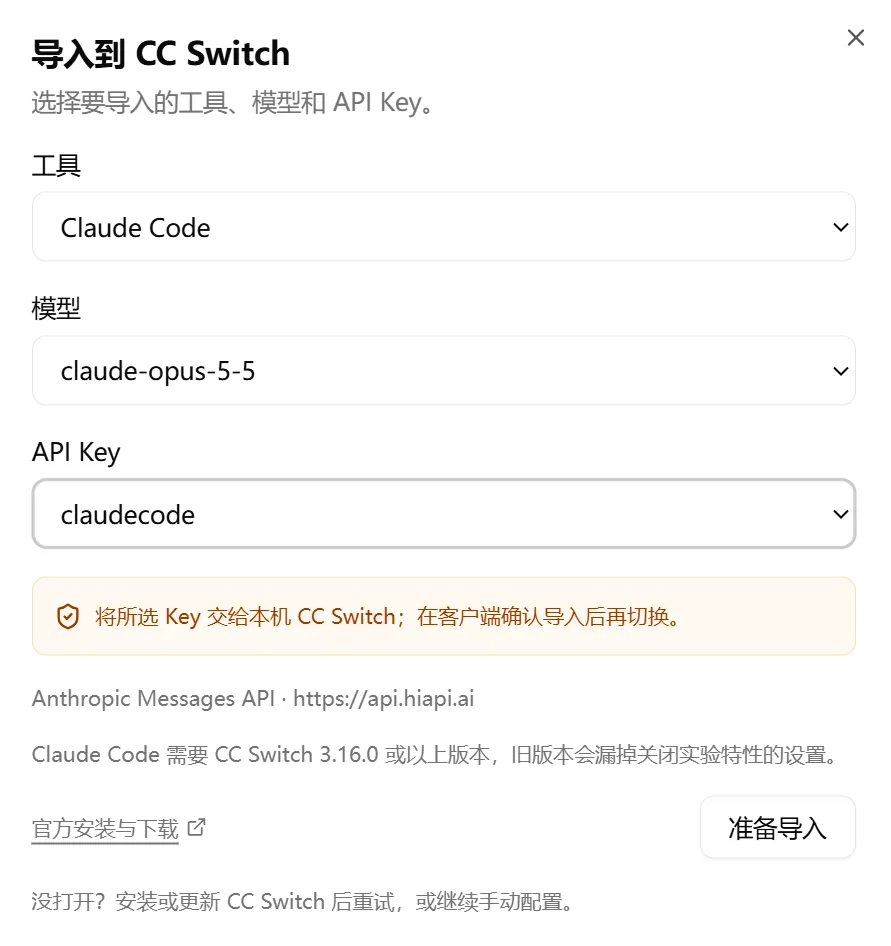
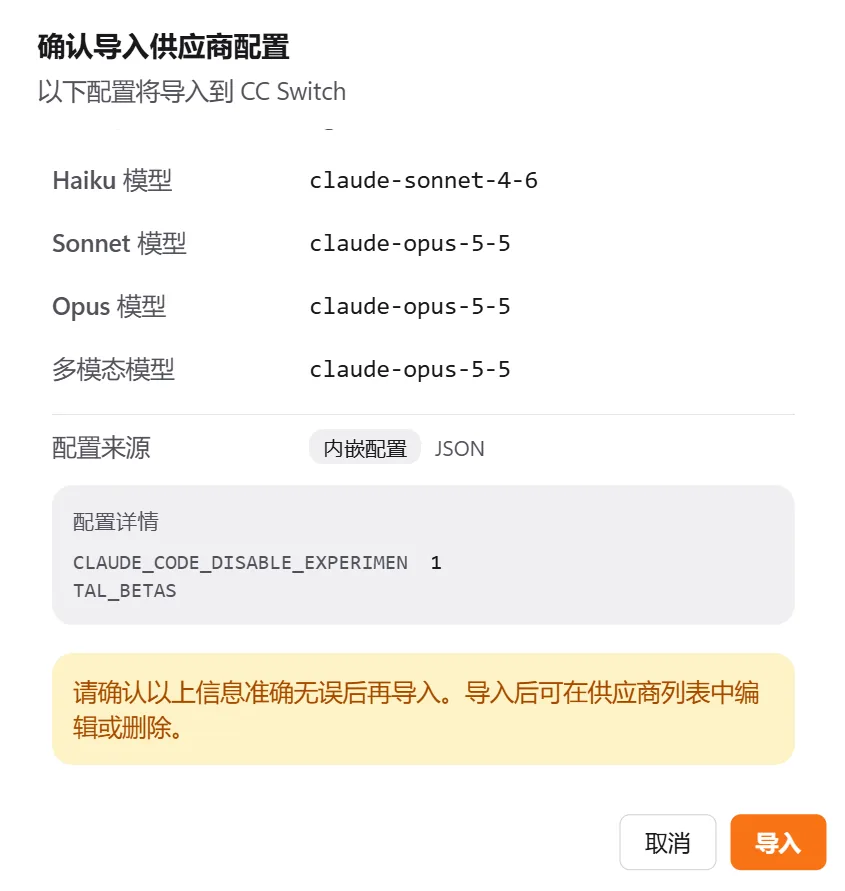
- Check the Base URL, API key and model, then click Import. The page switches to CC Switch and writes the configuration.
- Back in the CC Switch main window, click Switch provider on the HiAPI entry.

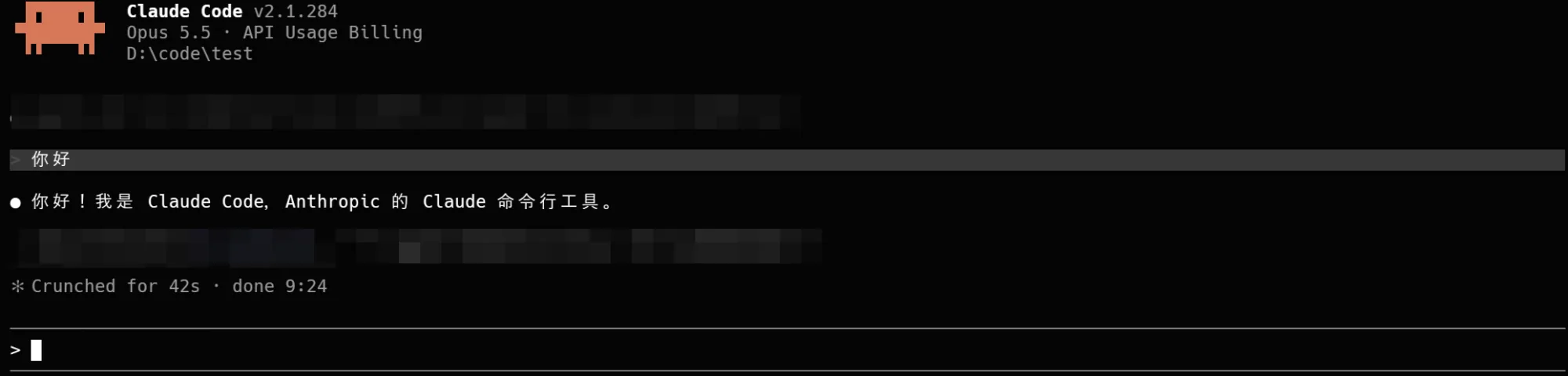
- Open a new terminal, go to your project directory and run
claude.
3. Option 2: configure with environment variables
You can skip CC Switch. Claude Code reads two environment variables, ANTHROPIC_BASE_URL and ANTHROPIC_AUTH_TOKEN. Set the Base URL to https://api.hiapi.ai without /v1; Claude Code appends the path itself. Replace YOUR_HIAPI_API_KEY below with your HiAPI API key and keep the quotes.
We also recommend setting CLAUDE_CODE_DISABLE_EXPERIMENTAL_BETAS=1 to turn off Claude Code’s experimental feature requests, so a third-party endpoint doesn’t reject them with an error. CC Switch writes this setting automatically on import.
Current terminal only
This stops working when you close the window; it is good for a first test before setting it up permanently.
export ANTHROPIC_BASE_URL="https://api.hiapi.ai"
export ANTHROPIC_AUTH_TOKEN="YOUR_HIAPI_API_KEY"
export CLAUDE_CODE_DISABLE_EXPERIMENTAL_BETAS=1
claude
$env:ANTHROPIC_BASE_URL = "https://api.hiapi.ai"
$env:ANTHROPIC_AUTH_TOKEN = "YOUR_HIAPI_API_KEY"
$env:CLAUDE_CODE_DISABLE_EXPERIMENTAL_BETAS = "1"
claude
set "ANTHROPIC_BASE_URL=https://api.hiapi.ai"
set "ANTHROPIC_AUTH_TOKEN=YOUR_HIAPI_API_KEY"
set "CLAUDE_CODE_DISABLE_EXPERIMENTAL_BETAS=1"
claude
Persist across sessions
Mac uses zsh by default. Append the three lines to ~/.zshrc (use ~/.bashrc for bash), then reload it:
echo 'export ANTHROPIC_BASE_URL="https://api.hiapi.ai"' >> ~/.zshrc
echo 'export ANTHROPIC_AUTH_TOKEN="YOUR_HIAPI_API_KEY"' >> ~/.zshrc
echo 'export CLAUDE_CODE_DISABLE_EXPERIMENTAL_BETAS=1' >> ~/.zshrc
source ~/.zshrc
On Windows, use setx to write them into your user environment variables; they take effect after you reopen the terminal:
setx ANTHROPIC_BASE_URL "https://api.hiapi.ai"
setx ANTHROPIC_AUTH_TOKEN "YOUR_HIAPI_API_KEY"
setx CLAUDE_CODE_DISABLE_EXPERIMENTAL_BETAS "1"
4. Verify
Run claude in your project directory and send “Hello, introduce yourself in one sentence.” If it replies normally and can read project files, the connection works. To double-check, type /status to see the Base URL and model, or open Request logs in the HiAPI console to find this request.
5. Troubleshooting
Only issues specific to Claude Code are listed here. For common errors such as 401, 404 and 429, see Common errors.
| Error | Cause | Fix |
|---|---|---|
| 404 / model not available | A /v1 was added to the end of the Base URL | Set Claude Code’s Base URL to https://api.hiapi.ai without /v1 |
The address in /status is not https://api.hiapi.ai | You signed in to an official Anthropic account earlier, or the environment variables did not take effect | Run /logout to sign out of the official account first; if you use environment variables, close the terminal, reopen it and run claude again |
| Auth conflict on startup | Both ANTHROPIC_API_KEY and ANTHROPIC_AUTH_TOKEN are set | Remove ANTHROPIC_API_KEY and keep only ANTHROPIC_AUTH_TOKEN |
| Still connecting to the official API after the CC Switch import | You did not switch to HiAPI in CC Switch, or the terminal was opened before the switch | Confirm HiAPI is switched, then open a new terminal and run claude |