
On this page
WorkBuddy
Add a custom model in WorkBuddy to use models that support OpenAI Chat Completions through HiAPI.
WorkBuddy can connect to HiAPI through a custom model. It only supports the OpenAI Chat Completions protocol (called OpenAI-compatible in the interface), so models that only support Anthropic Messages cannot be connected. The steps below use gpt-6-astra as the example; this tutorial was verified on WorkBuddy 5.8.3. To use another model, find its name in the text model list and enter it; if the connection test is rejected, the model does not support Chat Completions, so switch to another one.
1. Prepare a HiAPI API key
Prepare a key as described in Get an API Key, click the copy icon next to the key, and copy the full HiAPI API key to fill into WorkBuddy below.
2. Add a model
2.1 Open the entry
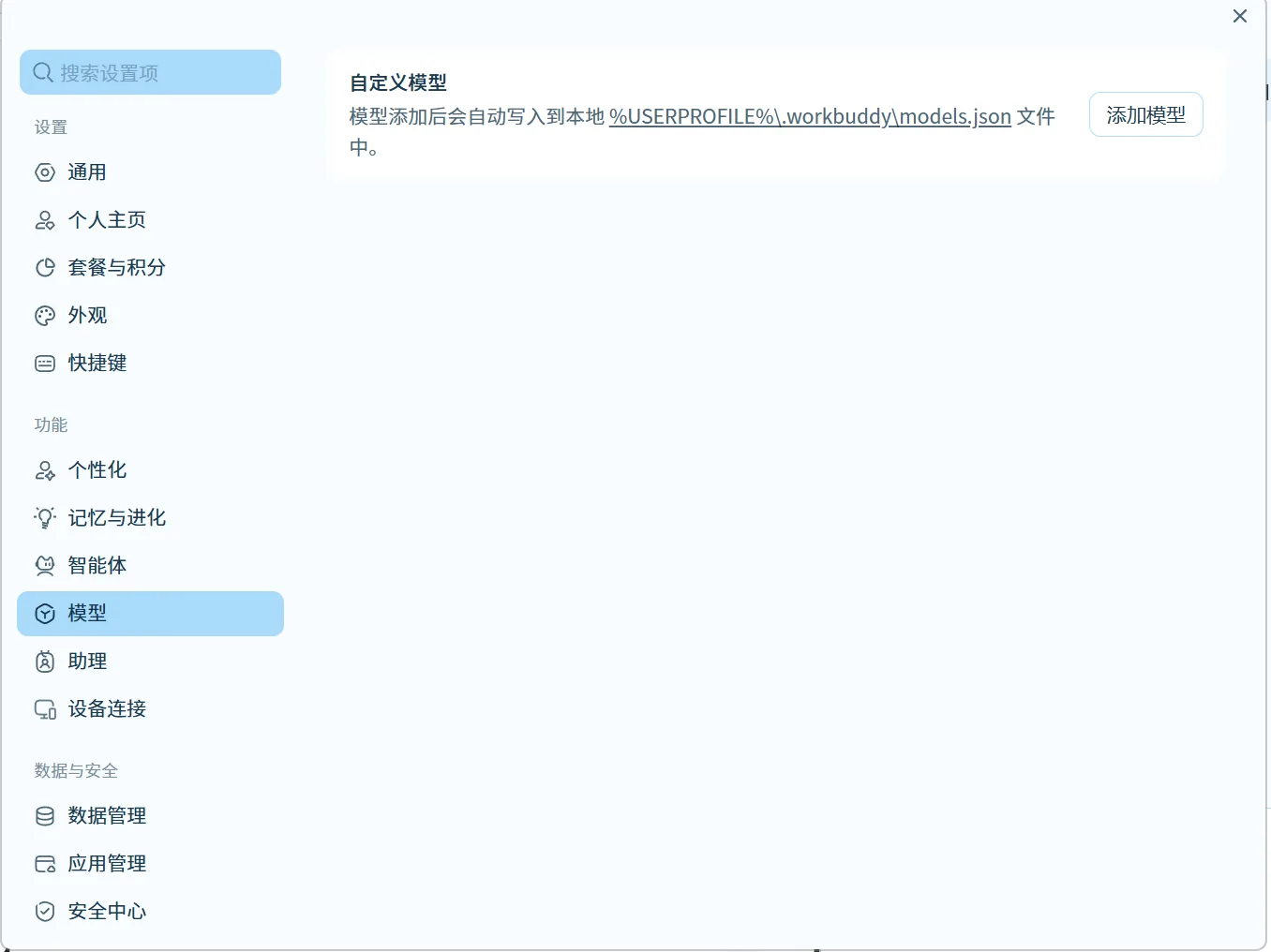
Click Settings → Models → Add Model (设置 → 模型 → 添加模型).
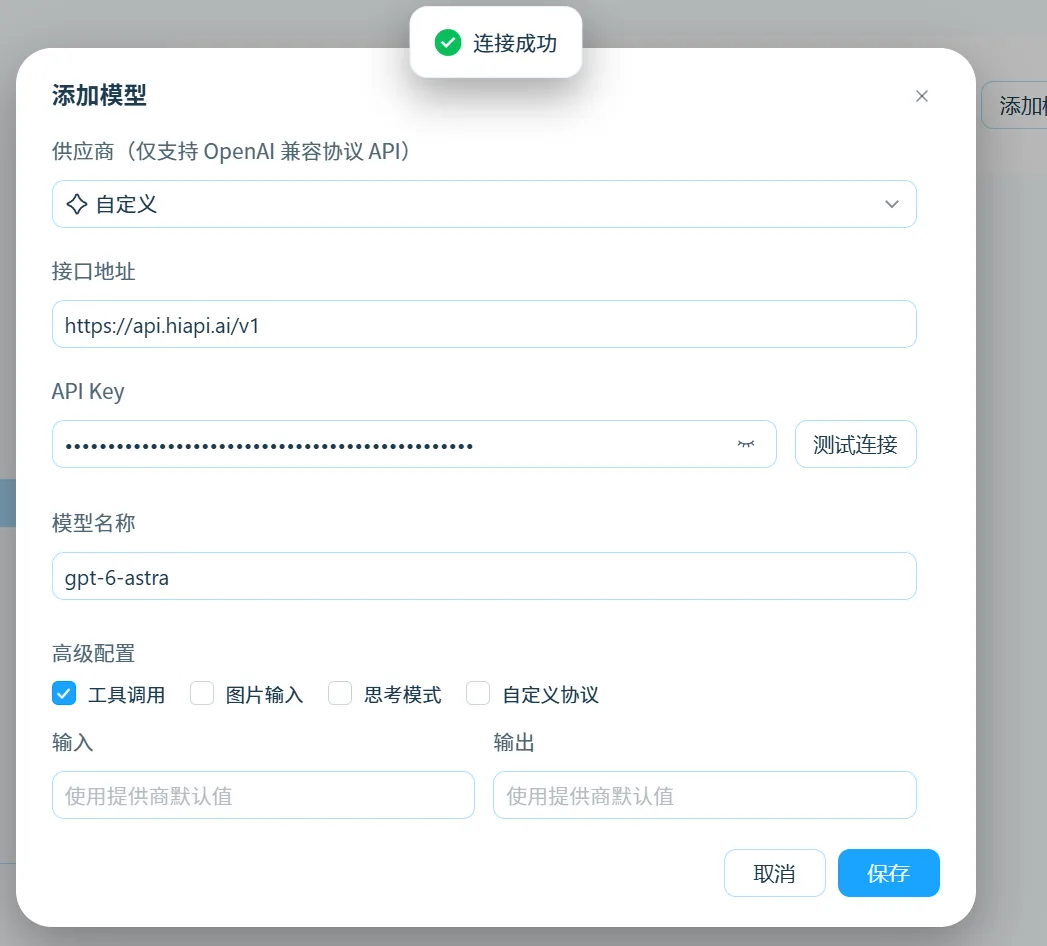
2.2 Fill in the fields
| Field | Value |
|---|---|
| Supplier (供应商) | Custom (自定义) |
| API address (接口地址) | https://api.hiapi.ai/v1 |
| API Key | your HiAPI API key |
| Model name (模型名称) | gpt-6-astra |
| Advanced settings → Tool calling (高级配置 → 工具调用) | Tick it |
| Input / Output (输入 / 输出) | Keep “Use provider default” (使用提供商默认值) |
Fill the API address only up to /v1; do not add /chat/completions or /responses. Parameter support varies by model; see the model page.
Click Test connection (测试连接), and save once it passes.
3. Verify
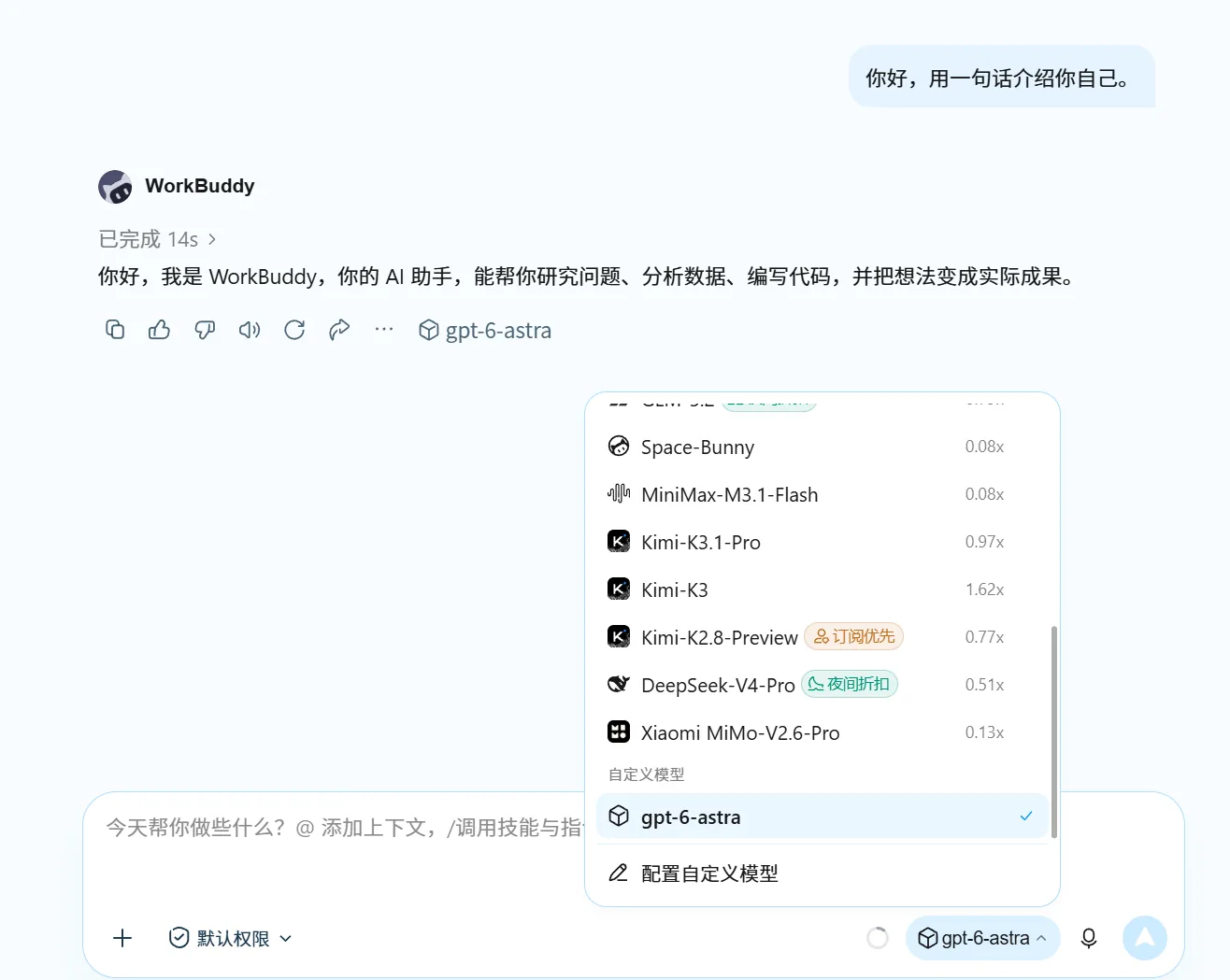
3.1 Chat
Send “Hello, introduce yourself in one sentence.” A normal reply means the connection works.
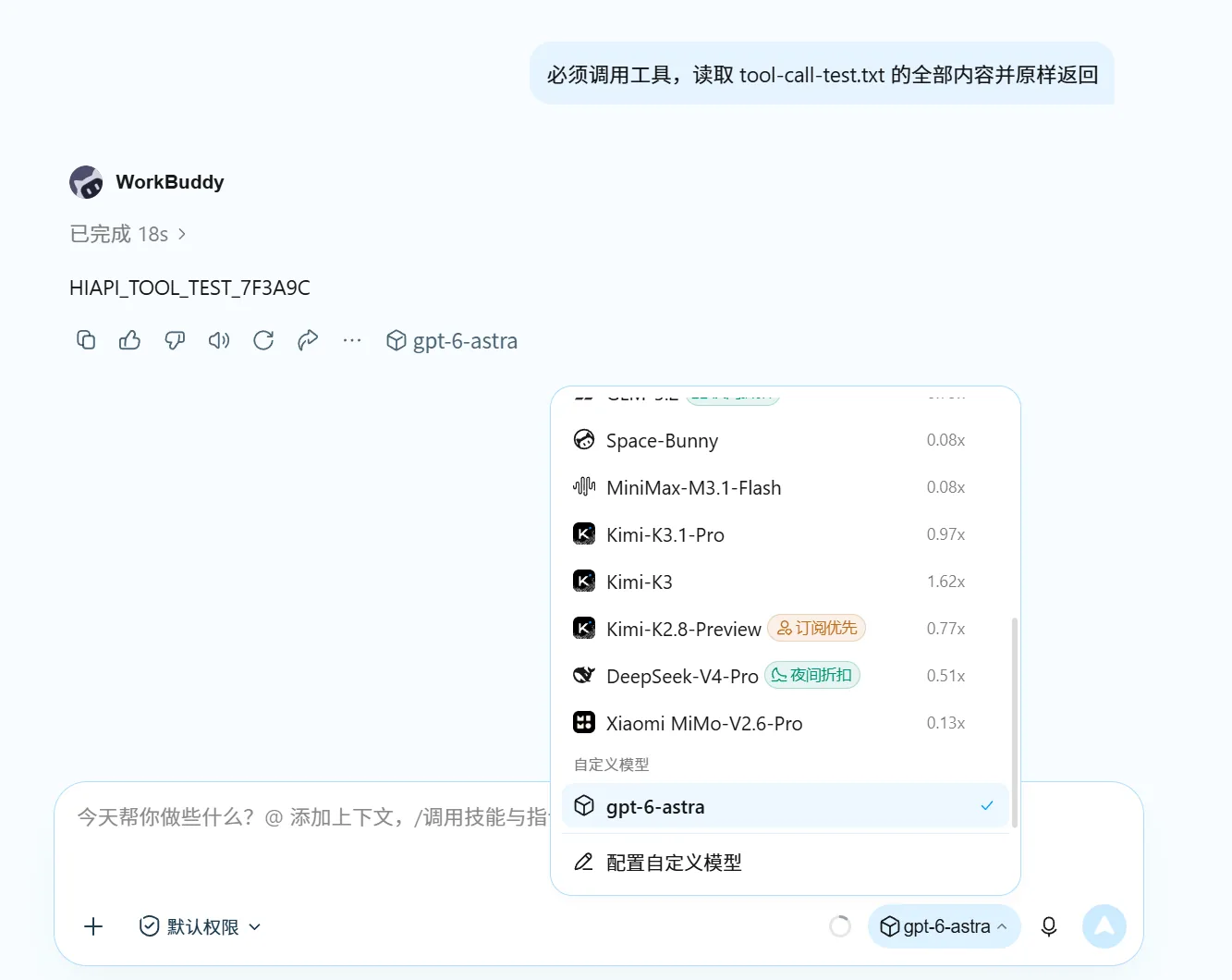
3.2 Tool calling
First create tool-call-test.txt in the working folder WorkBuddy is currently using, write one line hello hiapi and save it. Then send “You must call a tool. Read the entire contents of tool-call-test.txt and return them exactly as they are. Do not guess the contents from the file name.” A tool call appears and returns hello hiapi, so it passes.
This page only covers text models; for tool capabilities see the MCP guide.
4. Troubleshooting
Only issues specific to WorkBuddy are listed here. For common errors such as 401, 404 and 429, see Common errors.
When WorkBuddy’s Test connection (测试连接) hits a protocol error, it only returns a generic message without the specific reason, so use the table below to narrow it down:
| Error | Cause | Fix |
|---|---|---|
| The model service rejected the test request | The model does not support OpenAI Chat Completions | Switch to a model that supports Chat Completions |
| The API address or model name is incorrect | The API address is wrong | Set the API address to https://api.hiapi.ai/v1 |
| 401 | The HiAPI API key is wrong | Paste it again, with no spaces before or after |
| Invalid model name | The model name is misspelled | Enter the model name exactly as shown in the text model list |